Thank you! Your submission has been received!
Oops! Something went wrong while submitting the form.
MENU


When I started selling digital downloads more than 10 years ago it was a different experience than it is today. There were fewer examples of how to do things successfully. When I built my own knowledge business it was the definition of building the plane as I was flying it. Today, selling digital downloads is a core component of eCommerce businesses. And the tools out there make it easier than ever to become a successful business owner and creator online.
As you are building your business there are a few tips that can help you sell digital downloads successfully. I’ve put a few of these tips together so that you can learn from my own experience. These are the things I wish I had known back then. Hopefully, it will help you find success on your business journey.
{{firstdigital-component="/blog-shortcodes/blog-popup"}}
When you’re just starting out it can be intimidating to figure out where to start selling your products. I know initially felt like I had to promote my content across my social media accounts to my audience. But over time I learned that instead of relying on social media to post about what I was selling, I could utilize my blog to reach my audience.
So I started to use my blog to share free content that was valuable and helpful. Then I linked those readers to the digital downloads I was selling within that free content. If the free content on my blog was good enough, those most interested would convert and buy the digital download version. Using my blog this way I was able to show people the level of quality they could get free of charge. This got them excited about the high quality of my content that they actually had to pay for.
I learned that digital downloads are great but they aren’t the end of the line in terms of business growth. They’re much closer to being just the beginning. Think of your digital download as something in between a free lead magnet and a premium offering. It should not be your best knowledge content available. Your free lead magnets can lead people to paid content, a digital download acts as a middle-ground piece of content.
It monetizes what you know more than a free resource might. But it’s also affordable and easily accessible to almost anyone who might be interested. It functions to help expand your audience and is used as a tool to both build your revenue and act as a lead magnet for larger-scale courses and coaching offerings at the same time. Don’t let the digital download be the goal of all your sales. After the digital download, take the emails of people purchasing and upsell something else, a premium knowledge experience with more interaction with you, the expert.
It might not seem like a priority when you’ve only got your first download ready to sell, but a sales page for your digital downloads is actually incredibly important to your success. A sales page is a dedicated page on your website where you can showcase your digital product, or products, and explain the features and benefits. It should include plenty of images and videos to help potential customers understand what they are buying.
When I first started selling digital downloads I was using tools that simply dropped a checkout link into a blog post. But I didn’t have a website landing page that could sell a visitor on the value of that digital download. So there was no way for me to ensure that if they were interested in the downloads that it would meet their needs. As a result, while my digital downloads did sell well, they didn’t sell as well as they could have if I’d completed this one extra step in the process.
As a creator or a business owner, it’s so important to spend your energy wisely. Every minute and hour you spend creating and working on your business should be spent well. One thing I spent time on that I wish I hadn’t early on was worrying too much about copyright infringement. I spent too much time trying to watermark and prevent someone from re-sharing a download they purchased from me and not enough time building out a sales funnel, adding premium products to my offering, or ensuring the digital downloads provided a well-designed experience for my students.
Making your digital download a long-term investment for the student makes it all the more valuable to them. One of my flagship digital downloads was a template that I updated frequently. My mistake was when I updated the download in my system but didn’t let previous purchasers know there was a new version they could access.
When I did finally figure out I could send out regular updates to the product to people who had already purchased that added a whole new level of value for my customers. They saw this digital download as something more than a simple transactional product they purchased. And instead, they saw it as an investment they relied on over the years. By sending out communications to that buyer list every time there was a new version, it was also an opportunity to market my latest products to my most loyal customers, providing large bumps in revenue for my business.
The last lesson I wish I had learned earlier is to make everything mobile-friendly. More and more people accessing the internet on their smartphones, so it’s important to make sure your digital download is mobile-friendly. Chances are some of your students or audience will be looking at or using your download on their phone or tablet at some point. And making sure that experience is a good one is necessary. This will make it easy for people to purchase your digital product on the go, read it, access it, and use it from any device. And they’ll buy other products from you with the confidence that they’ll be able to access it the way they want to, when they want to.
These experiences I had while creating and selling digital downloads are just some of the things you’ll come across too if you choose to create and sell a digital product. But you’ll likely also learn many other lessons along the way. Each creator’s audience is different and has different needs. So keep that in mind when taking advice and when creating content for your students.
You might also find that you learn some lessons pretty quickly once you start selling your first download. But that’s okay, it’s all part of the process of being a creator and how we get better and grow.

Trading physical goods and services for money is how commerce worked for entrepreneurs for centuries. In the last couple of decades, the internet rapidly transformed commerce. And opened up new audiences to small businesses.
What further transformed e-commerce was the addition of intangible goods that exist only in digital form: online courses, ebooks, PDFs, audio, and other printables and downloadables. Digital products have given rise to knowledge commerce, where creators now sell their knowledge and build full-time businesses. Knowledge commerce uses real-world experiences to provide education and training outside of traditional educational institutions.
Information on how to do everything from finance to watercolor painting can be found everywhere. But a creator’s job is to curate it and tailor it for the people who need it. Teachable was built on the foundation of online courses being the center of your knowledge business, but we know that creating a fully launched online course has a lot of moving parts. That’s why selling digital downloads can be a great new way of consuming or selling knowledge.
If you’ve built your knowledge business around courses, or are new to selling what you know here are a few reasons you’ll want to add digital download products to your offering.
{{firstdigital-component="/blog-shortcodes/blog-popup"}}
Selling a digital download is simple, especially if you’re using Teachable to do so. You create your digital download content, upload it into Teachable, set a price, create the sales page, and launch. There is less to do in terms of daily management, no need to check course quiz scores or respond to lesson comments.
Instead, digital downloads present a more transactional revenue stream where instead of building a customer relationship within your product, you build that outside of it in your marketing—as you always have. This allows you to sell immediate self-paced content that you create once and sell repeatedly. There are no barriers to shipping, creation time, inventory, managing and launching cohorts, or checking in on one-on-one coaching milestones.
Digital download products also stay relevant for longer. If they do become less relevant over time they can easily be updated and improved. When you’ve made an update, you can also easily push that out to your previous customers so they are reminded to download the latest improved version.

Converting your social media followers, newsletter subscribers and website visitors into buyers of your products is a complex endeavor. Not every follower or subscriber will make it to purchase for a variety of reasons.
Despite the fact that your knowledge is incredibly valuable, for some potential customers the cost of a course or a course bundle may be out of their budget. A digital download allows you to sell your knowledge at a more approachable price. This gives you a larger potential market, and your existing subscribers and followers who haven’t converted into customers yet may finally take the leap.
Once those customers have purchased from you and seen the value you’ve brought in your paid products they’re more likely to purchase again. As long as your knowledge commerce business allows you to teach something others want to learn in a digital download format, you’ll likely reach even more people than you had before.
No matter what your niche is, you can create and sell a digital download relevant to your audience. With digital downloads as a product type next to your courses and coaching products, there isn’t a limit to what knowledge products you can create—checklists, guides, ebooks, how-to’s, templates‚you can sell it all.

Building a knowledge business can require a lot of time to plan online course content, record videos for it, and do everything else related to sales and marketing. Online courses should be priced in a way that reflects the amount of investment, time, and overhead that went into creating them.
With digital downloads, there is less investment, overhead, and time to create. With fewer barriers, creators can have low to zero initial costs. All you need is knowledge, your digital download, and a platform to sell it on.
As long as you create a download that lights you up and provides your audience with some type of transformation, you’ll benefit from higher profit margins by creating a resource you can sell over and over again with fewer barriers.
Check out Julia McCoy from Content Hacker and see how she’s using Teachable to sell digital downloads.
When you’re ready, create a free account on Teachable and start building your own digital download. Already a Teachable creator and ready to begin? Learn how to manage and creator your own download on our Knowledge Base.
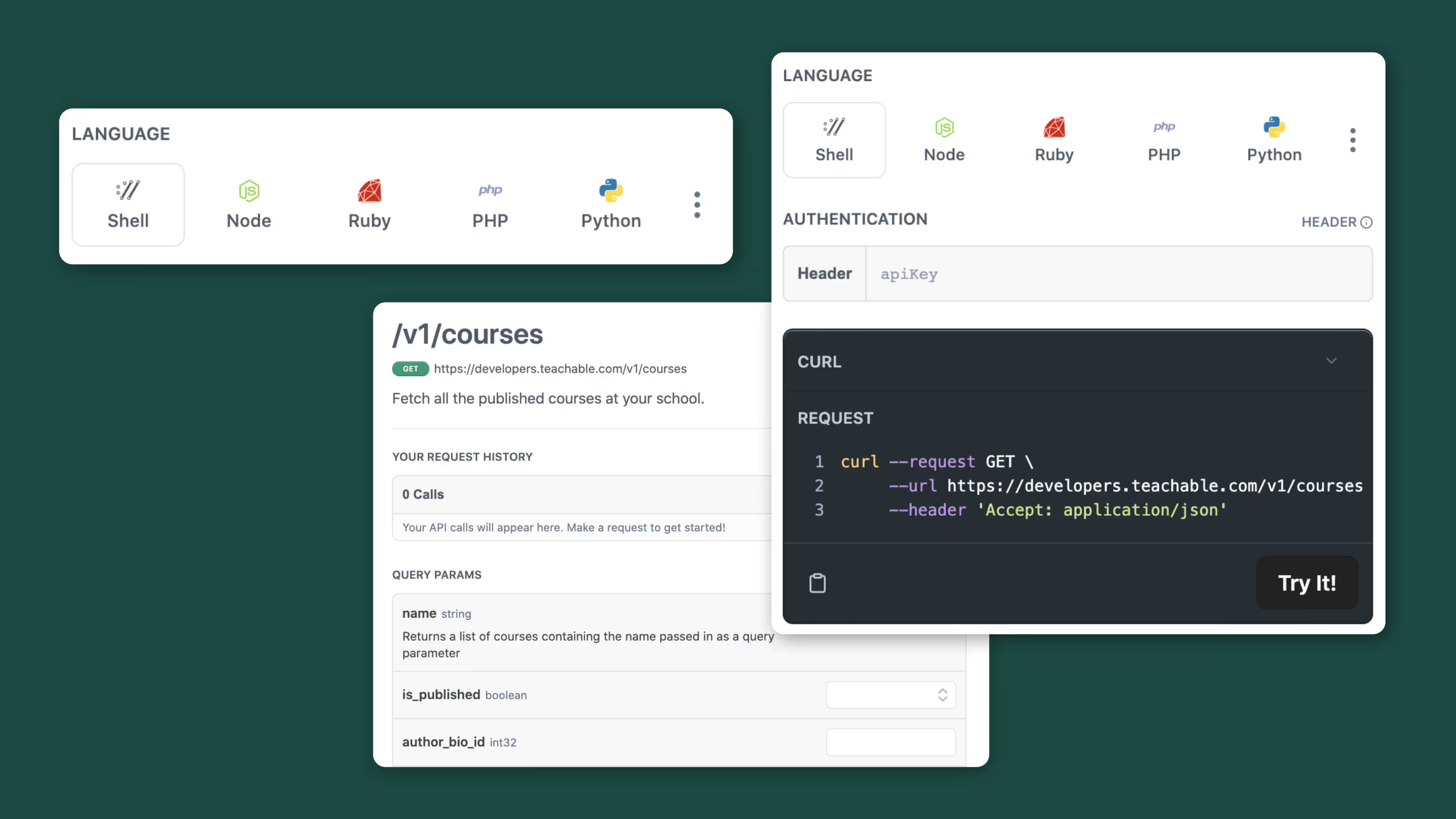
The benefits of an API (Application Programming Interface) could change your daily life as a creator.
On an average day, you may be creating products, setting up email funnels, making sales, supporting customers, and more. As a creator, whether your business has a small team or a large one, you likely have many different systems and tools you log into daily to accomplish all the things you need to best run your business.
When your tools don’t integrate or connect with one another seamlessly, multiple things can happen: You could lose precious time doing repetitive tasks, get frustrated when course content doesn’t automatically update across platforms, and even lose sales as a result.
Manually managing all these different business needs can be frustrating—especially when you’d rather spend your time coming up with new ways to change your customers’ lives and grow your revenue.
If all the tools you use in your business can connect with each other, you could have effortless data sharing, automated workflows, and streamlined customer and student experiences.
This is why we are excited to offer our new API at Teachable. With this API, creators will be able to connect tools from outside Teachable into the same ecosystem with the support of a developer.

Here are three specific use cases for how our API can help you today:
If your business is using a CRM tool like Salesforce for sales reports, you might want to see which sales were related to Teachable products compared to other product offerings you have. Right now, that may involve manually tagging customers in Teachable with a unique ID to map the data from Teachable into a CRM.
Using API to develop a customized connection between Teachable and Salesforce would allow you to bring all your data from Teachable into your central system with Salesforce. With this detailed overview of all your sales data automated, you won’t have to go in and manually tag users in Teachable. Instead, this data will map automatically into Salesforce so you can look at your sales reports and use the data to inform your decisions.
If you have multiple income streams, being able to connect your data to everything else can give you a broad picture of your revenue and impact.
There are many unique tools outside Teachable designed to save you time—for example, a discount code platform. Imagine being able to control all your discount codes from one place. However, if that one discount code platform doesn’t connect to Teachable, you’re left manually adding the same codes to Teachable to allow your students access to everything you have.
An API would allow you to work with a developer and create a custom automated workflow between your discount code platform and Teachable. You would simply create a code in your discount code platform then it would automatically populate within Teachable, eliminating the need for you to manually enter them later.
Not only do you create a streamlined experience for yourself as a creator, but it’s a seamless experience for your students too. API helps you automate tasks without the need for a web hook.
If you have many courses or different types of offerings, having all those offerings displayed on a custom website outside Teachable is difficult.
Any time you change a course and want it to display somewhere, else you spend time making all these changes manually across everywhere your course is displayed.
Instead, with API you can work with a developer to set up a custom app. This would allow you to embed a Teachable product onto your website. The API would connect from Teachable to your website to ensure that when you update the course on Teachable, it will be updated everywhere else as well. Now, potential students see the same information no matter where they encounter your course, driving more sales for you while saving you time.
Teachable’s API is available for creators on Pro and Business plans.
{{pricing-component="/blog-shortcodes/blog-cta"}}

Deciding to start offering digital downloads as a product, and actually creating those downloads, are two very different tasks. Creating a download might require new skills that you haven’t perfectly honed yet, but that’s okay! Everyone has to start somewhere, and as a creator, you already know that you have valuable information to share. So why not try your hand at putting it in digital download form too as part of your strategy?
You can use these downloads as high-quality lead magnets to help grow your audience or show people the value you might offer in your coaching or course products. Or you could completely dive in and use your downloads as a whole new revenue stream for your online creation business.
Luckily, I have been in your shoes before. I created and sold digital downloads and have tips to share to make the journey easier for you.
{{firstdigital-component="/blog-shortcodes/blog-popup"}}
Before you start creating your digital download, it’s important to have a clear understanding of who you are selling to. What students will most benefit from the knowledge you want to share? This will help you create digital download content that resonates with your prospective students and addresses their specific needs and interests.
If you’re creating a digital download to use as a lead magnet, think about what information would be best to share with that audience. They’re mostly likely people who are just exploring the topic you teach, or are on the fence about purchasing a whole course. Make sure your digital download has information that would inspire the confidence to buy.
To sell your digital download, you need to convince people that it’s valuable enough for them to spend money on it. Make sure your product provides value to your audience by solving a problem or meeting a need they have. After they download your product they should have complete clarity and answers about their questions. But at the same time the download can prompt more questions where the student might want to take a course or purchase another product to learn more about the topic.
You could also offer your downloads as supplemental content to your other offerings. An example of these could be selling a downloadable time management guide or planner if you offer courses or coaching on time management. While students wouldn’t need to use one with the other, it could help them get the most out of both product offerings.
The title and product description are crucial for attracting potential buyers. Make sure they accurately reflect the content of your digital download and use persuasive language to entice people to purchase. You should keep this copy consistent across all channels. So if you promote your download in an email, make sure you use the same title, description, and wording when you promote the same thing on your sales page. This will cut down on confusion or any sort of lag time. When a lead decides to buy your download, they’ll be able to quickly make sure they know what they’re buying and it’s the product they want.
{{threesteps-component="/blog-shortcodes/blog-popup"}}
The visuals of your digital download are important for making a good impression on potential buyers. You want to position yourself as an expert in your area of knowledge. So if your download product looks like an essay you wrote in a Google Doc, it may be lacking the high-quality experience you want your students to have. Use high-quality images and graphics to make your product look professional and attractive. To do this you can use a tool like Canva with pre-designed templates to drop your knowledge into. Before diving into an empty template, take a look around and see what Canva, or any other tool you use, has to offer. Play around with a few and take your time finding the right fit.
Determine how much your digital download is worth based on the value it provides to your audience and the time and effort you put into creating it. Be sure to consider the cost of any materials you used and any ongoing expenses you may have. One of the best things about digital downloads is they are very affordable to create, and you can sell them repeatedly. This lends itself to affordable pricing so you can reach a larger audience with an affordable digital download and later sell them a premium course or coaching experience. Once the initial lift of creating the download is done, the main thing you’ve got to do is update it when necessary, and promote it. So the cost of labor goes down with each sale you make.
Once you’ve created your product, it’s important to get the word out about it. Use social media, email marketing, and other online marketing tactics to promote your digital download to your target audience. Be sure to have your downloads featured on your sales page. That way, when someone finds themselves exploring your products, they can find your introductory download. Then they might become a repeat buyer or level up to become a student of yours.
With these tips under your belt hopefully you feel ready to start creating your own digital download. Remember, when it comes to downloads the possibilities are endless. You could start out with something simple like a wallpaper or screensaver or a calendar. Or you might even choose to turn one of your most successful blog posts into a download by adding more information and beautiful design to it. Whatever it ends up being, keep in mind that your first might not be your best, but it’s better than nothing. And over time you’ll have some of your own tips on creating digital downloads to offer.