Thank you! Your submission has been received!
Oops! Something went wrong while submitting the form.
MENU


While we often hear the terms “content creator” and “influencer” used interchangeably, there’s actually a stark difference.
We’ll dive deeper into the differences, but one of the biggest is that a content creator is more known for the content they make, while influencers are more known for who they are and their overall “influence.”
Learn even more about what these two career paths have in common, as well as what sets them apart—plus, discover how brands can work with both content creators and influencers.

A content creator is someone who, for lack of a better description, creates content. There are many different types of content they might make, like:
A content creator might work only for themselves, building up their own audience by offering valuable informational content. Or, they might also create content for brands.
One great example of a content creator is Matt Shirley, or @mattsurelee on Instagram. He creates fun, colorful charts that he shares on Instagram, and has amassed a following of over 400k by doing so.
Here’s one of his charts:
He even created a book out of his charts that his followers can purchase:
However, Matt has also started partnering with brands to create charts in his recognizable style that they can share on their own social media platforms.
Here’s an example of a chart he created for HubSpot:
Content creators work to build up their own audience who enjoy the content they create. This then makes it valuable for brands to partner with content creators—they get great content for their own marketing purposes while also appealing to the content creator’s existing audience.

An influencer does also create content—hello, photoshoots, lifestyle curating, Instagram/TikTok videos, and more. The key difference is that an influencer focuses more on building an audience around their lifestyle rather than around their content.
Influencers, well, influence. They build up an audience by sharing their lives with their followers. The connection is more between the influencer and their followers, rather than between the content and its consumers.
Danielle Carolan, @daniellecarolan on Instagram, is an influencer with over 250k followers. She regularly posts lifestyle content, like this Reel showcasing what she does on Sundays to prep for her week:
However, Danielle also partners with brands to promote their products. Here’s an example of a sponsored post from a collaboration with Brooklinen:
Influencers build up their audiences through a genuine connection. They then partner with businesses to promote said business’s products on their own social media platforms.

The difference between a content creator vs. influencer is that a content creator’s job is to write, design, and make content to build an audience while an influencer’s job is to showcase their lifestyle and other passions to build an audience.
Both career paths are heavily reliant on social media. The use of social media platforms is invaluable for sharing their content or lifestyle and building up a large following.
However, content creators also have the advantage of bringing other platforms into the mix. Many content creators have their own websites they use to host some of their content. They use tools like Teachable to house online courses and other digital products. Many also have their own email list they’ve built to send out a recurring email newsletter.
There are also differences in how brands work with content creators and influencers.
When working with a content creator, the end goal is typically to have some piece of content created for the business to use for their marketing purposes. When working with an influencer, the goal is to boost awareness and increase sales of a product from that influencer’s audience.
There are also similarities between influencers and content creators. One of those is how they go about building up their audiences.
As I mentioned, both are heavily reliant on social media. They tend to utilize several social media platforms to share a lot of content, engage with other users, and build up their audiences. The only difference here is the types of content they’re sharing.
Another similarity is that both work with brands. Content creators and influencers both want to partner with brands in order to bring in additional income. The difference here is the way each one will work with a brand. Let’s get into that a bit more.
When it comes to partnering with a content creator and influencer, it’s not an “either/or” type of decision. Both can be equally beneficial depending on your brand’s needs.
When working with a content creator, the goal is to have a piece (or multiple pieces) of content created that your brand can share on its website, blog, social media, etc.
This could be a video to share on YouTube or TikTok. It might be a podcast episode or a blog post with educational information about your business and its product/service. It could be a chart, like we saw in our example from Matt Shirley, or high-quality product photos.
When working with an influencer, your goal is to showcase your product or service to an additional audience. Instead of working together to get a piece of content for your business, you’ll provide the influencer with your product/service and they’ll showcase it on their own social media platforms.
Influencer partnerships help to build brand awareness, improve trust in your brand, and reach a wider audience. If you provide the influencer’s audience with a discount code, you might even be able to bring in new sales from the partnership.
Working with content creators and influencers do different things for your business. You can easily find a number of content creators and influencers that you decide to partner with to both create content for your business and promote its products or services.

Influencers typically get paid based on how much promotion your brand wants. They’ll usually create packages that will vary in cost and outline what you’ll get.
For example, the packages might look like:
They’ll vary based on which platforms the influencer uses and how long it takes to create each type of post.
Content creators are typically paid based on the projects they create. They’ll often have their own rates outlined, in which they may choose to charge by the project, word, or hour.
Brands can reach out to content creators in order to outline what kind of project they’re looking for and get a quote from the creator based on the project’s scope.
Absolutely! While the differences outlined throughout this article are generic, sometimes they overlap. For example, Cassey Ho from Blogilates started out as a content creator, creating pilates videos, healthy recipes, and other content on her website and YouTube channel.
She’s since amassed a huge following and has started to promote other brands alongside creating her own brand and branded products.

Online quizzes can have many uses for a business or creator. They can be great ways to keep an audience engaged online, test customer knowledge, or include as part of an online course offering to gauge how much someone has learned.But in order to create the best possible quiz, you need the right quiz maker. Luckily, there are a number of options to choose from.
In fact, we have 12 of the best online quiz makers for 2023 below. In each, we’ll walk through their features, what they can be used for, and their pricing. Plus, discover how to create your own online quiz and use it to boost engagement.
Let’s get started.
The quiz maker you choose to use depends on your specific needs, budget, and preferences. Learn more about the 12 best online quiz makers to decide which one is right for your brand.
Teachable has a quiz maker built into our course creation tools, making it easy for users to incorporate quizzes into each section to test what students are learning. However, we now have an AI quiz generator that makes the quiz at the end of each section easier to build out.
The AI will analyze the text-based sections and pull together suggested quiz questions for course creators to include. Go through each of the questions and answers provided by the AI engine and choose the ones you want to have in your quiz.
Features:
Pricing: Basic quizzes available in free plan. More functionality available in the Pro plan starting at $119/month.
SurveyMonkey is a survey creation tool with the ability to create online quizzes as well. This means you have the ability to use SurveyMonkey for a number of different use cases. There are a number of starting templates to use to make the quiz creation process even easier.
Use the drag-and-drop functionality and numerous question types to create an educational quiz, fun quiz, or internal quiz for your team.
Features:
Pricing: Free basic plan.
Typeform’s selling point is that users can create visually appealing quizzes, surveys, forms, and more with their software. With a full-screen, one-question-at-a-time interface, Typeform does boast one of the prettiest quiz makers.
The full-screen interface does grab attention, making this a great option for teachers. Add images, background designs, and a number of different question types to create a fun and engaging quiz for your students.
Features:
Pricing: Free basic plan.
Previously Survey Anyplace, Pointerpro is an option that allows teams to create both online and offline quizzes. Offline quizzes can be used for instances without an internet connection, to reduce cheating, and to ensure a distraction-free environment.
This quiz maker is ideal for teams looking for internal employee training assistance. Easily integrate with your preferred training software to offer secure quizzes that ensure all employees are kept up-to-date on policy and role requirements.
Features:
Pricing: Starting at $69/month.

Paperform is another form, survey, and quiz site that can enable your team to create multi-purpose engaging and educational content for your audience. The tool offers over 500 pre-made templates you can use as a starting point for your quiz rather than starting from scratch.
This can make it much faster to create and promote your quizzes. Find a template with the same number of questions—or similar questions—to the ones you plan to input, then easily customize it until it’s ready to share.
Features:
Pricing: 14-day free trial. Plans start at $20/month.
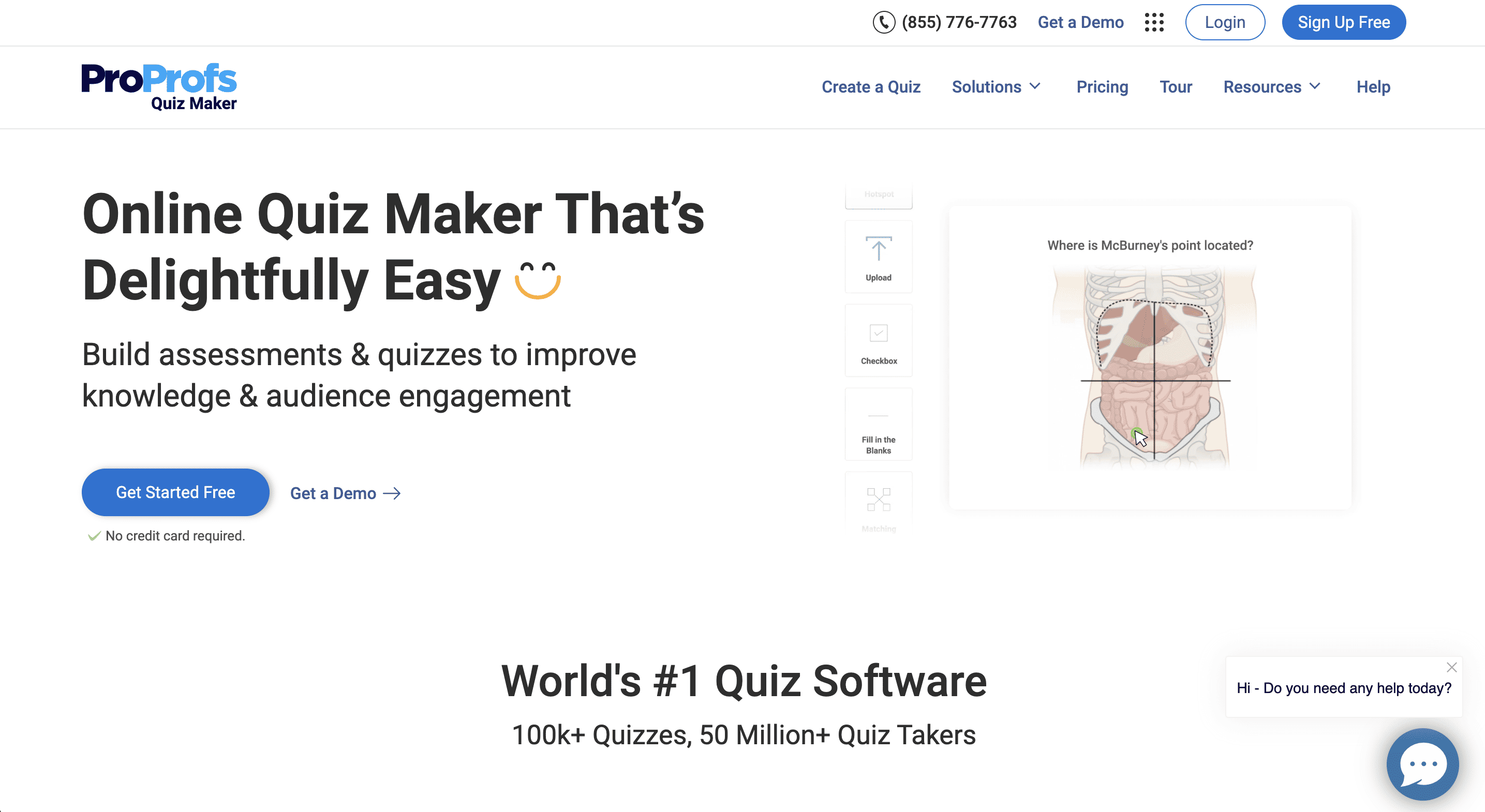
ProProfs as a whole offers an entire suite of different types of software, from live chat and help desk software to knowledge base software, survey capabilities, and of course, a quiz maker. This means ProProfs is the perfect quiz maker for any business using any of the other tools offered by this software company.
However, it’s still a powerful quiz maker on its own. Use this tool to create things like personality quizzes, employee training assessments, pre-employement tests, and more. ProProfs is another tool that offers templates to easily get started with your first quiz.
Features:
Pricing: Free basic plan.
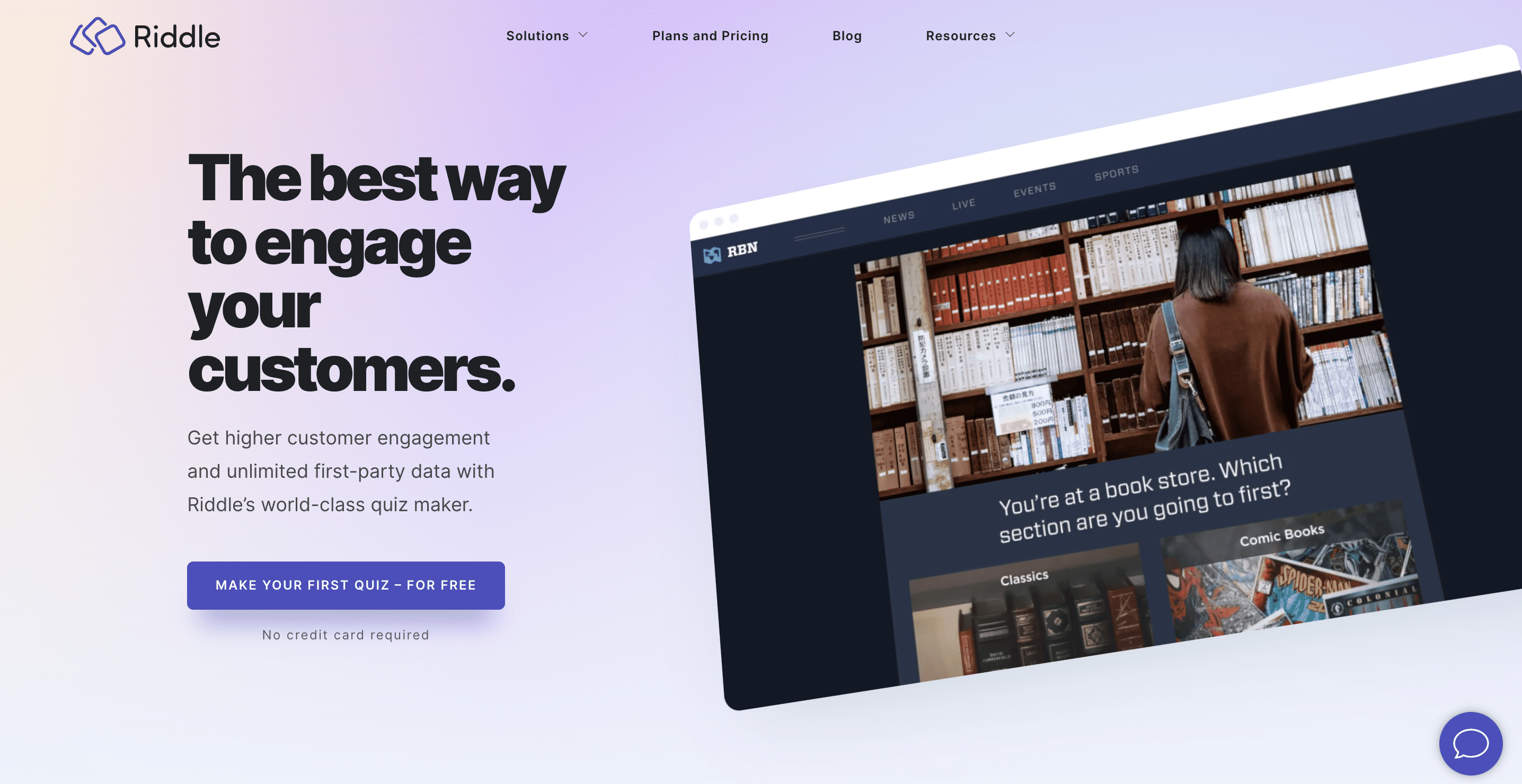
Riddle, which has acquired quiz maker platform Qzzr and rebranded/revamped it, is another great quiz building option to consider. While many tools on our list have a number of software offerings, Riddle focuses exclusively on quizzes.
But, this means Riddle works perfectly for a number of quiz types. Make people answer quiz questions to enter a giveaway, create personality quizzes, poll your audience, and more.
Features:
Pricing: 14-day free trial. Plans start at $59/month.
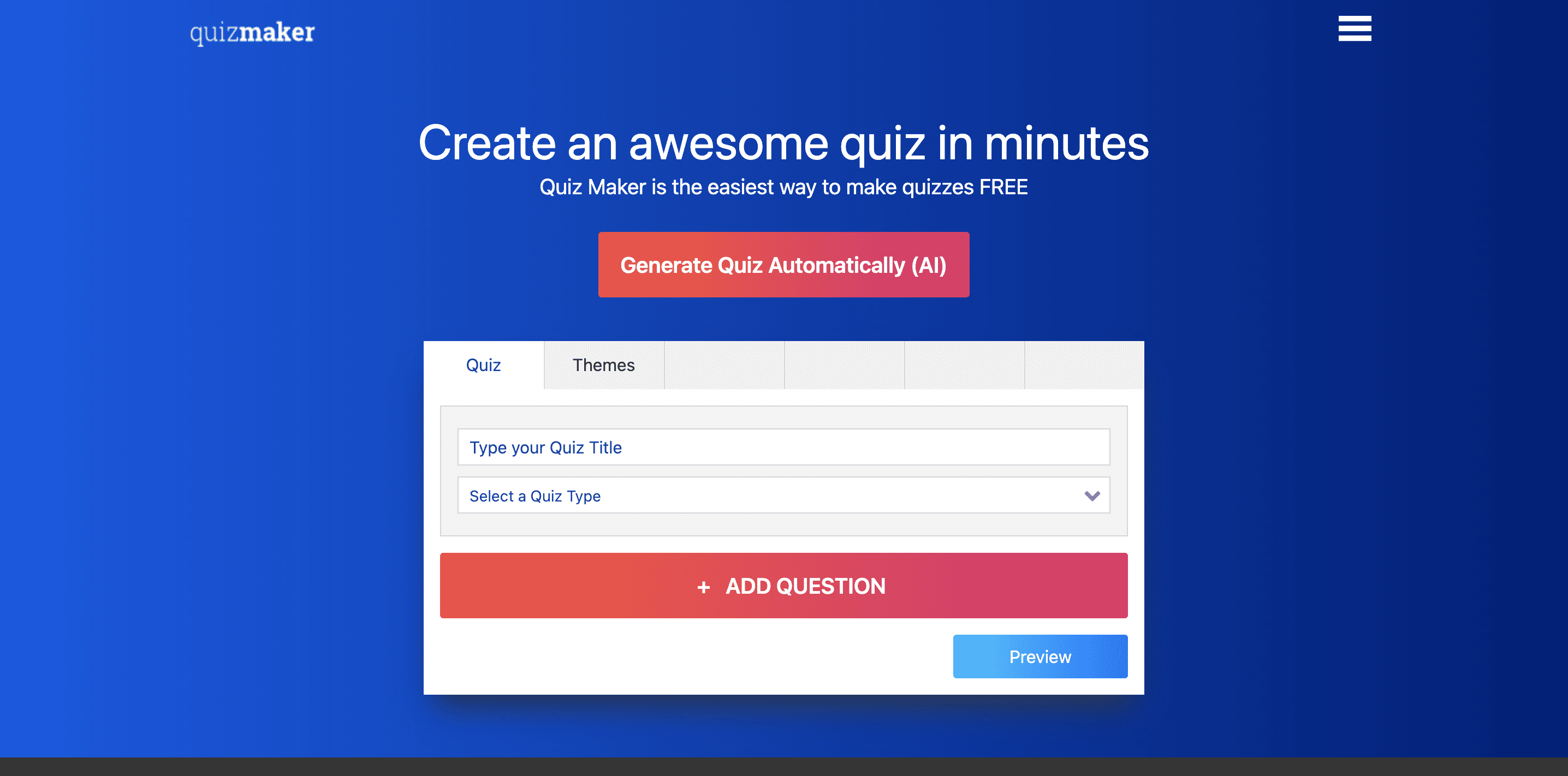
With a name like “Quiz Maker,” there’s no wonder this option has made our list of the best online quiz makers of the year. Easily create a number of different types of quizzes with this tool—from engaging trivia quizzes to educational quizzes for your online or in-person classes.
Start with a template or from scratch, give quiz takers certificates based on their scores, gamify your quizzes to engage your users even further, and work with your team to create the best quizzes you can.
Features:
Pricing: Free basic plan.
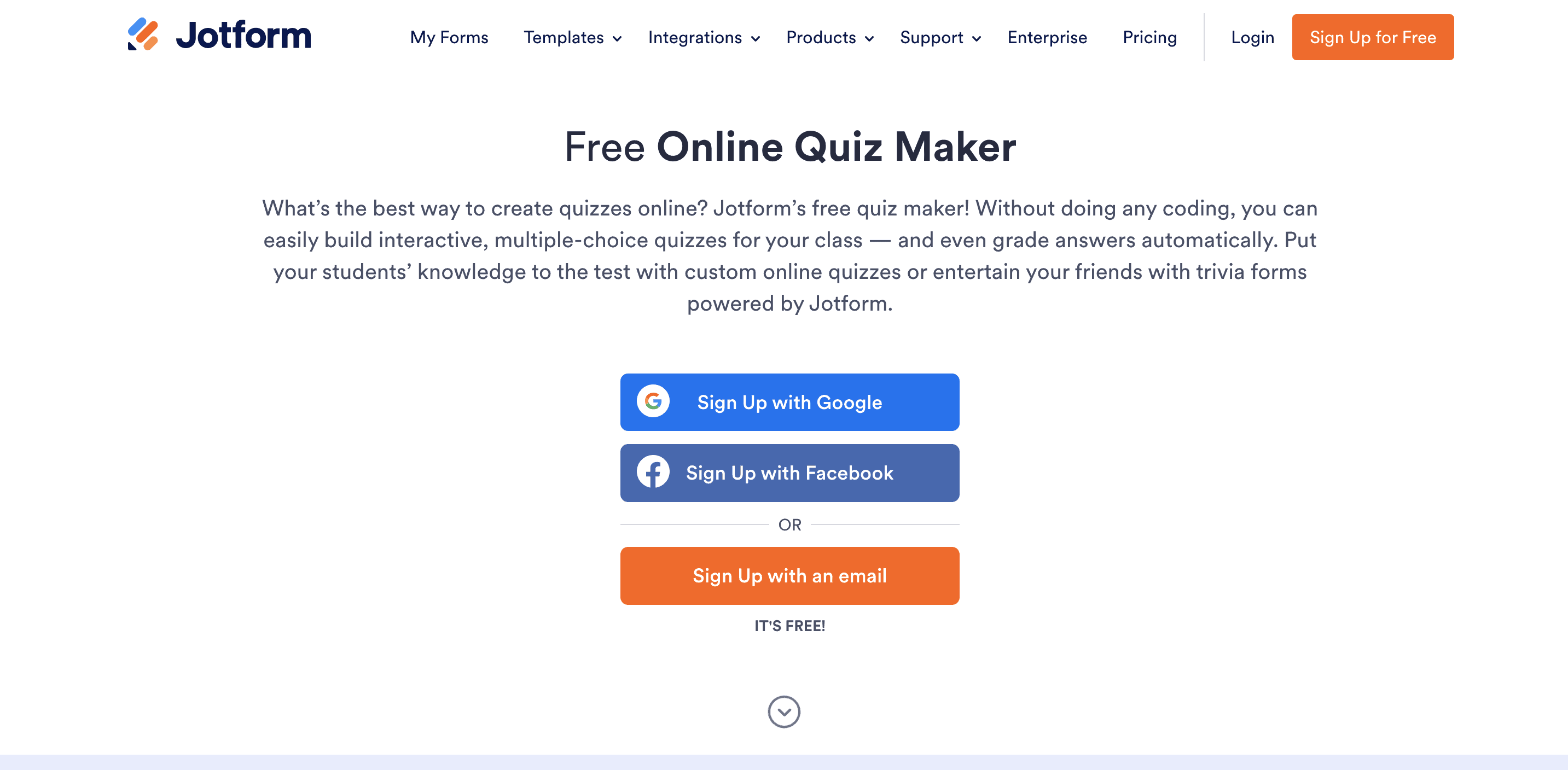
Jotform is another great option when looking to build quizzes for your business. Another easy-to-use, no-code, drag-and-drop quiz making tool, Jotform also comes with pre-made templates and allows businesses to also create things like polls, surveys, forms, and more.
Use Jotform to create fun trivia quizzes to engage your audience online, build out interactive quizzes with conditional logic, embed the quizzes on your site, and even turn your quizzes into a mobile app.
Features:
Pricing: Free basic plan.
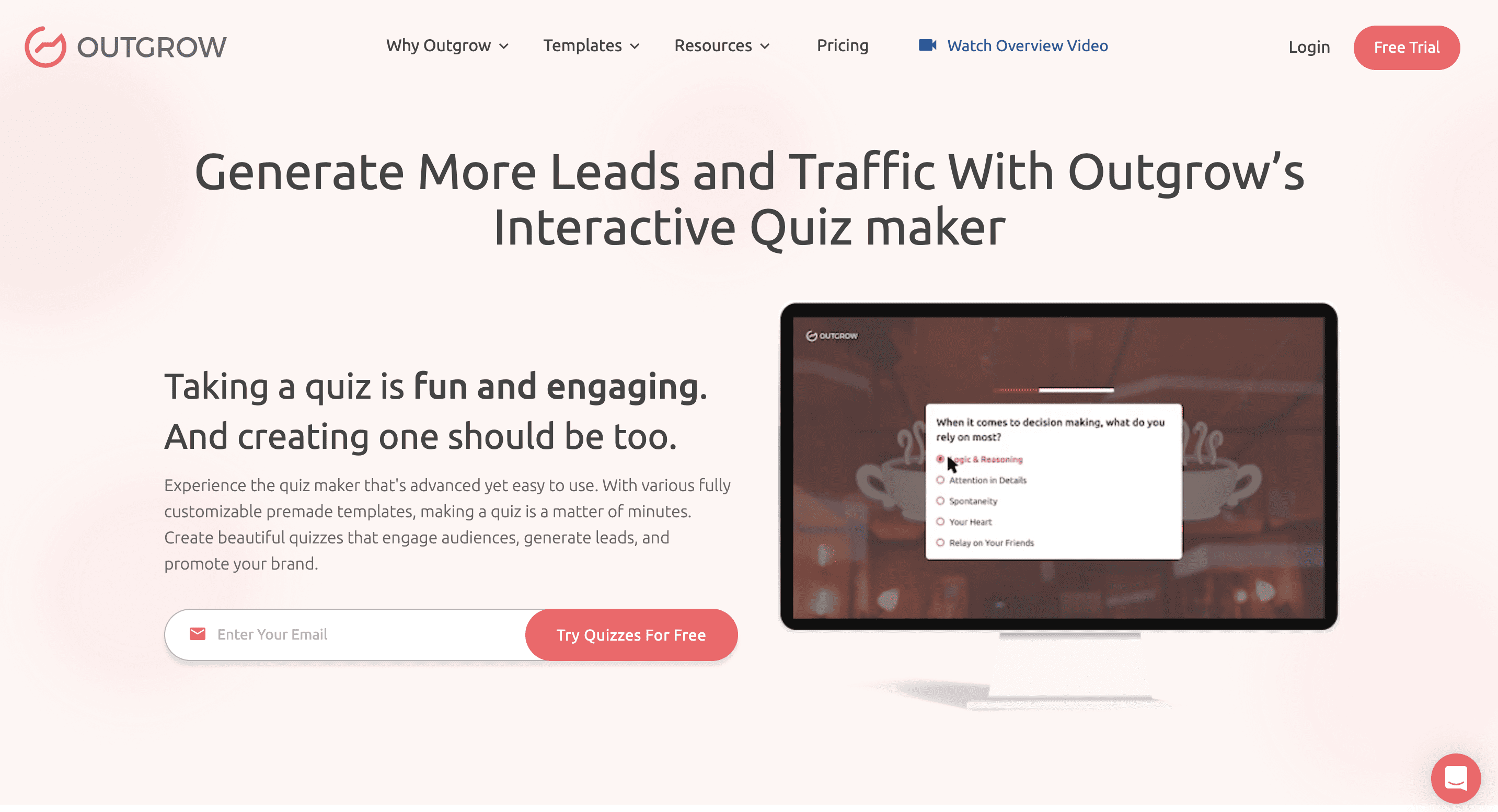
Outgrow is another great business tool. Create quizzes, polls, giveaways, surveys, and more. Outgrow wants to help businesses generate leads and traffic through these fun and engaging tools.
With their quiz maker, you can start from scratch or with a ready-to-use template. Choose from a variety of different layouts for your quizzes as well, so they won’t always look exactly the same. Plus, get reports of your quiz results in visual formats.
Features:
Pricing: Starting at $14/month.
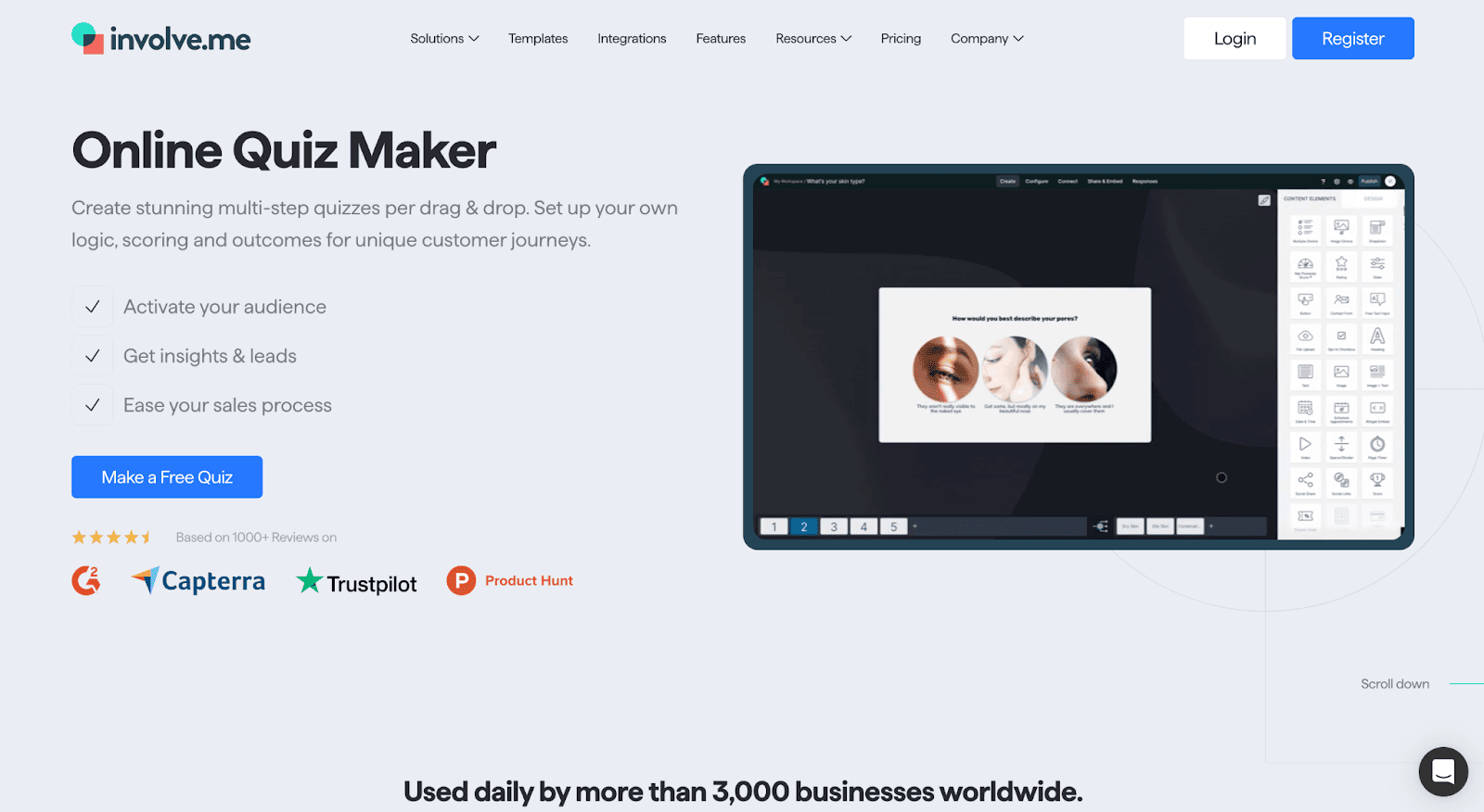
Involve.me is another great quiz maker option for your business. Use this drag-and-drop quiz builder to create unique and engaging quizzes that incorporate images into your questions and answers for further interaction.
Create lead generation quizzes, product recommendation quizzes, personality assessments, and more. Embed your quiz on your website (great for including in an interactive blog post) or create landing pages specifically for your quizzes.
Features:
Pricing: Free basic plan.
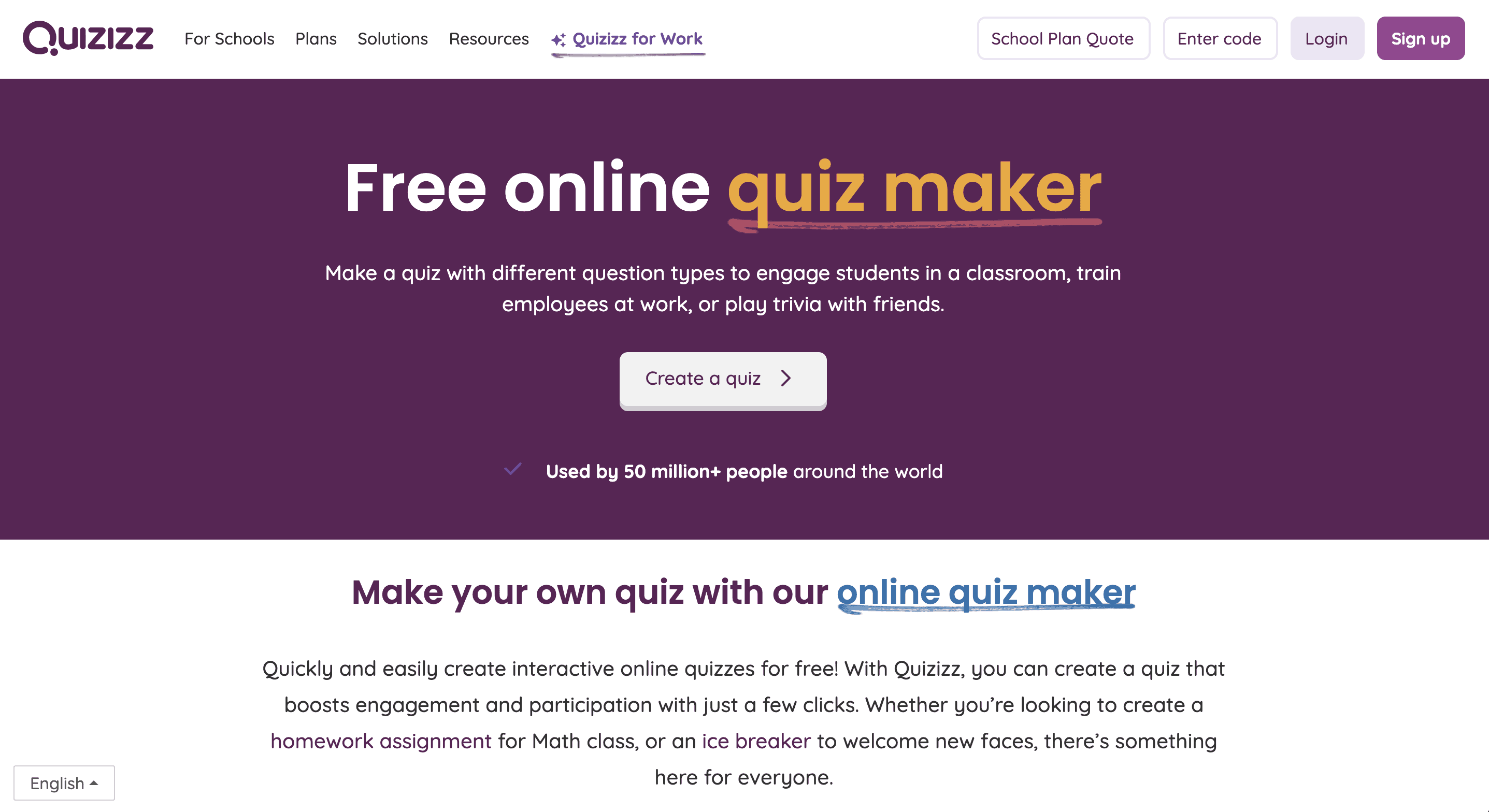
Quizizz is the last quiz maker on our list, and is perfect for both businesses and educators. There are a number of question types to choose from, like multiple choice, fill in the blank, match, poll, drop-down, and more.
Access quizzes created by the Quizizz community to help get ideas and inspiration for your own quiz and quiz questions. Incorporate images, videos, GIFs, and more into your quiz. Have as much fun creating your quiz as your audience will have taking it.
Features:
Pricing: Free basic plan.
Now the next most important thing to cover is how to create your quiz. Let’s walk through the main five steps to follow when building out quizzes for your business or course.
The first step is to choose the best online quiz maker for your business. We’ve covered 12 options, their main features, and their price points. Browse through each point to find the quiz maker you want to try out for your quiz.
Most of the quiz makers in our list have some sort of template or starting point to use. Decide if you want to sift through the template library to find an existing quiz you can easily customize.
Or, you can start from scratch—or use Teachable’s AI quiz generator to do all of the work for you.
The next step is to map out your quiz questions. Many of these quiz makers have conditional logic capabilities, meaning you can choose which questions will go next depending on the quiz-taker’s answers. Keep this in mind while you create and map out how your questions will go.
Draft all of your questions on a piece of paper or in a document or spreadsheet. Some quiz makers even allow you to import existing documents and spreadsheets to make it easy to build out your quiz.
If you don’t import, the next step is to open your quiz maker of choice and start dragging and dropping the different types of quiz questions you want to use into the quiz. Paste or type in your questions and answers and make sure you select the correct answer for scoring purposes.
Customize your quiz colors, fonts, imagery, and everything else to match your brand, your course branding, etc. Finalize your quiz to get ready for the last step.
Finally, once everything is ready, it’s time to share your quiz with your audience. You can include it at the end of each course lesson to track how much students are learning. Or, to engage your audience (learn more in the next section), you can share online via link or by embedding onto your website.
Not only are quizzes the perfect way to gauge learning, they can also be a great tool for engaging your business’s audience. Use quizzes for lead generation, to get customer feedback, to discover insights about your target audience, and more.
Here are a few ways to use online quizzes to boost your audience engagement.
Many quiz makers allow you to embed your quiz within a web page. That means you can create a landing page surrounding your quick or you can even embed quizzes within a blog post to provide even more interactivity and context for your readers.
Social media platforms like Instagram, Twitter, and LinkedIn allow you to create polls as your posts. Tease questions in your quiz by using these polls. You can think add the link to the full quiz as part of the post, as a response, or in a comment.
Get your quiz takers to help spread the word. Make sure social sharing is on so that those who participate in your quiz can share their results with their friends. This is especially popular for personality quizzes and quizzes where people get fun results.
Include the quiz in one of your email newsletters—or dedicate an entire newsletter to share the new quiz with your audience. This is a great way to track opens and clicks from your email list to see how many people are interested.
You can even use your quiz as a barrier for entry to a contest or giveaway. Use this tactic if you’re trying to gather customer insights—like personality traits or product feedback—through your quiz as it can be a great incentive to get more quiz takers.
Start creating quizzes for different use cases in your business! Use Teachable’s AI quiz generator to seamlessly build out quizzes for your Teachable courses—or take advantage of another one of the best online quiz makers of 2023 for other business needs.

AI has been taking the content creation space by storm over the last couple of years. With the advent of OpenAI and the GPT model, many new AI tools have been popping up all over the place with the goal of helping companies and creators generate more content more quickly.
However, not every AI tool is built the same. If you’re looking to add one of the best free AI content generator tools to your arsenal, we’ve got a list of 10 to choose from. Each one either has a free trial, limited free usage, or a completely free plan.
Browse our list below to find the best AI content generator for your business needs.
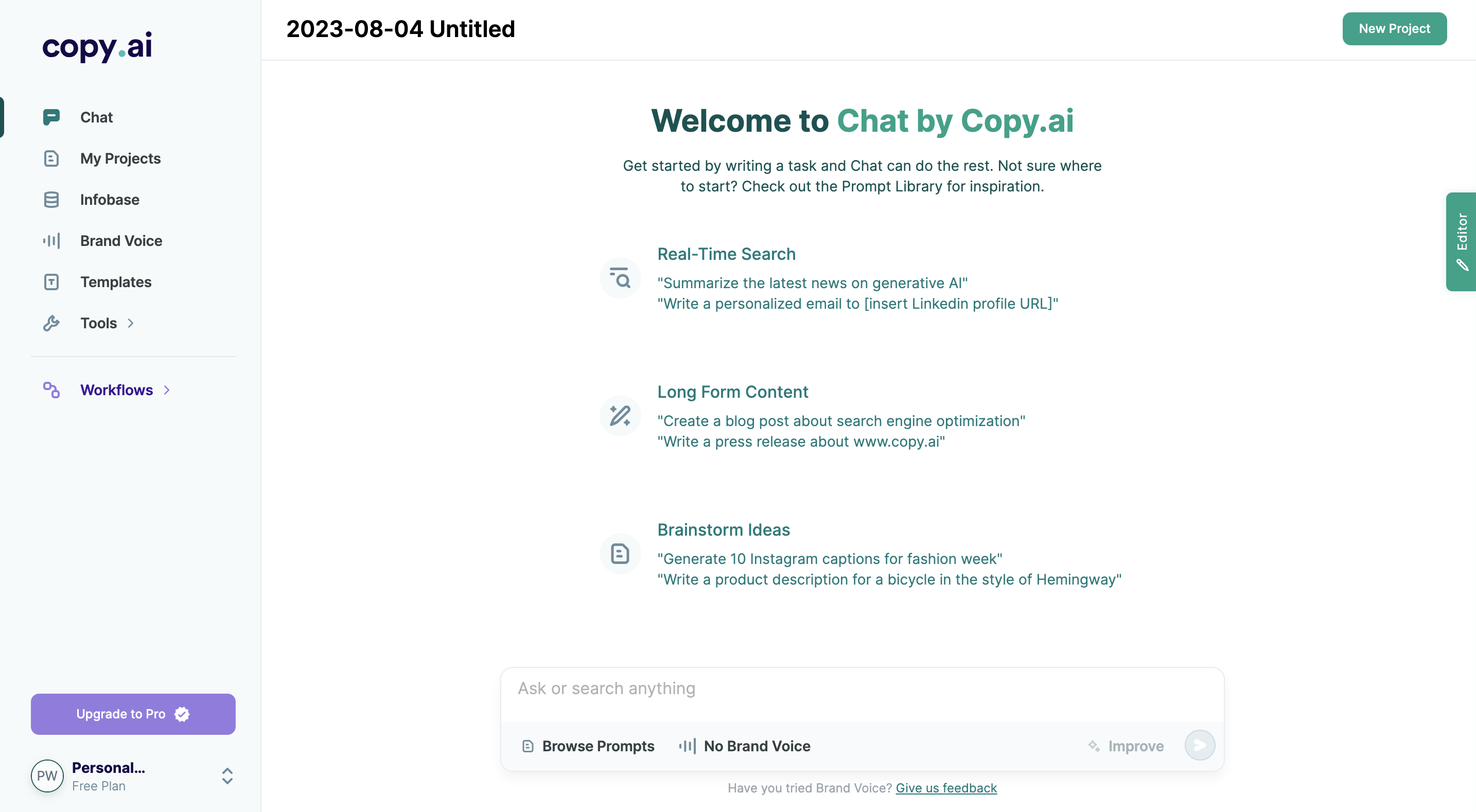
Copy.ai is one of the best all-around AI content generator tools available on the market. Powered by GPT (Generative Pre-trained Transformer), it’s an AI chatbot that responds to various types of queries.
You can use it to brainstorm blog post ideas, answer questions for your research, and even help write out long-form blog content. Keep in mind that AI shouldn’t be used as your full-time writer. It needs adjustments to sound human, but it can be a great tool for speeding up the content creation process.
Use cases:
Pros:
Cons:
What you get: 2,000 words free + other free AI tools

ContentBot is a great AI tool for blogging, but one of its best features is its ability to help teams create workflows. ContentBot can be used to help automate and create your team’s entire content marketing workflow—content creation included.
There are a number of great use cases to explore. However, make sure you have a business email address to use for your account. The tool doesn’t allow accounts to be created with a personal Gmail.
Use cases:
Pros:
Cons:
What you get: 5,000 words free
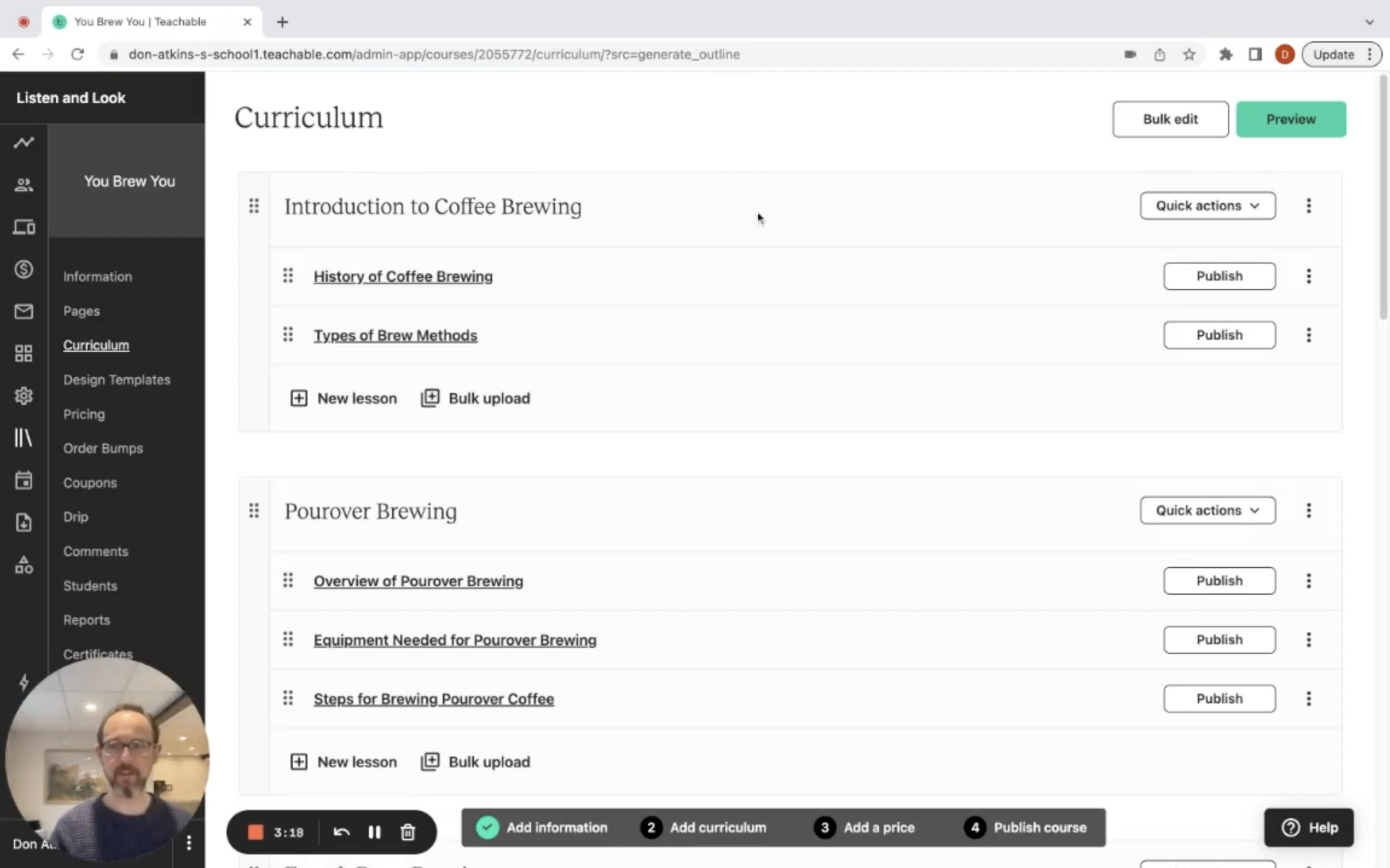
If you’re interested in creating your first (or second, third, etc.) online course but are struggling with the structure, take advantage of Teachable’s new AI tool—the curriculum generator. It’s extremely easy to use—simply type in your course topic or idea and let the AI tool pull together a great starting point for your course.
You can then use the provided curriculum to outline your course sections. Of course, you have all the flexibility you need to keep, remove, change, or add any sections you want.
Use cases:
Pros:
Cons:
What you get: Completely free plan
{{aicurriculum-component="/blog-shortcodes/blog-cta"}}
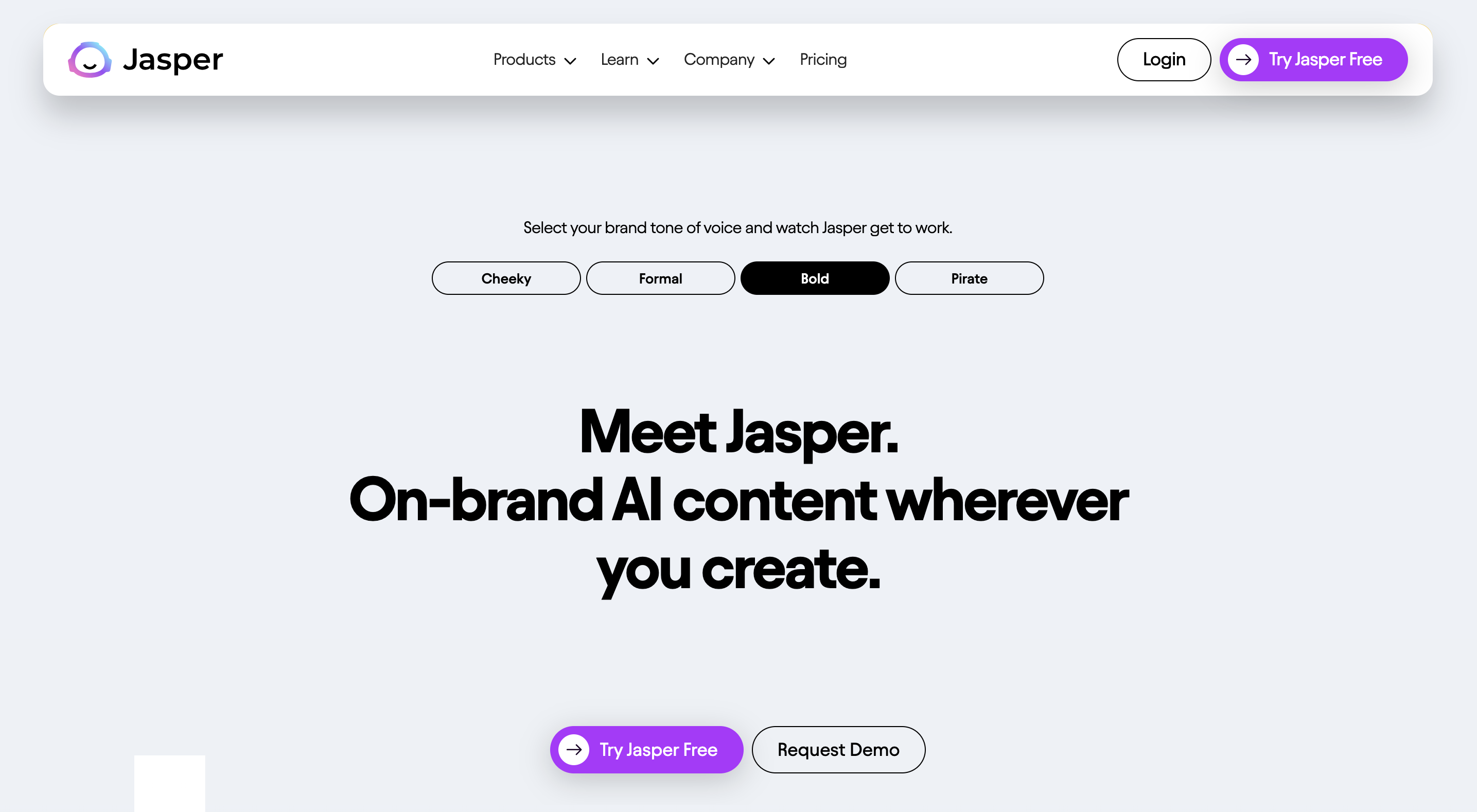
Jasper is an AI content creation tool that focuses on nailing your brand voice so there’s little to no tweaking needed for the content style. Upload your brand voice details and use the AI tool to generate content that perfectly fits your brand style.
This helps cater Jasper’s AI content to ensure it works for your brand and isn’t generic content that could work for any company within your industry. You’ll still need to tweak the content and ensure it sounds human—but it should perfectly match your voice.
Use cases:
Pros:
Cons:
What you get: 7 days free
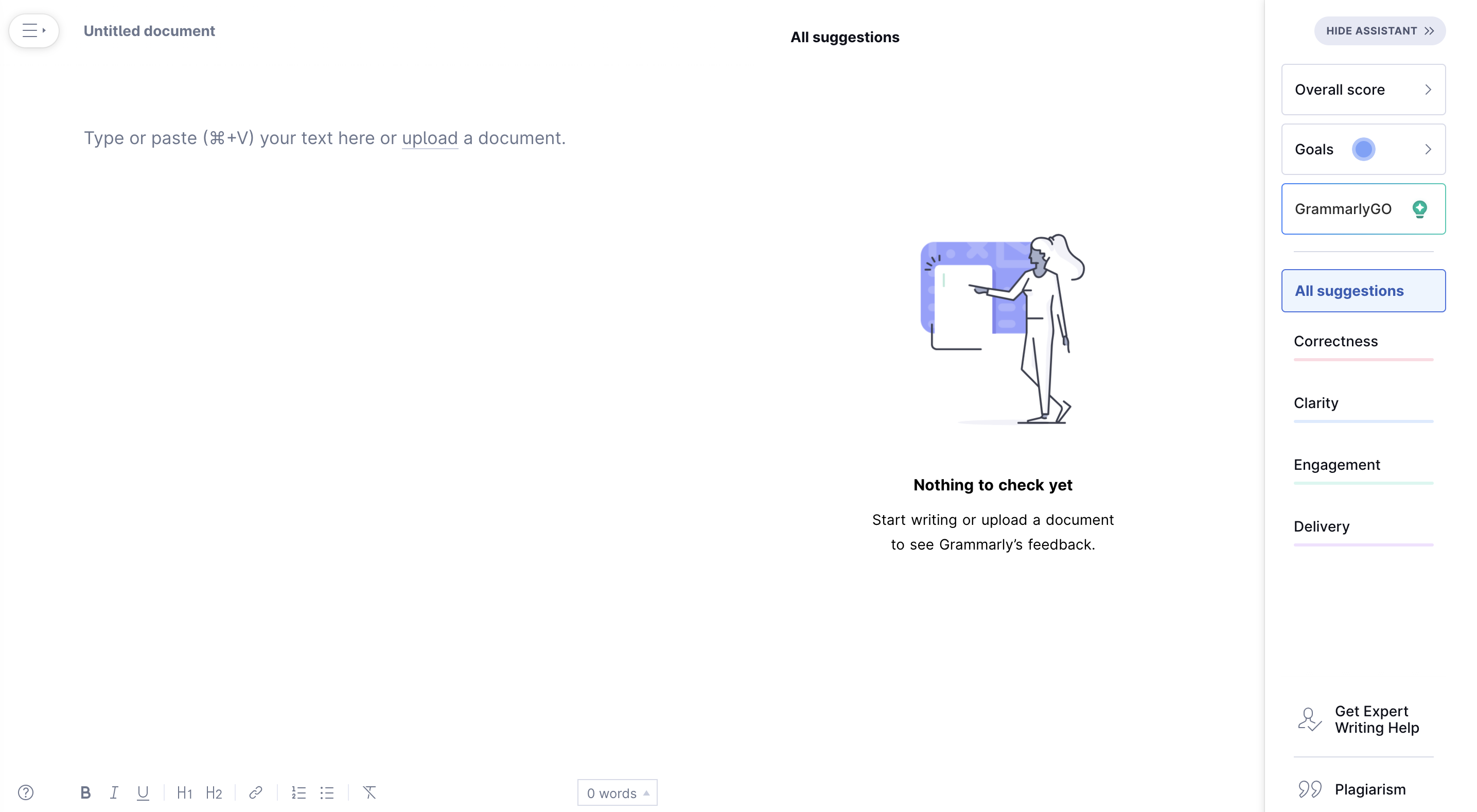
Grammarly’s main focus is improving the content you’ve already written. It does this by pinpointing grammatical and spelling errors and offering ways to reword awkward statements. Grammarly is the type of AI content generator tool that was created to improve the content you’re already developing.
Easily connect to the browser extension to ensure that all of your content—in Google Docs, Teachable, emails, etc.—is top notch. Grammarly can also help you draft content when you’re feeling stuck.
Use cases:
Pros:
Cons:
What you get: Completely free plan
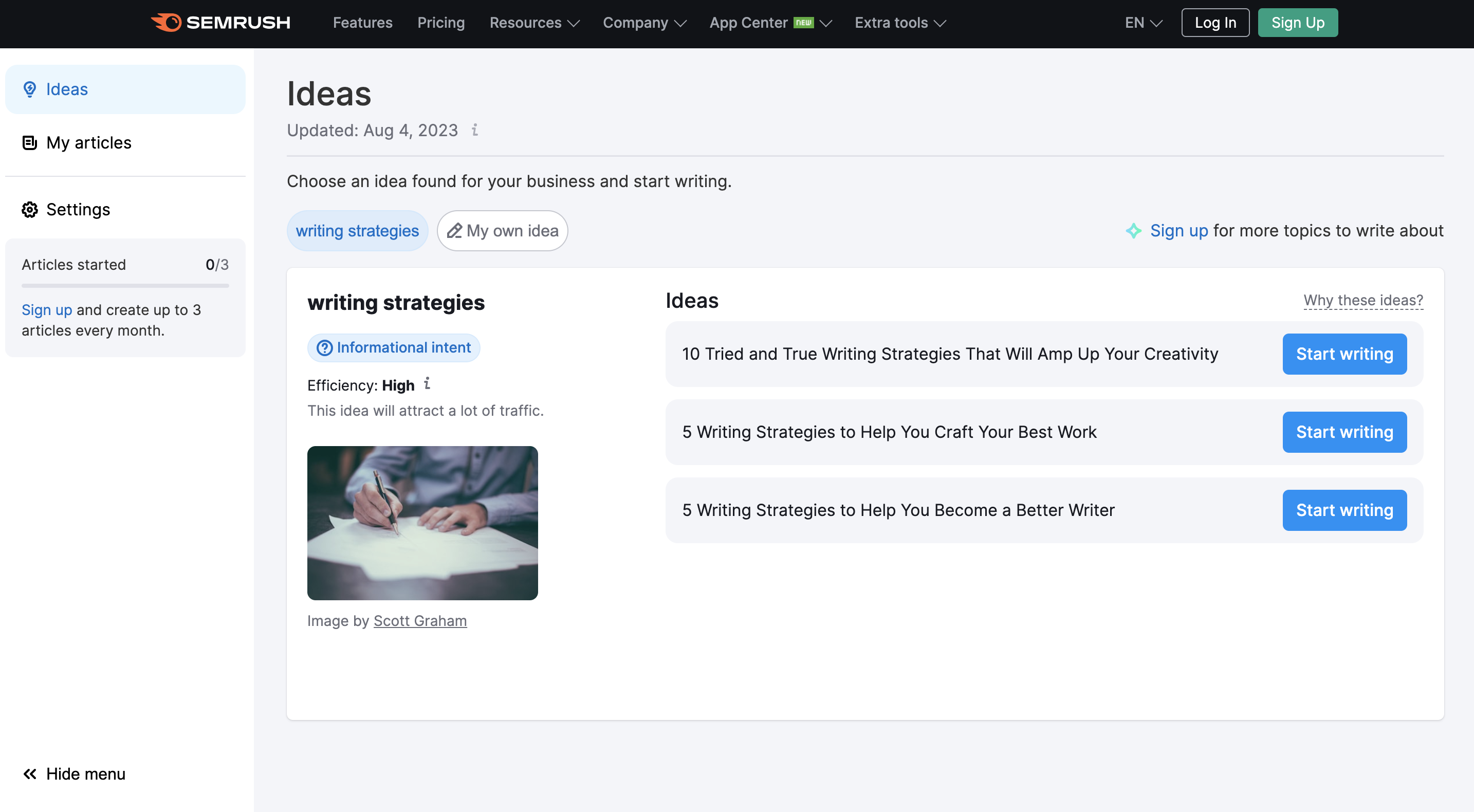
ContentShake is an AI tool powered by SEO tool SEMrush, so it only makes sense that it works well for helping companies create optimized content. Start by inputting your topic or idea to generate a good keyword and a few blog topic ideas based on that keyword.
You can then work with the AI tool to create an optimized blog post by both writing and using AI-generated content to build out the blog post.
Use cases:
Pros:
Cons:
What you get: 7 days free
{{aiprompts-component="/blog-shortcodes/blog-popup"}}
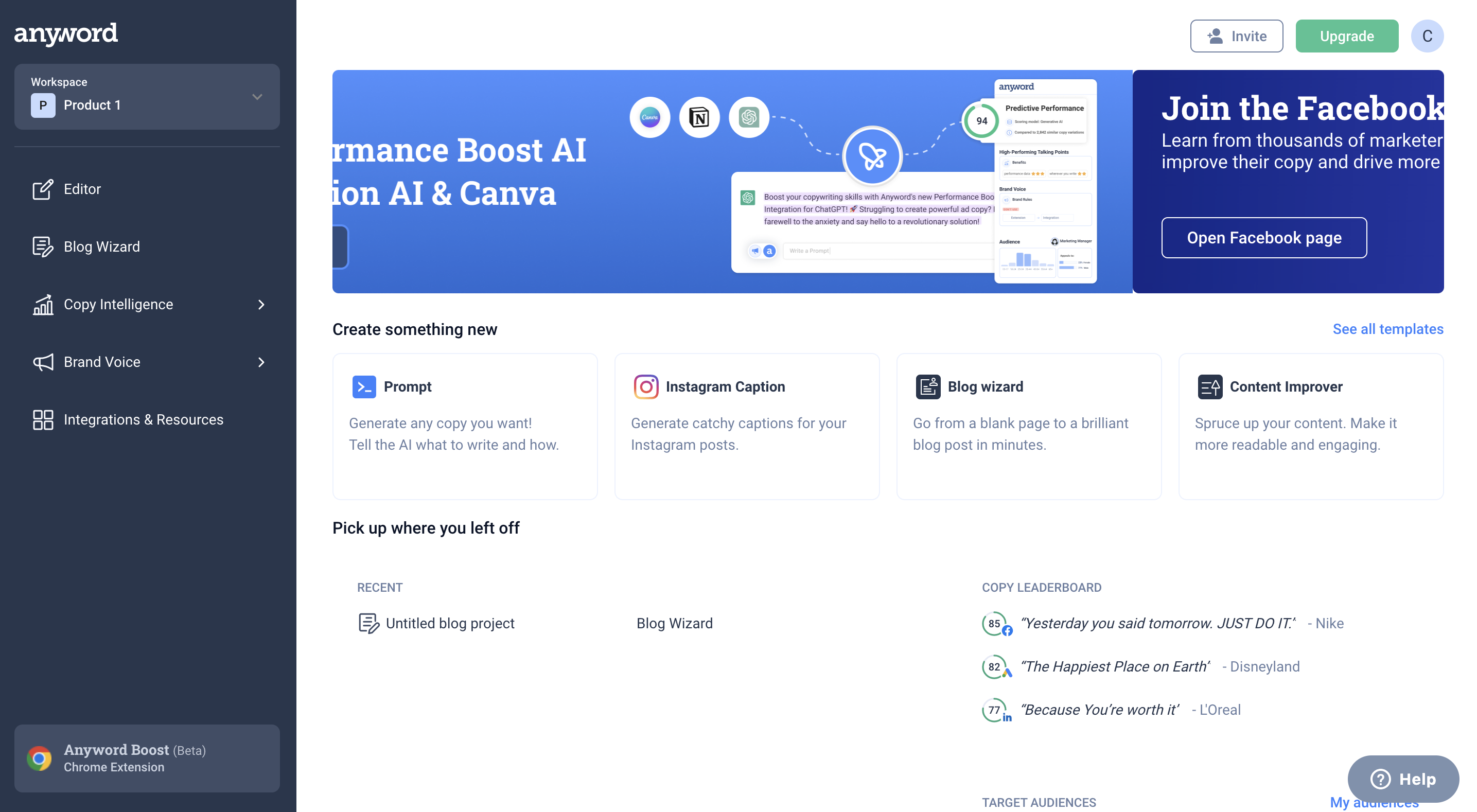
Anyword is an AI writer that can help you create social media captions, write blog content, improve existing content, or anything else you want to write. It offers templates and tools for preset content as well as the option to write a prompt for anything else you need to write.
Similar to Jasper, you can also input your brand voice information in order to get content catered to your specific brand. Remember that as with any AI content, you’ll need to make edits in order to ensure it’s quality content that sounds like a human wrote it.
Use cases:
Pros:
Cons:
What you get: 7 days free

Kajabi is the perfect AI content generator for creating digital products. With a focus on content for online courses, coaching sessions, podcast episodes, and membership communities, Kajabi can help small businesses build out a number of digital products.
Use AI tools to help build your outline, create lesson content, build out landing pages and sales funnels, create social media captions, and more.
Use cases:
Pros:
Cons:
What you get: 14 days free
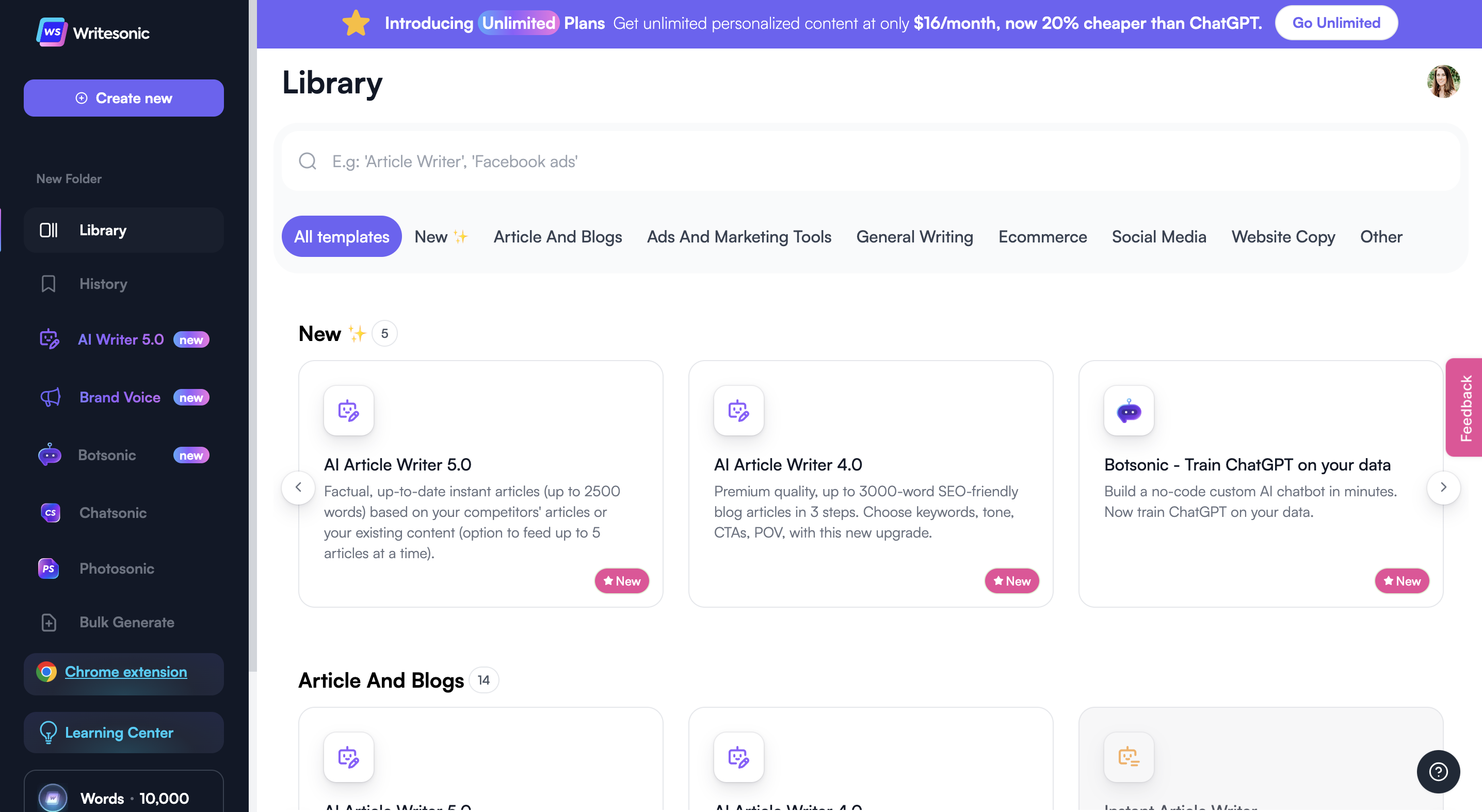
Writesonic is a great all-around option that works well for teams. It offers collaboration options so marketing teams can work together. Not only that, it also offers a “Photosonic” tool for AI image generation and a “Botsonic” tool for creating a no-code custom chatbot, making this tool the whole package.
Writesonic also has a generous free package of 10,000 words/month, which is more than enough for monthly blog content and a few social media posts sprinkled in, as well as anything else your team might need.
Use cases:
Pros:
Cons:
What you get: 10,000 words/month
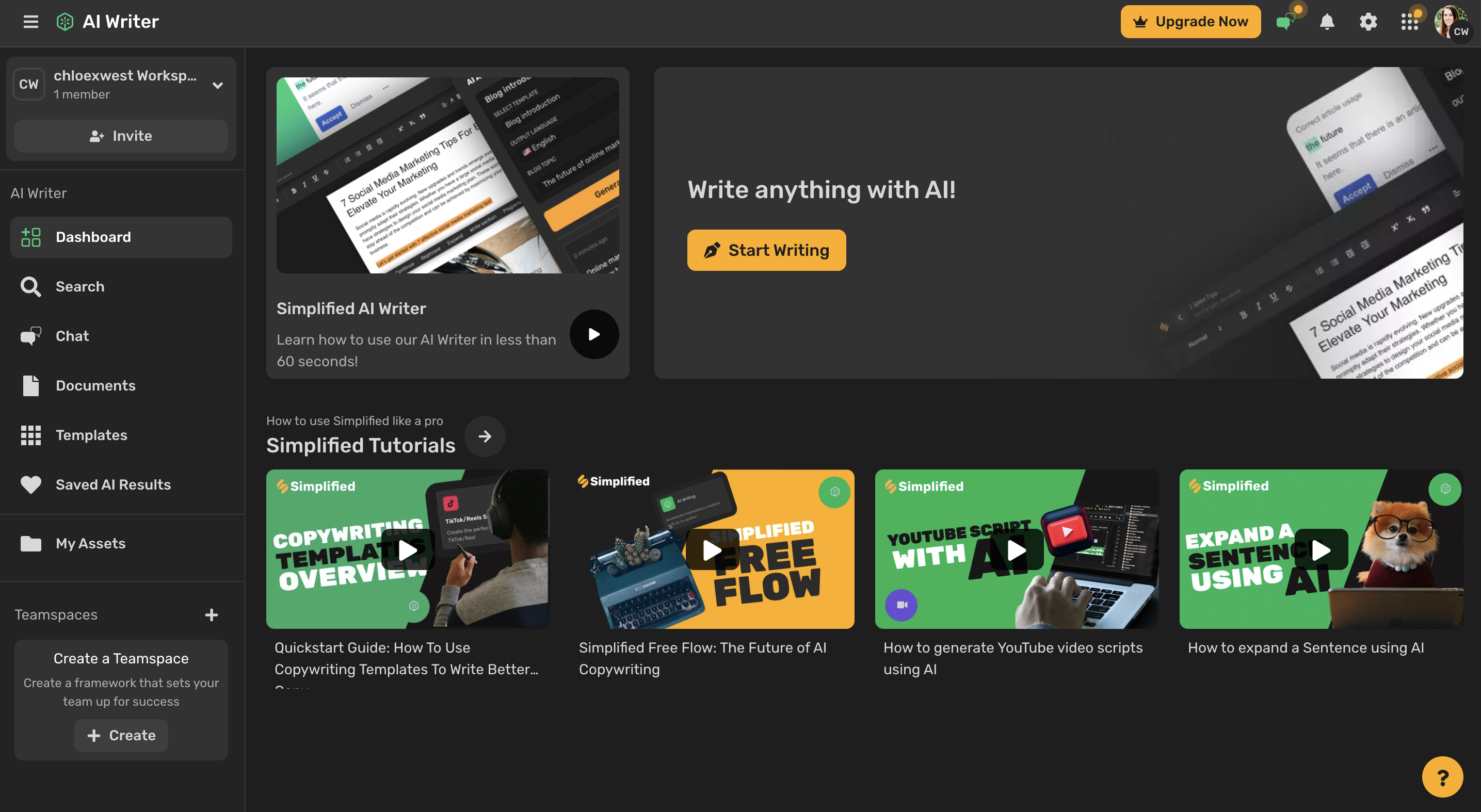
Simplified is an arsenal of several AI tools that help content creators build out a ton of content for their creative businesses. Not only does it create content, it also can create images, presentations, and videos.
This can be extremely helpful for a busy content creator. Though the free trial doesn’t offer a ton of content, it can be a great way to help creators figure out if this tool is worth paying for.
Use cases:
Pros:
Cons:
What you get: 2,000 words free
Let AI help you in your content creation journey. An AI content generator can help you draft out your course curriculum, outline a blog post, find the right topics, get you out of a writer’s block, and so much more. Learn more about Teachable’s curriculum generator and how you can get started with your first online course.

Abandoned cart emails automatically get sent out when someone adds a product to their online cart, then leaves the page before finalizing the checkout process. This type of email sequence is great for reminding potential customers to come back and complete their purchases.
Research shows that almost 70% of consumers abandon their carts—but abandoned cart email sequences can generate a click-through rate of 23.33%, meaning nearly a quarter of those will click back to their cart while considering whether to complete the purchase.
However, to see good success rates with your cart abandonment emails, you need to know how to create the best email sequence you can. We’ve got eight abandoned cart email best practices to help you get started.
Want to increase sales from cart abandoners? Keep these eight best practices in mind when creating your next email sequence.
Don’t wait too long before starting your abandoned cart email sequence. You still want the product(s) your customer almost purchased to be top of mind.
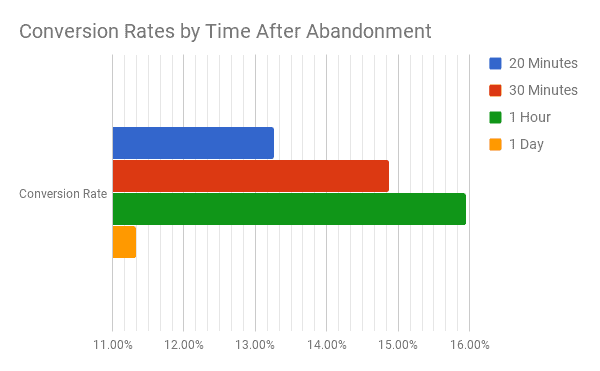
While you absolutely must send that first email within 24 hours of cart abandonment, studies show that the optimal time is actually one hour after abandonment, according to Rejoiner.
Many businesses simply send out a single cart abandonment email and call it a day. If the customer comes back, great. If not, we tried.
However, best practices dictate that your abandoned cart email sequence should consist of three emails for optimal results. One study done by Klaviyo analyzed nearly 10 million cart abandonment emails to find some of the best data, and here are the results.
Sequences of three emails generate the best results at $24.9 million in revenue. That’s 6.5x the revenue that a single abandoned cart email sends. Two emails generate the second-best results at $16.4 million, then four emails, before we get to the revenue that just one email brings.
This tells us that your abandoned cart emails can’t be a one-and-done. And if they are, you could be leaving a ton of revenue on the table.
But what should go into those three emails? You don’t want to just send the same email three times. One good rule of thumb is to break your emails down like this:
Make your emails stand out in your recipient’s inbox. Use a subject line that’s going to grab attention and get your customer to open it.
Klaviyo’s study found that simply reminding your customer about their abandoned cart generates a 47.67% open rate. Their data found that the average cart abandonment open rate was around 41.18%, meaning a simple reminder (one popular subject line is, “It looks like you left something behind”) increased opens by 6.5%.
However, we encourage you to experiment with your subject line, too. Add some of your brand’s personality to it.
For example, this subject from BarkBox adorably mentions that the customer’s dog wanted a reminder sent about their toys.
Brainstorm ideas for your own subject lines that will make your customers want to open your emails.
If your subject lines should be catchy, then your email copy should be even more attention-grabbing and enticing. Throw some personality in there and get your customer to want to shop with your brand.
Here’s a fun example from Adidas:
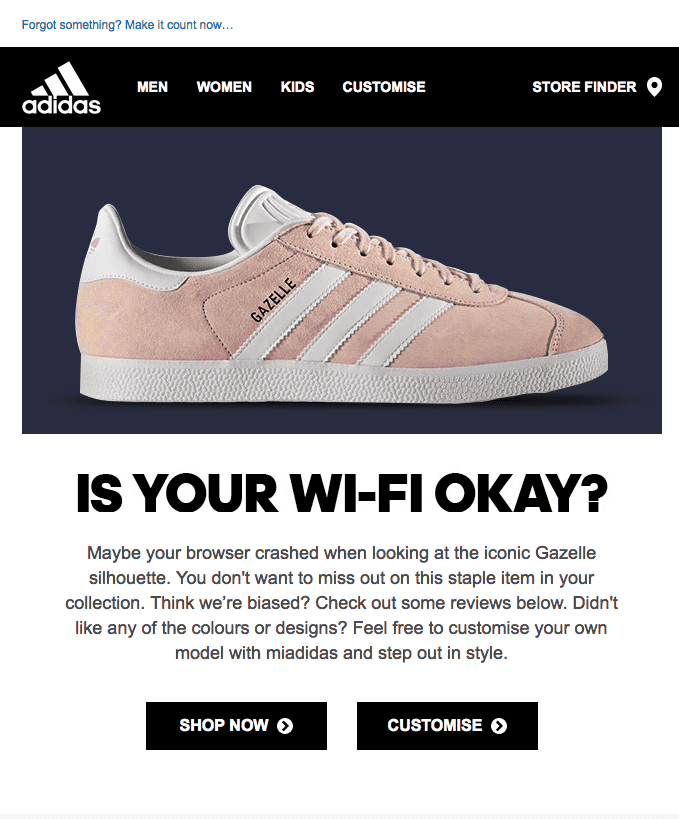
“Is your Wi-Fi okay?” in big, bold letters helps lighten the mood and assume that it was just a little mistake, the customer wouldn’t have chosen not to fulfill their purchase!
Think about how you can create email copy that helps increase the chances that your recipient clicks through and decides to finish up a purchase.
Your emails should be simple, but not boring. And they should absolutely include high-quality photos of the product(s) they’ve left behind.
Your photos will likely be automatically pulled from your product page—so step one is to ensure high-quality product photography is used there. Second, make sure your imagery shows up nice and large in your emails so it’s part of the main focus.
Here’s a great example from Jack Wills:
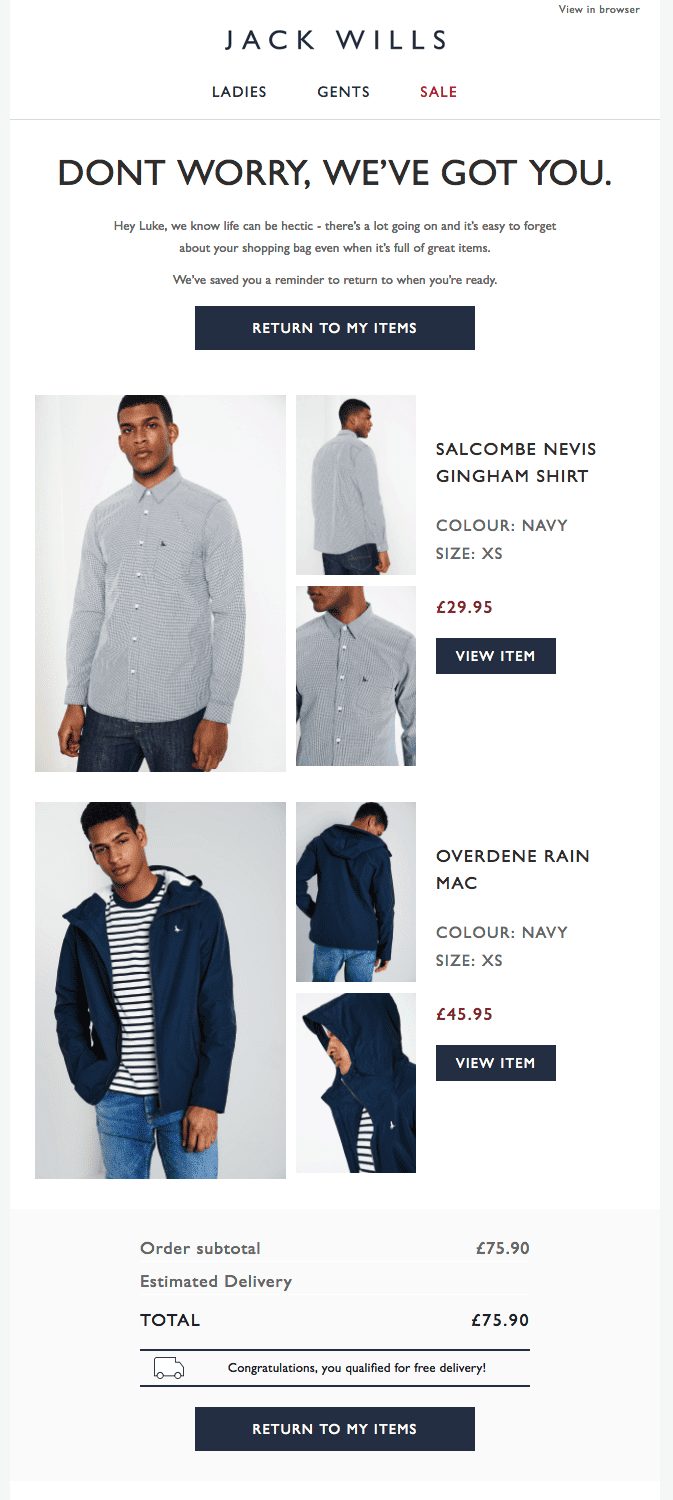
The product information—and photos—are front and center.
If you’re unable to include photos that large, consider taking a page from this Food52 example:
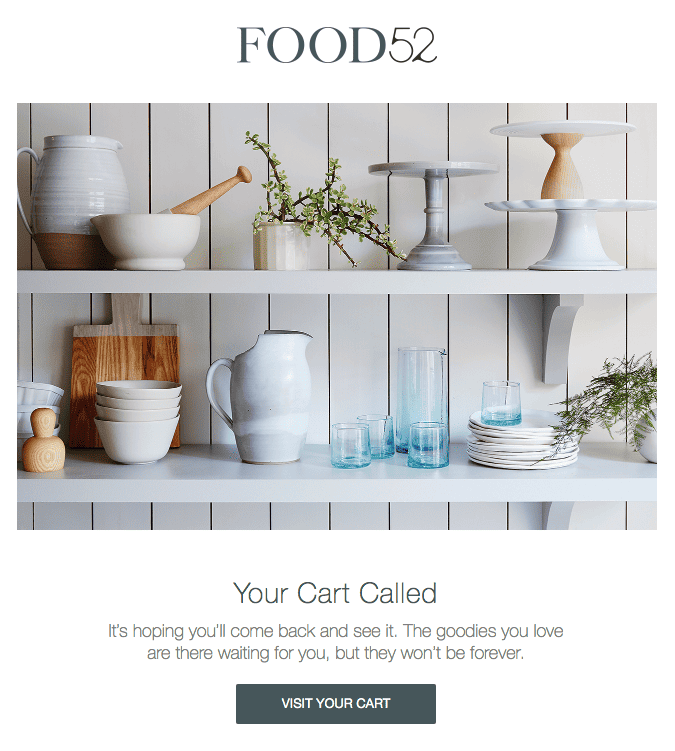
While they’ve included the product left behind lower in the email, they also have a visually appealing header photo with a large assortment of their products to help make the email more attractive.
The purpose of a cart abandonment email is to get your customer to take action in finishing their purchase. So make it clear what action you want them to take with a call-to-action button.
Here’s one example from Rudy’s Barbershop:

They’ve included a big “Checkout Now” button right underneath the products to clearly state what they’re hoping the customer will do.
CTA button options include:
Urgency can help customers decide to make purchases more quickly. One case study found that creating urgency with their customers increased sales by an astronomical 332%. And it can help you make a sale with your cart abandonment emails.
Here’s an example of what this might look like from Society 6:
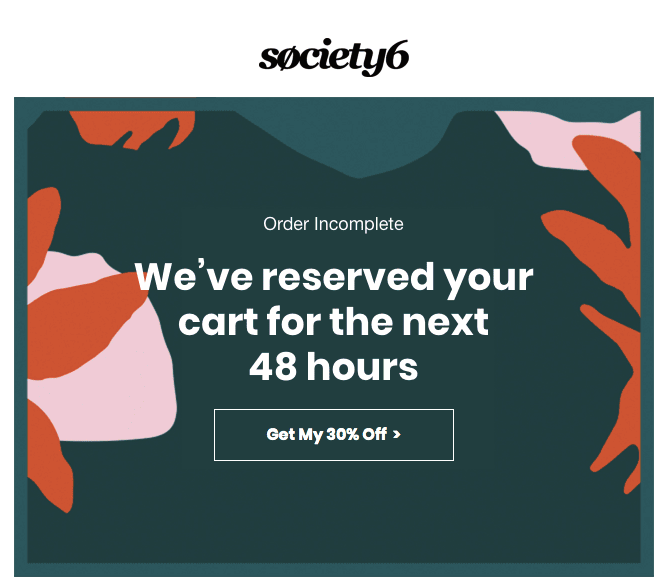
Letting customers know their cart is only available for a certain amount of time can increase the odds they take action much more quickly.
Other ways to create a sense of urgency with your abandoned cart emails include:
Finally, include some sort of incentive like a discount or free shipping that will help your customer feel better about spending money and making a purchase.
Here’s an example from Winc of what that might look like:
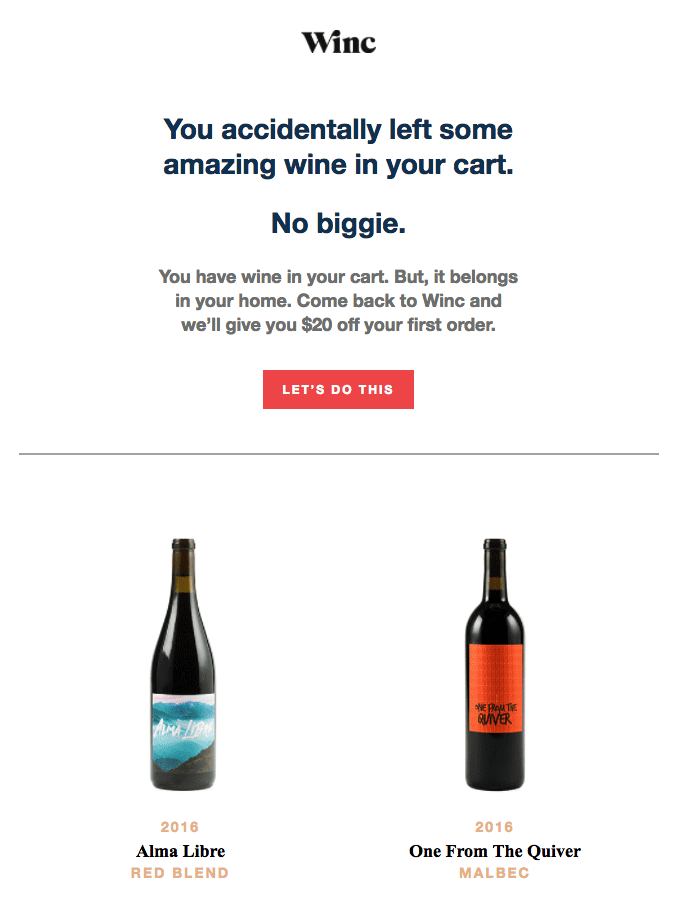
They’re offering a $20 off discount code to those who go back and complete their purchase—with fun CTAs like “Let’s do this” and “I’m ready for wine.”
Providing some additional incentive—whether it’s free shipping, money savings, or even a free product—can be a great way to get customers through the door, especially after they’ve abandoned their carts.
The bottom line is that abandoned cart emails work. Keep your customers from abandoning your course and digital products with these best practices. Learn more about creating abandoned cart email sequences with Teachable.

Instagram consistently ranks as the most-used platform for influencers and content creators in the U.S. However, until the beginning of 2022, the platform didn’t offer a way for influencers and creators to make money from their followers.
Instead, they had to rely on brand deals.
Now, with Instagram Subscriptions, creators have a way to generate income from their audience in order to see exclusive content.
Learn more about what Instagram Subscriptions are, how to become eligible, what you can offer, and more below.
Instagram Subscriptions are a monetization tactic that large accounts can offer to provide additional and exclusive content to paid subscribers.
Interested followers can then subscribe to access extra content, a subscriber badge, and more perks. The option to subscribe appears right on the creator’s Instagram profile as a call call-to-action:
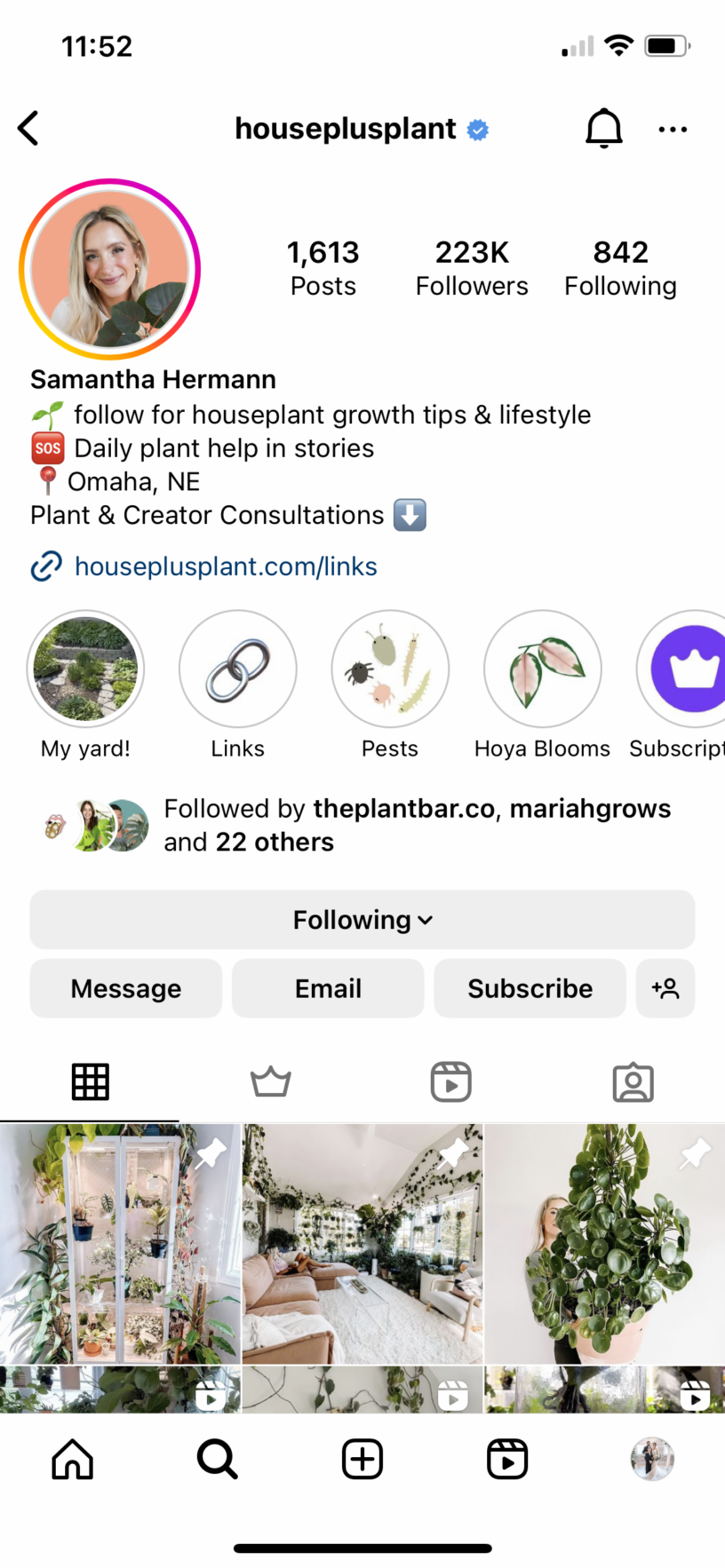
Users can tap the “Subscribe” button to learn more about what the subscription entails and how much it will cost:
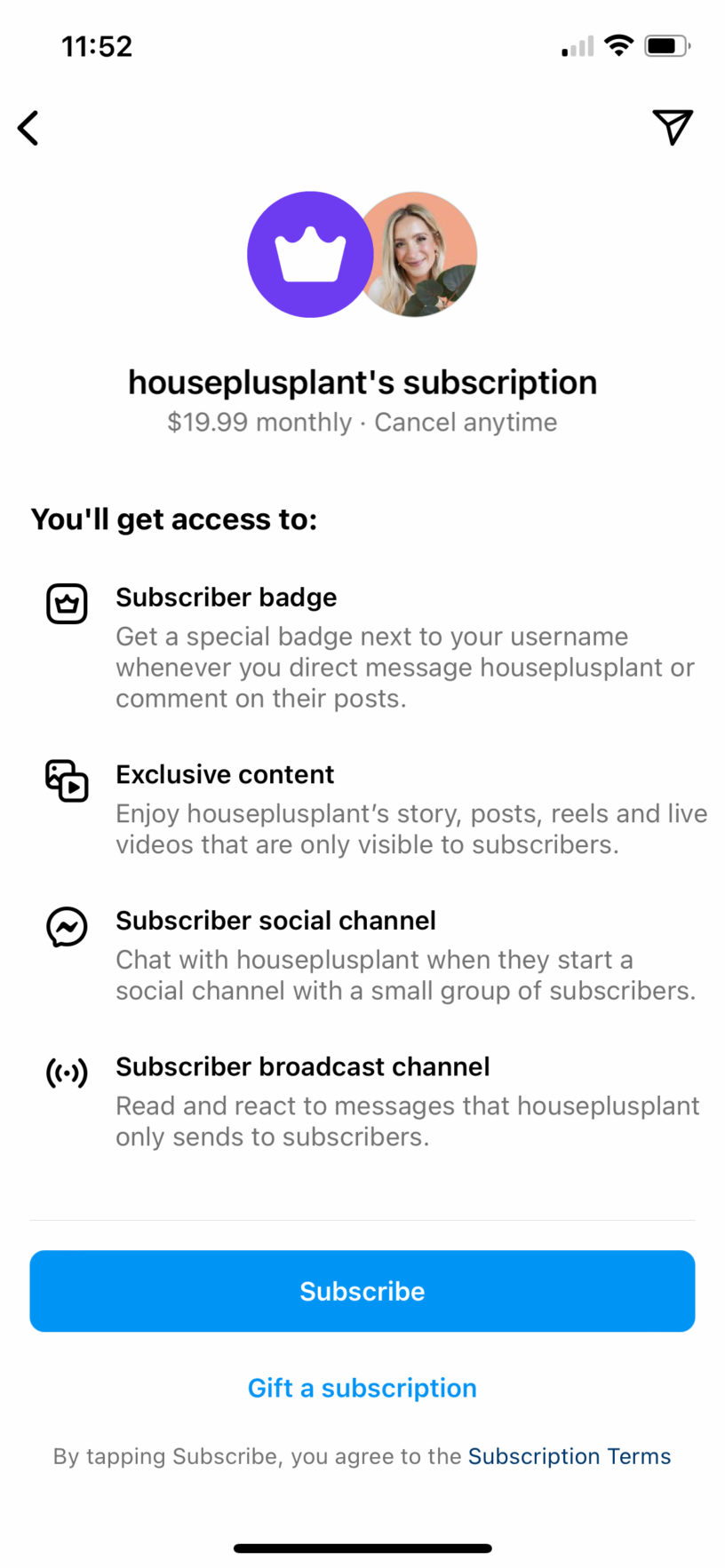
Not every Instagram user or creator is eligible to offer Instagram Subscriptions. Eligibility criteria are as follows:
If you meet these criteria, you should be able to find the settings to turn on subscriptions within your account. We’ll walk you through setting up your subscription plan shortly.
Interested in learning more about Instagram Subscriptions? Here are seven major benefits and features that can help you decide whether this is going to be a good choice for you or not.
First, Instagram subscriptions can be a great way to add an additional income stream to your business. More than that, it can add guaranteed recurring revenue, especially as you increase your total number of subscribers.
Prices you can choose from initially are:
You can later adjust the pricing to $49.99 or $99.99 if you want. Make sure the price you choose makes sense for the level of content you’re providing. For example, a $99.99/month price point should include a lot of valuable content, like coaching calls or daily group chats.
Offering a subscription can help you build a community of loyal followers. They’re able to learn more about you, connect with you more through your content, and find even more value in being a follower or customer.
Because some of the features even allow you the opportunity to chat directly with subscribers, it can also help you to feel closer to those that follow you. It’s a win-win, really.
As a creator, your job already centers around content creation. Instagram subscriptions fit right in with that. They provide you with another revenue stream for your business as well as another outlet for creating content.
Think about the types of content you’re already offering on your Instagram for free. How can you step that up?
Here’s an example from the @houseplusplant subscription we highlighted earlier. She has a “Subscription” Instagram story highlight to promote her subscription and what comes with it. Her price point is $19.99, so she needs to make sure it’s worth it for subscribers.
As we can see, she offers a plant supply list only for subscribers, video tutorials, and a workshop Q&A. Plus, every month, she does a subscriber-only workshop.
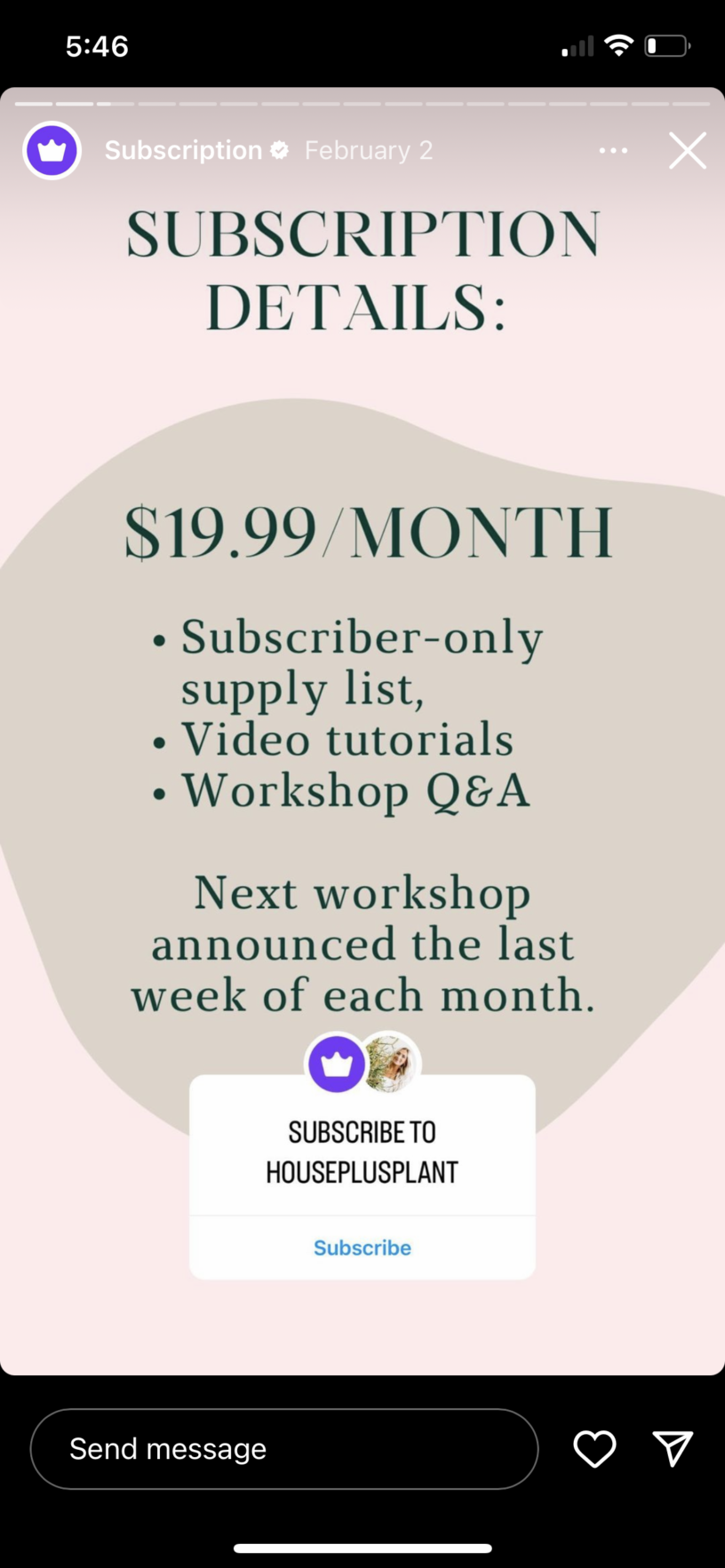
Each month, she teases the upcoming workshop with a call-to-action to subscribe:



She’s making her subscription valuable enough for her followers to want to subscribe.
Consider how you can add more value to your paid content. Your Instagram subscription is essentially the same as a YouTube channel membership or a Patreon subscription, so you might even repurpose some of the same content. Just make sure your audience knows it’s the same and they can subscribe to you on their preferred channel.
There are several different types of exclusive content or perks you can offer to your subscribers.
Choose the types of content you want to offer as a part of your subscription. This will appear on the “Subscribe” page interested followers see before they sign up.
You can use your subscription as an extension of you and your business. Get creative with your content ideas and what you can share with your subscribers.
A few ideas include:
As soon as you turn on your subscription, Instagram will automatically send a notification to your followers about it. This is a great way to get subscribers in the door before you even start your own promotion.
Instagram also offers the ability to create promo and welcome reels for your subscription. When users click on the “Subscribe” button, you can set a reel that they’ll see that explains more about what they would get if they opt-in.
Plus, you can create an onboarding process of sorts with a welcome reel that helps subscribers make the most of their subscription. This is a great way to increase the length of time that your followers want to stay subscribed.
Setting up a subscription option on Instagram is extremely easy. Follow along with these steps to get started.
Again, this will automatically send a notification to your followers so they can start subscribing. You can choose to send it immediately or three days after to give yourself more time to create content.
Once you’ve enabled Instagram subscriptions, the next step is to get subscribers in the door to enjoy the content you’ve created. Use these five tactics to promote your new subscription to your followers.
Start adding your subscription to some of the promotional content you create. You might already mention your online courses, ebooks, workshops, and other content—start including your subscription and why your followers should subscribe to it.
Promote your subscription on Instagram stories. You can even choose a subscription sticker out of the sticker menu that viewers can click on to be taken directly to your subscription page. This makes it extremely easy to entice new subscribers via your stories.
One feature that comes with your subscription is the ability to create a subscription preview. You can only select up to three, but you can switch them out from time to time. With a subscription preview, you’ll select up to three posts or reels that are part of your exclusive content and allow all followers to see them. This teaser can help them decide whether or not to subscribe.
Collaborate with other creators or experts in your niche to make exclusive content for your subscription. This is a great way to add even more value to your subscription, plus it gives you both the ability to cross-promote your subscription. You can work out a percentage of new subscriptions to pay out to each collaborator.
Work on constantly creating valuable content that’s free. If you’re already showing your value with free content, your followers will know that your paid content must be even better.
Use Instagram Subscriptions as an extension of your creator business. Learn how to start your own successful online business and incorporate Instagram Subscriptions as an additional revenue stream.

YouTube Shorts are video platform YouTube’s version of TikTok videos and Instagram Reels—short-form videos that are hyper-digestible and engaging. Many YouTubers have started creating short-form videos to share on the Shorts feed as a part of their YouTube strategy. However, YouTube didn’t initially have a way for creators to monetize those videos. Now, there are several ways that YouTubers can easily use their Shorts to increase their revenue from the video sharing channel.
Throughout this article, we’re going to talk more about how YouTube Shorts monetization works plus five strategies you can use to make money with your Shorts.
Due to the nature of YouTube Shorts and the feed used to watch them, the ad revenue payout is a bit different from traditional YouTube video ads. With traditional ads, one sole creator gets paid for all of the ads that run during their videos. However, with YouTube Shorts, ads are being played between every few Shorts videos, so it doesn’t make sense for all of that revenue to go to a single creator.
Instead, the revenue from those ads are pooled together into a single “creator pool.” These funds are then allocated out to Shorts creators based on their share of total views.
This ensures all creators are being fairly compensated for their content, with the split based on the total number of views. So creators with a higher reach will, of course, be paid more from the creator pool, and vice versa.
To qualify for YouTube Shorts monetization, you must first apply to be a part of the YouTube Partner Program.
Your YouTube channel must comply with these requirements in order to apply:
If you meet those application requirements, then you will need to meet one of these two guidelines in order to be eligible for monetization:
If you meet the above requirements, you can apply for the YouTube Partner Program—do this in your YouTube Studio—to start making money from your YouTube content. Here are six YouTube monetization strategies to consider.
This is the most common monetization strategy on YouTube. It’s easy to do—and as long as you continue to create high-quality, engaging content, you should continue to generate passive income from this outlet.
According to YouTube, these are the ads used for creator pool funds:
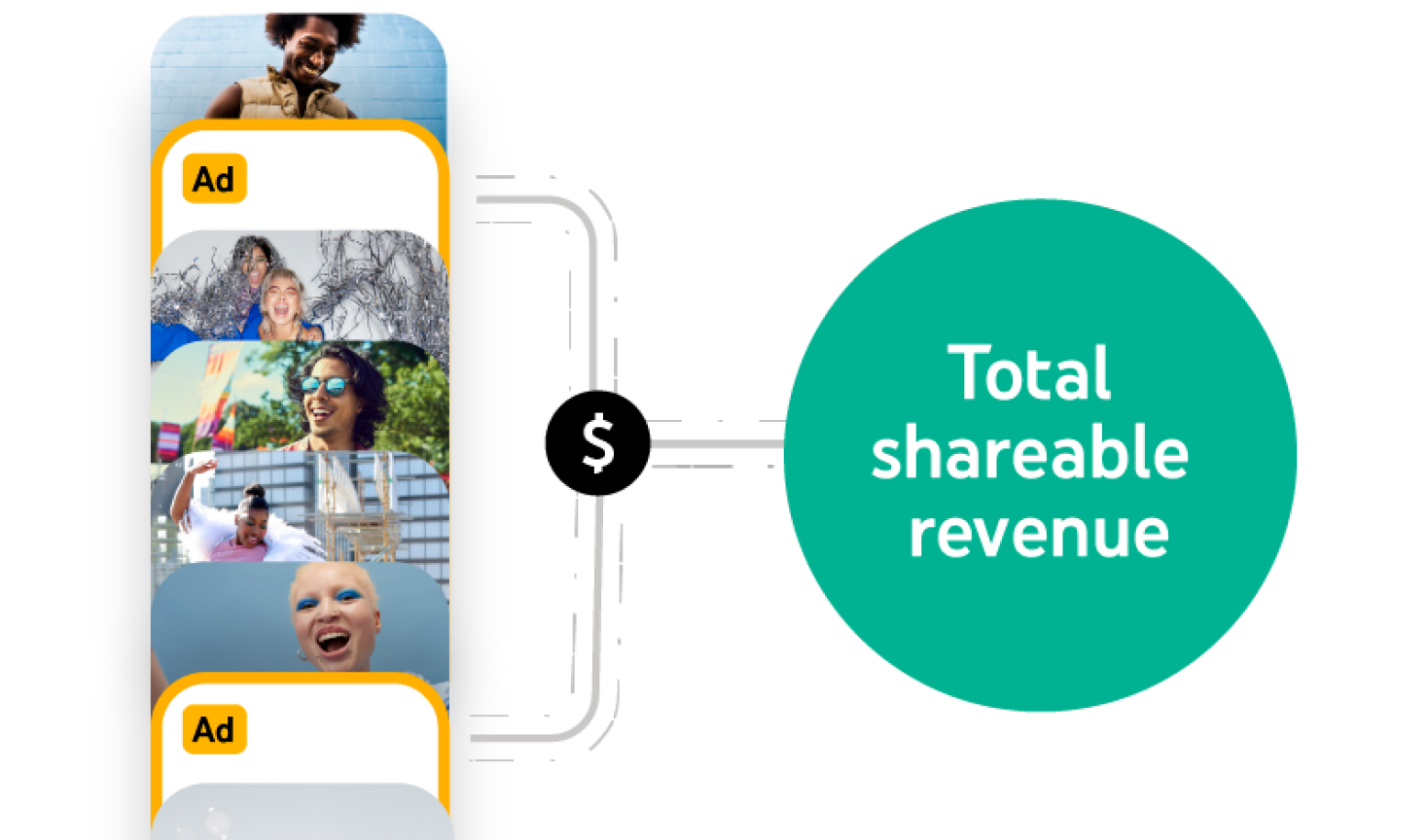
They appear seamlessly as users scroll through the Shorts feed and 45% of the revenue is allocated out to creators based on their share of the total views.
Here’s a visual of how the pool works:

Take a look at this hypothetical example from YouTube to get a better understanding. This is based off of a creator uploading a Short with a single music track and the revenue that one Short would bring in a single month:
Another great YouTube Short monetization strategy is sponsorships. A sponsorship is essentially a partnership between a brand and a creator, where the creator puts together a video showcasing a brand’s products or services.
These have long been done for traditional YouTube videos, but long-form videos come at a premium cost as they’re a much larger production. Shorts, 30-60 second videos, are much quicker and easier to put together, making them more affordable for brands. If you’re new to sponsorships in general, start putting together packages and rates based on how many subscribers you have. Since the YouTube Partner Program requires you to have at least 1,000 subscribers, that’s a good threshold for reaching out for brand sponsorships as well.
Affiliate marketing involves promoting products you love for a small commission. Many brands have affiliate programs—Teachable has an affiliate program as well.
Creators can easily make money by tagging affiliate products that are prominently featured in their videos. Eligible creators can tag products right inside the video. Here’s an example of what that would look like:
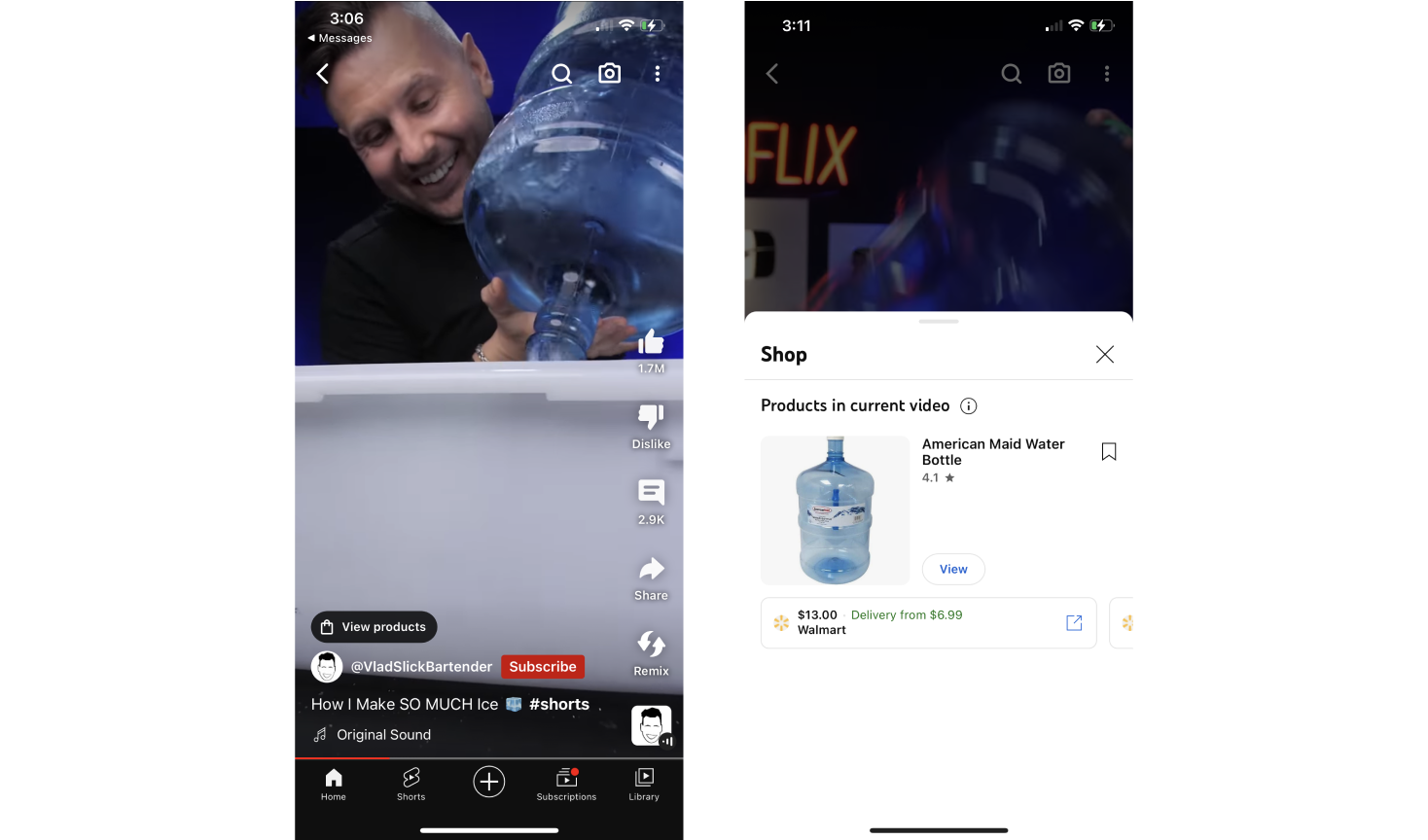
YouTube’s tagged product policy states that only prominently featured products can be tagged. The point is for someone watching the video to have access to a product they’d be interested in specifically because of the video’s content.
If you’re ineligible for direct linking, you can also include affiliate links inside your Short’s description.
If you build a loyal audience, you can create and offer your own merch as an additional revenue stream. Create video content that features your merch and announces new merch launches and tag your products in those videos. Or, again, you can link to the merch store right inside your description.
Here’s an example of what featuring your merch in your YouTube Short videos could look like:
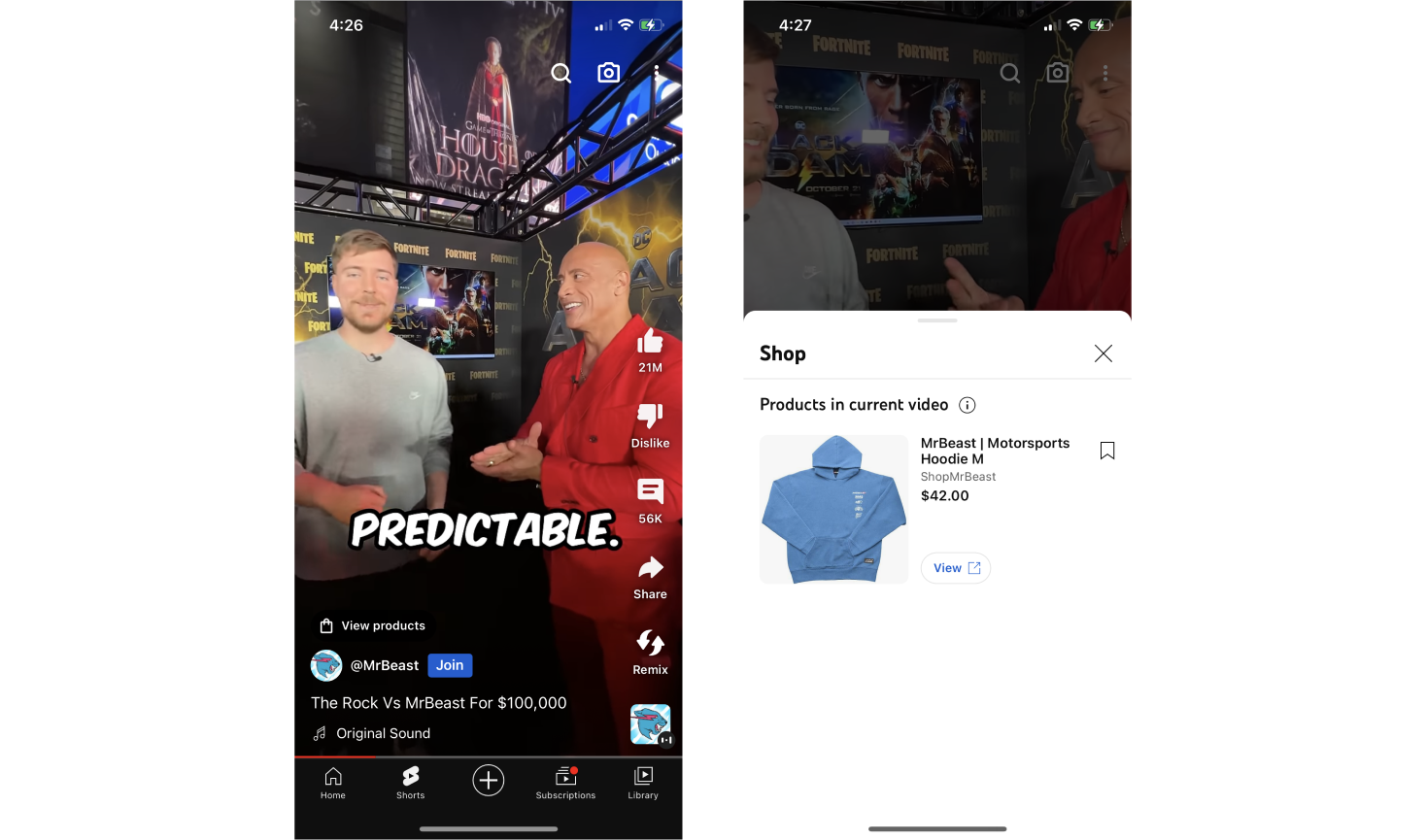
Remember that to tag products, it needs to be heavily featured in the video. With your personalized merch, you get a bit of leeway with this. If you’re wearing it, you may be able to get away with tagging it.
Another YouTube Shorts monetization strategy is channel memberships, or paid YouTube subscriptions. Channel memberships allow creators to offer additional content behind a paywall. Eligible creators can turn this on inside their YouTube Studio by heading to the Earn section and clicking on the Memberships tab.
You can then create membership levels at different price points, very similar to how Patreon works. More expensive levels get more perks.
Perks you create and share might include:
Essentially, channel memberships are a way for you to offer more content for those who are paid subscribers.
Most channels that are eligible for the YouTube Partner Program have the same eligibility guidelines for channel memberships. However, channels that are set as made for kids are ineligible to offer paid subscriptions.
Start promoting your channel memberships in your YouTube Short videos. You can do this by teasing the types of content you share with members and the different perks available.
The last major way you can get paid with YouTube Shorts is with the new Super Thanks feature. Previously called Viewer applause, Super Thanks is essentially a form of tipping. A “Buy Super Thanks” button is featured on eligible YouTube Shorts and viewers who love that video or creator can easily send in a tip, or a “Super Thanks” to the creator.
Here’s an example of what this looks like below:

Viewers can send in tips of $1.99, $4.99, $9.99, or $49.99 while also leaving a quick message for the creator. If you’re eligible, you can turn this setting on and have the button appear on your Shorts in order to bring in even more income.
Yes! We cover six different YouTube Shorts monetization strategies in this article to help YouTube creators increase their income from their channels. A few of these strategies include:
With the YouTube Partner Program, 100k views will earn creators about $3.33. However, if they continue creating new content and reaching a wider audience, that number can increase exponentially. Plus, there are more ways to make money from YouTube Shorts than one.
There are two different criteria used to determine monetization eligibility. Channels need to meet just one: either 4,000 watch hours or 10 million Shorts views in order to monetize their YouTube Shorts.