Thank you! Your submission has been received!
Oops! Something went wrong while submitting the form.
MENU
Practical resources for independent educators, expertise and organizations turning lived experience into income.

TL;DR: Most course creators use roughly a third of Kajabi's built-in tools. If your actual workflow is a course builder, a checkout page, and an email list you run elsewhere, you are paying for a marketing stack you do not open. Kajabi Basic sits at $143/month on annual billing. Our Builder plan at $69/month includes 0% platform fees, native mobile delivery, and automated VAT and GST remittance across 45+ countries. If Kajabi's email automation runs your business daily, switching adds external tool costs that close the gap. This guide runs the numbers.
Kajabi's entry tier costs $143 a month on annual billing, and many creators use less than a third of its built-in marketing features, effectively paying a large premium on course hosting alone. If you pay that monthly invoice while running your actual email marketing through a separate tool, you are carrying the "Unused Feature Tax," and it compounds every month you stay.
Leaving Kajabi to protect your margins is a financially sound move, but only if you audit your usage first. For creators who live inside Kajabi's email automation and CRM every week, switching platforms means rebuilding a marketing stack, and that cost can quickly erase your savings. This guide breaks down the real cost of ownership across the top Kajabi alternatives so you can choose based on your actual revenue model.
Before looking at any alternative, answer one honest question: which Kajabi features do you open every week? Two clear paths follow, and which one describes you changes everything about the math.
Platform pricing comparisons almost always mislead because they anchor on the subscription line and ignore the full fee stack. Think of it like a receipt with multiple line items: the headline subscription is the sticker price, but transaction fees and processing fees are the line items at the bottom that determine your actual take-home.
Kajabi's Basic plan charges 2.9% + $0.30 per transaction on top of its $143/month subscription. At $5,000 in monthly course revenue, that processing fee adds approximately $145/month to your cost. Our Builder plan has 0% platform fees, and US card processing via Teachable Payments (our native payment gateway) runs 2.9% + $0.30, so processing costs are equivalent. The difference is the $74/month gap between the two subscription fees, or $888 in fixed annual savings before a single transaction is processed. Check our full pricing breakdown for processing rates across all plans.
Course-first platforms are built around one job: getting a student from checkout to course completion with as little friction as possible. That narrow focus produces tangible differences in the student experience, particularly on mobile. We include native iOS and Android apps on every paid plan, so students download the Teachable app, find your course, and consume it with offline playback and push notifications, starting at $29/month on the Starter plan.
The verified cost and fee comparison below splits across two tables because the key decision factors span more than four columns. Table 1 covers subscription and fee structure. Table 2 covers business model fit and migration trade-offs.
Table 1: Subscription and fee structure
Table 2: Business model fit and what you lose vs. Kajabi
If you move to a course-first platform, you need a standalone email tool. At 5,000 subscribers, the most common options are:
A MailerLite stack at $32/month plus Teachable Builder at $69/month totals $101/month, still $42 cheaper than Kajabi Basic at $143/month, and you carry 0% platform fees. Our business operations blog covers cost modeling for creators at different revenue stages.
Our Builder plan at $69/month (annual) is the most direct margin-saving alternative for course-first creators who already own an external email tool. The plan removes the 7.5% transaction fee that sits on the Starter plan and adds affiliate marketing tools. At $74/month less than Kajabi Basic, the annual saving is $888 before fees, and the 0% platform fee means every dollar of revenue stays with you rather than going back to the platform.
One reviewer's experience captures the core appeal:
"With Teachable, you can go from idea to execution fairly quickly, and get your course up and running and (potentially) making sales fast." - Verified user on G2
The Builder tier is the effective starting point for anyone earning more than $533/month in course revenue on annual billing. At $533/month, our Starter plan's 7.5% fee adds exactly $40/month, which equals the cost of upgrading. Above that threshold, upgrading costs less than staying on Starter. Our revenue and pricing blog covers this break-even math in more detail.
Teachable works best for two specific creator types:
We built Teachable Payments to automatically calculate, collect, and remit VAT and GST across 45+ countries on every sale. When a student in Germany buys your course, we charge the correct VAT rate, collect it at checkout, and remit it through the EU's VAT One Stop Shop (OSS) system on your behalf each quarter. You do not register in Germany, file anything, or track the liability manually. Teachable Payments also accepts payments in 130+ currencies, so your German, Australian, and Japanese students pay in their own currency without you building separate pricing sheets for each market. Kajabi offers no equivalent, leaving creators responsible for registering and filing taxes in every country where they sell. Our product updates section explains how the gateway handles EU VAT through the OSS system on a quarterly basis.
We also include native iOS and Android apps on every paid plan starting at $29/month. Kajabi's branded mobile app is included on the Pro tier at $399/month on annual billing and available as a $199/month add-on for Basic and Growth tiers. Basic and Growth plan subscribers do not receive a branded app for their school.
Our course-specific tooling, gradebook, compliance settings, minimum watch-time enforcement, and per-student progress tracking, also goes deeper than Kajabi's at the same price point. Kajabi's strength is the marketing stack wrapped around the course, several third-party reviews of both platforms note our learning-management depth as more developed at comparable tiers, which matters for creators whose students need structured progress tracking, not just a purchase funnel.
For non-USD transactions processed through Stripe where currency conversion is required, Stripe charges a 0.95% currency conversion fee shown separately from our processing rate. UK-based creators and those with high-volume EUR or AUD sales should model this fee against expected transaction volume before comparing net revenue across platforms. At $5,000/month in international sales, the conversion fee adds approximately $47.50/month.
We do not include a built-in email funnel builder or CRM. If Kajabi's automation is central to your business today, you need to rebuild those workflows in an external tool before migrating, and that is a real cost to model honestly.
Thinkific's Basic plan at $40/month on annual billing includes 0% platform fees, undercutting Kajabi's $143/month entry tier by 72% on subscription. Thinkific helps you configure tax collection for US and Canadian sales, but remittance remains the creator's responsibility, and VAT collection for UK and EU sales requires additional manual configuration.
Thinkific's Trustpilot rating, 1.8 of 5 as of mid-2026, is worth checking directly before committing. For any creator with international buyers, the Builder plan at $69/month covers automated VAT and GST remittance across 45+ countries without manual configuration, at $29/month more than Thinkific's entry price.
Podia's Shaker plan at approximately $84/month on annual billing (as of the June 2026 relaunch, confirm the current figure on Podia's pricing page before publishing) with 0% transaction fees caps you at 150 products (Earthquaker, at $150/month annual, is the only unlimited-product tier). Kajabi's Basic tier caps you at 5 products, which pushes many growing creators into the Growth plan at $199/month (annual) simply to expand their catalog. If you sell a large catalog of downloads, mini-courses, and webinars without needing deep educational infrastructure, Podia's product limits work in your favor. However, Podia does not offer a native mobile app, and students access content through their web browser on every plan.
There is also no automated international VAT remittance. The Builder plan at $69/month sits roughly $15/month below Podia's Shaker plan, and adds native iOS and Android delivery and automated international tax remittance, the two areas Podia leaves open at every tier.
LearnWorlds' Starter plan at $24/month on annual billing carries the lowest subscription price in this comparison, but the $5-per-course-sale fee scales quickly. At 50 enrollments a month, you pay $24 plus $250 in enrollment fees before card processing, totaling $274/month. That far exceeds our Builder plan at $69/month with 0% platform fees at the same enrollment volume.
LearnWorlds' Learning Center plan at $249/month removes the per-sale fee entirely, but that subscription cost exceeds Kajabi's entry tier and undercuts the value proposition for a margin-conscious creator. SCORM compliance is a narrow requirement. For creators whose courses do not depend on it, the fee structure and subscription cost of LearnWorlds erases the value proposition quickly compared to 0% platform fees at $69/month on the Builder plan.
Systeme.io's Startup plan at $17/month on annual billing includes built-in email marketing, sales funnels, and basic course hosting with 0% transaction fees. If you are leaving Kajabi primarily because of cost and need funnels built in, Systeme is the cheapest way to maintain that capability, at $126/month less than Kajabi Basic. However, the course player is basic, student management tools lack depth, and automated international tax handling requires manual VAT configuration.
Our course player, mobile delivery via native iOS and Android apps, and automated tax remittance through Teachable Payments are meaningfully more polished at $69/month. For any creator where student experience and completion rate affect refund rates and word-of-mouth, a basic course player is a real business cost that does not appear in Systeme's subscription comparison.
A complete Kajabi-to-Teachable migration covers three phases and typically takes anywhere from a few days for a small catalog to several weeks for a large, multi-integration setup, your migration specialist will confirm a specific date range for your setup:
Our launch strategy blog covers post-migration email sequence setup in practical detail. Weighed against $888/year in subscription savings and the elimination of international VAT filing, the migration time pays back in weeks for any creator earning above $2,000/month. Our success stories section includes creator accounts of the migration experience at different scales.
Run the full fee comparison across our plans, including processing rates. The 7-day trial requires a credit card, and a 30-day money-back guarantee covers the first month if the platform does not fit your workflow.
When does Kajabi pay for itself?
Kajabi pays for itself when you actively use its native email marketing, automated funnels, and CRM to manage a contact list that would otherwise cost $39 to $79/month on a standalone tool like MailerLite or ActiveCampaign. If you only use it to host courses, the $143/month entry price costs more than a course-first platform plus an external email tool combined.
What are the top Kajabi alternatives for low budgets?
Our Starter plan at $29/month on annual billing is the lowest-cost entry option that includes automated international VAT and GST remittance through Teachable Payments, which no other budget-tier platform in this comparison covers. For creators with any international sales volume, that remittance capability removes a compliance obligation that carries real cost and risk if ignored.
How do I export my Kajabi course content?
You can export student lists and transaction history as CSV files from Kajabi's account settings, but video lessons and text content must be downloaded and re-uploaded to your new platform manually. Our Custom plan includes migration support for high-volume creators moving from another platform.
Do I need a separate email provider?
Yes, if you leave Kajabi for a course-first platform like Teachable or Thinkific, you need a standalone email provider like MailerLite or Kit to run automated marketing campaigns. Zapier integrations with tools like Kit and MailerLite are available from the Builder tier up, so you can automate student list updates after each purchase.
How do platforms handle VAT and sales tax?
Most platforms, including Kajabi, Thinkific, and Podia, leave VAT and sales tax compliance entirely to the creator, requiring manual registration and filing in every country where you sell. We are the exception: our native gateway, Teachable Payments, automatically calculates, collects, and remits VAT and GST across 45+ countries on your behalf, removing you from the tax filing loop entirely.
Platform fee: A percentage Teachable or another course platform charges on each sale, on top of payment processing. Our Builder plan charges 0%, our Starter plan charges 7.5%.
Transaction fee: Used interchangeably with platform fee in most course platform contexts. Always confirm whether a platform's stated fee is the platform's cut, the processor's cut, or both stacked together.
VAT (Value Added Tax): A consumption tax applied to digital product sales in the EU, UK, and several other jurisdictions. Rates and registration thresholds vary by country. Teachable Payments remits VAT automatically when you use the native gateway.
GST (Goods and Services Tax): The equivalent of VAT in Australia, Canada, New Zealand, and other markets. Teachable Payments handles GST remittance in covered countries automatically.
VAT OSS (One Stop Shop): The EU system that lets a single quarterly VAT filing cover sales across all EU member states. Teachable files through OSS on your behalf each quarter so you do not register separately in Germany, France, or any other member state.
Annual billing: Paying a platform subscription in one upfront yearly payment rather than month to month. Annual billing typically reduces the effective monthly rate. All plan prices in this article use the annual billing rate unless stated otherwise.

TL;DR: Moving your course from Udemy to your own platform is the most direct way to gain revenue control and own your student data without the technical overhead of self-hosting. Udemy takes 63% of marketplace sales and doesn't share student email addresses, per Udemy's own instructor revenue-share terms. On our Builder plan at $69/month (annual billing), you keep 100% of revenue after standard processing fees, and Teachable Payments automatically remits VAT and GST across 45+ countries. This guide is for creators who have already validated a course on Udemy and are ready to build an independent business around it, not for creators who are still testing whether their idea sells. It covers content backup, email list capture, platform setup, and launch strategy.
When Udemy runs a site-wide sale, your $200 course can be discounted to as low as $9.99, Udemy's own stated Deals Program price floor. You spent months building that course, recording lectures, designing slides, and answering student questions. Now you're realizing you don't own your student list, you can't email your buyers directly, and you're giving 63% of your revenue to a marketplace that controls your pricing. That revenue split and the email restriction are both covered in Udemy's instructor terms.
Udemy is a great place to validate a course idea. It's a terrible place to build a business. Migrating to your own platform is a structured process that pays for itself almost immediately once you run the actual fee math.
The core problem with Udemy isn't the platform's quality. It's the business model. When you host on Udemy, you're renting an audience from a marketplace that sets your prices, hides your student data, and takes the majority of every sale.
On organic marketplace sales, Udemy takes 63% of the transaction, leaving you with 37%. Instructor payouts haven't kept pace with Udemy's revenue growth. Payouts as a share of Udemy's revenue fell from roughly 40% in 2019 to roughly 31% in 2022, according to SellCoursesOnline's Udemy earnings study.
The subscription model is worse. Udemy's subscription revenue share has been cut three times in three years: 25% to 20% in January 2024, to 17.5% in January 2025, and to 15% in January 2026.
On your own platform, you set the price. You can charge $200, $500, or $2,000 for the same course. You control the discounting, not a marketplace algorithm that can discount your course to Udemy's stated floor of $9.99 during every site-wide sale.
Your email list is the one business asset that doesn't change when a platform restructures its pricing. On Udemy, you don't have that asset. While you can export student names and enrollment data as CSV, you cannot access student email addresses. The platform treats those students as Udemy's customers, not yours.
This matters more than the revenue share. If Udemy changes its algorithm, its pricing, or its policies tomorrow, you have no way to contact your students directly. You can't tell them about a new course, a coaching offer, or a migration to your own site. You're building on rented land.
Udemy caps your pricing at $200 for most courses. And unless you opt out of the Deals Program, which is on by default when you register as a premium instructor, Udemy's pricing algorithm can discount your course automatically without your day-to-day approval. The platform's educational announcements rules also prohibit you from linking to paid content off Udemy or sites that request money or personal information from students.
On your own platform, you can offer order bumps, one-click upsells, abandoned cart recovery, and coupon codes. We include these checkout tools on every plan. You can also offer subscriptions and memberships, which smooth out the launch-or-nothing income pattern that plagues marketplace sellers.
Before you touch a single file, you need a preparation plan. Rushing the migration means losing content, missing students, or launching to silence.
Udemy does not package your course for bulk download. Each lecture video must be downloaded individually, as there is no option to download a course in its entirety from the Curriculum page.
Manual asset backup steps:
Here's the hard truth: you cannot export student email addresses from Udemy. You can export names, enrollment dates, progress, and last visited dates, but email addresses are not included.
You also can't take Udemy's marketplace ranking. What you can take is your content, your expertise, your brand, and your course reviews and ratings, which you can export via CSV.
Since you can't export student emails, you need to capture them before you leave. The most effective strategy is to add a lead magnet to your Udemy course that directs students to free educational content on your own site. Udemy's educational announcements policy prohibits linking to sites that request money or personal information, so any email capture must happen after students voluntarily navigate to your site for the free resource.
Email capture strategies while still on Udemy:
Before you commit to a platform, understand your options. Here's the decision matrix we use when advising creators on where to move.
Our Builder plan at $69/month (annual billing) includes 0% platform fees and affiliate tools, and every plan, including Starter, comes with native iOS and Android apps. Kajabi's Basic plan starts at $143/month (annual billing), more than double our Builder price for a comparable feature set, though Kajabi does include a native email funnel and CRM that we connect to through Builder-tier integrations instead. Thinkific charges $199/month for its branded mobile app as a separate add-on, while we include iOS and Android apps on all plans.
"Since I moved them to Teachable, my sign ups have tripled and my cancellations have gone down to almost nothing." - Stephanie L. on G2
Once you've backed up your content and started capturing emails, it's time to set up your independent course hub. Here's the step-by-step process on our platform.
Sign up for a 7-day free trial and create your school. The setup takes minutes, not days. You'll name your school, choose a subdomain, and land in the dashboard. No code, no payment gateway configuration, no Zapier chains. Our no-code builder means you can go from signup to a live, purchasable course without touching a single line of code.
Our drag-and-drop course builder lets you bulk upload video files and organize them into sections. This resolves the pain point of manual page-by-page creation that plagues self-hosted setups.
The builder supports video, audio, text, quizzes, and drip content. You can reorder modules, add completion requirements, and enforce minimum watch-time. This course-delivery depth goes further than Kajabi at the same price point, with gradebook, compliance settings, and per-student progress tracking built in.
On our platform, you set the price. You can offer one-time purchases, payment plans, and subscriptions. You can create multiple pricing tiers for the same course, offer order bumps at checkout, and set up one-click upsells. This membership setup tutorial shows how to build subscription-based revenue on your own platform.
Our page editor lets you build a sales page with testimonials, FAQs, and clear call-to-action buttons. You can customize the layout, add video embeds, and connect your custom domain. The page editor is no-code, so you can launch a professional sales page quickly. For a complete walkthrough, this full setup guide covers the entire setup process.
Connecting a custom domain establishes brand authority and professionalism. Instead of sending students to a Udemy URL, you send them to your own branded site. This is a small step that makes a big difference in how students perceive your course.
Checkout reliability matters more than any other feature during a launch window. A broken checkout during a 48-hour promotion means lost revenue and frustrated students. Our built-in checkout handles transactions securely, with order bumps, one-click upsells, abandoned cart recovery, and coupon codes available on paid plans.
This is the hardest part of the migration, and it's where most creators lose students. Here's how to handle it.
No. Udemy does not provide student email addresses to instructors. You can export names, enrollment dates, and progress data, but not contact information. This is why building visibility for your own platform before you leave is critical.
Udemy's educational announcements rules prohibit linking to paid content off Udemy or sites that request money or personal information. The safest approach is to use educational announcements to share valuable free content that happens to live on your own site, where students can then discover your paid offerings.
Offer your existing Udemy students an exclusive migration discount. On our platform, you can create coupon codes that give your Udemy students a special price on your independent course. This incentivizes them to move with you and gives you their email address in the process. A significant discount can net you more revenue than Udemy's 37% share on organic sales. This student enrollment tutorial shows how to add students to your new school.
Let's run the actual fee math. This is where the migration decision becomes obvious.
On organic marketplace sales, Udemy takes 63% of the transaction. On instructor coupon sales, Udemy takes 3%, but you're driving all the traffic yourself. On subscription sales, Udemy takes 85%, leaving you with 15%.
The average revenue per course on Udemy is already below $100, according to Class Central's analysis of Udemy's financials, which demonstrates the financial pressure driving migrations. If you're earning $1,000/month on Udemy organic sales, you're keeping $370. That's the reality of the marketplace model.
Our pricing is straightforward. The Starter plan costs $29/month on annual billing with a 7.5% transaction fee. The Builder plan costs $69/month on annual billing with 0% platform fees. The Growth plan costs $139/month on annual billing with 0% platform fees and more products and students. Full details are in our plan documentation.
Payment processing fees apply on every plan. US card processing via Teachable Payments is 2.9% + $0.30 per transaction. International card payments incur 3.9% + $0.30. Non-USD transactions processed through Stripe where currency conversion is required incur a 0.95% currency conversion fee, as detailed in our 2025 pricing update.
Here's the comparison at different monthly revenue levels, assuming US card processing at 2.9% + $0.30.
The break-even point between Starter and Builder is approximately $533/month in course revenue on annual billing. At that point, the Starter plan's 7.5% transaction fee equals the $40/month price gap between the two plans. Any creator earning above that threshold pays more in fees on Starter than they would on Builder.
The biggest fear when leaving Udemy is launching to silence. Without marketplace traffic, will anyone buy? Here's how to build demand before you launch.
Your email list and social following are the business's core assets. Solo Educators on our platform lean on Instagram (41%) and YouTube (25%) as primary channels. Start publishing free content on these channels before you launch your independent course. A YouTube video that teaches a small piece of your course content can drive signups to your email list, which becomes your launch audience. For more strategies, check out our audience building resources.
Once you've captured emails from your Udemy students, import them into an email marketing tool. We connect with dedicated email platforms through Builder-tier integrations, so you can use your preferred tool for advanced automation. Send a warm-up sequence that introduces your new platform, explains the benefits, and offers the migration discount.
An evergreen funnel captures leads and converts them to sales automatically. On our platform, you can offer a free preview or mini-course that captures email addresses, then automatically upsell students to your paid course. This creates a revenue stream that runs without your active involvement, which is the opposite of Udemy's launch-dependent model. For a step-by-step approach, see our launch strategy guides.
Our built-in affiliate tools, available on the Builder tier, let you recruit partners who sell your course for a commission. With BackOffice enabled on Teachable Payments, an optional add-on at 2% to 2.8%, affiliate payouts and tax forms are handled automatically. This is how you replace Udemy's marketplace traffic with a network of partners who have their own audiences. For more on growing your business, see our business growth resources.
The first 90 days after migration are critical. Here's what to expect and how to handle it.
Days 1-30: Set up your school on our platform, upload your course, and send your first email to your migrated list. Expect slow sales as your audience adjusts to the new platform.
Days 31-60: Launch your evergreen funnel and start publishing organic content. Your first sales should come from your email list and social channels.
Days 61-90: Refine your sales page, test different pricing, and recruit your first affiliates. By day 90, you should have a clear picture of your conversion rates and revenue trajectory. For real-world examples, see our success stories.
Run limited-time promotions to create urgency. Offer order bumps at checkout to increase average order value. Use local payment methods and adaptive pricing to convert international students. We accept student payments in 130+ currencies, so your global audience can pay in their own currency with familiar payment methods. For pricing strategies, see our revenue and pricing resources.
You don't have to delete your Udemy course immediately. Many creators keep a simplified, lower-priced version on Udemy as a lead generation tool that funnels advanced students to their independent school on our platform. Udemy offers instructors the choice to opt out of their Deals Program and exercise full control over pricing, or participate in their data-driven pricing strategy. The key is to make your independent course the premium offering and your Udemy course the entry point.
Ready to make the transition to your own platform? Start a 7-day free trial and build your independent course hub today. Or run the fee math comparing your current Udemy earnings against our plans on the pricing page.
Can I export my student email list from Udemy?
No, Udemy does not allow instructors to export student email addresses due to privacy policies. You must build an off-platform email list using opt-in incentives before closing your Udemy account.
What are your platform fees?
The Starter plan costs $29/month on annual billing with a 7.5% transaction fee. The Builder plan costs $69/month on annual billing with 0% platform fees.
Do you handle international sales tax?
Yes, Teachable Payments automatically calculates, collects, and remits VAT and GST across 45+ countries. This removes the creator from the tax filing loop entirely, as detailed in our payment documentation.
Can I keep my course on Udemy and sell it elsewhere?
Yes, non-exclusive Udemy courses can be sold elsewhere. Instructors can opt out of Udemy's Deals Program to exercise full control over pricing.
How long does it take to migrate my course from Udemy?
Migration timelines vary by course size and complexity. Effort scales with how much content, email infrastructure, and customization you're rebuilding. Book a call with our team and you'll walk away with a migration plan specific to your course, no obligation.
What happens to my Udemy course reviews and ratings?
Your Udemy reviews and ratings can be exported via CSV, but they stay associated with your Udemy presence. You can collect new testimonials from your migrated students on your new platform.
Teachable Payments: Our native payment gateway that processes student transactions and automatically handles global tax compliance across 45+ countries.
Tax Remittance: When you sell through Teachable Payments, we automatically calculate, collect, and remit sales tax, VAT, and GST across 45+ countries on your behalf. You are not responsible for filing those taxes yourself.
Revenue Share: The percentage of course sales kept by a marketplace platform like Udemy in exchange for hosting and traffic. Udemy takes 63% on organic marketplace sales.
Order Bump: A checkout feature that offers an additional product at a discounted price during the purchase flow, increasing average order value.
Evergreen Funnel: An automated marketing sequence that captures leads and converts them to sales without requiring a live launch event.

TL;DR: When course creators start evaluating alternatives to their hosting platform, the trigger is usually one of four friction points: a transaction fee on every sale, student or product caps, lower-than-expected international payouts, or the absence of a built-in email funnel and CRM. On our Starter plan, that transaction fee sits at 7.5%. Three of those four problems are solvable without switching: upgrading to Builder at $69/month on annual billing removes the fee entirely, and outgrowing your caps just means moving up a tier, Growth raises your product limit to 50 (students are unlimited on every plan), with a Custom plan available via a sales conversation beyond that. The fourth, a built-in funnel and CRM, is not native to our platform, and most creators solve this by connecting a dedicated marketing platform through Builder-tier integrations rather than migrating their entire course business. Before migrating for any reason, know the trade-off: our Teachable Payments remits VAT and GST across 45+ countries automatically, and native iOS and Android apps are included on every plan.
If you're looking at alternatives to Teachable, you're most likely hitting one of four specific bottlenecks: transaction fees, plan caps, international payout friction, or the need for a built-in marketing funnel. The sections below diagnose each trigger honestly and show what's solvable on our platform today versus what genuinely requires different tooling.
Most switching intent comes from a solvable problem inside our own pricing structure. Work through these four triggers before you start an export.
We cap published products, not enrolled students, students are unlimited on every plan. Starter allows 5 products, Builder 10, Growth 50. If you're outgrowing even Growth's 50-product cap, our pricing page invites larger sellers, those doing more than $12,000/year, to contact sales directly about a Custom plan rather than assuming you're stuck.
The Starter plan's 7.5% transaction fee is the most common reason creators look elsewhere, and it is also the most fixable. Above $533/month in revenue on annual billing, the 7.5% Starter fee costs more than upgrading to Builder at $69/month. Run that math for your current revenue at our pricing page before writing a cancellation email.
Our Builder plan connects to dedicated email and marketing platforms via Zapier, so most creators solve this by pairing a third-party marketing tool with our course delivery rather than replacing the whole platform. A native funnel builder and CRM are not included on our platform. The comparison section below covers what that trade-off actually looks like.
Our Teachable Payments automatically calculates, collects, and remits VAT and GST across 45+ countries so you never file those taxes yourself, a compliance overhead that falls entirely to you on most competing platforms. The processing fees behind that coverage are: US card transactions run 2.9% + $0.30, international card transactions run 3.9% + $0.30, and non-USD transactions carry an additional 0.95% currency conversion fee charged by Stripe. If international processing fees are the sole pain point, model that fee stack against the cost of manual VAT compliance before switching to a platform that pushes that burden back to you.
The table below compares entry-level pricing, platform fees, and tax handling across the six main alternatives. All pricing reflects 2026 annual billing where available.
Our full fee stack: Platform fee is 7.5% on Starter or 0% on Builder. Processing fee details are listed under the international tax coverage section above. All fees stack on each sale. Automatic VAT and GST remittance across 45+ countries is shown in the tax handling column below.
Kajabi bundles a built-in email funnel, automated sequences, landing page builder, and CRM into one subscription, at a meaningful premium over Teachable, and without our automated international tax remittance.
Kajabi suits creators who want to run their entire business, course delivery, email marketing, and pipeline automation, from a single dashboard without connecting third-party tools. While Kajabi's marketing stack is its core strength, its entry price starts at $143/month on annual billing, making it 107% more expensive than our Builder plan at $69/month on annual billing. Based on Kajabi's published documentation as of writing, Kajabi does not automatically remit international VAT or GST, so that compliance overhead may fall entirely to you. Our course-specific tooling, gradebook, compliance settings, minimum watch-time enforcement, and per-student progress tracking, also goes deeper than Kajabi's at the same price point, since Kajabi's strength is the marketing stack around the course, not the course delivery itself.
Beyond the subscription gap, you may absorb the manual VAT compliance burden the moment you migrate. Kajabi requires you to manage tax compliance yourself, either by including tax in your product prices or by connecting a third-party tool to stay compliant with EU, Australian, and other international tax authorities. For any creator with meaningful international student volume, that is a real operational cost that does not appear on Kajabi's pricing page.
Based on Thinkific's published pricing as of writing, the platform retired its free plan in 2025 and now starts at $40/month on annual billing on the Basic plan with 0% transaction fees on all paid plans in primary markets like the US, cheaper at entry than our Builder tier but without our automated VAT and GST remittance. It has a capable no-code builder and suits creators comfortable configuring third-party integrations for email and tax.
If 0% platform transaction fees from your first dollar of revenue is the priority and you sell to students in markets where Thinkific charges no platform fee, Thinkific is worth evaluating. Thinkific Payments manages sales tax for US and Canadian students and calculates VAT for UK and EU buyers, though if you sell to buyers in the EU, VAT remittance is your responsibility, which means either a third-party tax tool or an accountant.
Thinkific's Trustpilot rating sits at 1.8 out of 5 across 866 reviews as of September 2026, with the majority of recent negative reviews citing billing and subscription problems, payment processing failures, and account access or data export issues. For a creator whose entire business runs through a single platform, that pattern warrants attention before committing. You also take on the cost of third-party tax tools to cover international buyers, which we handle automatically at no extra configuration.
Based on Podia's published pricing as of writing, the Mover plan starts at $42/month on annual billing (50 products, 100 email subscribers, 25 community spaces) with a 5% transaction fee, and the Shaker plan removes that fee at $84/month annual (150 products), both without our automated VAT and GST remittance or native mobile apps. Unlimited products require the Earthquaker plan at $150/month annual.
Podia suits solo creators who sell a mix of digital downloads, simple courses, and memberships and want a straightforward setup without complex configuration. Our students get offline playback and progress sync through native iOS and Android apps included on every paid plan, rather than a mobile browser session, while Podia has no native iOS or Android app at any tier.
Podia calculates tax for creators but leaves registration, filing, and remittance entirely to you. There also appears to be no native mobile app, so students access all content through a mobile browser rather than a dedicated app experience. For a creator with students in multiple countries, the manual VAT obligation means researching jurisdiction requirements independently or paying an accountant to manage them.
Based on LearnWorlds' published pricing as of writing, the Starter plan starts at $24/month on annual billing with a per-sale fee that disappears at higher tiers. It is built for interactive, certification-heavy learning experiences with SCORM support.
Our no-code setup gets a standard consumer-facing course live quickly, which is the right trade-off for individual creators selling to general audiences rather than corporate training departments. The exception is SCORM: we don't currently support SCORM content packages.
LearnWorlds offers Stripe Tax integration for calculating and collecting tax at checkout, but creators retain responsibility for filing returns and actual remittance to each tax authority. Setup complexity on LearnWorlds may be substantially higher than on our platform, so factor in configuration time before assuming the move is straightforward.
Based on Skool's published pricing as of writing, the Hobby plan starts at $9/month with a 10% + $0.30 transaction fee and the Pro plan costs $99/month with a 2.9% + $0.30 transaction fee on sales up to $900, rising to 3.9% + $0.30 on any single transaction above $900. Skool is built around community discussion forums as the primary engagement mechanic and includes native video hosting and a drag-and-drop course builder.
Skool suits creators whose core product is a community-led cohort experience where discussion threads and group interaction drive retention. The trade-off is course architecture and tax coverage: Skool's course builder appears to be simpler than our structured module system, and creators who need defined progress tracking, quizzes, and drip content will find our course player more capable for that product type. Skool's VAT handling as merchant of record is also scoped to the EU and UK, while our Teachable Payments covers 45+ countries.
Checkout features are limited compared to our order bumps, one-click upsells, and abandoned cart recovery. Creators who monetize through structured self-paced courses with defined modules and certification will find Skool's setup too shallow for that model.
Based on Systeme.io's published pricing as of writing, the platform offers a free plan and a Startup tier at $17/month with no transaction fees. It bundles basic course delivery, funnels, and email automation at a price point nothing else in this comparison matches.
For creators who haven't yet validated their first product, our 7-day trial covers the same job: build a real course, connect checkout, and test with paying students before committing to a plan. Systeme.io's free plan is a genuine no-cost option too, though it comes without our native mobile apps, detailed analytics, and advanced checkout tools like order bumps and abandoned cart recovery, which matter once that first validated course starts converting.
There is no native iOS or Android app for students. The course interface is basic compared to dedicated course platforms. Systeme.io applies VAT automatically at checkout based on the buyer's country. Unlike Skool, it does not publicly describe itself as merchant of record for VAT, so confirm remittance responsibility directly with Systeme.io before relying on this for compliance planning. Our native iOS and Android apps, included on all paid plans, give students a polished offline-capable experience that Systeme.io cannot replicate at any tier.
Our Teachable Payments automatically calculates, collects, and remits sales tax, VAT, and GST across 45+ countries on every transaction. You do not register with foreign tax authorities, track filing deadlines, or calculate jurisdiction-specific rates. Among the platforms compared here, Skool also handles VAT as merchant of record, but Skool's merchant-of-record coverage stops at the EU and UK, our Teachable Payments extends automatic remittance to 45+ countries, the broadest coverage in this comparison. For creators with students in the EU, UK, or Australia, the manual alternative means paying an international tax accountant or registering for VAT in each country where your sales cross the local threshold.
We include native iOS and Android apps on every paid plan. Students get offline playback, progress sync, and a genuine app experience rather than a mobile browser session. Podia and Systeme.io have no native apps at any tier. For creators whose students commute, travel, or consume content away from a desktop, the app experience directly affects completion rates and refund requests, both of which feed back into audience trust.
A platform migration is not a copy-paste operation. Platforms typically cannot transfer active student subscriptions automatically, course progress data generally does not migrate between platforms, and payment history may remain in our system. Custom domain SEO authority rebuilds slowly after a change. A poorly timed migration during a launch window can break checkout access for active students and cost you refund requests and audience trust at the same moment. Our launch strategy resources cover timing considerations for creators managing live cohorts or active payment plans.
If you've worked through the diagnostic above and the decision is still to migrate, these steps reduce your downside.
Our revenue and pricing resources cover the fee modeling work worth completing before committing to a migration.
The decision comes down to what your business needs right now, not what a competitor's pricing page makes look attractive.
The Builder-tier integrations handle funnel and CRM connections without a platform switch. The 7-day trial covers first-product validation with a live checkout and real payments before any plan commitment.
Run the fee math for your current revenue volume at our pricing page. The 7-day trial lets you build a live, purchasable online course and test the full checkout workflow before committing to a plan.
What are the best alternatives to Teachable in 2026?
The strongest alternatives are Kajabi for creators who need a built-in email funnel and CRM, Thinkific for 0% platform transaction fees in primary markets, Podia for digital downloads and memberships, LearnWorlds for SCORM-compliant corporate training, Skool for community-led cohorts, and Systeme.io for budget-conscious beginners testing their first product. None of these platforms automatically remit international VAT and GST the way we do, with the possible exception of Skool, which handles VAT as merchant of record.
How does Kajabi's cost compare to ours?
Kajabi's entry plan starts at $143/month on annual billing in 2026, while our Builder plan starts at $69/month on annual billing with 0% transaction fees, making Kajabi's entry tier 107% more expensive than our Builder plan. Kajabi includes a built-in email funnel and CRM that we do not offer natively, which accounts for the price gap. Our Builder plan connects to dedicated email and marketing platforms via Zapier, and our course-specific tooling, including gradebook, compliance settings, minimum watch-time enforcement, and per-student progress tracking, goes deeper than Kajabi's at a significantly lower price point.
How do you export your student list from us?
You can export your student list as a CSV file directly from your admin dashboard before cancelling your subscription. You can also export transaction data from the Transactions section by clicking "Export CSV" in the upper right corner. Active payment subscriptions and student course progress typically must be rebuilt manually on any new platform.
How do we handle international sales tax?
Our Teachable Payments automatically calculates, collects, and remits VAT and GST across 45+ countries so creators never file those taxes themselves.
Which course platform has the lowest transaction fees?
Thinkific offers 0% platform transaction fees from their entry plans in primary markets, but Thinkific manages sales tax for US and Canadian buyers and calculates VAT for UK and EU buyers, leaving EU VAT remittance to the creator. Systeme.io offers 0% transaction fees and applies VAT at checkout automatically, but does not publicly describe itself as merchant of record for VAT. Confirm remittance responsibility directly with Systeme.io before relying on this for compliance planning. We offer 0% platform fees from the Builder plan at $69/month on annual billing, and that tier may cost less than staying on Starter once monthly revenue passes a certain threshold.
Teachable Payments: Our native payment gateway that processes transactions and automatically handles international tax remittance across 45+ countries with no manual filing required from the creator.
VAT/GST: Value-Added Tax and Goods and Services Tax, consumption taxes levied on digital products sold to international buyers that creators must calculate, collect, and remit to foreign tax authorities unless the platform handles this automatically.
Platform fee: The percentage-based transaction fee charged by a platform per sale, separate from credit card processing fees and deducted before funds reach your payout account.
Processing fee: The fee charged by payment processors like Stripe or PayPal to handle credit card transactions, separate from platform transaction fees and deducted before funds reach your payout account.
Plan caps: The maximum number of published products permitted on a specific subscription tier, students are unlimited on every plan. Caps rise with each tier, and larger sellers can contact our sales team about a Custom plan.

TL;DR: Choose your course platform based on revenue volume, student location, and mobile needs, not the headline subscription price. Our Builder plan at $69/month (annual) is the most practical default for creators earning above $533/month who sell internationally and need automated VAT and GST remittance across 45+ countries with native mobile access included on every plan. Thinkific suits US and Canadian sellers who want deep customization and accept 0% fees only on Thinkific Payments, but it leaves UK and EU VAT filing to the creator. Kajabi suits creators who need email funnels built in and can absorb the $143/month entry price. Podia suits creators with large product catalogs who accept no native mobile app at any tier. Udemy suits creators with no existing audience who accept giving up significant revenue share and access to student emails.
Most creators choose a course platform based on the monthly subscription price, only to discover that transaction fees, processing fees, and manual tax filing cost them thousands after their first launch. A $29 plan can quietly become a $150 monthly expense once the 7.5% transaction fee kicks in at scale. The real differentiator is not the video player or the page builder. It is who handles your global tax compliance, whether students can access lessons on their phones, and what you actually take home after every fee stacks up.
This guide breaks down the true cost of ownership, student engagement tools, and mobile delivery across the top five platforms so you can protect your margins before your first sale. We compared our platform against Thinkific, Kajabi, Podia, and Udemy on the metrics that matter most: take-home pay, tax automation, course-delivery depth, and native mobile access.
We evaluated each platform on three criteria that directly affect revenue and student outcomes:
These factors determine whether your course business survives past the first launch.
The headline subscription price is the sticker price. Transaction fees, processing fees, and currency conversion are the line items at the bottom of the receipt. A platform with a lower monthly fee can cost significantly more once those line items stack up.
Who handles your tax filing determines how much administrative work lands on you after each sale. We automatically calculate, collect, and remit sales tax, VAT, and GST on our native payment gateways. Thinkific automates US and Canadian sales tax but leaves VAT filing for UK and EU sales to the creator. Kajabi and Podia leave more of the tax filing burden to the creator, which means you may need to handle registration, calculation, and remittance yourself or pay an accountant to do it.
A basic video player does not drive course completion. The platforms that keep students engaged offer:
We include these tools in our course builder. This matters for creators who sell credentialed programs or need to prove that students actually completed the material. The course design resources and student engagement strategies on our blog show how these tools translate into higher completion rates.
Students expect to access courses on their phones. The question is whether they get a real native app or a mobile-responsive web wrapper. Native apps offer offline playback, automatic progress syncing, and push notifications. Web wrappers require a stable internet connection and often lose progress when the browser refreshes.
We include native iOS and Android apps on every plan. Thinkific charges $199/month for its branded mobile app as a separate add-on. Podia has no native app at any tier.
Here is the master comparison across the four direct platforms. We excluded Udemy from this table because its marketplace model operates on a fundamentally different revenue structure.
Thinkific: Automates US and Canadian sales tax only. Creators selling to UK, EU, or other regions handle VAT registration, calculation, and remittance themselves or through an accountant. Carries a 1.8/5.0 Trustpilot rating as of September 2026, with recurring complaints about billing, cancellation, and payment access issues documented across 2025 and 2026 reviews.
Kajabi: Kajabi Payments adds a 0.7% surcharge on top of the base card rate for every subscription or payment plan transaction. International sales incur tiered surcharges: 1.5% for EEA (non-UK) cards, 2.5% for UK cards, and 3.25% for cards issued outside the EEA and UK, plus a small fixed fee per transaction. Built-in email funnels and CRM eliminate the need for third-party email tools.
Podia: No native mobile app at any tier, students access courses through a mobile-responsive web wrapper with no offline playback or push notifications. The break-even between Mover ($42/month, 5% fee) and Shaker ($84/month, 0% fee) is $840/month in revenue on annual billing. Offers unlimited products on all plans.
Udemy: Operates as a marketplace, not a direct-to-consumer platform. Udemy reportedly keeps as much as 63% of revenue on organic marketplace sales. The platform cut its subscription revenue share for instructors three times since 2023, from 25% down to 15% by January 2026. Instructors do not receive student email addresses and cannot build a mailing list or take their audience with them if they leave.
We offer three plans on annual billing: Starter at $29/month, Builder at $69/month, and Growth at $139/month. The Starter plan carries a 7.5% transaction fee per sale. Builder and Growth carry 0% platform fees. Payment processing fees apply on every plan: US card processing via Teachable Payments is 2.9% + $0.30 per transaction, and international cards incur 3.9% + $0.30.
The break-even point between Starter and Builder is approximately $533/month in revenue on annual billing. At that volume, the Starter plan's 7.5% fee equals the $40 monthly price difference between the two plans. Any creator earning above $533/month pays more in fees on Starter than they would on Builder. On monthly billing, where Starter costs $39/month and Builder costs $89/month, the break-even rises to approximately $667/month because the price difference is $50/month instead of $40/month.
Teachable Payments is our native payment gateway that handles tax calculation, collection, and remittance automatically. Creators on this gateway are removed from the tax filing loop for EU and UK VAT plus US sales tax. Tax-inclusive pricing, which shows one price regardless of buyer location, is exclusive to this gateway.
We are the most practical path from expertise to income for creators who sell to a global audience and cannot afford a tax compliance mistake or a prolonged technical setup. Here is what that looks like in practice.
The Teachable Payments dashboard displays transaction details and payout breakdowns. It automatically calculates, collects, and remits sales tax, VAT, and GST across 45+ countries. You see the full cost stack: subscription, transaction fee, processing fee, and currency conversion, in one view once you understand the complete fee structure.
Our Course Builder includes compliance settings, graded quizzes, and student progress tracking. You can require students to watch at least 90% of a self-hosted video before advancing, set drip schedules, and track completion rates per lesson. These tools matter for creators who sell credentialed programs or need to prove learning outcomes.
The native iOS and Android student apps are included on every plan. Students download our app and access your courses. Both the iOS and Android apps support offline playback, letting students download lessons and keep learning without a data connection. Progress syncs across devices, so a student who starts a lesson on their phone can continue it on their laptop.
Creators who sell internationally remove VAT filing from their workflow entirely with Teachable Payments. One verified Teachable user on G2 put it directly:
"I looked at many online course platforms before deciding on teachable. It's intuative and they offer excellent support." - Verified user on G2
We've processed $10B+ in cumulative creator earnings in partnership with Hotmart, and 150,000+ active creators across 180 countries use our platform to sell courses, coaching, and digital downloads. The Made on Teachable and Success Stories collections document real creator outcomes, while the Why I Love Using Teachable walks through the platform from a creator's perspective.
The math of course hosting comes down to three cost layers: the fixed monthly subscription, the per-transaction processing fees, and the hidden currency conversion fees. Here is how to model your real take-home pay.
Payment processing fees apply on every plan, regardless of platform. US card processing via Teachable Payments is 2.9% + $0.30 per transaction. International cards incur 3.9% + $0.30. Non-USD transactions processed through Stripe where currency conversion is required incur a 0.95% currency conversion fee. A US business accepting a European card in euros could pay 3.9% + $0.30 (international card rate) plus 0.95% (currency conversion), for a total of 4.85% + $0.30.
The break-even logic is simple: model your expected monthly revenue against each platform's total cost stack. On our Starter plan, the 7.5% transaction fee costs $150/month at $2,000 in revenue, which is over five times the $29 plan cost. Upgrading to Builder at $69/month removes that fee entirely and saves $110/month in net savings at that volume. The grow your business resources include additional fee modeling examples.
Here is the total cost of ownership at three revenue tiers, combining subscription, transaction, and processing fees. Processing assumes 2.9% + $0.30 per transaction on US cards with 30 transactions per tier.
*All figures assume 2.9% + $0.30 per US card transaction and 30 transactions/month, the same base rate each platform publishes for its native payment gateway: Teachable Payments, Thinkific Payments, Kajabi, and Podia's processor (Stripe or PayPal) all state this rate directly. Kajabi's total is a floor: it adds a further 0.7% surcharge on subscription and payment-plan transactions and steeper international-card surcharges not modeled here. Thinkific's total assumes payment via Thinkific Payments, connecting a third-party processor instead adds a 5% surcharge at the Basic tier.
Thinkific appears cheapest on subscription alone, but it automates sales tax only for US and Canadian sales and leaves UK and EU VAT filing to the creator. If you sell to students in other regions like Australia, the administrative cost of tax compliance may erode that subscription savings. The business operations resources cover tax compliance workflows in more depth.
Creators evaluating platforms carry specific doubts: hidden fees, tax compliance errors, launch failures, and platform lock-in. Here is how each concern resolves.
See the comparison table above for full platform detail on pricing, tax automation coverage, and mobile app access across all four platforms.
Students expect native mobile access. See the comparison table above for full mobile app details across all platforms.
Data portability varies by platform. We allow CSV exports of student data. Migration effort scales with how much content and infrastructure you're moving, and bulk student import into our platform is available on the Growth plan and up.
On our platform, you can go from signup to a live, purchasable course quickly using this checklist:
No Zapier chains, external payment configuration, or tax plugin setup required. The launch strategy resources provide a full pre-launch checklist for first-time creators.
Compare the full cost stack across our plans, including processing fees, on the pricing page. Start a 7-day trial and build your first course before committing to a plan.
Which platform is cheapest for a creator earning $2,000/month?
Our Builder plan at $69/month with 0% platform fees has lower total monthly costs at $2,000 in revenue when factoring in processing fees. Thinkific Basic at $40/month costs less on subscription alone, but it automates sales tax only for US and Canadian sales and leaves UK and EU VAT to the creator, which may require additional accounting costs for international sellers.
Do my students need a native app to access my course?
Students can access courses through a mobile-responsive web wrapper on any platform, but native apps offer offline playback, push notifications, and automatic progress syncing. We include native iOS and Android apps on every plan, both with offline playback, while Thinkific charges $199/month extra and Podia has no app at all.
What happens if I want to leave my platform?
You can export your student data, but the process varies by platform and plan tier. We allow CSV exports of student data, and the effort scales with how much content and infrastructure you're migrating.
How long does it take to go from signup to my first sale?
On our platform, you can go from signup to a live, purchasable course quickly. The no-code builder with built-in checkout, payments, and tax handling requires no third-party configuration.
Tax remittance: The process of calculating, collecting, and paying sales tax, VAT, and GST to the relevant tax authority on behalf of the seller. We automatically handle remittance across 45+ countries on our native payment gateways, removing that filing obligation from the creator entirely.
Teachable Payments: Our native payment gateway that automatically calculates, collects, and remits sales tax, VAT, and GST across 45+ countries.
Tax nexus: A legal connection between a seller and a tax jurisdiction that creates a tax filing obligation. Selling to students in multiple countries can trigger tax nexus in each jurisdiction.
Transaction fee: A percentage of each sale charged by the platform on top of the subscription price. Our Starter plan charges 7.5%, while Builder and Growth charge 0%.
Processing fee: The fee charged by the payment processor for each transaction. US card processing via Teachable Payments is 2.9% + $0.30 per transaction.
Currency conversion fee: A fee charged by Stripe when a payment currency differs from your settlement currency. Non-USD transactions incur a 0.95% currency conversion fee.
Break-even point: The revenue threshold where upgrading from a transaction-fee plan to a 0% fee plan saves more than the subscription price difference. The break-even between our Starter and Builder plans is $533/month on annual billing.

TL;DR: Most first courses fail before filming starts because creators skip validation and underestimate the real cost of their platform. This guide covers the full process: validating demand before you build, structuring a curriculum around student outcomes, and calculating actual take-home pay. On our Builder plan at $69/month on annual billing, you pay 0% platform fees. The break-even against the Starter plan's 7.5% transaction fee hits at $533/month in course revenue. For creators selling internationally, our native payment gateway automatically calculates, collects, and remits VAT, GST, and sales tax across 45+ countries, removing you from the tax filing loop entirely. By the end of this guide you'll have a validated topic, a priced course, and a platform decision grounded in real fee math.
Most creators spend weeks comparing platforms, payment gateways, and email tools, only to realize they built a product nobody asked for. This happens repeatedly across niches, from finance coaches to coding instructors. The problem isn't the equipment or the platform. It's skipping the validation step that tells you whether anyone will pay for what you're about to build.
This guide walks through the exact process for creators who want their first course to generate revenue, not just consume months of production time. You'll learn how to validate demand before filming, structure a curriculum that keeps students engaged, choose a platform based on real fee math, and launch without the tax compliance headaches that stall international sales.
Before you record a single lesson, you need two things: proof that people will pay for your course and a clear picture of who those people are. Skipping this step is the most common reason creators launch to silence.
Recommended Build Timeline:
Validation doesn't require a massive audience. It requires direct evidence that your specific topic solves a problem people will pay to fix. The most reliable methods include email surveys, social media polls, and pre-selling a pilot cohort before building the full curriculum.
One of the most effective approaches is launching a pre-sale or setting up a waitlist to understand if people are willing to pay before the product exists. Ask your audience what they want to learn, what challenges they face, and how they prefer to consume content through short surveys, polls, or interviews.
The validation milestone is concrete: get direct evidence that your topic has a market before you invest weeks in production. Pre-orders and detailed survey responses from target learners provide the clearest signal that people will pay for what you're building.
Service-to-Product Pivot: If you already have coaching clients or service buyers, you have a built-in validation channel. Transition those existing relationships into your first course students. They've already proven they'll pay for your expertise, which removes the biggest launch risk.
Generic demographic profiles don't help you create a course that sells. Instead, define your ideal student by their starting state versus their desired transformation. What specific pain point drives them to seek a solution? What skill level do they currently have? What outcome do they expect after completing your course?
For example, a hypothetical financial planner teaching retirement portfolio building should define their learner as someone who has a 401(k) but no clear withdrawal strategy, not simply "people interested in finance." This specificity shapes every lesson, every marketing message, and every testimonial you'll collect later.
The intersection of personal expertise, market demand, and pricing power determines whether your course can sustain a business. You need all three. Expertise without demand produces a course nobody searches for. Demand without expertise produces content that can't compete with established creators.
Focus your validation effort on demonstrating specific demand through pre-orders rather than relying solely on general category trends. Categories like Finance and Business, Artificial Intelligence, General Health, Programming and Coding, and Languages represent proven markets with consistent demand. If your expertise falls in one of these categories, you're working in a space where students actively search for solutions. If it doesn't, validation becomes even more critical.
Once you've validated demand, structure your course for rapid development and high completion rates. A clear blueprint prevents the scope creep that turns a six-week project into a six-month stall.
Design your course backward, starting with the ultimate transformation or result your student will achieve. If your course promises to help someone build a retirement portfolio, the final milestone is a completed, personalized investment plan. Work backward from that outcome to identify the logical milestones that serve as your course modules.
This backward design keeps every lesson tied to a specific outcome. If a lesson doesn't move the student closer to the next milestone, it doesn't belong in the course.
Organize lessons within each module so they build on each other sequentially. Shorter lessons in the 5 to 10 minute range often work well for video-based courses, keeping student attention focused. Consider that shorter courses generally see higher completion rates than longer courses, so structure your curriculum accordingly.
Three primary formats work for online courses in 2026:
We support these formats through drip content settings, which release lessons on a scheduled timeline rather than giving students access to everything at once.
Reality Check: Building a high-quality course requires focused effort over several weeks. Anyone promising overnight revenue from a course you build in a weekend is selling a myth, not a business model.
The "Service Trap" is real: creators who continue trading hours for coaching dollars while their course sits half-finished never reach the revenue model they're building toward. Commit to the build phase with a hard launch date, then ship.
Production quality matters, but not in the way most creators think. Audio quality matters far more than video quality. Students will tolerate average video, but they will abandon a course with poor audio within minutes.
Your equipment budget should match your current stage, not your aspirations. Start with beginner gear and upgrade only when course revenue justifies the investment.
Script each lesson before recording. This doesn't mean reading word-for-word, but having a clear outline prevents rambling and keeps lessons within the 5 to 10 minute target. Prepare simple, clean slide templates that support your points without becoming walls of text on screen.
Upload your scripted lessons directly to our course builder, which accepts video files, PDFs, and audio files. You can host video natively or use third-party video hosting through custom embed blocks depending on your content protection needs.
Supplement video lessons with worksheets, checklists, templates, and resource guides. These materials increase the perceived value of your course and give students something tangible to work through. A retirement planning course might include a portfolio allocation worksheet. A coding course might include a debugging checklist.
Keep editing simple. Cut out long pauses, mistakes, and filler words. You don't need motion graphics or complex transitions. Accessible editing software handles everything a course creator needs without a steep learning curve.
Platform selection determines your data ownership, tax compliance burden, and real take-home pay. This decision matters more than any equipment purchase you'll make.
Quick Platform Readiness Check:
If you answered yes to the first two questions, you're ready for a dedicated platform like ours.
"I looked at many online course platforms before deciding on teachable. It's intuative and they offer excellent support." - Verified user on G2
Marketplace commissions can swallow significant portions of your gross sales. Udemy keeps 63% of organic marketplace sales, leaving instructors with 37%. On our Builder plan, we charge 0% platform fees, leaving you with only standard credit card processing fees, typically 2.9% + $0.30 for US cards.
The break-even math between our Starter and Builder plans matters for creators watching every dollar. On annual billing, the Starter plan costs $29/month with a 7.5% transaction fee per sale. The Builder plan costs $69/month with 0% platform fees. The price gap is $40/month. At $533/month in course revenue, the Starter plan's 7.5% transaction fee equals $40, which is the exact cost of upgrading. Any creator earning above $533/month on annual billing pays more in fees on Starter than they would on Builder.
Run the full fee math for your expected volume on our pricing page before choosing a plan.
Selling to a student in Germany triggers EU VAT obligations. Selling to a student in New York triggers US sales tax. Without automated handling, you're responsible for registering for foreign tax IDs, calculating the correct rates, and filing returns in multiple jurisdictions.
Our native payment gateway, Teachable Payments, automatically calculates, collects, and remits sales tax, VAT, and GST on every sale across 45+ countries. According to our tax compliance documentation, "Teachable will automatically calculate, collect and remit U.S. sales tax on the sales of your school's products to the relevant state authorities, where applicable." You don't file anything, track any jurisdictions, or chase any deadlines. This removes you from the tax filing loop entirely, which is the single biggest operational advantage for creators selling internationally.
Checkout friction kills conversions. Every additional field, redirect, or confusing step costs you sales. Our built-in checkout is designed to streamline the purchase process with support for multiple payment methods including credit cards and PayPal.
Once you've chosen a platform, setup should take days, not weeks. The goal is a live, purchasable course without touching code or configuring separate payment tools.
Organize your video files, PDFs, and audio tracks before uploading. Name files clearly by module and lesson number so you can map them to your curriculum quickly. Our platform handles video hosting, though you can also integrate third-party hosting solutions if needed.
"No special coding knowledge required, everything is pretty drag and drop. We're able to upload videos and PDFs and add things like quizzes and text to each lesson." - Verified user on G2
Inside our course builder, create modules that match your curriculum roadmap, then add lessons to each module. Set up drip settings to release content on a schedule rather than all at once.
Connect your bank account to Teachable Payments to accept credit cards and PayPal. Processing fees are transparent and competitive with industry standards. Full fee details are available on our pricing page.
An order bump is a low-ticket offer presented on the checkout page that a buyer can add with a single click before completing their purchase. A one-click upsell appears after checkout and offers a complementary product, like a private coaching session or advanced module.
Pricing determines your margins, your marketing options, and your student expectations. Set it too low and you can't afford to acquire customers. Set it too high and you'll struggle to convert without a proven reputation.
Your net profit equals gross sales minus platform subscriptions, processing fees, and marketing costs. If you sell a $200 course on the Builder plan, you pay 2.9% + $0.30 in processing fees per US card sale, which equals approximately $6.10 per transaction. Your platform subscription of $69/month spreads across all sales that month. Run this math before setting your price, not after.
Your pricing tier determines your margins, your marketing options, and your student expectations. Lower-priced courses typically require a larger audience to generate meaningful revenue but can convert more easily. Higher-priced courses allow you to invest in paid ads and offer high-touch support, but require more trust-building before purchase through case studies, testimonials, and free value demonstrations.
Multi-month payment plans and buy-now-pay-later options can improve conversion rates for high-ticket courses. General e-commerce data points in that direction, though course-specific lift will vary. A $600 course structured as $200/month for three months lowers the perceived barrier for a student evaluating the investment. BNPL through Afterpay and Klarna is available once BackOffice is enabled on Teachable Payments, at a fee of 6.99% + $0.30 per transaction, notably higher than standard card processing at 2.9% + $0.30, so it's worth reserving for price points where the conversion lift justifies the added cost. Provider limits apply: Afterpay covers transactions between $1 and $2,000, Klarna between $10 and $12,000.
Test different price points to find the optimal balance between conversion rate and total revenue. Sometimes a higher price with a lower conversion rate generates more revenue per visitor than a lower price with a higher conversion rate. Test systematically and let data guide your final price.
Marketing doesn't require a massive budget. It requires consistent execution on channels you own.
Connect your email service provider through our integrations, available on the Builder plan and above, to automatically sync new students to your marketing list.
A lead magnet is a high-value free resource, like a mini-course, template, or PDF guide, that you exchange for an email address. Your email list is your core business asset, protecting you from social media algorithm shifts. Social reach is borrowed. The email list is the only asset you fully control when a platform changes its terms.
A launch sequence typically covers announcing the problem and solution, sharing free value from the course, answering objections, providing social proof, and a final call. Most enrollments happen in the final 48 hours, so your closing message matters most.
After at least one successful live launch, transition to an evergreen funnel using automated email sequences through your connected email platform. This gives you insight into your audience's common objections, their favorite lessons, and the overall transformation they want.
Recruit past students or industry peers to promote your course in exchange for a percentage of each sale. Our BackOffice is an optional add-on, priced at 2% to 2.8% per transaction, that automatically handles affiliate payouts and tax forms, removing hours of manual admin per launch.
Enrollment is the beginning, not the end. Student outcomes drive reviews, referrals, and repeat purchases.
Encourage student engagement through discussion sections and scheduled live Q&A sessions. Discussion sections give students a space to ask questions and share progress directly within the course. Live Q&A sessions, whether hosted monthly or tied to cohort start dates, keep students accountable and reduce drop-off between lessons.
Use our student progress reports to see where students get stuck or drop off. If a specific lesson consistently shows high abandonment, that's a signal to refine the content or add additional explanation. Reach out to inactive students with a personal email offering help.
Student reviews are one of the highest-converting elements on a course sales page. Collect them automatically using post-course surveys and display them prominently so prospective students can read real outcomes before they buy.
Use quiz scores, completion rates, and direct feedback to continuously improve your curriculum. A course that evolves based on student data stays relevant and referable. The creators who treat their course as a living product, not a finished artifact, are the ones who build sustainable businesses.
Start building your first course today with a 7-day free trial. Run the fee math and compare plans on our pricing page before you commit.
How long does it take to create and sell an online course?
Most creators take somewhere between 4 and 12 weeks from initial planning to launch day, depending on how quickly they validate demand and how much content they produce. A focused build with a hard deadline tends to land closer to 4 to 6 weeks, a broader curriculum with slower validation can stretch longer.
Can I create an online course with no email list?
Yes. Validate your topic by offering 1-on-1 coaching or consulting first. Use the revenue and testimonials from those clients to fund your course creation and build your initial audience.
What tools do I need to build an online course?
You only need a computer, a smartphone for filming, an inexpensive USB microphone, and a subscription to one of our plans. You do not need separate video hosting, checkout software, or tax compliance plugins.
How do I get my first paying student?
Reach out directly to 5 people in your network who fit your ideal learner profile. Offer them a 50% founding-member discount in exchange for honest feedback and a testimonial upon completion.
What is the break-even point between the Starter and Builder plans?
On annual billing, the break-even point is $533/month in course revenue. Above that threshold, the Starter plan's 7.5% transaction fee costs more than upgrading to Builder's 0% platform fee at $69/month.
Do you handle international sales tax automatically?
Yes. We automatically calculate, collect, and remit sales tax, VAT, and GST across 45+ countries through Teachable Payments, removing you from the tax filing loop entirely.
Teachable Payments: Our native payment gateway that processes student transactions and automatically handles global sales tax, VAT, and GST remittance.
Order bump: A supplementary offer presented on the checkout page that a buyer can add to their order with a single click before completing their purchase.
Drip content: A feature that releases course lessons to students on a scheduled timeline rather than giving them access to the entire curriculum at once.
Platform fee: The transaction fee charged by a platform per sale, which is 7.5% on our Starter plan and 0% on the Builder plan and above.
Processing fee: The fee charged by payment processors to handle credit card transactions, typically 2.9% + $0.30 for US cards.

TL;DR: If your business depends on structured course delivery and global sales, choose a platform built for learning, not just social chatting. Skool added native video hosting in September 2024, but it still lacks quizzes and certificates. We provide deep pedagogical tools, native iOS and Android apps, and automated VAT remittance across 45+ countries. For growing creators, our Builder plan at $69/month (annual) removes platform fees entirely, making it the most practical path to protect your margins and reach your first $10K/month. If your product is the community itself, paid access to peers and to you, with courses as a bonus, a course-first platform isn't built for that model. Know what your students are actually paying for before you choose.
Skool is built for engagement. That's its strength and its ceiling. When your primary product is a structured course that students pay to complete, a social feed with leaderboards doesn't replace quizzes, certificates, or compliance settings. Many creators start on Skool for the community features, only to realize that delivering a high-quality educational experience requires more than a discussion forum. This guide compares the best Skool alternatives to help you choose the right home for your digital products.
Community is a feature. The course is the product. Skool's design philosophy treats the community as the centerpiece, with course content bolted on. That works when the community itself is what people pay for. It breaks down when students expect structured lessons, assessments, and proof of completion.
Skool does not have quizzes, tests, certificates, or advanced LMS reporting. Certificates, quizzes, assignments, email marketing, sales funnels, custom domain, CRM integrations, and advanced reporting are all missing from Skool. It does offer drip content scheduling, which lets you unlock course pages after a certain number of days. At $99/month, billed monthly ($82/month on annual billing), that's a real feature gap next to dedicated course hosts.
Skool added native video hosting in September 2024, so you can upload lessons directly without Vimeo or Loom. That removes one friction point. But the assessment and completion tools that structured courses require are still absent.
The result is a patchwork. You pay Skool $99/month, then add a quiz tool for assessments and a certificate generator for completion. You configure each tool separately, and each one can break independently during a launch. For a solo creator with no team to absorb mistakes, that's real operational risk.
Skool's single-tier structure limits creators who want to offer multiple courses, tiers, or complex curricula under one brand. The platform is organized around groups, not products. If you sell three courses, you either cram them into one group or pay for multiple groups.
Our approach is different. The Starter plan includes drip scheduling, quizzes, and certificates, along with membership tiers and access to the student mobile app. You can structure a curriculum with modules, lessons, and assessments, not just a feed of posts.
Skool's group subscription is flat: $99/month per group (billed monthly, $82/month on annual billing), on top of its own 2.9% + $0.30 per-transaction fee (rising to 3.9% + $0.30 on any single transaction above $900). That subscription cost gets expensive when you need multiple groups for different products. Two groups would cost $198/month. Three would cost $297/month. The cost scales with your product count, not your revenue.
Our Builder plan at $69/month (annual) includes 0% platform fees and supports up to 10 products with unlimited students. That's more products at a lower price, with no per-sale transaction fee eating into your margins.
Before you migrate, know what a serious course platform should include. Here's the checklist to use when evaluating any host.
A course platform needs pedagogical depth. That means drip content that releases lessons on a schedule, compliance settings that require students to watch a minimum percentage of a video before advancing, and graded quizzes that actually assess learning.
We provide quizzes, let you drip content to control the pace of learning, and offer video watch compliance that requires a certain amount of video time completed before moving to the next step. You can then grant certificates to graduates.
Skool has none of this. If your learning program requires formal completion tracking, you need a separate LMS.
The headline subscription price is the sticker price. Transaction fees, processing fees, and currency conversion are the line items at the bottom. The receipt only makes sense when all the lines are visible.
Here's the total cost of ownership comparison at different revenue levels:
Assumes 30 transactions/month at $0.30 per transaction plus a percentage fee. Skool's Pro plan charges its own 2.9% + $0.30 per-transaction fee (rising to 3.9% + $0.30 on any single transaction above $900), not a 0% platform fee. Our Builder plan charges 0% platform fee, only standard card processing at 2.9% + $0.30 per US transaction via Teachable Payments.
Our Starter plan has a 7.5% transaction fee. The break-even point between Starter and Builder is $533/month in revenue on annual billing. Above that, the 7.5% transaction fee costs more than the price gap between the two plans. Builder becomes cheaper.
International tax compliance is where platforms differ sharply. We handle VAT and sales tax compliance for you. Our Teachable Payments automatically calculates, collects, and remits sales tax, VAT, and GST on every sale across 45+ countries. You don't file anything, track any jurisdictions, or chase any deadlines.
Kajabi calculates and collects sales tax but does not file or remit sales taxes on your behalf. Podia collects sales taxes at checkout but you handle the remittance to tax authorities yourself. Thinkific remits US and Canada sales tax automatically, but international VAT filing remains your responsibility.
We're built for course-first creators. Here's what that means in practice.
The drag-and-drop course builder lets you structure a curriculum with modules, lessons, and assessments. We host video directly, no third-party host required. Student progress tracking shows you which lessons students drop off, so you can iterate on content that isn't landing.
The Builder plan at $69/month (annual) includes 0% platform fees. You pay only standard credit card processing fees, which are 2.9% + $0.30 per transaction for US cards via Teachable Payments. That's the full cost stack, no hidden line items.
Compare that to Kajabi, which starts at $143/month (annual) for its Basic plan. Our Builder at $69/month undercuts Kajabi's Basic plan by more than half, $69/month versus $143/month, while including affiliate tools, email integrations, and native mobile delivery.
Teachable Payments is the feature that separates us from every competitor in this price range. It automatically calculates, collects, and remits VAT and GST across 45+ countries. You are removed from the tax filing loop entirely.
When a sale is processed through our native payment gateways, we determine when and how much sales tax needs to be charged, collected, and remitted. We remit the collected taxes to ensure each appropriate EU tax authority receives the applicable taxes, as explained in our EU VAT guide.
For any creator with international sales, Teachable Payments removes the late-night research sessions about tax obligations entirely. A student in Germany triggers a VAT obligation. Teachable Payments handles it. On many other platforms, you handle it yourself.
Skool isn't the only alternative. Here's how the other major platforms compare.
Kajabi offers marketing automation and email funnels bundled into its subscription, but it's the most expensive option in the category, starting at $143/month (annual) and ranging up to $399/month.
Our Builder plan at $69/month (annual) delivers comparable course-delivery depth, quizzes, certificates, drip content, compliance settings, and native video hosting, and integrates with your existing email tools through built-in connections. That's less than half the cost of Kajabi's entry tier. For growing creators who don't need native email automation bundled into their subscription cost, Builder is the stronger choice.
Thinkific has a strong course builder, starting at $40/month (annual). It charges 0% platform fees when you use Thinkific Payments, but a 5% fee applies to third-party processors on the Basic plan, a distinction worth checking before you connect your existing payment setup. But Thinkific does not remit VAT internationally on your behalf in all jurisdictions, and its branded mobile app costs an additional $199/month. We include native iOS and Android apps on all plans and handle global VAT automatically.
Podia's Mover plan carries a 5% transaction fee, Shaker and Earthquaker drop that to 0%. But Podia lacks course-delivery depth and has no native mobile app at any tier. We provide quizzes, certificates, compliance settings, and native iOS and Android apps included on all plans, tools Podia doesn't offer regardless of which plan you're on.
Mighty Networks focuses on community-led growth, with courses as a secondary feature. When the primary product is a course with assessments and proof of completion, we deliver the purpose-built tools that Mighty Networks does not: quizzes that assess learning, certificates that prove completion, compliance settings that enforce video watch time before students advance, and a structured curriculum builder that organizes modules, lessons, and assessments into a real learning path. If your students are paying for a course that delivers a measurable outcome rather than access to a community with courses attached, Teachable is the right foundation.
Here's the side-by-side comparison across the platforms that matter for course creators.
Course and learning features
Business and pricing features
*Thinkific's $40/mo Basic plan reaches 0% fees only via Thinkific Payments, connecting a different processor adds a 5% fee. Our $69/mo Builder plan holds 0% platform fees regardless of payment gateway.
Completion tools separate a course platform from a content library. Quizzes assess learning. Certificates provide proof of completion. Compliance settings enforce that students actually watch the material before advancing.
We include all three on every plan. Skool includes none. If your students need to demonstrate learning, not just participate in discussions, that's the deciding factor.
Skool's gamification is genuinely good. Members earn points for participation, which encourages engagement. Events and calendar features schedule group calls and live Q&As. Unlimited live streaming runs sessions directly inside the community. We support engagement differently: progress tracking, completion certificates, and structured lesson pacing give students a clear finish line, not just a feed to scroll.
Our course-first model keeps the learning outcome front and center. Students advance through structured lessons, assessments, and certificates rather than a points leaderboard, which is the right trade-off when completion and proof of learning are what your students actually paid for.
Skool's pricing is simple but inflexible. $99/month per group (billed monthly, $82/month on annual billing), plus its own 2.9% + $0.30 per-transaction fee that rises to 3.9% + $0.30 on any single transaction above $900. No product-based pricing, so multiple courses mean multiple groups.
Our pricing scales with your revenue. Starter at $29/month (annual) with a 7.5% transaction fee works for early-stage creators. Builder at $69/month (annual) with 0% platform fees is the sweet spot for growing creators. Growth at $139/month (annual) supports up to 50 products and unlimited students.
On Teachable Payments, you can set your payout frequency to daily, weekly, or monthly. If you select daily payouts, Teachable Payments initiates your payout after 2 business days, Tuesday's sales are sent on Thursday. Your bank may take up to 5 additional business days to make the funds available in your account.
Other platforms may have less transparent payout schedules. You shouldn't have to guess when your revenue lands in your account.
The right platform depends on your primary revenue model.
If your primary goal is selling high-ticket or volume courses, you need a platform built for course delivery. That means native video hosting, quizzes, certificates, and compliance settings. Our Builder plan at $69/month (annual) with 0% platform fees delivers all of that at a strong price-to-feature ratio in the category.
If the community itself is the product, paid access to peers and to you, with courses as a secondary bonus, you're describing a different business model than a course-first platform is built for. The honest answer is that a platform optimized for structured course delivery, assessments, and certificates is not the right tool when the course is the afterthought. Know what your students are actually paying for before you choose.
Most creators need both. A structured course that delivers the learning outcome, plus a community that keeps students engaged and accountable. Our hybrid model gives you the course depth of a dedicated LMS with the pedagogy serious courses require.
Migrating platforms feels daunting, but the process is more straightforward than you think.
Here's the migration checklist:
Course completion history does not transfer from Skool, so students start fresh in the new school. That's a one-time cost worth accepting for the pedagogical tools you gain.
Our no-code setup with built-in checkout, payments, and tax handling means you can go from signup to a live, purchasable course without Zapier chains or external payment configuration. The 7-day free trial lets you build a real product and test the full workflow before committing.
Skool requires you to configure assessment tools separately, since it has no native quizzes or certificates. That's real setup time before you can test a full course experience.
Run the math before you choose. On our Starter plan, the 7.5% transaction fee applies to each sale. At $533/month in revenue on annual billing, that fee equals the $40/month price gap to Builder. Above that, Builder is cheaper.
On Skool, the $99/month subscription plus processing fees means your cost structure may increase as you grow. That's the opposite of what you want.
If you sell to students in Germany, Australia, or Canada, you have tax obligations you may not know about. Teachable Payments handles VAT and GST remittance across 45+ countries automatically. You never file those taxes yourself.
On Kajabi or Podia, you're responsible for handling certain aspects of tax compliance in jurisdictions where you have students. That's a part-time job you didn't sign up for.
Start a 7-day trial and build your first course before committing to a plan, or compare the full cost stack across our plans, including processing fees, on our pricing page.
Does Skool host course videos natively?
Yes, Skool added native video hosting in September 2024, so you can upload lessons directly without Vimeo or Loom.
How do you handle international VAT?
We automatically calculate, collect, and remit VAT and GST across 45+ countries through Teachable Payments, removing you from the tax filing loop entirely.
What is the transaction fee on your Builder plan?
The Builder plan at $69/month (annual) has a 0% platform transaction fee, meaning you only pay standard credit card processing fees of 2.9% + $0.30 per US transaction.
Can I migrate my students from Skool to Teachable?
Yes, you can import your student list via CSV file and enroll them into your new Teachable school. Course completion history does not transfer, so students start fresh.
Does Skool offer quizzes and certificates?
No, Skool does not have quizzes, tests, certificates, or advanced LMS reporting. You may need a separate LMS for formal completion tracking.
What is the break-even point between our Starter and Builder plans?
The break-even point is $533/month in revenue on annual billing. Above that, the Starter plan's 7.5% transaction fee costs more than upgrading to Builder.
Teachable Payments: Our native payment gateway that handles student transactions, automated payouts, and international tax remittance across 45+ countries.
Tax nexus: The level of connection between a seller and a state or country that triggers a legal obligation to collect and remit sales tax or VAT.
Drip content: A feature that releases course lessons to students gradually over time rather than giving them access to the entire course at once.
Order bump: A high-converting checkout offer that lets students add a complementary product to their purchase with a single click.
Compliance settings: Course rules that require students to complete specific lessons or watch a minimum percentage of a video before advancing.

TL;DR: Teachable is the only platform in this comparison that automatically calculates and remits VAT, GST, and sales tax in 45+ countries through Teachable Payments, our native payment gateway. Thinkific handles US and Canada sales tax automatically and calculates VAT for UK and EU sales, but creators remain responsible for filing with foreign tax authorities. If you sell to students in Europe, Australia, or other international markets, that gap puts you personally responsible for registering and filing in jurisdictions beyond the US and Canada. We close that gap through Teachable Payments, removing you from the filing loop entirely.
International tax compliance is the most commonly overlooked operational risk when creators choose a course platform. Most platforms handle domestic payment processing reliably, but the gap between collecting payment from an international student and actually remitting the correct tax to that country's authority is where creators run into trouble. Teachable solves this through Teachable Payments, our native payment gateway that automatically calculates, collects, and remits taxes in 45+ countries, removing you from the filing loop entirely.
If you sell to students outside the US, international tax compliance should be your first filter on any platform you evaluate, not an afterthought. This comparison examines how Teachable stacks up against Thinkific, Kajabi, Podia, LearnWorlds, Skool, and Systeme.io on tax remittance, pricing structure, and the features that matter most to creators who sell globally.
When evaluating alternatives to Thinkific, creators consistently prioritize three criteria. These are the same operational gaps that drive platform switches regardless of which platform a creator starts with.
The practical risk of international VAT is this: digital services sold to buyers in EU countries, the UK, Australia, and many other markets create an obligation the moment you cross that country's registration threshold. As a Thinkific creator, you are personally responsible for tracking those thresholds, registering in each relevant jurisdiction, collecting the correct rate, and filing on schedule.
If students in Europe, Australia, Canada, or any non-US market make up a meaningful share of your revenue, the VAT filing burden is a real risk that compounds as you grow. Our payments documentation confirms that Teachable Payments handles this automatically in 45+ countries, removing you from the filing loop entirely on transactions processed through the native gateway.
If you sell exclusively to US-based students, Thinkific's tax handling covers that compliance scope adequately. In that scenario, the decision comes down to builder preference, pricing math at your current revenue, and how much the support pattern matters to your tolerance for launch risk.
The table below uses entry-level annual pricing where available, as referenced on Teachable's pricing page. Platform fees are separate from credit card processing fees.
For creators with international buyers, Teachable is the only platform in this comparison with automated VAT, GST, and UK VAT remittance built in across 45+ countries. Skool automates EU VAT remittance as Merchant of Record but does not collect UK VAT and has not confirmed GST handling in its documentation. Thinkific, Kajabi, Podia, and LearnWorlds all leave filing and remittance to the creator. Our no-code course builder handles video, audio, text, quizzes, and drip content, and the built-in checkout includes order bumps, one-click upsells, and abandoned cart recovery on every plan. The revenue and pricing resources on our blog cover the fee math in more depth.
"Classes are easy to create and navigate." - Verified user on G2
Kajabi combines course delivery with a full email marketing stack, CRM, and pipeline builder in one subscription. The platform is positioned at a higher price tier than most standalone course platforms.
Podia suits creators selling digital downloads alongside courses who want a clean, low-friction storefront.
LearnWorlds targets creators who want an academic-style course structure with advanced quiz engines, SCORM compatibility, and interactive video.
Skool is a community-first platform built around gamification, group discussions, and live event hosting.
Systeme.io offers a free entry tier and positions itself as a budget funnel builder for creators who need basic course delivery alongside email sequences and sales page tools.
Thinkific remits US and Canada sales tax automatically and calculates VAT for UK and EU sales, which is genuine, functional tax handling for North American sellers. However, creators remain responsible for remitting that VAT to foreign tax authorities. When you sell a course to a student in Germany, you have a VAT obligation in Germany. When you sell to a student in Australia, you have a GST obligation in Australia. Thinkific calculates the correct rate at checkout but the remittance relationship with those tax authorities is yours to manage.
Our Teachable Payments changes that structure entirely. As documented in our payments documentation, we handle the filing relationship with tax authorities on your behalf in 45+ countries. You receive your payout and a clean record of what was collected, without ever touching a foreign tax form.
Use this as a decision filter before comparing features in more depth.
For most creators selling to an international audience, the VAT filing gap is the decision. If automated tax remittance in 45+ countries, 0% platform fees at $69/month, and a no-code checkout are the right fit for your current setup, start a 7-day trial and build your first course before committing to a plan.
Does Thinkific handle VAT for international sales?
No, Thinkific does not remit VAT or GST to foreign tax authorities on your behalf. You are personally responsible for registering, tracking, and filing taxes for sales made to students outside the US and Canada, where Thinkific's automatic remittance coverage ends.
What is the cheapest Thinkific alternative?
Our Starter plan costs $29/month on annual billing. Model your transaction fees before deciding: the Starter plan's 7.5% fee makes upgrading to the Builder plan ($69/month, annual) the cheaper option once monthly revenue passes approximately $533. Systeme.io offers a free basic plan for creators at the very beginning of their journey.
How does Teachable handle international taxes compared to Thinkific?
Our native gateway, Teachable Payments, automatically calculates, collects, and remits VAT and GST in 45+ countries, as confirmed by our payments documentation. Thinkific automates sales tax remittance for the US and Canada and calculates VAT for UK and EU sales, but creators remain responsible for remitting that VAT to foreign tax authorities. Of the platforms in this comparison, Teachable is the only one with automated remittance covering 45+ countries, giving you the broadest international tax compliance coverage available at this price tier.
Can I migrate my course from Thinkific to Teachable without losing student data?
Yes, you can migrate your content and student data from Thinkific to Teachable. Our support team provides migration assistance on select plans, and our support documentation covers how creators have moved their content and student records across platforms.
Does Thinkific charge transaction fees on paid plans?
Thinkific charges 0% platform transaction fees on all paid plans. Standard credit card processing fees still apply on every transaction at rates set by your payment gateway.
Teachable Payments: Our native payment gateway that automatically handles global tax compliance including VAT, GST, and US sales tax in 45+ countries.
Tax remittance: The process of sending collected sales tax, VAT, or GST to the appropriate government tax authority, which teachable:pay handles on your behalf for transactions processed through the native gateway.
VAT (Value Added Tax): A consumption tax applied to digital products sold to buyers in the European Union and many other international markets, creating a filing obligation for creators who exceed the registration threshold in each country.
Platform fee: The percentage-based transaction fee a course host charges on each sale, separate from credit card processing fees, which stack on top of the platform fee for every transaction.
Break-even point: The monthly revenue threshold where transaction fees on a lower-tier plan equal the higher subscription cost of an upgraded plan. For Teachable, the Starter-to-Builder break-even is approximately $533/month on annual billing.

TL;DR: If Podia's course features no longer match where your business is headed, or the transaction fee structure is cutting into your margins, we are the most practical upgrade for most growing creators: 0% platform fees on the Builder plan ($69/month annual), automated VAT/GST remittance via Teachable Payments across 45+ countries, and native iOS and Android apps included on every plan. We don't include a built-in email funnel or CRM, creators who need complex multi-step behavioral automations typically connect a dedicated email platform at the Builder tier. For creators whose primary product is community rather than structured courses, or who need the simplest possible single-file delivery with no monthly subscription, the platform comparison table further down covers where those trade-offs land.
Most creators choose a platform based on the monthly subscription price, then discover the processing fees and tax compliance hours that determine their actual take-home pay only after committing. Podia's clean interface and simple setup make it a logical first choice, but the 5% transaction fee on the Mover plan creates a compounding cost that hits hard as revenue grows past a few hundred dollars a month.
Podia earns its reputation for simplicity. For a creator selling a single PDF or a lightweight digital download, the clean checkout and straightforward setup are genuinely useful. The friction shows up when a creator's product mix shifts toward structured courses, international students, and higher monthly revenue. At that point, three specific pain points tend to push creators to look elsewhere.
Podia's Mover plan is priced at $42/month on annual billing, which looks competitive until you add the 5% transaction fee that applies on every sale. At higher revenue volumes, that percentage-based fee compounds quickly, bringing total platform costs well above the base subscription before a single payment processing charge. Standard Stripe or PayPal processing adds another 2.9% + $0.30 per US transaction on top.
By contrast, our Builder plan at $69/month on annual billing carries 0% platform fees, so the $69 is the ceiling, not the floor. For creators comparing our plans, the break-even point between our Starter and Builder plans lands at approximately $533/month in monthly revenue on annual billing, the point where our Starter plan's 7.5% transaction fee equals the price difference between the two plans. Above that threshold, our Builder plan costs less in total platform fees for every additional dollar you earn.
Podia's course builder handles basic video lessons and digital files, but graded assessments, section-level drip sequencing, and structured lesson progression within a course are native to our architecture, not bolt-ons. That matters when you're building a curriculum that requires students to complete one module before unlocking the next.
Students access Podia courses through a mobile browser, which means no offline playback, no push notifications, and no native app experience on iOS or Android.
Student completion rates directly affect refund requests and word-of-mouth referrals. Our course design resources address completion at the curriculum level, and the native iOS and Android apps allow students to download content for offline playback and track progress automatically. For any creator building a course business that depends on repeat purchases and referrals, the combination of graded quiz enforcement, completion certificates, and native mobile delivery is a meaningful structural advantage.
To compare these platforms objectively, we evaluated each one across four criteria that directly affect a creator's operational cost and revenue trajectory. The goal was to model the real total cost of ownership, not just the headline subscription price.
Think of your platform cost as a receipt with multiple line items: the subscription is the sticker price, but transaction fees, payment processing, and currency conversion charges at the bottom determine what you actually keep. We modeled the subscription cost plus transaction fee stack across four monthly revenue tiers.
Total cost of ownership (annual billing, subscription + transaction fees only):
Our Starter plan undercuts our Builder plan below approximately $533/month in revenue. Above that level, Builder's flat $69 is the most cost-effective option in the table, and the gap widens substantially at $5,000 and $10,000 per month.
The most common product mix for growing creators is a core course priced between $97 and $497, paired with lower-priced digital downloads like templates, workbooks, or resource guides. Teachable handles this natively through order bumps and one-click upsells, so a student checking out of a course can add a $19 PDF in a single click without leaving the cart.
Setup speed matters most for creators who've already spent weeks recording content and need to go live without configuring separate tools. Our no-code course builder connects checkout, payments, and tax handling in one subscription, so there are no Zapier chains or external payment configurations required before your first sale.
A broken checkout during a 48-hour launch window is a revenue emergency with no recovery window. We are SOC 2 Type II certified and GDPR compliant, both independently audited validations, which means payment handling and student data storage meet a documented security and reliability standard. For creators running time-sensitive launches to an existing email list, having checkout, payments, and tax handling on a single certified infrastructure removes one category of failure risk that comes with stitching together separate tools.
We are the most direct upgrade path for creators who've outgrown Podia's basic course structure. The drag-and-drop builder supports video, audio, text, quizzes, drip content, and certificate issuance, all without code or third-party plugins. We include both quiz functionality and certificate issuance as native features, which makes it a workable option for creators who need assessments and credentials in the same platform.
The defining technical differentiator is Teachable Payments, our native payment gateway, which automatically calculates, collects, and remits sales tax, VAT, and GST across 45+ countries on your behalf.
At the Builder tier ($69/month annual), we add affiliate tools and third-party integrations, making it a complete platform for a creator whose revenue has grown past the point where Podia's fee structure makes sense.
We cover broadcast email and basic sequences natively. Creators whose launch strategy requires complex multi-step automations, behavioral tagging, or lead scoring connect a dedicated email platform at the Builder tier through our third-party integrations. Kajabi bundles that CRM layer into its subscription at $143/month on annual billing, roughly double our Builder plan at $69/month.
The pricing gap is the first trade-off worth running. The second is tax compliance: Kajabi calculates and collects tax at checkout via a Quaderno partnership, but filing and remitting remains the creator's responsibility everywhere, including the US, so creators on Kajabi still manage their own VAT and sales tax obligations across every jurisdiction they sell into. Our Teachable Payments handles remittance across 45+ countries automatically, with no action required from the creator. Creators who prioritize course-delivery depth (gradebook controls, compliance settings, and minimum watch-time enforcement) will find we go further than Kajabi at a comparable price point.
Thinkific offers a strong no-code course builder with 0% platform fees starting at $40/month on annual billing, price-competitive with Podia Mover. But even for course-only creators specifically, the comparison favors us on two fronts: our mobile app is included on every plan where Thinkific charges extra for it, and our tax coverage extends past the US and Canada.
For UK and EU sales, Thinkific's TCommerce calculates and collects VAT, but remittance to the tax authority remains the creator's responsibility, unlike Teachable Payments, which automatically calculates, collects, and remits across 45+ countries with no action required from the creator. Thinkific's native mobile app is also a paid add-on rather than included on all plans, whereas we bundle iOS and Android apps on every tier.
Gumroad's primary advantage is frictionless setup for single digital products. There's no monthly subscription fee, and Gumroad handles VAT collection and remittance automatically. Gumroad's per-transaction fee structure means platform costs grow with revenue even though tax handling is automated on both platforms, while our Builder plan's flat $69 subscription with 0% platform fees keeps costs predictable regardless of sales volume. Gumroad is optimized for simple digital file delivery rather than structured course programs with assessments and progressive curricula.
Mighty Networks is designed for community engagement and courses together. If your business model centers on ongoing membership, discussion threads, live events, and a branded social environment, Mighty Networks delivers that experience naturally. The community tools are comprehensive, and the overall product emphasizes social interaction alongside course content.
Where we hold the advantage is in structured course curricula, native mobile apps included on all plans at no extra cost, and automated global tax compliance through Teachable Payments. For creators whose primary product is a structured course rather than open-ended community discussion, we are the stronger fit.
Our drag-and-drop builder supports video, audio, text, quizzes, and drip content with assessments and certificate issuance built in. Podia's course builder handles basic video and file delivery and issues certificates on completion. For a creator selling a course that requires structured credentialing with assessment validation, our quiz infrastructure supports that requirement.
A creator earning $10,000/month on Podia Mover pays significantly more in platform costs based on the 5% transaction fee structure plus the monthly subscription. The same creator on our Builder plan pays $69 flat. Our pricing page shows the full plan structure, including processing fee breakdowns for US and international transactions.
Both platforms include order bumps, coupon codes, and basic checkout functionality. We add one-click upsells and abandoned cart recovery, which allow creators to maximize revenue per visitor without additional tools.
We include native iOS and Android apps on every plan, giving students the ability to download content for offline playback and track progress automatically. Podia's mobile experience runs entirely through the browser, so students lose offline access and the native app experience that drives habit formation and completion. This Teachable platform review covers the student-facing mobile features in practical detail, and our success stories archive shows how creators have used mobile-first delivery to improve student engagement across different niches.
Our Teachable Payments automatically calculates, collects, and remits sales tax, VAT, and GST across 45+ countries on your behalf. You receive your earnings with tax handling already completed, no registration or filing required from you in those covered jurisdictions.
Podia uses Stripe as its payment processor. EU VAT OSS allows creators to file a single quarterly return covering all EU member states, but the registration obligation and ongoing compliance responsibility remain with the creator regardless of which payment processor handles the transaction. Podia's approach leaves VAT registration, compliance, and filing responsibility with the creator throughout.
As revenue grows, Podia's simplicity becomes an operational cost rather than an advantage. The 5% transaction fee that barely registers at $300/month costs $6,000 annually at $10,000/month. The manual VAT self-registration requirement that seemed like a future problem becomes an immediate compliance obligation the moment a student in Germany or Australia checks out.
Teachable and Hotmart together have facilitated over $10B in cumulative creator earnings as of 2026. We serve 150,000+ active creators across 180 countries, with over 100M students served globally, and our success stories archive documents creators at multiple revenue stages. Creators earning $100K or more annually are growing over 10% year-over-year on the platform.
Course creators migrating from percentage-based transaction fee platforms to Teachable Builder's flat-fee model eliminate ongoing platform fee expenses that scale with revenue, while gaining automated tax handling for their international student base through Teachable Payments.
The Builder plan's 0% platform fees mean that the $69/month subscription carries no additional transaction fee on top. Payment processing fees still apply on every plan, including Builder: 2.9% + $0.30 per US transaction, 3.9% + $0.30 for international transactions, and a 0.95% currency conversion fee for non-USD payouts. Past $533/month in revenue on annual billing, Builder is the more cost-efficient option regardless of how much your revenue grows, because the platform fee is eliminated entirely and the processing fee stack stays flat. Our revenue and pricing resources go deeper on the plan math for different revenue tiers.
Our no-code builder lets you build a professional sales page, set up a checkout, and go live without a developer. You own your student data, your course IP, and your payment history, with no marketplace controlling your visibility or taking a cut beyond the published plan fees. Our launch strategy resources cover the full flow from course creation to first sale for creators ready to go live quickly.
Start a 7-day trial and build your first course before committing to a plan. Compare the full cost stack across our plans, including processing fees, on the pricing page.
What are the lowest-cost Podia alternatives?
Teachable's Starter plan at $29/month on annual billing is the lowest-priced option in the named competitor set that includes built-in checkout, payment handling, and automated tax remittance through Teachable Payments. Gumroad has no monthly subscription fee, but its 10% + $0.50 per-transaction fee makes it more expensive than Teachable Builder for any creator earning above roughly $690/month in direct sales.
Which platform has the lowest fees?
Teachable Builder at $69/month on annual billing carries 0% platform fees, making it the lowest total fee structure for creators earning above approximately $533/month. Thinkific also offers 0% platform fees starting at $40/month annually, but handles tax remittance for US and Canada only, with creators responsible for VAT filing in other jurisdictions.
Can I bundle courses and downloads on Teachable?
Yes. We allow creators to attach digital downloads as course resources or add them as order bumps at checkout, so a student purchasing a $297 course can add a $19 workbook in a single click without leaving the cart. Podia supports digital downloads as standalone products and also offers native upsell capabilities at checkout.
When should I use standalone email software?
If your launch strategy requires multi-step behavioral automations, lead scoring, or complex tagging logic tied to student actions, connect a dedicated email tool like ConvertKit or ActiveCampaign at the Builder tier. Our native email tools handle basic broadcast and sequence delivery but are not a replacement for a full CRM.
How long does a Podia to Teachable migration take?
For most self-serve plans, migration is a manual process: you rebuild your course content in Teachable and re-invite students using a CSV export from Podia. Our Custom plan includes white-glove onboarding and migration assistance through a direct sales conversation, which covers scoping, timelines, and hands-on support. If you're on a self-serve plan, our Help Center documents the import steps.
Teachable Payments: Our native payment gateway that automatically calculates, collects, and remits sales tax, VAT, and GST across 45+ countries so the creator is removed from the tax filing loop entirely.
Transaction fee: A percentage-based fee charged by a platform on each sale, on top of the monthly subscription cost. Podia's Mover plan charges 5% per transaction, Teachable's Starter plan charges 7.5%, Teachable's Builder plan charges 0%.
Platform fee: The total cost layer a platform adds to each sale, distinct from payment processing fees charged by the underlying payment gateway (such as Stripe's 2.9% + $0.30 per US transaction). Platform fees and processing fees stack, so both need to be included when modeling real take-home pay.
VAT (Value Added Tax): A consumption tax applied to digital product sales in the EU and many other jurisdictions. Creators selling to international students may owe VAT in multiple countries simultaneously, depending on where each buyer is located at the time of purchase.

TL;DR: Our Builder plan starts at $69/month on annual billing with 0% platform fees and automatically remits VAT and GST across 45+ countries through Teachable Payments, removing international tax compliance from your workflow entirely. For creators under $5K monthly revenue, we consistently deliver higher take-home pay through lower subscription costs and zero transaction fees. Kajabi starts at $143/month on annual billing and bundles email automation, sales funnels, and a CRM into one dashboard, a premium that makes sense only if you're already paying for four separate tools and your combined bill exceeds that subscription cost. This article runs the fee math at $2K and $10K monthly revenue, shows exactly what you're paying for at each tier, and names where each platform's cost structure works in your favor.
Understanding what you're paying for matters more than the sticker price. Transaction fees, tax handling requirements, and software subscriptions determine your actual net revenue, and most platform comparisons skip the detailed math, leaving you to discover the real cost on your first payout statement. This one does not. If you're actively shortlisting platforms for your online courses business, we offer a course-first model with built-in tax handling and lower overhead starting at $69/month with 0% platform fees. Kajabi takes a different approach: it bundles email automation, CRM, and sales funnels into one dashboard at $143/month, consolidating your marketing stack at a higher base cost.
Before comparing pricing tables, narrow your requirements with three direct questions.
The answer to those three questions determines which platform's cost structure works in your favor.
Both platforms host and sell courses, but their core architectures serve different operational needs. We focus on fast course creation, built-in tax compliance, and low platform fees. Kajabi wraps course delivery inside a broader marketing suite. The table below uses verified pricing from our pricing page and Kajabi's pricing page as of August 2026.
One clarification before the comparison: our 1,000-student cap counts enrolled students who have purchased a course, while Kajabi's 2,500-contact cap counts all contacts including non-buyers, email subscribers, and leads who have never purchased. The direct comparison is misleading at face value: our limit applies only to paying customers, while Kajabi's limit includes your entire contact database.
The subscription price is the sticker price. The receipt includes transaction fees, payment processing fees, and for non-USD creators, currency conversion fees. Running those numbers before committing to a plan is the most useful thing you can do at this stage.
Our Builder plan at $69/month on annual billing removes the 7.5% platform transaction fee entirely and includes affiliate tools, email integrations, and native mobile delivery. The Starter plan at $29/month on annual billing is a low entry point, but it carries a 7.5% transaction fee on every sale that stacks on top of standard processing costs.
Kajabi's Basic plan at $143/month on annual billing charges no platform transaction fee when using Kajabi Payments, though Kajabi Payments itself charges 2.9% + $0.30 per transaction, plus 0.7% on subscription or payment plan transactions and 1.5% on international cards. That is a $74/month subscription difference at entry, which matters most before revenue scales.
At $2,000 in monthly revenue across 20 transactions of $100 each, standard US card processing on both platforms runs at approximately 2.9% + $0.30 per transaction, totaling roughly $64 in processing fees across those 20 transactions.
At this volume, our lower subscription cost translates to approximately $74/month or $888/year in estimated savings compared to Kajabi, before any additional tool costs.
Here is where the honest math matters most. At $10,000 in monthly revenue across 100 transactions of $100 each, processing fees total approximately $320 on both platforms. The subscription gap narrows and then reverses once you add a separate email tool alongside Teachable.
At $10,000/month, adding Kit's Creator plan at 8,000 subscribers ($100/month on annual billing) puts the total Teachable stack at roughly $489/month, about $26/month more than Kajabi Basic. That comparison assumes Kajabi stays on Basic, which caps at 2,500 total contacts, not students, counting every lead, free subscriber, and past buyer.
A $10,000/month business actively running the email marketing and funnels Kajabi is built for is a realistic candidate to cross that 2,500-contact ceiling well before this revenue level, which forces an upgrade to Growth at $199/month and erases the $26/month gap entirely. Model your actual contact count, not just your student count, before assuming Basic holds at this stage. We still lead on tax handling and mobile delivery either way, both of which Kajabi requires additional plan spend to match.
For international creators, the gap can shift further: Stripe charges 3.9% + $0.30 for international card transactions plus a 0.95% currency conversion fee where currency conversion is required. UK and non-USD creators should model that full fee stack against their transaction volume before choosing either platform.
Break-even at $533/month: The gap between Teachable's Starter and Builder plans on annual billing sits at $533/month in course revenue. The $40/month price gap between Starter ($29) and Builder ($69) equals the 7.5% Starter transaction fee at exactly that revenue level. Any creator earning above $533/month on annual billing pays more in transaction fees on Starter than they would by upgrading to Builder. On monthly billing, the break-even moves to approximately $667/month given the $50 gap between Starter ($39) and Builder ($89).
Teachable Payments automatically calculates, collects, and remits VAT, GST, and US sales tax on every sale across 45+ countries. Creators using our native gateway are removed from the tax filing loop entirely: no jurisdiction tracking, no tax returns, no filing deadlines for those countries. Kajabi does not file or remit sales taxes on your behalf, and the creator is responsible for filing and remitting any sales tax collected. For a creator with students in Germany, Australia, and Canada, that means three separate VAT/GST regimes to register for and manage manually, or an accountant cost to outsource them.
The Builder plan at $69/month on annual billing removes the 7.5% transaction fee and adds affiliate tools and full third-party email integrations. For a creator earning $2,000/month, that puts $74 more per month in their account compared to Kajabi Basic, as shown in the fee model above. Our success stories and case studies document creators at various revenue levels who built profitable course businesses within these plan structures.
"After testing several different options, I found this to be the most intuitive for creating ecourses [sic]." - Caryn P. on G2
Our native iOS and Android apps are included on all plans at no additional cost. Students get offline playback, automatic progress sync, and a real app experience rather than a mobile web wrapper. Kajabi's branded mobile app requires a higher-tier plan or is available as a paid add-on on lower tiers, making it a meaningful extra cost at those tiers. For a creator whose students commute or learn on the go, native app access at no additional charge changes how often content actually gets consumed. The Made on Teachable resources show how creators structure their courses for mobile-first student experiences.
Our course-specific tooling, gradebook, compliance settings, minimum watch-time enforcement, and per-student progress tracking, goes deeper than Kajabi's at the same price point. Kajabi's strength is the marketing stack wrapped around the course, not the course delivery mechanics themselves. That gap matters most for creators whose students need structured progress tracking, watch-time enforcement, and compliance-grade completion records, not just a purchase funnel. Our quizzes currently support multiple-choice with tier-based grading. Kajabi adds open-ended and file-upload answers on every plan, a difference worth checking if your course depends on written or submitted assignments.
Credibility in this comparison requires naming exactly where the integration-first model creates trade-offs. Three areas matter most as revenue scales.
Our direct integrations with email service providers on paid plans let you choose the exact email tool that fits your workflow, and switching email providers later never requires migrating your course content or student data. You own the architecture and avoid vendor lock-in: your course delivery, student records, and tax remittance run independently of which email tool you connect upstream. The trade-off is a separate subscription for your chosen email tool, which narrows our cost advantage at higher revenue levels, though whether it actually flips in Kajabi's favor by $10,000/month depends on whether Kajabi still fits on Basic at that stage, see the contact-cap note in the breakdown above.
Kajabi bundles email marketing and CRM functionality directly into its platform, consolidating your stack into one login at a higher base subscription cost. That bundling limits your tool choice: you're locked into Kajabi's native email features regardless of whether a different tool would better fit your workflow.
We handle sales funnels through Zapier connections to third-party tools on paid plans, connecting to 10,000+ third-party applications. That open architecture means you can swap funnel tools without rebuilding your entire course library, and Teachable Payments's automatic tax remittance still runs regardless of which funnel tool sits upstream. Your course infrastructure remains stable even as your marketing stack evolves.
Kajabi includes built-in funnel-building features that connect landing pages, email sequences, and checkout inside one dashboard, eliminating the need for third-party tools at that stage. That consolidation simplifies your stack but locks your funnel workflows into Kajabi's native tooling. Switching to a different funnel builder later requires migrating your course content and reconfiguring your entire setup.
At $10,000/month, a creator on Teachable Builder ($69) plus Kit's Creator plan at 8,000 subscribers ($100 on annual billing) spends roughly $26/month more than Kajabi Basic ($143), assuming Kajabi still fits on Basic's 2,500-contact cap at that revenue level, which an actively marketed funnel-driven business may already have outgrown. That narrow margin, even if it holds, doesn't account for the continued advantages Teachable delivers at this revenue level: Teachable Payments still eliminates the entire VAT/GST compliance burden and accountant cost for international sales, native mobile app delivery remains included on every plan at no extra charge (while Kajabi requires a higher-tier plan or paid add-on), and you retain the ability to upgrade or replace your email tool independently without touching your course infrastructure, student data, or tax remittance settings.
Kajabi consolidates the entire stack into one login and one support contact, which simplifies operations but locks your course delivery, marketing, and student relationships into a single vendor. We keep course delivery and marketing separate, preserving your flexibility to evolve each layer of your business independently.
When switching platforms, you can typically export student email lists, but active subscription relationships are tied to the payment gateway on the originating platform and generally cannot be transferred silently. Neither platform provides automatic migration services.
Three steps cover the majority of migration work:
The product updates and our blog tools section cover current platform capabilities that affect these workflows.
Set up 301 redirects from every old course sales page URL to the corresponding new URL before taking the old domain offline. Without them, any search ranking your course pages have built transfers to a dead URL and you'll need to rebuild it from zero. Teachable's launch strategy resources cover custom domain configuration in more detail.
At revenue below $5,000/month, our fee structure consistently outperforms Kajabi's on net take-home. The Builder plan at $69/month removes platform fees, a separate email tool stays well below Kajabi's $143/month base cost at list sizes typical for this stage, and Teachable Payments removes the entire VAT and GST compliance burden for international sales without a separate accountant. The audience building resources and business operations guides we publish help growing course businesses reach that $5K threshold faster.
"Classes are easy to create and navigate." - Verified user on G2
If you're currently paying for a standalone course platform, a separate email marketing tool, a funnel builder, and a CRM, and that combined bill already exceeds $150/month, an all-in-one platform can reduce your operational overhead by consolidating your stack into one subscription and one support relationship.
That consolidation is a cost-management question rather than a feature question: you're trading tool flexibility and vendor independence for billing simplicity. Before consolidating, model whether the subscription gap narrows enough to justify losing the ability to swap individual tools without migrating your entire course business.
If you start on Kajabi and later decide the bundled model isn't the right fit, migrating away carries a real cost. Email automation logic, pipeline structures, branded mobile app configuration, and client portal history all need manual reconstruction, none of it exports cleanly to another platform, and the time required scales with how deeply you've built into Kajabi's native tools. That's a switching cost worth weighing against the monthly price before committing to the bundled model. Kajabi's consolidation cuts both ways: convenient to run, expensive to leave.
A platform migration close to a live launch window creates risk to revenue and audience trust. Broken checkouts, misconfigured email triggers, and missing course content during a launch window cannot be recovered once that window closes. Complete the migration well outside any planned launch, run the full checkout flow through a test purchase, confirm email sequences fire correctly, and verify the custom domain resolves before any promotional emails go out.
If you have students in multiple countries and don't want to hire an international tax accountant, Teachable Payments is the specific feature that removes that burden entirely. Our news updates cover updates to the tax remittance infrastructure as new jurisdictions are added. Kajabi requires manual registration and filing for each VAT/GST jurisdiction where your sales create a tax obligation, and that workload scales directly with your student geography.
Start a 7-day trial and build your first course before committing to a plan. Compare the full cost stack across Teachable plans, including processing fees.
How long does it take to go live on Teachable vs Kajabi?
Our no-code builder with built-in checkout and payments lets creators go live without configuring separate tools. Custom funnel configuration with your own email sequences and landing pages takes longer for first-time users.
Does Kajabi handle sales tax like Teachable does?
No. Kajabi does not remit VAT or GST on the creator's behalf, meaning you must register and file those taxes manually in each applicable jurisdiction. We automatically calculate, collect, and remit international taxes across 45+ countries through Teachable Payments, with no filing action required from the creator.
Can I use my own email tool with Teachable?
Yes. We integrate directly with popular email service providers on paid plans, and Zapier connections to 9,000+ third-party applications are available on paid tiers.
Which platform is better for student completion rates?
We support video, quizzes, and drip content, and our native iOS and Android apps on every plan give students offline access and progress sync that improves completion for mobile learners, while Kajabi's branded app costs extra on lower-tier plans.
How do the free trials compare between Teachable and Kajabi?
We offer a 7-day free trial with a credit card required and a 30-day money-back guarantee on paid plans, the money-back guarantee is the stronger commitment signal for creators who need more time to build and evaluate a full course before deciding. Kajabi offers a 14-day free trial, also requiring a credit card to activate.
Teachable Payments: Teachable's native payment gateway that automatically calculates, collects, and remits sales tax, VAT, and GST across 45+ countries on the creator's behalf.
Platform fee: A percentage Teachable charges per sale on top of payment processing. The Starter plan charges 7.5%. Builder tier and above charge 0%.
VAT remittance: The act of filing and paying collected value-added tax to the relevant tax authority in each applicable country. We handle this automatically through Teachable Payments. Kajabi leaves this to the creator.
Break-even point: The monthly revenue level at which upgrading from Teachable's Starter to Builder plan costs less than staying on Starter and paying the 7.5% transaction fee. On annual billing, that point is $533/month in course revenue.
Currency conversion fee: A 0.95% fee charged by Stripe when a non-USD transaction requires currency conversion, applied on top of standard international processing fees. Relevant for UK and other non-USD creators modeling their true take-home.

TL;DR: The right online course platform depends on your revenue stage and whether you sell internationally. Our Builder plan at $69/month (annual) delivers 0% platform fees, automated VAT and GST remittance across 45+ countries via teachable:pay, and native iOS and Android apps on every plan, making us the strongest option for creators who want to launch fast and sell globally without managing a tax filing calendar. Kajabi bundles email funnels and a CRM natively at $143/month (annual), aimed at established creators with revenue to absorb that premium. Our creators solve the same need by connecting a dedicated marketing platform through the Builder-tier integrations instead, without giving up the tax automation or native mobile apps.
The headline subscription price is not what you pay. Stack on a platform fee per sale, card processing per transaction, and a currency conversion surcharge on international purchases, and the real cost of running your online course business can be substantially higher than the number on the pricing page. This guide breaks down the true fee stack, tax handling, and product limits across the major platforms so you can model what you actually keep before you commit.
Platform selection is a revenue decision. A creator earning under $533/month has different math than one earning $5,000/month, and the fee percentage you pay per sale drives that difference more than the subscription cost. At under $533/month in course revenue, our Starter plan at $29/month (annual) is a workable entry point, but once revenue crosses $533, upgrading to Builder ($69/month annual, 0% platform fee) costs less than paying the 7.5% transaction fee. The revenue and pricing resources walk through how that break-even math plays out in practice.
We are a no-code platform where creators build and sell courses, coaching, memberships, and digital downloads without writing code or managing separate payment gateways. Teachable Payments, our native payment gateway, automatically calculates, collects, and remits VAT and GST across 45+ countries plus US sales tax, removing you from the tax filing loop entirely. We are also SOC 2 Type II certified and GDPR compliant, worth mentioning if your students ask about data security before purchasing. Our creator success stories show how solopreneurs across different industries have closed the gap from signup to first sale.
"Classes are easy to create and navigate." - Verified user on G2
For a practical setup walkthrough, the Teachable course creation tutorial covers the full workflow.
Kajabi is a complete business platform covering websites, landing pages, email funnels, CRM, and course delivery in one subscription, at more than double Teachable Builder's price and without Teachable's automated VAT and GST remittance. Its Basic plan costs $143/month (annual) with 0% platform fees when using Kajabi Payments as the payment gateway. Connecting a third-party payment provider on Basic instead triggers an additional 2% platform fee on every transaction, so the gateway choice materially changes the real cost of the plan. Basic includes built-in email marketing, which eliminates the cost of a separate email platform.
Thinkific's Basic plan starts at $40/month (annual billing) with 0% platform fees via Thinkific Payments, cheaper at entry than our Builder tier but without our automated VAT and GST remittance across 45+ countries. Bringing your own Stripe or PayPal account instead of using Thinkific Payments still triggers a third-party gateway surcharge that varies by plan and country, confirm the current rate on Thinkific's pricing page before assuming Thinkific Payments and a third-party processor cost the same.
Podia offers a clean setup for creators selling courses, digital downloads, and webinars. Mover starts at $42/month (annual) with a 5% Podia transaction fee, while higher-tier plans drop the fee to 0%.
Skool runs as a community-first platform where courses sit inside a social feed environment.
LearnWorlds targets professional educators who need interactive video, advanced quizzing, and school site features.
The steep learning curve also adds setup time that works against creators trying to go live quickly. Our all-in setup with built-in tax remittance requires no equivalent configuration overhead.
Udemy operates as a marketplace, not a SaaS subscription. You list for free and Udemy takes a revenue cut rather than charging a monthly fee, which makes the business model fundamentally different from every other platform in this comparison.
Circle is a community-first platform built for paid memberships, group programs, and live events. The Professional plan's pricing should be evaluated with add-on costs in mind, as features like advanced email tools and customization options carry additional monthly fees.
The number that matters is what you keep after every fee is deducted. The table below models a creator selling $2,000/month across 20 transactions at a $100 average order value using US card processing rates.
Kajabi Basic platform fee assumes Kajabi Payments is used as the gateway. Connecting a third-party payment provider on Basic adds a 2% platform fee, which would add ~$40 to the $2,000 revenue scenario above.
Thinkific Basic platform fee assumes Thinkific Payments is used. Bringing your own Stripe or PayPal account instead triggers a separate third-party gateway surcharge on top of this figure, confirm the current rate with Thinkific directly. Card processing rate estimated on Stripe standard rates. Pricing reflects figures current as of August 2026.
Our Builder plan delivers strong value at this revenue level on domestic US sales. The divergence appears when international sales enter the picture: creators with meaningful EU or Australian audiences may need to add a VAT compliance tool on platforms that don't offer automatic remittance, which increases monthly costs. Kajabi's $74 subscription premium over our Builder plan ($143 annual versus $69 annual) translates to $888/year in additional platform costs at this revenue level, before accounting for the VAT filing gap. You can explore Teachable's pricing page to model your own fee stack.
International sales create tax obligations that most creators don't discover until a notice arrives. The platforms handle this very differently.
Match your situation to the right platform:
Run the fee math for your revenue volume before choosing a plan.
The Builder plan's $533 break-even means that once you cross that monthly revenue threshold on annual billing, upgrading costs you less than staying on Starter. Start a 7-day free trial to build your first course and test the full checkout before committing to a plan.
Does Teachable charge transaction fees on all plans?
No. The Builder plan at $69/month (annual billing) and all higher tiers carry 0% platform fees. The Starter plan carries a 7.5% transaction fee, which makes the Builder plan the cheaper option once monthly revenue passes $533 on annual billing.
Which course platforms handle international VAT automatically?
We are the only platform in this comparison with automatic VAT and GST remittance spanning 45+ countries via teachable:pay. Skool also acts as merchant of record for EU VAT specifically, removing the EU filing obligation for creators on that platform, but its coverage does not extend to GST or non-EU jurisdictions. Thinkific remits US and Canada sales tax only. Kajabi, Podia, LearnWorlds, and Circle leave international VAT filing entirely to the creator. Udemy handles VAT and GST as seller of record on marketplace transactions, so no filing obligation reaches the creator there.
Can I use a custom domain on these platforms?
Yes, we and Kajabi, Thinkific, and Podia all support custom domain connections on paid plans without requiring developer assistance. Our tools and setup resources cover the domain connection process step by step.
Do these platforms include native mobile apps for students?
We include native iOS and Android apps on all plans at no extra cost, giving students a real app experience rather than a mobile-responsive web page. Thinkific charges an additional fee for a branded mobile app. Podia has no native app at any tier. Kajabi includes a branded mobile app (listed at a $199/month value) on its Pro plan. Circle provides access to mobile apps on all plans.
What is the break-even point between Teachable Starter and Builder?
On annual billing, the Builder plan ($69/month) becomes cheaper than the Starter plan ($29/month) once monthly course revenue passes $533, because the Starter plan's 7.5% transaction fee on $533 equals exactly the $40/month price difference between the two plans.
Teachable Payments: Our native payment gateway that processes student transactions, manages payouts, and automatically handles global tax compliance including VAT and GST remittance across 45+ countries with no action required from the creator.
VAT (Value Added Tax): A consumption tax applied to digital goods sold to consumers in the EU and other international jurisdictions, with rates and filing requirements varying by country and creating a filing obligation for any creator selling across borders.
Fee stack: The cumulative cost of running a course business, including the platform subscription, transaction fee percentage, payment processing rate, and any currency conversion charges, which together determine your actual take-home pay per sale.
Cohort-based course: An online course model where a group of students moves through the curriculum together at the same pace, typically featuring live sessions and community discussions rather than fully self-paced content access.
Order bump: A checkout feature that lets students add a complementary digital product to their cart with a single click before completing payment, increasing average order value without requiring a separate sales page.

TL;DR: Teachable Payments calculates, collects, and remits VAT and GST across 45+ countries automatically with no third-party tool required. Kajabi's pricing ranges from $143/month to $399/month on annual billing. The headline subscription covers email marketing, landing pages, funnels, and CRM, but Kajabi's Sales Tax feature calculates and collects VAT and sales tax at checkout only for sellers registered in a specific set of eligible countries, and does not file or remit on the seller's behalf. Third-party tools like Quaderno or TaxJar are required to close that gap. For creators primarily hosting courses and selling to a global audience, the cost and compliance gap between the two platforms is worth calculating before signing up.
Most platform pricing pages show you the subscription cost. They rarely show you what that subscription actually covers at your current revenue volume, which tools you'll use versus pay for unused, or what a full international sale costs after processing fees and tax compliance are factored in. Our Builder plan at $69/month on annual billing is the benchmark used throughout this breakdown, because it represents the point where platform fees drop to 0% and automated tax remittance is built in at the subscription level. This breakdown covers every current Kajabi tier, models the real cost at $2,000 and $10,000 in monthly revenue, and flags the one compliance gap that catches international sellers off guard most often.
Kajabi's pricing includes hosted courses, a website builder, email marketing, and checkout in one subscription. Whether that bundled price is competitive depends entirely on how many of those tools you use regularly. A creator who runs active funnels and email sequences through Kajabi natively gets measurable value from the bundle. A creator who primarily hosts courses and manages payments is paying for marketing infrastructure that may go unused.
Choosing annual billing saves money across every tier compared to monthly billing, and that gap is material on the higher plans. That saving requires paying the full annual amount upfront, so the trade-off is cash flow flexibility versus cost efficiency.
Here's the core pricing structure:
Funnels and landing pages are unlimited on all three plans.
The entry-level plan is where the "all-in-one" promise meets its tightest capacity limits. Creators comparing platforms by subscription price often start here and discover within months that contact and member caps fill faster than expected.
The Basic plan costs $143/month on annual billing and $179/month on monthly billing. The plan includes 2 admin users.
A creator approaching the 2,500 contact cap must upgrade to the Growth plan regardless of whether any other feature is needed. That upgrade adds $56/month on annual billing. Our Builder plan at $69/month on annual billing includes no contact cap and no forced upgrade path tied to list growth.
The Growth plan unlocks affiliate marketing and the ability to remove Kajabi branding from course pages.
Moving from Basic to Growth adds $56/month on annual billing. For that increase, the Growth plan adds affiliate marketing and the ability to remove Kajabi branding. Our Builder plan includes affiliate tools at $69/month on annual billing, without requiring a contact-driven upgrade to unlock them.
The Pro plan costs $399/month on annual billing and $499/month on monthly billing, totaling $4,788 per year on annual billing. The Pro plan supports unlimited products, unlimited funnels, 100,000 contacts, and 3 websites. At $4,788/year on annual billing, Pro is built for high-volume operations where the contact database and multi-site management are actively used.
Kajabi includes email marketing on every plan with unlimited sends. For creators running straightforward broadcast emails and basic automation, this covers the core use case. Creators who need advanced conditional logic or deep segmentation will find the native builder limited. We pair with dedicated email platforms through Builder-tier integrations, keeping specialized email capability separate from course delivery without inflating the course platform subscription.
Kajabi's Pipeline builder handles landing pages, sales pages, and checkout flows natively on all plans. For most course launches this covers the core need. Where creators hit limits is in design precision and checkout customization. When the brand demands a specific visual standard or the checkout experience needs structural changes beyond what the native templates allow, some creators add external design assets that increase costs outside the subscription.
Kajabi's CRM covers contact records, tagging, purchase history, and basic behavioral triggers. For a creator managing a course business under $10,000/month, this is typically sufficient. The gap appears when a creator needs lead scoring, advanced pipeline management, or deep sales process automation. In those cases, a dedicated CRM tool may still need to run alongside Kajabi, which directly undermines the bundled pricing value proposition and adds to the monthly cost stack.
Kajabi's course builder covers video, text, and quiz content, but the tooling stays close to what's needed to deliver a purchase, not to run a structured learning experience. Gradebook functionality, minimum watch-time enforcement, and per-student progress tracking go deeper on our platform at less than half Kajabi Basic's price, which matters most for creators whose students need to demonstrably complete material, not just buy access to it.
The case for Kajabi's pricing depends on whether the alternative stack actually costs more. Here's a realistic comparison of Kajabi Basic against a stacked model using Teachable and standalone tools:
Our Builder plan at $69/month on annual billing covers course hosting, payments, automated VAT and GST remittance across 45+ countries, a native mobile app on iOS and Android, and affiliate tools with no contact cap. Adding a dedicated email tool to that stack typically lands between $98 and $148/month total, still below Kajabi Basic at $143/month, and each tool can be upgraded or replaced independently. With Kajabi, every tool in the bundle is tied to a single vendor and a single upgrade path driven by contact or product limits rather than feature need.
Kajabi charges 0% platform transaction fees on every plan when using Kajabi Payments, but the processing fee structure is more layered than the headline suggests. The base processing rate is 2.9% + $0.30 on Basic, dropping to 2.7% + $0.30 on Pro. If you use your own Stripe account instead of Kajabi Payments, Kajabi adds a 2% surcharge on Basic, 1% on Growth, and 0.5% on Pro on top of Stripe's standard fees.
Our Builder plan also charges 0% platform fees at $69/month on annual billing, at less than half the subscription cost of Kajabi's Basic tier. What both platforms share is that payment processing fees from Stripe or PayPal apply on every transaction regardless of plan. Stripe's standard rate is 2.9% + $0.30 for US card transactions, with international cards adding 1.5% more and bringing the effective rate to 4.4% + $0.30 for non-US buyers.
On $10,000/month in revenue with a mixed international card base, payment processing can represent a material portion of your revenue on top of the subscription, and that fee is invisible on the Kajabi pricing page until the first payout statement arrives.
A creator who reaches the contact cap on their current plan must upgrade, even if the only thing they needed was more headroom. That upgrade increases monthly costs substantially on both annual and monthly billing. Product limits work the same way: five products on Basic covers a lean catalog, but a creator adding a standalone coaching offer, a second course, a members-only resource library, a bundle product, and a mini-course fills the Basic cap quickly. The capacity ceiling, not a feature need, is almost always what forces the upgrade decision.
The 20% annual discount is consistent across all plans, but the dollar savings vary significantly:
If revenue is inconsistent or you're still testing the platform, that upfront commitment carries real risk.
A creator earning $2,000/month with a small product catalog and member base would likely fit within the Basic plan. Here's an estimated cost model:
Take-home after platform and processing: approximately $1,793 That represents an effective cost rate of approximately 10.4% of revenue, which is worth modeling before committing to a plan.
A creator earning $10,000/month with a larger product catalog and higher member count would likely need a higher-tier plan. Here's an estimated cost model:
Take-home after platform and processing: approximately $9,497 At this revenue level, the effective cost rate drops to approximately 5.03%, and the Growth plan's bundled marketing tools start to justify their cost if you're actively running funnels and email sequences to maintain that volume.
Kajabi works best for an established creator earning over $10,000/month, and only when the funnel builder, email automation, and CRM are all in regular, active use, not sitting idle behind the course. The platform's value is proportional to utilization: every feature you use regularly is a tool you're not paying for separately, and every feature you don't is dead weight on the subscription.
A practical checklist for launch readiness on Kajabi:
If all three are operational and you're running regular launches with active funnel work, Kajabi's subscription cost is defensible. If any of those three tools go unused after the first quarter, the math shifts fast. For creators who do not run regular funnels or email sequences through Kajabi natively, our Builder plan at $69/month on annual billing covers course hosting, payments, and automated VAT remittance across 45+ countries without paying for a marketing suite that goes unused.
This is the section most Kajabi pricing guides omit: international tax compliance. Kajabi does not natively apply VAT to your offers, so you must either manually add it to your offer price or use third-party software. Kajabi's Sales Tax feature, powered by Quaderno, calculates and collects VAT and sales tax at checkout for sellers registered in Kajabi Payments-eligible countries (US, Canada, Australia, UAE, UK, and select European countries), but does not file or remit on the seller's behalf. That responsibility stays with you. That's the same footprint as Kajabi Payments generally. For creators outside those markets or selling broadly to international buyers, you must either manually configure tax rates or integrate a third-party tool like Quaderno or TaxJar.
Quaderno starts at $29/month for its Hobby plan, scaling by transaction volume. TaxJar starts at $39/month, with AutoFile fees of $50 to $55 per filing on top of that. Adding tax automation tools to your Kajabi plan increases your monthly software costs before payment processing is factored in.
The more significant burden is administrative: even with Quaderno or TaxJar automating calculation and collection at checkout, filing and remitting to each jurisdiction remains your responsibility. That is not a small burden for a solo operator managing launches, content creation, and student support at the same time.
Teachable Payments, our native payment gateway, automatically calculates, collects, and remits VAT and GST across 45+ countries. No third-party tool is required and no filing responsibility falls on the creator. Teachable Payments also accepts payments in 130+ currencies, so international buyers pay in their own currency without separate pricing configuration. For any creator with meaningful international sales, that is tax compliance built into the platform subscription at a cost that Kajabi's current architecture does not match without adding Quaderno or TaxJar on top.
The table below compares entry-level annual pricing, platform transaction fees, and tax handling across Kajabi and Teachable:
Our Builder plan at $69/month on annual billing is approximately 51.7% cheaper than Kajabi Basic at $143/month. It includes 0% platform fees, built-in affiliate tools, a native iOS and Android app on all plans, and automated VAT and GST remittance across 45+ countries through Teachable Payments. Kajabi matches on the 0% platform fee but requires third-party tools to reach the same tax compliance coverage, adding $29 to $39/month or more before filing costs are included.
If you're costing a platform decision right now, the right question is not "which plan is cheapest?" but "what does each platform cost per dollar of revenue at my current volume, including processing fees and any third-party tools I'd need to add?" For Kajabi, the honest answer depends on how much of that marketing suite you'll actually use.
Compare the full cost stack across our plans, including processing fees, at teachable.com/pricing. A 7-day trial is available with no sales call required, and a 30-day money-back guarantee applies after you commit.
Does Kajabi charge transaction fees?
Kajabi charges 0% platform transaction fees on all plans, but you must still pay standard payment processing fees to Stripe or PayPal at 2.9% + $0.30 per US card transaction, with international cards adding 1.5% more. On a mixed international card base, processing typically costs 3% to 5% of gross revenue depending on your buyer geography. Our Builder plan at $69/month on annual billing also charges 0% platform fees and includes automated VAT and GST remittance across 45+ countries, at less than half the subscription cost of Kajabi Basic.
How do I calculate whether Kajabi is worth the cost?
Compare Kajabi's monthly subscription against the combined cost of the separate tools it replaces, specifically email marketing, funnels, and CRM. If you do not actively use those marketing tools, a dedicated course platform like our Builder plan at $69/month paired with a standalone email tool will typically cost less and offer more specialized functionality in each category.
What is the cheapest Kajabi plan?
Basic, at $143/month annually or $179/month monthly, is the cheapest plan generally available to new signups. Kajabi has previously offered a lower-cost entry tier with more selective availability, but it is not shown on the current public pricing page. The Basic plan supports a limited number of products, unlimited funnels and landing pages, and contact limits that most growing creators outgrow within a few months of a successful launch.
How much can I save with annual billing on Kajabi?
Annual billing saves you 20% compared to monthly billing across all plans. For example, the Growth plan drops from $249/month to $199/month on annual billing, saving $600 per year, but requires paying $2,388 upfront, so the saving comes with a cash flow trade-off.
Does Kajabi handle VAT or international sales tax automatically?
No. Kajabi does not natively apply VAT to your offers, though Kajabi's Sales Tax feature calculates and collects VAT and sales tax at checkout for sellers registered in Kajabi Payments-eligible countries, and filing and remitting to each jurisdiction remains the seller's responsibility. That's the same footprint as Kajabi Payments generally. Creators outside those markets or selling broadly internationally must configure tax rates manually or add a third-party tool like Quaderno starting at $29/month for the Hobby plan or TaxJar starting at $39/month to handle collection and reporting. Teachable Payments, our native payment gateway, calculates, collects, and remits VAT and GST across 45+ countries automatically with no third-party tool required and no filing responsibility left with the creator.
Platform fee: A percentage of each sale charged by the course platform itself, separate from payment processing fees. Kajabi charges 0% on all plans when using Kajabi Payments. We charge 7.5% on the Starter plan and 0% from Builder upward.
Payment processing fee: The per-transaction fee charged by a payment gateway such as Stripe or PayPal. The standard Stripe rate is 2.9% + $0.30 for US card transactions, rising to 4.4% + $0.30 when the buyer uses a non-US card.
VAT (value-added tax): A consumption tax applied to digital product sales in countries including EU member states, the UK, and Australia. Responsibility for collecting and remitting VAT falls on the seller unless the platform handles it natively.
Annual billing: Paying the full year's subscription cost upfront in exchange for a reduced effective monthly rate. Kajabi's annual discount is 20% across all plans, but the full amount is charged at the start of the billing period.
Teachable Payments: Our native payment gateway, included on all plans, which automatically calculates, collects, and remits VAT and GST across 45+ countries, removing the creator from the tax filing loop entirely.

TL;DR: GMP training software for life sciences must do more than record a click-to-complete event. Training administrators expect verifiable proof that staff actually completed required mandatory training, linked to a specific user, a specific SOP version, and a system-generated timestamp. Our Enterprise plan delivers video completion enforcement that blocks fast-forwarding, bulk organizational enrollment for multi-site manufacturing facilities, and the infrastructure to produce verifiable completion records on demand. If your current LMS only tracks "started" vs. "completed," your training program has an evidence gap your team cannot close.
When a training administrator asks for proof that a specific floor operator completed mandatory sanitation training before a production shift, a spreadsheet is not enough. Neither is an LMS that marks a module "complete" the moment a staff member opens the first slide. Under 21 CFR 211.25(a), personnel engaged in the manufacture, processing, packing, or holding of a drug product shall have education, training, and experience to enable that person to perform the assigned functions. Incomplete or unverifiable training records are among the most commonly cited findings in FDA reviews, with missing documentation flagging broader questions about whether required training programs are being delivered and tracked as described.
This guide defines GxP training requirements precisely, maps them to job functions across your manufacturing organization, and shows how our platform produces timestamped completion records that give your training program a verifiable, retrievable evidence base before they're needed.
GxP is commonly used as an umbrella term for a family of "Good Practice" quality guidelines in the pharmaceutical and life sciences industries that govern how organizations design, manufacture, test, distribute, and monitor products. The "x" in GxP identifies which regulated activity the guidelines govern: Manufacturing (GMP), Laboratory (GLP), Clinical (GCP), Distribution (GDP), and Pharmacovigilance (GVP). Each subset carries its own training documentation requirements, but all share a common operational standard: if the training was not documented, it did not happen.
Understanding GxP as a family of standards, rather than a single regulation, is critical for training administrators who must assign the right training to the right roles. A floor operator in packaging, a QC analyst in the lab, and a clinical research associate managing trial data each operate under different GxP standards with distinct proof-of-completion expectations.
The table below defines each GxP category, the primary regulatory framework governing it, and the training documentation it requires.
The qualifier "current" in cGMP (current Good Manufacturing Practice) signals that meeting GMP requirements demands alignment with the latest FDA-issued guidance, not just the base regulation. Training content must be reviewed and updated when FDA issues new guidance documents or when SOP revisions change the procedures staff are performing.
21 CFR Part 11 defines the FDA's requirements for electronic records and electronic signatures in regulated environments. Under Part 11, electronic systems must generate secure, computer-generated, time-stamped audit trails to independently record the date and time of operator entries and actions that create, modify, or delete electronic records. Audit trail records must be available for review and copying during the time period required by the predicate rule.
For training records, that means your LMS must log the user ID, system-generated timestamp, course ID, SOP version, completion status, and watch-time duration for video-based modules, producing a retrievable evidence record for each staff member for each required training event.
GxP training programs in life sciences range from mandatory foundational awareness modules to advanced qualification certifications for specialized roles. The table below maps training paths by level of specialization so you can benchmark your current program against available options and identify gaps in coverage.
Each GxP category carries distinct documentation requirements, but all converge on the same operational standard: training records should demonstrate that the individual completed training on the specific task or equipment, with documentation of the date and qualification status. For GMP staff under 21 CFR 211.25(a), that means documented training in the particular operations the employee performs and in current good manufacturing practice, conducted on a continuing basis. For GLP lab technicians, it means equipment-specific certification before performing regulated analyses. For GCP clinical staff, it means protocol-specific training completed before any data collection activity begins, with records retained according to study-specific and regulatory requirements.
The phrase "on a continuing basis" in 21 CFR 211.25 requires ongoing training beyond initial qualification. You need documented refreshers, and those refreshers should be triggered when an SOP is revised, when guidance documents are updated, or when a deviation investigation identifies a training gap as a root cause. While the regulation does not specify "annual," industry best practice is to conduct refresher training every one to three years, with many organizations opting for annual cycles.
The regulatory frameworks governing GxP training vary by geography but converge on the same documentation requirements. The table below maps the key standards across jurisdictions.
A note on the EU vs. US framework: while both Annex 11 and 21 CFR Part 11 require audit trails for electronic systems, they differ in important ways. Annex 11 typically adopts a broader lifecycle approach, while 21 CFR Part 11 focuses on electronic records and electronic signatures themselves. Organizations operating across US and EU facilities must satisfy both frameworks, which is why a training platform with validated data integrity controls and configurable enforcement matters operationally.
Training records are the primary evidence that your quality system is running as described, not just documented on paper. An incomplete training log can raise questions during internal reviews about other aspects of your quality system documentation, which can trigger deeper scrutiny across all GMP operations.
Incomplete training documentation creates a gap between what your program says it delivers and what the records can demonstrate. A finding may appear as a Form 483 observation, which requires a formal written response and correction. Unresolved findings can escalate to a Warning Letter, which carries its own response and remediation timeline. The cost of remediation at that stage, including internal resource time, third-party consultants, and potential operational disruption, significantly exceeds the investment in a training system with verifiable, retrievable completion records.
Deficient recordkeeping, including missing or incomplete records for training and other critical activities, is a recurring source of Form 483 observations. Incomplete employee training, unvalidated processes, and insufficient quality checks are factors that compound and create broader questions about the reliability of your overall quality system documentation.
A complete training evidence record should link several key elements in a single retrievable record: the specific user (by name and role), the specific version of the SOP or training module completed, and a verified timestamp generated by the system rather than entered manually. Binary "complete/incomplete" status produces a click event, not a training event. It provides no evidence that the staff member engaged with the content.
The practical risk is operational: when training records are scattered across spreadsheets, paper sign-in sheets, and a basic LMS without a consolidated export function, producing a complete evidence record for a specific staff member when it is needed is an operational problem that clean, consolidated records prevent entirely.
Training must be tailored to job function under 21 CFR 211.25(a), which requires training in the particular operations that the employee performs. A single module assigned to everyone in the facility fails this requirement. The role-based matrix below maps common manufacturing roles to their primary GxP training requirements.
The practical implication of 21 CFR 211.25(a) is that your training system must assign different module sets based on role or department, not enroll every staff member in a single required training library. A floor operator running a filling line needs SOPs specific to that equipment and clean room classification. A packaging operator running labeling equipment needs different SOPs. A seasonal production temp assigned a QA manager's full required training curriculum creates a documented obligation to confirm completion of modules irrelevant to their actual duties.
Departments across a pharmaceutical manufacturing site commonly include Production, Quality Control, Quality Assurance, Engineering and Maintenance, Warehousing, Validation, and Regulatory Affairs. Each carries a distinct required training profile and a distinct set of training documentation obligations. Managing this matrix manually, without a platform that automates role-based assignments and tracks completion by department, means your training administrators spend most of their time on enrollment logistics rather than program quality.
Refresher requirements exist across all GxP categories and follow the regulatory standard of "continuing basis" or "suitable intervals," with industry best practice typically implementing refreshers every one to three years, with many organizations opting for annual cycles. Beyond calendar-based cycles, refreshers are frequently triggered before the scheduled interval: when an SOP is revised, when guidance documents are updated, or a deviation investigation identifies a training gap as a root cause. Automated reminder sequences tied to certificate expiration dates and SOP version changes ensure that staff who miss a deadline are flagged before a training deadline passes, not after.
The technical requirements for GMP training software go beyond standard LMS functionality. The features below give organizations the capability to produce, store, and export verifiable evidence of training completion on demand.
Every enrollment, completion, administrative change, and certificate issuance must be logged in a secure, non-editable format with a system-generated timestamp. No administrator should be able to delete or modify a completion record after it is written. The completion record must be exportable in a format that can be reviewed without requiring access to the system itself, meaning a clean CSV or PDF export with all required fields intact: user ID, course ID, SOP version, completion status, timestamp, and watch-time duration for video modules.
A verifiable training certificate should include key identifying information such as a unique certificate ID, the staff member's full name, the course title and version, the completion date with timestamp, and a verification mechanism that allows a reviewer to confirm the certificate's authenticity. Generic PDF certificates without verification IDs cannot be confirmed as authentic, which reduces their value as evidence of training completion.
The FDA does not accept an honor system for video-based mandatory training. If your platform allows staff to open a required training video and jump to the final frame to click "complete," your training records document a click event, not a training event. A purpose-built training platform should require staff to watch the required percentage of a video's duration before the module is marked complete, producing a watch-time record tied to the user's account and a system-generated timestamp. That record gives organizations timestamped watch-time data that functions as evidence of training completion: not a click event, but a documented training event tied to a specific user and timestamp.
When training records are requested for a specific department or facility, you must be able to produce a filtered, exportable report quickly. Reports filtered by department, location, role, or certification status that can be exported are the operational standard. The ability to generate that report in minutes is not a convenience feature. It is the difference between providing immediate, complete evidence of training delivery and being unable to produce records on request.
Our Enterprise plan addresses the specific operational gaps that create evidence gaps at the worst possible time: unverified video completion, fragmented records across systems, manual enrollment per location, and no consolidated reporting by role or facility. We handle the infrastructure of training delivery so your training administrators focus on program quality and training delivery, not enrollment administration. Whether those completion records satisfy your specific regulatory obligations is your organization's determination. Our platform produces the evidence record, not the compliance verdict.
We enforce video completion by tracking actual watch time across the full module duration. When you enable enforcement, staff cannot progress to the next lesson until they've watched the required percentage of the current video, as specified in our Course Completion settings. Our system prevents fast-forwarding and tab-switching during required training modules. That enforcement mechanism produces a timestamped watch-time record tied to the user's account, providing evidence that the required training was completed, not just opened.
Our bulk enrollment workflows let you provision entire departments or facilities with a single operation rather than enrolling each staff member individually. You can assign different learning paths to production operators, QC analysts, and QA managers without building separate courses for each role. Adding seasonal production staff or onboarding a new manufacturing site does not require a manual enrollment project: bulk organizational provisioning handles the assignment, and automated reminders handle follow-up for incomplete training.
Staff without corporate credentials, including contractors and seasonal production workers, can enroll using personal email or phone number, removing the access gap that creates incomplete enrollment records. When training moves from browser-only delivery to our dedicated iOS and Android mobile apps, including offline mode for staff at sites with unreliable connectivity, completion rates increase 40% compared to browser-based delivery.
We generate timestamped training certificates and export completion data in verifiable formats you can filter by user, course, department, or date range. When evidence is needed that a specific staff member completed a specific GMP module before working on the production floor, you export the record directly from our reporting dashboard rather than compiling it from multiple systems.
For organizations with security and data privacy requirements, we're SOC 2 Type II certified, audited annually by A-lign, and we comply with GDPR for organizations managing employee data across US and EU facilities. Our SOC 2 Type II certification is the documentation most regulated-industry IT and security teams request when evaluating a new training platform. That certification matters because completion records must be both retrievable and protected: a system that logs everything but stores it without validated data integrity controls cannot produce records that can be trusted when they are needed.
One note on product scope: we're built for self-paced, video-enforced mandatory training with automated recordkeeping. Teachable does not currently support SCORM content. Organizations that require deep SCORM integration or direct connection to an electronic Quality Management System for CAPA and deviation management typically use our platform alongside their eQMS, with Teachable handling training delivery and completion enforcement while the eQMS manages document control and corrective action workflows. We do not track live instructor-led training sessions or witnessed procedure sign-offs. Organizations requiring live-event attendance records as part of their GMP training documentation will need a supplementary system for that component. That is a known trade-off, not a hidden limitation.
Our automated reminder sequences send targeted notifications to staff who haven't completed required modules before their certification deadline. When you revise an SOP and publish an updated training module, bulk re-enrollment workflows assign the new version to all relevant roles without manual intervention, removing the administrative cycle of identifying who needs retraining, sending individual reminder emails, and manually confirming completion across departments.
Request an Enterprise demo to see video completion enforcement, bulk enrollment provisioning, and timestamped completion record exports across a simulated multi-facility GMP training program. You can also review our full security certifications, including SOC 2 Type II and GDPR documentation.
What is the difference between GxP and GMP?
GxP is the umbrella term covering all "Good Practice" regulations, while GMP (Good Manufacturing Practice) specifically governs manufacturing practices. GMP is a subset of GxP focused on ensuring products are consistently produced and controlled according to quality standards.
How do I map different roles to specific GxP requirements?
Map roles by identifying the specific regulatory standards governing their daily tasks, such as assigning GLP to lab staff and GMP to manufacturing operators. Use a role-based matrix to automate these assignments based on job descriptions, and update assignments when roles change or new SOPs are issued.
How long must we retain GxP training records?
Retention periods under 21 CFR 211.180 vary by record type and product category. Batch-associated production, control, or distribution records must be retained for at least one year after the batch expiration date. For IND-distributed drug products, the minimum is three years from the date of distribution. For OTC products without expiration dating, three years from batch distribution. For clinical trial records under 21 CFR 312.62, at least two years following marketing application approval. Personnel training records maintained under 21 CFR 211.25 carry their own retention obligations separate from batch-specific records. Verify current requirements against the live eCFR text at ecfr.gov before finalizing your retention policy.
What evidence does the FDA expect to confirm training completion?
The FDA expects documented evidence showing the date of training, the training content, and the name of the individual who completed it, per 21 CFR 211.25. These records must be immediately retrievable when requested and, for video-based mandatory training, should include watch-time data demonstrating that staff actually engaged with the content, not just that the module was opened.
Can we prevent staff from skipping videos in our training software?
Yes. Our video completion enforcement prevents users from fast-forwarding or skipping sections of required training videos. The system tracks actual watch time and requires full viewing before marking a module complete.
What is the difference between 21 CFR Part 11 and 21 CFR 211.25?
21 CFR 211.25 defines who must be trained, the type of training required, and the documentation standard for that training. 21 CFR Part 11 defines the technical requirements that electronic training records and signatures must satisfy to be accepted as equivalent to paper records, including non-modifiable completion logs, validated system controls, and system-generated timestamps.
Completion record: A secure, system-generated, time-stamped log of every training event (enrollment, completion, administrative change, and certificate issuance) tied to a specific user and course version. Records must be non-editable and retained for the life of the associated training record. Under 21 CFR Part 11, these logs must be available for review and export without system access being required.
cGMP: Current Good Manufacturing Practice. The "current" qualifier signals that meeting GMP requirements demands alignment with the latest FDA guidance, not just the base text of 21 CFR Parts 210-211.
Form 483: An FDA document issued at the close of a review listing conditions the investigator observed and considers objectionable. Training record deficiencies appear as Form 483 observations when documentation is missing, incomplete, or not readily retrievable.
Proof of completion: Documented evidence that a specific individual completed a specific mandatory training module on a specific date, in a format that can be retrieved and reviewed on request. For video-based required training, proof of completion requires watch-time data confirming the staff member engaged with the full content, not a binary completion status.
SOC 2 Type II: An annual security audit standard that verifies a platform controls data access, encrypts records in transit and at rest, logs access events, and maintains tested incident response procedures. Teachable's SOC 2 Type II certification is audited annually by A-lign and satisfies the security review requirements of most regulated-industry enterprise software evaluations.
SOP (standard operating procedure): A documented, step-by-step procedure that defines how a regulated task must be performed. Training must be version-linked to the current SOP revision and re-documented when SOPs are updated, per 21 CFR 211.25(a).
TL;DR: Traditional corporate LMS platforms are built for internal employees with corporate emails and SSO (single sign-on) credentials. That architecture does not translate when your learners are external customers, franchisees, or deskless partners. A dedicated customer education platform removes those barriers with open enrollment and video completion enforcement. Teachable's Enterprise plan supports external training use cases, including bulk provisioning, mobile-first delivery, and verifiable completion reporting, so you can certify external learners at scale without hiring more training administrators.
If your customer onboarding program requires learners to log in with corporate SSO credentials, you lose a significant share of your external audience before they watch a single lesson. This is not a training design problem. It is a platform architecture problem. This guide covers what a customer training LMS actually needs to do, how it differs from an internal employee system, which capabilities are non-negotiable for external audiences, and how to build a program that drives certified partner performance and network productivity rather than just generating completion certificates.
Customer training LMS platforms must handle something structurally different from internal compliance or employee onboarding. Your learners are external, which means they have no corporate email, no IT-provisioned login, and often no managed device. For franchise staff and partner employees, training is often contractually or operationally required, but the platform still needs to remove access barriers rather than create them.
The core operational requirement is straightforward: external learners need to access training on the device they have, with the credentials they already own, without waiting for IT provisioning. Internal LMS vendors assume SSO, a corporate email address, and a managed device. None of those assumptions hold for customers, franchisees, distributors, or deskless workers. The LMS comparison guide covers the practical gap between internal and external training delivery in enrollment, completion tracking, and reporting.
Customer education platforms are designed specifically for external audiences: customers, partners, resellers, and franchise staff. This architecture prioritizes open enrollment, branded delivery, and completion verification over internal HR workflows and HRIS (human resource information system) integration.
This architecture requires a fundamentally different approach than internal employee LMS tools. The difference shows up in three places:
Use this comparison to map your requirements against platform type before requesting demos. If your primary audience is external (customers, partners, franchisees), a traditional LMS creates enrollment and access barriers from day one.
This architectural distinction directly affects your cost structure. Per-user LMS pricing works for a stable internal workforce, but it penalizes you when your external learner base grows. A franchise network adding 100 new location staff members should not trigger a pricing tier increase.
For franchisors and partner training managers, training completion is a direct input to network performance. Locations where staff complete certification programs before their first customer interaction report faster time-to-productivity and lower operational overhead than locations where onboarding is delayed by enrollment logistics or incomplete training. The financial logic is direct: a franchise network where 80% of locations have certified staff outperforms one at 50% certification on the metrics that matter to operations leadership: productivity ramp, error rates, and brand standard compliance.
Those outcomes only hold when training is actually completed. That is why completion enforcement and mobile access are not optional features. They are the mechanism that converts training investment into measurable network performance.
For partner networks and franchise systems, time-to-productivity is the metric that connects training to operational outcomes. When enrollment requires manual per-user setup, your onboarding timeline is mostly administrative overhead, not learning time. Organizations often spend a substantial portion of their week on enrollment logistics and status follow-ups rather than program design, because each new location generates credential setup and tracking overhead that consumes administrative bandwidth.
The goal is to get external partner staff trained on day one, before the first customer interaction, without waiting for IT provisioning. Bulk organizational enrollment reduces training administration overhead by 60-80% per location compared to per-user LMS setup, which directly compresses the onboarding ramp.
Structured, self-paced video modules serve a second purpose beyond certification: they give partner staff a reference library they can return to when operational questions arise after initial training. Support requests resolved by on-demand course content rather than by your training administrators or field support team represent direct cost savings and reduce the administrative overhead that scales with network growth.
That reduction in support overhead only holds if content is accessible on demand, formatted for mobile, and organized by the operational workflow the partner or franchise staff member is actually trying to complete, not by an internal product feature map. Evidence on learning formats is mixed: microlearning consistently outperforms longer traditional formats on completion, but neither approach is universal. The most effective programs combine both: short, task-focused modules for immediate problem-solving alongside comprehensive courses for deeper mastery, organized by the use case the learner needs to complete. Delivery method compounds format choice: moving from browser-only to dedicated mobile apps increases completion rates by 40%, per Teachable platform data.
Structured onboarding sequences keep partner staff and franchise employees engaged through the critical early weeks when knowledge gaps translate directly into operational errors and brand standard violations. A structured certification program that moves staff from initial enrollment to verified competency builds consistent performance habits before staff interact independently with customers.
A structured certification program typically moves through:
External learners, including franchise staff, dealer employees, deskless workers, and end customers, frequently lack corporate email addresses. If your platform requires a company-issued credential to enroll, you exclude the majority of your training audience before they reach lesson one. You end up manually coordinating login credentials, using personal email workarounds, or delaying training enrollment until IT provisions accounts, sometimes weeks after hire.
Enrollment via personal email or phone number removes this barrier entirely. For deskless workers, mobile-optimized delivery is critical during shifts, between tasks, or in field conditions without reliable connectivity.
The iOS app supports offline mode for field staff without reliable connectivity, an Android app is also available on Enterprise plans. Moving from browser-only to dedicated mobile apps increases completion rates by 40%, per platform data, because the access barrier is removed rather than reduced.
Blended learning programs combine online self-paced modules with optional instructor-led sessions, and online training is the primary lever for scalability in external customer education. A no-code course builder that handles video, audio, text, PDFs, and quizzes lets learning and development (L&D) teams build and update content without developer resources or IT involvement.
For organizations training multilingual partner networks, AI-generated subtitle support matters. Teachable has produced over 3.8 million AI-generated content pieces and supports translation of subtitles into up to 70 languages, reducing the cost of localizing required training for international partner networks.
You need more than a "started / completed" binary when tracking external learners. Training administrators and operations managers need timestamped records proving staff actually engaged with content, not just clicked through it. An aggregate completion rate masks underperforming locations and at-risk role groups. Detailed breakdowns by location show which franchise sites have zero certified staff days before a product launch, information that matters more than overall completion percentages. Pulling that breakdown manually means exporting CSVs from multiple systems, reconciling them against HR rosters, and producing a report that is already outdated.
Teachable's course compliance setting requires students to watch at least 90% of a video before progressing to the next lesson. If a student watches the first 20 seconds and the last 50 seconds of a 100-second video, they cannot advance because they have only completed 70% of the content.
For organizations managing mandatory training and sensitive learner data, Teachable maintains SOC 2 Type II certification, audited annually by A-lign, and GDPR compliance for handling EU personal data. SOC 2 Type II evaluates both the design of security controls and their operational effectiveness over a six-month audit period, making it the relevant certification for organizations that need to demonstrate data handling standards to regulated clients.
External learners interact with your training platform as a brand experience, not an internal tool. A white-label portal that carries your visual identity, custom domain, and brand language builds trust with franchise staff, dealer employees, and customers who are evaluating whether to invest time in the program.
Teachable's per-location white-label portals let franchisors and channel organizations provision a dedicated learning environment for each partner location without custom development. This can maintain brand consistency across distributed networks while giving each location its own branded training portal.
Organization-level reporting by location and role answers the operational question: "Which locations have certified staff and which do not?" without manual data compilation. Tracking completion alongside operational productivity milestones can help connect training to the business outcomes leadership cares about. Milestone tracking framework:
Teachable's Enterprise plan serves organizations training distributed networks, partner staff, and external learners. Key capabilities include:
Traditional enterprise LMS platforms like TalentLMS, Docebo, and Absorb LMS are designed for internal employee training with corporate SSO as the enrollment baseline. TalentLMS charges based on tiered user counts, with published pricing starting at $119/month on the Core plan (annual billing), $229/month on the Grow plan, and $449/month base on the Pro plan (with an additional $6 per user above the included count). For networks exceeding 1,000 learners, custom enterprise pricing applies, a Flex add-on is available for organizations with variable monthly active user counts. Every tier increase as your external learner network grows adds to your monthly invoice. Docebo requires corporate login infrastructure that excludes franchise and partner staff without company-issued credentials.
barriers. Note: Teachable does not support live-event attendance tracking, programs requiring webinar attendance verification should validate this during the demo. Skilljar is purpose-built for SaaS customer success teams delivering product training to external users. It is designed for external product training and integrates with customer relationship management (CRM) systems to track training completion alongside product usage data. Skilljar offers completion tracking and uses subscription pricing with an active user fee. Organizations already using Salesforce or Gainsight for customer success often select Skilljar for its native integration depth.
Thought Industries serves enterprise organizations delivering complex customer education programs with advanced content segmentation and learner path customization. The platform supports external learner enrollment with sophisticated audience segmentation, offers video completion tracking as a configurable feature, and uses custom enterprise pricing that scales with content volume and learner counts. Thought Industries is designed for large B2B organizations that need extensive content libraries organized by industry vertical, customer tier, or product line.
Per-user pricing makes sense for a stable internal headcount. It creates a direct cost penalty for customer education programs where the goal is to grow the enrolled audience. At a hypothetical per-user rate of $10, 200 external learners would cost $2,000 per month, and that cost scales with every new learner you certify.
Teachable's Enterprise plan uses customized pricing with unlimited users, which means your cost structure doesn't penalize you for growing your enrolled audience. This matters when your goal is to expand certification across external learner networks.
Map the critical path to product adoption before building a single module. Identify the three to five competency milestones that, when completed, predict that a partner staff member or franchisee will perform independently to brand standard. Those milestones become the checkpoints your certification program confirms, and they form the basis for your 30-60-90 day tracking framework.
For example: (1) Staff member completes enrollment and platform orientation, (2) Staff member passes foundational brand standards assessment, (3) Staff member completes role-specific workflow training for their location type, (4) Staff member resolves a common operational scenario using on-demand course content without contacting the training team, (5) Staff member earns certification and progresses to advanced role training.
Segment content by user role from the start. A location manager overseeing compliance needs different training than a front-line staff member performing daily operational tasks. Building unified "everyone watches this" courses produces low completion rates because the content is never fully relevant to any single role. Define personas, map their unique goals, and assign separate learning paths with role-appropriate materials. Then monitor drop-off points in your course flows and iterate on module length based on actual completion patterns by role.
Adult learners are self-directed and motivated by immediate relevance to real-world problems, a principle Malcolm Knowles formalized as andragogy. Andragogy's core assumptions hold that adults bring prior experience to learning, want content that solves a current problem, and are internally motivated rather than compliance-driven. For partner and franchise training, modules should be short, task-focused, and organized by the operational workflow the staff member is actually responsible for completing, not by an internal product or feature hierarchy.
Connect training completion data to location-level productivity, operational error rates, field support request volume, and 30-60-90 day certification milestones. The argument for L&D budget is not completion rates. It is the correlation between certified partner staff and measurable network outcomes: faster time-to-productivity per new location, lower operational error rates, reduced field support overhead, and brand standard compliance across distributed sites. Build that reporting connection from program launch. Do not wait until leadership asks for ROI evidence to retrofit your metrics.
Our drag-and-drop builder handles video, audio, text, PDFs, and quizzes without developer resources. L&D teams can build, update, and deploy required training and onboarding modules without an IT ticket. Our AI tools can generate curriculum outlines, lesson drafts, and quiz questions for training modules, which can help when subject matter experts (SMEs) are hard to schedule.
We allow external learners to enroll using a personal email address or phone number. You do not need corporate SSO, IT provisioning, or company-issued credentials. This removes barriers for franchise staff who work for the franchisee rather than the franchisor, deskless workers in retail or hospitality who may never receive a company email, and customers being trained on a product they purchased.
We generate completion certificates automatically when a learner meets the defined requirements for a course. Combined with video completion enforcement and timestamped watch-time records, this produces verifiable completion documentation without manual compilation. Organizations with mandatory training requirements can export completion data with timestamps for administrator review, and our SOC 2 Type II certification confirms that the underlying data handling meets auditable security standards.
Use this checklist when evaluating a customer education platform. Each capability addresses a specific operational requirement that may surface during rollout.
Request an Enterprise demo to see bulk enrollment, video completion enforcement, and compliance reporting across a simulated partner network before committing to a contract.
What is the difference between a customer education platform and a standard LMS?
A standard LMS is built for internal employees who have corporate credentials and managed devices. Customer education platforms are designed for external audiences: customers, partners, and franchisees who enroll with personal emails, access training on personal devices, and often lack corporate credentials or managed devices.
Can I launch a customer training program without IT support?
Yes, using a no-code platform like Teachable. Teachable's drag-and-drop builder handles video, text, quizzes, and PDFs without developer resources, and enrollment for external learners requires no IT provisioning, SSO configuration, or corporate credential management.
How do I enroll external learners who don't have corporate email addresses?
Teachable allows enrollment via personal email address or phone number, removing the corporate credential requirement entirely. Bulk organizational enrollment then provisions entire partner locations in a single workflow rather than per-user manual setup.
How do I verify that external learners actually completed training?
Teachable's course compliance setting requires 90% video watch time before a learner can advance to the next lesson, producing timestamped watch-time records that confirm content was actually watched rather than clicked through.
How long does it take to launch a customer training portal?
With a no-code builder and existing content, you can move from content upload to live enrollment without an IT project. Enterprise pilots scoped to validate bulk enrollment, completion tracking, and reporting workflows typically run before full network rollout.
Customer education platform: A learning management system designed for external audiences (customers, partners, franchisees) that accepts personal email enrollment, delivers content on personal devices, and tracks completion without requiring corporate credentials.
Video completion enforcement: A platform setting that requires learners to watch a defined percentage of video content (Teachable sets this at 90%) before advancing to the next lesson, producing timestamped watch-time records for audit purposes.
Bulk organizational enrollment: A provisioning workflow that assigns an entire partner location, franchise, or department to specific learning paths in a single action rather than per-user manual setup.
Enterprise pricing: Teachable's Enterprise plan uses customized pricing with unlimited users, so adding staff does not trigger per-seat cost increases as headcount grows.
Time-to-productivity: The elapsed time between a customer or partner staff member's first day and the point at which they perform independently without support. A primary metric for evaluating training program effectiveness.
SOC 2 Type II: A security certification that evaluates both the design and operational effectiveness of an organization's data security controls over a six-month audit period. Relevant for organizations that need to demonstrate data handling standards to regulated clients.
TL;DR: If you manage training for a distributed or deskless workforce, choose an LMS that scales with your organization, not your software budget. A learning management system (LMS) is software that creates, delivers, tracks, and reports on training programs across your workforce. Legacy platforms rely on complex corporate logins and per-user pricing that penalizes headcount growth, making them a poor fit for frontline teams. Modern training software solves this with bulk provisioning that eliminates manual enrollment, mobile-first offline access for field staff without reliable connectivity, and pricing structures that eliminate per-seat penalties as headcount grows. This shift allows L&D directors to reduce onboarding ramp times and automate mandatory training tracking without adding administrative staff.
A learning management system (LMS) is software that creates, delivers, tracks, and reports on training programs across a workforce. This article focuses on one of the highest-stakes LMS use cases: distributed and deskless teams, where the platform choice directly affects whether workers can access training at all. This article breaks down exactly what an LMS does, who needs one, and why legacy systems built for campuses and enterprise IT departments often fail the people who need training most: deskless, distributed frontline workers with no corporate email address and no time to sit at a desktop browser.
A learning management system (LMS) is a software application used to create, manage, deliver, track, and report on training programs and educational courses. Among the earliest dedicated LMS platforms was EKKO, developed by Norway's NKI Distance Education Network in 1991, though the concept traces back to the 1960s when mainframe computers were first used in academic settings. The first web-based platforms like Blackboard and WebCT emerged by the late 1990s. Adoption accelerated dramatically during the COVID-19 pandemic, when UNESCO documented that over 1.6 billion learners across more than 190 countries were affected by school closures at the peak of the crisis, making online education through LMS platforms critical for continuing education worldwide.
Corporate training software supports the full range of organizational learning needs, from mandatory compliance and certification programs to onboarding, talent development, upskilling, sales training, partner education, and customer training, alongside collaboration, coaching, and mentoring workflows. That covers the mechanics well, but misses the operational reality you face managing 500 frontline workers across 20 locations: the real value of an LMS is automating the entire training lifecycle so your team stops doing administrative work and starts driving performance outcomes.
Every enterprise training team needs the same foundational set of capabilities from an LMS. Here is what to evaluate:
Automation is where an LMS earns its cost. The core delivery mechanisms are:
An LMS serves multiple functions across your organization, with the same platform supporting different workflows simultaneously.
Enrollment without completion is a budget line with no return. Mobile training research for field workers consistently shows completion rates improve significantly when training is delivered in short, mobile-accessible formats that fit into workers' daily routines. The principles that drive this lift are consistent:
Data silos create a separate barrier. LMS completion records, HRIS rosters, and performance data typically live in separate systems, requiring manual CSV exports and spreadsheet reconciliation. A well-integrated LMS reduces this work by syncing completion data directly with your HRIS (human resources information system). When a new hire's record is created in your HRIS, the LMS automatically provisions their account and assigns their learning path.
Tracking training completion is table stakes. The operational value of an LMS comes from connecting completion data to skill readiness, compliance status, and workforce performance at the location level. Time-to-full-productivity is the anchor metric L&D teams are measured against, and reaching it requires tracking milestone progression, not completion alone.
Standard enterprise LMS platforms assume every learner has a corporate email address and an IT-provisioned account. This assumption fails at the point of hire for most frontline workforces. A seasonal retail employee, a manufacturing contractor, or a franchise worker does not have a company email on day one, and waiting for IT to provision one adds days or weeks to the onboarding timeline.
Modern platforms solve this by letting employees enroll using personal email addresses or phone numbers. Teachable's bulk organizational provisioning workflow lets you upload a single CSV file to enroll an entire department or location without requiring IT to set up corporate accounts for each individual.
Completion status is a binary metric that tells you very little about actual skill acquisition. More useful data includes quiz scores by module, time spent on each lesson (which flags learners clicking through without engaging), and progression through role-specific milestones at 30, 60, and 90 days post-hire.
The NetSuite onboarding metrics guide defines time to full productivity as the average number of days from hire to when new employees reach defined performance benchmarks, typically tracked at 30, 60, and 90-day intervals. When this metric improves after a training program update, you have a quantifiable outcome to present to finance and operations leadership.
Organizations subject to mandatory training requirements typically need to demonstrate that specific staff completed specific content versions by a specific date, with records that can be produced on demand.
A verifiable training record includes:
Teachable's video completion enforcement addresses the hardest part: it prevents staff from fast-forwarding through mandatory training modules during the first viewing. Staff cannot fast-forward or switch tabs during mandatory modules. Progress is tracked until the module is marked complete. Think of it as a digital proctor, verifying that staff actually watched the material rather than just clicking "complete." Most LMS platforms track "started" vs. "completed" without any enforcement mechanism.
A healthcare organization running mandatory compliance training across 50 clinic locations, for example, faces an audit question that binary completion flags cannot answer: can you prove each staff member actually watched the required content, not just opened it? Video completion enforcement produces the timestamped watch-time records that answer that question directly, without requiring manual proctoring or paper sign-off sheets.
Teachable maintains SOC 2 Type II certification, which satisfies the security documentation requirements regulated industries need from their training technology vendors. For organizations handling EU employee data, Teachable is also GDPR compliant for EU data.
Field staff in logistics, construction, manufacturing, and healthcare often work in areas with no reliable cellular coverage. Platforms requiring a live internet connection for content playback make it difficult for these workers to complete training during their available downtime.
Teachable's iOS app includes offline mode: workers download assigned training modules while connected to Wi-Fi, complete them in the field, and progress syncs automatically once they reconnect. The Android app is available for mobile delivery. This removes the logistical barrier that forces field staff to complete training at a desk rather than during natural downtime in their workflow.
The distinction between academic LMS platforms built for universities and corporate training platforms built for distributed workforces is more than a feature comparison. Academic systems are designed around rubrics, degree program mapping, credit-hour tracking, and instructor-facilitated discussions, none of which translate to a compliance onboarding program for a 500-person retail chain.
Table 1: Academic LMS vs. corporate LMS
Legacy enterprise LMS platforms like Docebo and Absorb LMS were designed for large IT-supported deployments with dedicated administrators, SCORM (Sharable Content Object Reference Model)-heavy content libraries, and corporate SSO (single sign-on) support as a standard integration. Modern no-code platforms were built for the opposite context: fast deployment by a lean team without IT involvement.
Table 2: Legacy LMS vs. modern no-code platforms
Teachable does not currently support SCORM content. If your training model requires SCORM packages or live-event attendance tracking, validate these requirements in a demo before committing.
Beyond direct costs, legacy maintenance overhead consumes L&D capacity that should go toward content quality and stakeholder relationships. Every hour spent maintaining platform infrastructure is an hour not spent on the capability programs that justify the L&D function's budget.
Completion rates are not a business outcome. They are a leading indicator of whether training is reaching the workforce, but they do not justify L&D budget to a CFO or operations VP. The metrics that matter connect training activity to business performance.
Time-to-productivity measures how long a new hire takes to reach full independent performance after their start date. NetSuite's onboarding metrics framework describes this as the average number of days from hire to defined performance benchmarks, typically tracked at 30, 60, and 90-day intervals. When your onboarding training is mobile-accessible, role-specific, and completed in the first week of employment rather than the third, this number improves measurably. For frontline roles where annual turnover commonly exceeds 50%, even a 10-day reduction in average time-to-productivity translates to meaningful cost savings when multiplied across hundreds of annual hires.
Manual enrollment scales linearly with headcount. Each new hire requires individual account creation, role assignment, and path enrollment, and at 500 or 1,000 annual hires this becomes a full-time administrator role. Per-user pricing becomes a growth penalty at enterprise scale: if your team doubles, your LMS bill doubles with it. Tiered organizational pricing models break this relationship and let the training program grow without proportional cost increases.
An aggregate 72% completion rate across your organization tells you very little. If 95% of headquarters staff completed required training and 40% of your field locations have not started, the aggregate number actively obscures a compliance risk. Location-level reporting lets you flag at-risk sites before a regulatory audit, not during one.
A franchisor certifying 200 franchise locations faces the same visibility problem at a different scale. An aggregate completion rate tells the franchisor nothing about which locations have zero certified staff on the floor today. Location-level reporting that shows certification status per site, rather than per individual, lets a partner training manager identify and re-engage non-compliant locations before they create brand or liability exposure across the network.
The difference between a manual compliance audit and an automated one is days versus minutes. When a regulator asks for proof that all staff at a specific location completed a specific training module by a specific date, a platform requiring CSV exports and spreadsheet reconciliation is a liability. Validate this reporting capability specifically during the pilot phase, not after contract signature.
Choosing the wrong LMS is a costly mistake. Implementations can take weeks to months depending on integration complexity and content migration scope, with implementation fees adding significant costs beyond the subscription fee. Getting the evaluation right before signing protects you from a multi-year commitment to a platform that creates friction rather than removing it.
Start with the access question: can your frontline workers complete training on their personal devices without a corporate email address and without reliable internet? If the answer to any of those conditions is "no," the platform disqualifies itself before you evaluate a single feature.
Download the mobile app and complete a module as a new hire would, not as an administrator. Disable Wi-Fi and check whether the module continues to play and whether progress saves correctly. This 20-minute test reveals more than a 90-minute vendor demo.
Ask vendors directly how enrollment works for employees without corporate email addresses. Many enterprise LMS platforms prioritize SSO or corporate email integration, meaning logistics workers, seasonal retail staff, and franchise employees may face enrollment delays until IT provisions their accounts. Platforms that support enrollment via personal email or phone number remove this blocker entirely.
Require vendors to show you, in the live platform, how training completion data connects to operational metrics. Which report shows completion rates by location sorted by compliance risk? Which view shows the relationship between onboarding completion and 90-day retention by cohort? If the vendor shows you a mockup, factor in the custom connector cost before accepting an API integration as a solution.
Ask for a total cost of ownership estimate covering the first three years, beyond the annual subscription fee. The most common budget surprises are implementation and data migration fees, custom integrations with HRIS or SSO that can add thousands of dollars per connector, and premium support tiers that carry their own annual cost. The gap between the subscription fee and the three-year total is where L&D budgets get surprised after signature.
Teachable's Enterprise plan uses customized pricing with unlimited users, eliminating per-seat penalties as headcount grows. Request an Enterprise demo to see bulk enrollment, video completion enforcement, and location-level reporting applied to a simulated partner network matching your organization's size and structure.
What is a learning management system?
A learning management system (LMS) is a software application used to create, manage, deliver, track, and report on training programs. For corporate use, it automates the training lifecycle including enrollment, content delivery, completion tracking, and mandatory training reporting across distributed workforces.
How much do enterprise LMS tools cost?
Legacy enterprise platforms like Docebo require custom enterprise contracts, with no public pricing listed. Teachable's Enterprise plan uses customized pricing with unlimited users, eliminating per-seat penalties as headcount grows.
Can frontline workers access an LMS without a computer?
Yes, provided the platform supports native mobile apps with offline mode and personal email or phone number enrollment. Teachable's iOS app includes offline functionality for field staff, and both iOS and Android apps are available on Enterprise plans. Teachable's platform data shows completion rates increase 40% when training moves from browser-only to dedicated mobile apps.
How long does an LMS implementation take?
Cloud-based, no-code platforms can deploy in days to weeks for organizations with limited integrations. Legacy enterprise implementations with HRIS integrations and large content migrations can take weeks to months depending on integration complexity and content migration scope. Request a detailed deployment timeline from any vendor before signing, and ask specifically which milestones require IT involvement.
When should you choose an LMS over basic training tools?
Choose an LMS over document sharing or video hosting tools when you need to track who completed what and when, produce verifiable training records, manage role-based learning paths across multiple locations, or automate enrollment and reminder workflows at scale. Basic file storage has no enrollment management, no completion enforcement, and no reporting.
Video completion enforcement: A platform setting that tracks actual video watch time and prevents users from fast-forwarding or switching tabs during mandatory training, providing auditors with timestamped proof that staff completed required content rather than just opening it.
Bulk organizational provisioning: An administrative workflow that enrolls entire departments or locations simultaneously using a single CSV upload, eliminating per-user manual account setup at scale.
Customized enterprise pricing: Pricing based on an organization's size and enrolled network rather than per-seat headcount, eliminating cost escalation when seasonal or high-turnover frontline staff are added.
Drip content: Lessons that unlock on a scheduled sequence rather than all at once, ensuring learners complete foundational modules before accessing advanced content without requiring manual administrator gating.
Time-to-productivity: The average number of days from a new hire's start date until they reach full independent performance, calculated as total days to productivity across all new hires divided by total headcount in a cohort.
Upskilling: Enhancing employees' existing skills for their current roles. SHRM distinguishes upskilling from reskilling, which involves training employees in entirely new skill sets to qualify for a different position. An LMS supports both through role-based learning paths assigned by job function.
Reskilling: Training employees in entirely new skill sets to qualify for a different position. Distinct from upskilling, which develops depth in an employee's existing role. Role-based learning paths in an LMS allow L&D teams to serve both upskilling and reskilling cohorts from the same platform.
TL;DR: Effective onboarding training, whether for external customers adopting a product or new hires reaching operational independence, must focus on reducing Time-to-Value (TTV) rather than completing technical checklists. Traditional enterprise Learning Management System (LMS) platforms often fail distributed workforces and external partners by requiring corporate logins and charging per-seat fees that penalize growth. Teachable solves this operational bottleneck by offering customized pricing with unlimited users, mobile-first delivery with offline access, and video completion enforcement, so frontline staff and partners can start training on day one, without waiting for IT provisioning, and gives you timestamped proof of completion your compliance team can use to document required training.
Most onboarding programs focus on feature checklists while ignoring the days a new hire or customer spends locked out of the system waiting for corporate credentials. That administrative friction is where early-tenure attrition begins and where training ROI quietly disappears. L&D teams managing manual enrollment spend time on logistics that could go toward program design, and the fix is not a more detailed checklist. It is a structural shift from technical setup to value-based training delivery.
Customer onboarding is the structured process of integrating new users into a product or service until they achieve independent, confident use. The primary measure of success is TTV (Time-to-Value), meaning the number of days it takes a learner to reach their first meaningful result. Everything in this guide is designed to cut that number, whether you are training an external customer on a software product or a deskless frontline hire on a factory floor. This guide covers both use cases: external customer and partner onboarding, where TTV measures product adoption, and internal new hire onboarding, where TTV measures time to operational proficiency. The structural mechanics are the same. The audience and success metrics differ.
Customer onboarding is the structured process of guiding new users to first independent value. As Gainsight defines it, onboarding starts immediately after purchase and continues until the user is comfortable and self-sufficient, with TTV as a key success metric. TTV matters because delays at the start of the relationship compound.
The difference between a high-TTV program and a slow one comes down to whether you build around product steps or learner outcomes. Technical setup pushes users through account creation and credential provisioning, while value-based onboarding engineers the learner toward their first "Aha! moment," when the product's core value clicks.
As Customer.io describes the Aha! moment, it is the flash of insight when a user first truly grasps why they need the product. According to ProductLed, reaching the Aha moment faster is often the difference between a user activating or churning, which makes TTV the most operationally significant metric in onboarding, not completion counts.
The table below shows how the same onboarding stage looks different depending on which approach you choose.
B2B onboarding adds complexity because learners enter with different roles, technical competencies, and device access. A franchise manager needs different training than a frontline team member, so an effective workflow accommodates role variation.
For L&D directors managing distributed workforces, new hires are internal customers whose onboarding success maps directly to time-to-productivity. The same structural mechanics that reduce TTV for a software customer reduce ramp time for a frontline hire: remove login friction, deliver mobile-first self-paced content, and enforce completion rather than trusting the honor system.
Organizations in retail, hospitality, and logistics consistently report that poor onboarding is among the leading drivers of early-tenure attrition. When new hires can't access training because they lack a corporate email, or the portal won't load on a shared device during a shift, the message is clear: this organization is not ready for them.
Structured training that is accessible on personal devices from day one produces better 90-day retention outcomes, particularly when training removes the login friction that causes early-tenure drop-off. According to Brandon Hall Group research, organizations with a strong onboarding process improve new hire retention by 82% and productivity by over 70%, which puts the cost of a friction-heavy, inaccessible onboarding program in direct operational terms.
Early training success builds behavioral momentum. A learner who completes their first module quickly, earns a certificate, and reaches their first independent task early in the ramp period is far more likely to engage with advanced training content. That momentum is engineered through module sequencing, short-form content design, and mobile delivery that fits the learner's actual workflow.
Every day a new hire spends waiting for access, re-watching content they already completed, or hunting for the right module represents unproductive labor cost. Reducing time to full proficiency requires eliminating common bottlenecks such as credential delays, limited delivery options, and manual enrollment overhead. These operational problems require platform-level solutions to resolve at scale.
A milestone framework gives L&D teams a structured way to track progress, flag at-risk learners, and report completion to operations leadership without manually compiling data from multiple systems.
Pre-hire or pre-kickoff learning flows deliver context before day one so the learner arrives oriented rather than overwhelmed. For retail hires, this might mean a safety orientation completed via personal phone the week before the first shift. For franchise networks, it could mean a brand standards overview sent before the operator's first location visit.
The practical requirement is that the platform accepts personal email addresses or phone numbers for enrollment, which most enterprise LMS platforms cannot provide because they are built around corporate SSO.
Tracking ramp progress against specific milestones requires reporting that breaks down completion by role and location, not just an aggregate percentage. An overall completion rate can mask significant underperformance at individual locations approaching a required training deadline. Key metrics that help tell the story include:
Onboarding is the entry point, not the endpoint. Organizations that achieve long-term proficiency growth treat the initial onboarding flow as the first module in a continuous learning path. After the initial ramp period, learners move into refresher modules, advanced certification tracks, or role-specific skill upgrades as their responsibilities expand. Automated reminder sequences for incomplete or upcoming training keep learners engaged without requiring manual follow-up from administrators.
Before building a single module, establish the metrics you will track. The three that most directly reflect TTV improvement are:
Role-based learning paths are the structural difference between a training program and a training library. When every learner gets the same content, frontline staff sit through manager-level policy discussions they will never apply. When content is filtered by role, completion rates rise because the material is directly relevant to the learner's actual first week.
A hospitality organization would typically build distinct paths for front-of-house staff, kitchen staff, and supervisors. Each path shares a common welcome module, then diverges based on job function, which cuts onboarding administration time because you are not manually filtering generic content for each hire.
Most enterprise LMS platforms are built around corporate Single Sign-On (SSO), which structurally excludes new hires without corporate accounts, franchise employees, deskless workers, and external contractors.
The practical fix is enrollment via personal email address or phone number. This removes the IT provisioning bottleneck that delays traditional LMS onboarding by days or weeks after the hire date, and for organizations that have lost early-tenure employees partly because training was not accessible from the start, this single change can measurably shift 30-day retention numbers.
Drop-off data is the most actionable output from any training analytics dashboard. If most learners complete the first module but significantly fewer complete the third, the problem is often that module, not the learner. Monitor drop-off points at the course level, then use that data to shorten, resequence, or reformat content where engagement falls.
Automated reminder sequences for incomplete training reduce the manual follow-up burden significantly. Rather than an administrator reviewing completion reports weekly and sending individual emails, the platform sends scheduled reminders to incomplete learners and flags at-risk groups in the dashboard.
Teachable's Enterprise plan addresses the specific operational gaps that cause onboarding programs to stall: login friction, browser-only delivery, manual enrollment overhead, and the inability to produce verifiable completion records for auditors. Note that Teachable does not support SCORM content, organizations with SCORM-dependent workflows should validate that requirement before committing.
Teachable allows external partners and frontline hires to enroll using personal email addresses or phone numbers, with no corporate SSO or IT-issued credentials required. Tom Robins, who delivers government safety training via Teachable, solved the access problem facing field workers by enrolling learners via personal email, removing the IT provisioning bottleneck.
Bulk enrollment on Teachable's Enterprise plan provisions entire partner locations or cohorts with streamlined workflows, rather than per-user manual setup. For organizations scaling training across 50 or 200 locations, this reduces enrollment administration overhead by 60-80% compared to per-user LMS provisioning.
Teachable's drag-and-drop course builder supports video, audio, text, PDFs, and quizzes without requiring developer resources. Unlimited video hosting is included on Enterprise plans, so you are not managing external hosting costs or upload limits as your content library grows.
AI-powered content tools generate curriculum outlines, lesson drafts, and quiz questions in minutes. Auto-generated subtitles are available in 7 languages (Arabic, Dutch, English, French, Italian, Portuguese, and Spanish), with translation into up to 70 languages for multilingual workforces.
Curious Refuge uses Teachable's course-building infrastructure to deliver AI filmmaking education to enterprise clients.
Teachable's video completion enforcement requires learners to watch each video in a lesson before progressing to the next one. It prevents fast-forwarding and detects tab-switching during required training modules, providing timestamped watch-time records rather than a binary "started/completed" flag.
When an auditor asks for proof that a staff member completed a required training module without skipping content, a completion checkmark does not give your compliance team what they need to document required training. Timestamped watch-time records do.
Teachable is SOC 2 Type II certified, audited annually by A-lign, and General Data Protection Regulation (GDPR) compliant for handling EU personal data. These certifications are the documentation your IT or security team will ask for before approving an enterprise deployment in a regulated environment.
Teachable's native iOS and Android apps are included on Enterprise plans, with offline mode available for field staff without reliable connectivity. Many competing LMS platforms charge separately for mobile app access rather than including it as part of their enterprise plan, verify current pricing directly with any vendor before committing. Completion rates increase 40% when training moves from browser-only to dedicated mobile apps.
Offline mode on iOS allows frontline workers in cold storage, clean rooms, or areas with intermittent connectivity to download modules during periods of connectivity, complete them offline during their shift, and sync completion records automatically when connectivity resumes.
Copy this checklist as an LMS evaluation and program-design reference.
Program design:
LMS evaluation criteria:
Verification and completion records:
Request an Enterprise demo to see bulk enrollment, video completion enforcement, and required training reporting across a simulated partner network.
What's the difference between employee and customer onboarding?
Employee onboarding focuses on internal operational proficiency and mandatory training readiness, while customer onboarding drives product adoption and time-to-value for external users. Both rely on the same structural mechanics: removing login friction, delivering mobile-accessible self-paced training, and enforcing completion rather than relying on the honor system.
What does a 30-day ramp milestone look like in practice?
A 30-day milestone typically targets basic operational independence, often requiring completion of core safety, mandatory, and role-specific skills modules during the initial onboarding period. Progress is measured by tracking course completion rates by role and location, combined with first-shift performance indicators reported by the direct manager.
How do you measure time to value for new hires and customers?
TTV is measured by the number of days between enrollment and a learner's first independent task completion without supervisor or support intervention. For B2B customers, TTV targets the first successful use case completion, while for frontline roles, Day 1 module starts and two-week skills assessment scores serve as the primary leading indicators.
Does Teachable support SCORM files or multi-tier distributor reporting?
SCORM file support and multi-tier (3+ tier) distributor rollup reporting are not currently available on the platform. Organizations with these specific requirements should validate alternatives during the demo phase before committing.
Can you run onboarding without a dedicated LMS?
Organizations can run onboarding without a traditional, complex LMS by using a no-code training platform that handles video hosting, completion tracking, and certification without IT setup. Teachable's Enterprise plan uses customized pricing with unlimited users, eliminating per-seat penalties as headcount grows, and supports enrollment via personal email or phone number, making it a practical alternative to platforms that require heavy IT involvement and charge per active user.
Time-to-Value (TTV): The number of days between a learner's enrollment and their first independent action in the role or product without supervisor intervention. Every structural decision in an onboarding program, from module length to enrollment method, should be evaluated against whether it shortens or lengthens this number.
Drip content: Lessons that unlock on a schedule or milestone trigger rather than all at once. Drip sequencing keeps learners focused on content that's relevant to their current week in the role, rather than flooding them with a full course library on day one.
Video completion enforcement: A platform setting that requires a learner to watch a video in full before the next lesson unlocks, preventing fast-forwarding and detecting tab-switching. The output is timestamped watch-time records, verifiable proof that required training was actually watched, not just clicked through.
Bulk enrollment: Provisioning entire cohorts or partner locations into a training program through a single workflow, such as a CSV upload, instead of adding learners one at a time. At 50 or more locations, this reduces enrollment administration overhead by 60–80% compared to per-user LMS provisioning.
Deskless workers: Frontline employees in industries such as retail, hospitality, manufacturing, and logistics who do not work at a fixed desk and typically lack corporate-issued devices or email addresses. Training delivery for deskless workers requires mobile-first access and enrollment via personal email or phone number.
TL;DR: Organizations that keep training delivery browser-based and per-user lose field staff, partners, and contractors at enrollment: the structural barriers come before any content decision. The first 90 days post-sale are when renewal or churn is typically decided. The same infrastructure (bulk enrollment, completion tracking, and verifiable credentials) applies equally when your learners are partner staff, franchise employees, or contractors rather than direct customers. Yet organizations frequently spend that window manually provisioning accounts and chasing completion records. Building a program that scales requires bulk provisioning and verifiable completion tracking, not per-user LMS platforms that penalize network growth.
Many customer education programs underperform because the delivery infrastructure excludes the people who need it most. Franchise staff, channel partners, field technicians, contractors, and customer-facing teams are often outside the corporate IT infrastructure entirely: no company email, no IT-provisioned device, no reliable connectivity. A traditional LMS built for desk-based employees with SSO login does not reach these learners, which means mandatory training deadlines get missed, partner certification stalls, and customers never reach full product proficiency.
This guide is written for compliance managers running mandatory training programs, partner training managers certifying distributed franchise and channel networks, and L&D directors onboarding distributed or deskless workforces, groups whose operational requirements are the same regardless of whether the learners are called customers, partners, or employees: bulk provisioning, verifiable completion records, and delivery that reaches people outside the corporate IT infrastructure. This guide covers how to build a customer education program that works across distributed customer and partner networks, which metrics connect to executive stakeholders, and how to choose a platform that scales without adding administrative headcount.
Customer education is a proactive strategy for training customers to succeed with your product before they generate a support ticket or decide not to renew. It is operationally distinct from customer support, which is reactive, and from basic onboarding, which is a one-time handoff. A well-built program reduces inbound support volume, accelerates product adoption, and gives organizations with mandatory training requirements the verifiable completion records they need.
The Teachable blog covers this distinction clearly: one approach gets customers started, the other keeps them advancing. Organizations that treat education as an ongoing function rather than a one-time setup task consistently see higher retention and lower support costs.
A customer academy is a centralized, branded learning portal that delivers structured training and certification to customers, partners, or employees. According to Talented Learning's framework, the customer academy model moves education from a support function into a growth engine that drives product adoption and expansion revenue. A customer academy sequences content into defined learning paths, tracks completion, and issues verifiable credentials, making it operationally distinct from a static knowledge base.
Education-Led Growth (ELG) is the strategic approach of embedding education directly into go-to-market and retention motions so that training programs drive customer conversion and retention rather than operating as a reactive cost center.
Onboarding gets a new customer to their first successful use of a product. Education extends that trajectory over months and years, building the competency that drives renewal and expansion.
Matching content format to the learner's role and complexity level separates programs that get completed from ones that get abandoned. The table below maps four primary content types to specific use cases.
For distributed customer and partner networks in retail, healthcare, and manufacturing, microlearning and on-demand eLearning are the most practical formats because they work on personal devices without requiring desk access or corporate credentials.
The business case for customer education connects directly to retention economics. Harvard Business Review research shows that increasing customer retention rates by just 5% can produce a profit increase ranging from 25% to 95%, depending on industry and margin structure. Customer education is one of the most direct operational levers for improving that retention rate because it reduces the friction that causes early-tenure churn.
For organizations managing distributed customer and partner networks, the ROI calculation also includes administrative cost reduction. Bulk provisioning workflows that replace manual per-user enrollment directly reduce the headcount required to run the training function at scale.
The first 90 days post-sale are the highest-risk period in the customer lifecycle. Customers decide whether the product delivers enough value to justify renewal. Organizations that build structured onboarding paths aligned to 30, 60, and 90-day milestones reduce early-tenure attrition by giving learners clear progress markers rather than an undifferentiated content dump.
Educated users are also less likely to churn because they understand how to extract full value from the product. They require fewer support interventions, generate fewer escalations, and are more likely to expand into adjacent features. This directly affects Net Promoter Score (NPS): customers who feel confident using a product express higher intention to recommend it. NPS measures stated intent to recommend, not verified referral behavior.
Customers who complete certification programs often become advocates within their organizations, reducing the sales motion required for expansion and renewal.
Skill gaps between what a new customer or employee can do and what the role requires are a major source of early-tenure underperformance. Structured learning paths that map directly to job-specific competencies close that gap faster than unstructured content libraries because learners do not have to self-navigate to find what is relevant. For manufacturing and logistics roles, where performance gaps translate directly to safety incidents or throughput losses, speed-to-competency is a measurable operational variable, not just an L&D metric.
Building a customer education program moves through several practical phases: defining success KPIs, aligning training with learner milestones, choosing your platform, designing role-specific learning paths, curating content, validating skills with digital credentials, and analyzing data for continuous improvement. Each phase produces a specific deliverable that feeds the next, and skipping any phase creates gaps that appear as poor adoption or incomplete records later.
KPIs fall into two categories: external metrics that connect to revenue and retention, and internal metrics that measure operational efficiency.
The most important shift in KPI selection is moving from completion counts to business outcomes. Completion rates tell you whether learners opened a module. Ramp time, retention, and support ticket deflection tell you whether training changed behavior.
Training content should be structured around what the learner needs to be able to do at day 30, day 60, and day 90, not around what is easy to produce. The 30-day milestone typically covers core job functions and mandatory training modules. The 60-day milestone covers role-specific advanced skills. The 90-day milestone covers full independent performance and any certification requirements. For distributed organizations, this milestone structure can align with mandatory training deadlines, providing program managers with a clear framework for planning and execution.
For program managers certifying distributed customer and partner networks, the platform choice determines whether the program scales without adding administrative headcount or stalls at 50 locations. The first decision is platform type. The two primary categories are a Learning Management System (LMS), which delivers and tracks on-demand content, and a Training Management System (TMS), which handles scheduling, logistics, and resource management for instructor-led or blended programs. If your priorities center on operational control of instructor-led training, a TMS fits. If you are scaling digital content with personalized learning paths and completion tracking, an LMS fits better for most distributed organizations.
The pricing model matters as much as the feature set. Per-user LMS platforms charge based on enrolled or active users, so adding staff to existing locations triggers cost increases. TalentLMS starts at $119 per month (annual billing) for up to 40 users, and costs increase with each tier. Docebo requires custom enterprise contracts, with no public pricing listed. Teachable's Enterprise plan uses customized pricing with unlimited users, eliminating per-seat penalties as headcount grows.
Per-user pricing models penalize network growth. A 500-person network on a per-user platform accumulates costs that scale with every new hire. Teachable's unlimited user model holds costs steady as headcount increases. When calculating true TCO, factor in implementation, integration, annual support, and any separate video hosting fees, not just the advertised per-seat rate.
Generic training paths have low completion rates because learners skip content that does not apply to their role. Role-specific paths sequence only the modules relevant to a specific job function, reducing time-to-completion and improving engagement.
For field-based and partner learner populations, role-specific paths need three additional constraints:
Teachable's platform data shows completion rates increase 40% when training moves from browser-only to dedicated mobile apps. iOS and Android apps are included on Enterprise plans. The iOS app includes offline mode for field staff without reliable connectivity, which directly addresses the connectivity barrier that drives low completion rates in manufacturing and logistics environments.
Content creation is the most common bottleneck in customer education program launches. Organizations rarely give subject matter experts dedicated time for training development, which forces the training team to produce high-quality content with limited input and compressed timelines.
AI-assisted authoring tools change that constraint significantly. Teachable's AI tools generate full curriculum outlines, lesson drafts, and quiz questions from a brief input. Teachable has produced over 3.8 million AI-generated content pieces on the platform. A training module that previously required significant SME coordination can now be drafted significantly faster using AI tools, leaving subject matter experts to review for accuracy rather than author from scratch. Auto-generated subtitles are available in 7 languages on paid plans, with translation into up to 70 languages, removing a significant production barrier for internationally distributed training networks.
Completion records show that a learner finished the required activities. Digital badges and certificates provide verifiable proof of achievement and, when paired with assessments, demonstrate that a learner met the competency requirements. That distinction matters in two contexts: mandatory training reviews that require proof of learning, not just attendance, and internal performance management where managers need to verify that staff hold credentials required for specific tasks.
Teachable issues training certificates with timestamps, providing a verifiable record that maps each credential to the specific content version and completion date. This satisfies the training documentation standard that attendance sheets and email confirmations cannot meet. Curious Refuge uses Teachable's B2B Organizations feature to deliver enterprise AI filmmaking certification, and Tom Robins delivers government safety training through Teachable, both demonstrating how structured certification builds competency that learners apply in the field.
Data from a customer education program is useful only when it connects to business outcomes rather than stopping at completion counts. Track completion by location and role, correlate 90-day completion data with 90-day retention rates, then present the delta between cohorts that completed training and cohorts that did not. That correlation is the evidence you need to justify program investment to a CFO or Chief People Officer who measures L&D in business outcomes rather than training outputs.
The table below compares Teachable, TalentLMS, and Docebo on the features most relevant to program managers certifying distributed customer and partner networks. The key differentiators are pricing structure, enrollment method, and offline mobile access.
Teachable does not support SCORM content packages. Organizations whose existing library is SCORM-formatted will need to rebuild content in Teachable's native format or choose a platform with SCORM ingestion. The core differentiation for field-based and partner learner populations is not video tracking alone, since several platforms offer some form of completion thresholds. It is the combination of personal email enrollment, customized pricing with unlimited users, and iOS offline mode that removes the structural barriers at every stage: access, cost scaling, and connectivity.
Video is the primary content format for mandatory and onboarding training because it supports visual demonstration, narrated explanation, and enforced completion tracking. Teachable's Enterprise plan includes unlimited video hosting, which removes the bandwidth and storage cost variables that affect per-minute or per-GB pricing models elsewhere.
For mobile-first learner populations including partner staff and field technicians, keep individual videos at or below 6 minutes and structure each around a single learning objective. This makes it easier for learners to return to specific content and for training completion reporting to map completions to specific requirements. Auto-generated subtitles in 7 languages address language accessibility barriers in distributed training networks where not all staff are native speakers of the training language.
Teachable maintains SOC 2 Type II certification, audited annually by A-lign, meaning the platform's data security controls are independently verified on an ongoing basis. SOC 2 Type II reports assess whether security controls function as intended over a typically 6-to-12-month observation period, going beyond a point-in-time audit to verify ongoing operational security. Teachable also maintains GDPR compliance for handling EU personal data, which matters for organizations training internationally distributed partner networks that include EU-based staff.
Traditional enterprise LMS platforms require SSO or corporate email for enrollment, which structurally excludes three categories of workers: frontline staff who never receive company email addresses, contractors and franchise employees outside the corporate IT infrastructure, and new hires who start training before IT provisioning is complete.
For a Partner Training Manager certifying franchise or channel partner staff, or a training administrator responsible for mandatory training in an industry where frontline staff never receive corporate email addresses, this is not a minor convenience feature. It is the difference between a program that reaches every person who needs certification and one that reaches only the desk-based segment.
Training completion verification is not something you prepare for reactively. The minimum documentation requirements that administrators and internal review functions typically require include:
Teachable's video completion enforcement works like a digital proctor: when enabled, staff must reach a minimum watch threshold before progressing to the next lesson, which provides timestamped watch-time records for administrator review. Most LMS platforms track "started" vs. "completed" without enforcing a minimum watch threshold between those two states.
Completion counts are a starting point, not an outcome. The metrics that justify the program investment connect training completion data to business results: ramp time reduction, retention improvement, and support cost deflection.
Aggregate completion rates mask the locations approaching mandatory training deadlines with incomplete training. A program manager overseeing mandatory training deadlines or a Partner Training Manager responsible for 50 locations with a mandatory training deadline needs to know which specific locations have staff who have not completed required modules, not just that overall completion sits at 84%. Teachable's organization-level reporting provides completion breakdowns by location and role for Enterprise plan users, making that report available on demand rather than as a manual CSV export. For training administrators, the practical value is the ability to send targeted reminders to specific locations before a deadline rather than a blanket message to the entire network.
Export completion records by hire cohort, align those records to 30-60-90 day performance check-in data from your HRIS (Human Resources Information System), and calculate whether cohorts that completed training within the first 30 days reached independent performance faster than cohorts that did not. That correlation is the evidence you need to justify program investment, and it also identifies which specific modules correlate most strongly with early performance so you can prioritize those in onboarding paths for future cohorts.
Support ticket deflection is one of the most straightforward ROI calculations in customer education: compare inbound ticket volume for a specific issue before and after launching a training module that addresses it. Tag your support tickets by topic before launching new content, establish a 30-day baseline volume, then measure deflection at 30 and 60 days post-launch. Common microlearning topics that consistently reduce ticket volume include product setup workflows, billing and account management processes, and troubleshooting steps for the 10 most frequent support requests.
Educated customers have higher lifetime value because they adopt more product features, require fewer support resources, and renew at higher rates than customers who never progress beyond basic onboarding. Customers who understand advanced functionality often find more use cases, which can make them harder to displace with a competitor and more likely to expand into additional seats, locations, or modules. For B2B organizations managing partner networks, the LTV impact extends to partner performance: certified partners who understand your product deliver better outcomes for end customers, which reduces churn at both the partner level and the downstream customer level.
Request an Enterprise demo to see how bulk enrollment, video completion enforcement, and completion reporting work across a simulated partner network before committing to a full deployment.
What is the difference between customer education and customer training?
Customer education is an ongoing strategic program designed to build long-term competency and product proficiency across 90 or more days. Customer training is typically a time-bounded module focused on a specific skill or mandatory training requirement, completed in days to weeks.
How long does it take to phase a customer education launch?
Launch timelines vary based on network size, content complexity, and customization requirements. Programs with AI-assisted authoring and straightforward enrollment workflows deploy faster than those requiring custom certifications, bulk organizational enrollment across multiple locations, or deep integration with existing infrastructure.
Do I need a dedicated platform for customer education?
Yes, once your distributed network grows to the point where manual per-user enrollment creates an administrative bottleneck. At that scale, per-user pricing starts to penalize growth and manual enrollment overhead consumes program manager bandwidth that should go to program design.
What are the most effective strategies to drive course adoption?
Mobile-first delivery with offline access increases completion rates, and enrollment via personal email or phone number removes the SSO barrier that excludes partner staff, field learners, and contractors. Teachable's platform data shows a 40% completion rate increase when training moves from browser-only to dedicated mobile apps.
When should I charge for customer training?
For B2B organizations, mandatory training, onboarding, and certification modules are usually absorbed into the contract because completion rates drop when cost becomes a barrier. Charging partner networks directly makes sense when credentials carry external market value (for example, a manufacturer's dealer certification partners use to signal expertise to end customers). In most enterprise deployments, the ROI is measured through retention, ramp time, and support deflection rather than direct training revenue.
Education-Led Growth: A business strategy that uses structured customer education to drive product adoption, retention, and expansion revenue, positioning learning programs as a primary go-to-market and retention channel rather than a support cost.
Time to Value: The elapsed time between a customer purchasing a product and realizing measurable business value from it, widely cited as most critical in the first 90 days post-sale.
Customer Academy: A centralized, branded learning portal that delivers structured training and certification to customers, partners, or employees, sequencing content into defined learning paths with verifiable completion records.
Video completion enforcement: A platform mechanism that requires learners to reach a minimum watch threshold before progressing to the next lesson, providing timestamped proof of watch-time for administrator review rather than relying on self-reported completion.
Bulk organizational provisioning: An enrollment workflow that enables administrators to assign users from an entire location or department to specific learning paths and roles through streamlined batch operations, reducing the manual effort required compared to individual user setup.
.avif)
Checkout is where a sale is won or lost. For anyone selling courses, coaching, or memberships, the moment between wanting a product and paying for it decides how much you keep, how much of your week goes to admin, and how many students around the world can buy from you at all.
Most creators end up assembling that moment themselves. One tool runs the checkout page, another handles taxes, a spreadsheet reconciles the numbers, and a separate processor covers anyone paying from abroad. Every extra piece adds a fee, a login, and one more thing to fix late at night.
Teachable rebuilt its checkout on Stripe so you start with all of that handled. You keep more of every sale, you spend less time on payments and taxes, and you can sell to students across most of the world from your first launch. Your students see a clean, familiar checkout. Underneath, it runs on the same Stripe technology behind a large share of online commerce, and it does the operational work for you.
The timing works in your favor. Goldman Sachs Research projects that the creator economy could roughly double to $480 billion by 2027, up from $250 billion. More of that money will move across borders, on phones, and in local currencies. Teachable Payments was built for that.
Your checkout should earn you more, hand back your weekends, and let you sell anywhere. That is Teachable Payments.
Your checkout should make you more money, give you your weekends back, and let you sell anywhere in the world. That is the new Teachable Payments.
Here is what comes built in from your first sale, next to what selling with a separate payment tool usually looks like.
The first thing you feel is how much you keep. Your rates start below standard processing, and creators selling internationally see the biggest reduction. Talk with our team to see your exact rate, then read the full breakdown on our pricing page.
Selling more from the same traffic matters just as much as the rate. Built-in order bumps add around 20% in revenue on the transactions that use them, Buy Now, Pay Later lifts sales by about 25%, and tax-inclusive pricing can raise checkout conversion by up to 22%. These tools come with your checkout, with nothing extra to install.
“When you are just starting, giving up a small percentage may not seem significant. But as your business grows, every percentage point starts to matter.” — Stefan Kunz, founder of Stefan Kunz Studio
Rates start as low as 2.5% + $0.30 based on where you are and how much you process. Talk with our team to see your exact number, then read the details in our Teachable Payments help guide.
Next, you stop being your own accountant. On every sale, sales tax, VAT, and GST are calculated, collected, and remitted for you across 45+ countries.
There are no forms to chase, no spreadsheets to reconcile, and no separate tax app to connect. Tax handling runs on Stripe Tax, so it keeps getting stronger over time.
Your students should pay the way they already do. Teachable Payments gives them more than 35 ways to check out. On a phone, that means one tap with Apple Pay or Google Pay and no card entry. With local currency display, buyers see prices in their own currency automatically, so a student in Sao Paulo or Warsaw feels at home at checkout.
When a buyer sees their own currency and their usual payment method, more of them finish the sale.
Recurring revenue runs on Stripe Billing. Failed payments get retried automatically, and many are recovered before you would notice. You get smart dunning, proration, and tax-aware invoicing from day one. For anyone selling memberships, coaching, payment plans, or drip courses, recurring payments can raise lifetime student value by around 43%.
Your money should reach you quickly. Eligible creators get instant payouts, with funds arriving in minutes through eligible debit cards or bank rails. Every transaction runs through Stripe fraud protection, so risky charges get caught early, before they turn into a costly chargeback.
There is no migration and no separate processor to connect. Teachable Payments is part of the platform, so it is on from your first product, and setup takes minutes. It is powered by Stripe for reliability and security.
You also get a named Customer Success Consultant who knows your setup and answers you directly, plus warm intros to other creators and invitations to Teachable events around the world.

Creators are already growing across borders on Teachable, and these payment features fit exactly how they sell. For Stefan Kunz, having payments built into the platform mattered from day one. He could open enrollment without wiring up a separate processor, which kept his attention on his students.
“It felt like a platform that would let me focus on creating and teaching rather than managing technology.” — Stefan Kunz, founder of Stefan Kunz Studio
Stefan has taught more than 8,000 students across 25-plus launches, reaching learners on nearly every continent, with Teachable handling tax and local payment methods for him.
With students from 188 countries, tax compliance could have been a nightmare. Teachable handles it all, so we can focus on helping our members build their data skills. — Leila Gharani, XelPlus Academy
Youness School has supported more than 2,000 engineering-prep students across Morocco and France, plus another 20,000 reached through free lessons, on a platform that travels with the student wherever the signal goes. For more stories like theirs, browse our creator success stories.
The new Teachable Payments gives you better rates, less admin, and more buyers, all inside the platform you already use.
See the new Teachable Payments and talk with our team, then see how creators are already selling worldwide with it.
Teachable DOES NOT provide legal or tax advice to users of Teachable Payments. By using Teachable Payments, You are solely responsible for obtaining any such legal advice and tax advice that You consider appropriate in connection with Your use of Teachable Payments.
A large audience and a thriving business are two different things.
Plenty of creators build the first and assume the second will follow. The ones who grow past a certain point work out something harder: how to turn attention into demand, and demand into a business that holds up across markets, languages, and currencies.
That problem is the reason we brought Europe's top creators to Rome.
Teachable Collective Rome is a three-day, invite-only gathering running June 23 to 25, built for established European creators who want time with peers operating at the same level and direct access to what we see across our top accounts.
It is the European counterpart to the Collective we hosted in Los Angeles earlier this year. Follow along on Instagram as the week unfolds.
Twenty-two Teachable schools and around 30 creators and operators are in the room, and the guest list is regional by design. Seventeen of the schools are based in Europe, with a few more traveling in from the United States, Canada, and Australia. The largest groups come from the UK, Italy, Spain, Austria, France, and Romania.
What these creators teach covers a lot of ground. Languages lead the room, followed by music, exam and interview prep, and tech. Around those sit creators teaching astrology, aviation, dance, marketing, nutrition, philosophy, and photography. One attendee runs a language podcast with more than 400 million downloads.
Teachable Select schools start at $250K in annual sales and Elite starts at $1M, the same tiers we recognize across the Customer Journey program. Rome is what that support looks like at the top of the range in Europe. Like our week at SXSW this spring, it is built as much around the rooms between sessions as the sessions themselves.
The framing we are taking into the day is direct. A big audience is a strong starting point. Turning it into a strong business takes a different set of moves. Early growth rewards reach and repetition. Past a certain point the ceiling changes, and what drives results is product depth, repeat purchases, and how well a creator sells into new markets.
Three things come up again and again across our top European accounts:
The first evening is a welcome dinner on a rooftop terrace in the center of Rome. No agenda, no presentations. The point is to let the group meet, warm up, and set the tone before the working day that follows.
The full content day takes place at Soho House Rome and runs from morning into the evening. Our Managing Director, Giovana Carvalho, opens with Teachable's read on where creator education is heading in Europe. From there the day moves through three creator keynotes:
Between the keynotes, our data and product team breaks down what actually drives repeat purchases across top accounts and how to price for audiences a creator has not sold to before. After lunch, the whole group moves into hot seats, where creators bring a live business problem and the room works through it together. The day closes with a happy hour, and our team films creator content throughout.
The final day moves out of the city. The group heads to Frascati, in the hills outside Rome, for a wine tour and tasting. It is the least structured part of the event, and that is on purpose. Some of the most useful conversations at the LA Collective happened in exactly these moments, away from a stage, when creators compare notes on what is working in their businesses.
Rome is invite-only, and most creators reading this are not in the room this round. The thinking behind it applies at every stage.
The demand for expert-led education is growing, and it is global. Goldman Sachs Research expects the creator economy to roughly double to $480 billion by 2027, up from around $250 billion.
The creators who grow into that are the ones treating their teaching as a real business, with deeper products, stronger repeat purchases, and pricing and payments built for buyers in more than one country.
We run the Customer Journey program because a creator at $50K needs different things than a creator at $500K, and both need different things than one pushing past $1M.
The Collective is what that support looks like at the top tier. Rome is where we bring it to Europe.
Talk to our team to understand how Teachable can support where your business is heading next. If you are ready to start building, you can do that today.

We have been busy. Over the last few months we shipped updates to mobile, certificates, translations, and B2B distribution, plus there are a couple of existing features worth revisiting. Here is everything, and why it matters.
According to Salesforce Research, smartphones generated roughly two-thirds of all US online shopping orders in Q3 2024. For your students, mobile is the primary screen, and in many global markets it is the only one. So we treated it that way.
We shipped a set of improvements to the Teachable mobile app: offline access, push notifications, expanded language support, and better performance.
iOS and Android are now fully on par. Whatever the experience is on one, it is the same on the other.
The bigger story is reach. The gap between someone enrolling in your course and actually completing it is largely a mobile problem. Most students browse, buy, and consume content on their phones, and any friction in that experience is a drop-off point.
Offline access means a student on a plane, a commute, or a spotty connection can still make progress. Push notifications mean you can bring them back when they drift. Together, these become completion rate levers.
For course creators, completion rates tie directly to reputation, reviews, and referrals. For anyone building a global audience or selling into markets where mobile is less a preference and more a given, this update closes a meaningful gap.

Completion certificates are now available on Teachable, with direct LinkedIn sharing built in. Full setup details are in the certificates support article.
Strategically, this is one of the underrated growth tools available to course creators. Every time a student shares their certificate on LinkedIn, your course name reaches their entire professional network: people who are exactly the kind of audience likely to be interested in what you teach.
That is organic distribution you do not have to pay for, driven by the people who have already validated your content by completing it.
There is a second effect worth naming: certificates change how students engage with a course before they finish it. Knowing a credential waits at the end raises the perceived value of completing, which means higher finish rates, better reviews, and stronger word of mouth.

See how Antoine van der Lee built his iOS developer community on Teachable. Certificates are part of that story.
For anyone running corporate training, customer education, or compliance programs, certificates also add a layer of institutional credibility that enterprise buyers often require.
One-click translations already existed on Teachable. Previously, they covered the dashboard, product catalog, and product detail pages. Curriculum, checkout, and all other pages were excluded, which meant a student could browse in their language and then hit a wall as they moved deeper into your school.
That gap is closed. Translations now apply to your entire school. Go to Site > Language and text, select from the dropdown, and every page updates, checkout included. We support 13 languages: English, Arabic, Spanish, French, German, Portuguese, Italian, Japanese, Thai, Chinese (Traditional and Simplified), and Turkish.

The strategic implication is significant. Language has always been one of the biggest invisible barriers to course sales. A student who finds your content in their language but hits English at checkout is likely to leave. Localization at the checkout level is a conversion issue, and now it is resolved with a single setting. For creators who have been building multilingual audiences or expanding into new markets, this removes the last real friction in the purchase flow.
B2B Bulk Distribution is now available in Early Access, and it is worth understanding what this opens up.
Until now, running a training program on Teachable at volume meant friction at the enrollment layer. Bulk distribution removes that ceiling. You can enroll entire groups in one action, which means the operational overhead that used to make large-scale training painful is largely gone.
This matters beyond convenience. For creators and companies building B2B revenue streams, selling training to other businesses rather than individual consumers, the ability to deliver across dozens or hundreds of learners is often the difference between a pilot and a real contract.
Enterprise buyers need to know the platform can handle their volume before they commit. Teachable for Enterprise is built for exactly that, and bulk distribution is a core part of how it works. You can read more about the B2B revenue model in how to sell online training B2B.
Early Access means two things: you can start using it now, and you get direct input into how it develops. We are actively working with early users to shape the product. If you are running or planning a large-scale training operation, this is the time to get in.
Apply to the early access waitlist.
Some of the most powerful things on Teachable are not new. Here are two features that creators are already putting to work, and worth knowing about if you have not explored them yet.
If you are using teachable:pay, every sale you make is already covered for tax compliance: US sales tax, EU VAT, and UK VAT, with Teachable handling it automatically.
Most creators do not realize this is on by default, which means they absorb compliance worry they do not need.
The second piece is checkout conversion. teachable:pay supports Apple Pay and Google Pay, which means anyone buying on mobile can complete a purchase in a couple of taps.
Checkout abandonment is one of the most consistent revenue leaks in an online course business, and the payment step is a major contributor. This already exists. It is already working. If you have not enabled it yet, now is the time.
Teachable has achieved SOC 2 Type II accreditation, a rigorous independent audit covering security, availability, confidentiality, and privacy.
A Type I certification confirms controls are designed correctly. Type II verifies they are consistently followed over time. That is a meaningful distinction for buyers doing due diligence.
If you are selling training to enterprise customers or running B2B programs, security compliance is often a procurement requirement. SOC 2 Type II answers that question before it becomes a blocker.
It is also a credential worth putting in front of potential B2B buyers proactively. Most will not ask until they are already deep in a buying process, but having the answer ready can move things forward.
We are always building. Keep an eye on your school and stay up to date with us on Instagram, LinkedIn, and YouTube for more!
TL;DR: Most course creators use roughly a third of Kajabi's built-in tools. If your actual workflow is a course builder, a checkout page, and an email list you run elsewhere, you are paying for a marketing stack you do not open. Kajabi Basic sits at $143/month on annual billing. Our Builder plan at $69/month includes 0% platform fees, native mobile delivery, and automated VAT and GST remittance across 45+ countries. If Kajabi's email automation runs your business daily, switching adds external tool costs that close the gap. This guide runs the numbers.
Kajabi's entry tier costs $143 a month on annual billing, and many creators use less than a third of its built-in marketing features, effectively paying a large premium on course hosting alone. If you pay that monthly invoice while running your actual email marketing through a separate tool, you are carrying the "Unused Feature Tax," and it compounds every month you stay.
Leaving Kajabi to protect your margins is a financially sound move, but only if you audit your usage first. For creators who live inside Kajabi's email automation and CRM every week, switching platforms means rebuilding a marketing stack, and that cost can quickly erase your savings. This guide breaks down the real cost of ownership across the top Kajabi alternatives so you can choose based on your actual revenue model.
Before looking at any alternative, answer one honest question: which Kajabi features do you open every week? Two clear paths follow, and which one describes you changes everything about the math.
Platform pricing comparisons almost always mislead because they anchor on the subscription line and ignore the full fee stack. Think of it like a receipt with multiple line items: the headline subscription is the sticker price, but transaction fees and processing fees are the line items at the bottom that determine your actual take-home.
Kajabi's Basic plan charges 2.9% + $0.30 per transaction on top of its $143/month subscription. At $5,000 in monthly course revenue, that processing fee adds approximately $145/month to your cost. Our Builder plan has 0% platform fees, and US card processing via Teachable Payments (our native payment gateway) runs 2.9% + $0.30, so processing costs are equivalent. The difference is the $74/month gap between the two subscription fees, or $888 in fixed annual savings before a single transaction is processed. Check our full pricing breakdown for processing rates across all plans.
Course-first platforms are built around one job: getting a student from checkout to course completion with as little friction as possible. That narrow focus produces tangible differences in the student experience, particularly on mobile. We include native iOS and Android apps on every paid plan, so students download the Teachable app, find your course, and consume it with offline playback and push notifications, starting at $29/month on the Starter plan.
The verified cost and fee comparison below splits across two tables because the key decision factors span more than four columns. Table 1 covers subscription and fee structure. Table 2 covers business model fit and migration trade-offs.
Table 1: Subscription and fee structure
Table 2: Business model fit and what you lose vs. Kajabi
If you move to a course-first platform, you need a standalone email tool. At 5,000 subscribers, the most common options are:
A MailerLite stack at $32/month plus Teachable Builder at $69/month totals $101/month, still $42 cheaper than Kajabi Basic at $143/month, and you carry 0% platform fees. Our business operations blog covers cost modeling for creators at different revenue stages.
Our Builder plan at $69/month (annual) is the most direct margin-saving alternative for course-first creators who already own an external email tool. The plan removes the 7.5% transaction fee that sits on the Starter plan and adds affiliate marketing tools. At $74/month less than Kajabi Basic, the annual saving is $888 before fees, and the 0% platform fee means every dollar of revenue stays with you rather than going back to the platform.
One reviewer's experience captures the core appeal:
"With Teachable, you can go from idea to execution fairly quickly, and get your course up and running and (potentially) making sales fast." - Verified user on G2
The Builder tier is the effective starting point for anyone earning more than $533/month in course revenue on annual billing. At $533/month, our Starter plan's 7.5% fee adds exactly $40/month, which equals the cost of upgrading. Above that threshold, upgrading costs less than staying on Starter. Our revenue and pricing blog covers this break-even math in more detail.
Teachable works best for two specific creator types:
We built Teachable Payments to automatically calculate, collect, and remit VAT and GST across 45+ countries on every sale. When a student in Germany buys your course, we charge the correct VAT rate, collect it at checkout, and remit it through the EU's VAT One Stop Shop (OSS) system on your behalf each quarter. You do not register in Germany, file anything, or track the liability manually. Teachable Payments also accepts payments in 130+ currencies, so your German, Australian, and Japanese students pay in their own currency without you building separate pricing sheets for each market. Kajabi offers no equivalent, leaving creators responsible for registering and filing taxes in every country where they sell. Our product updates section explains how the gateway handles EU VAT through the OSS system on a quarterly basis.
We also include native iOS and Android apps on every paid plan starting at $29/month. Kajabi's branded mobile app is included on the Pro tier at $399/month on annual billing and available as a $199/month add-on for Basic and Growth tiers. Basic and Growth plan subscribers do not receive a branded app for their school.
Our course-specific tooling, gradebook, compliance settings, minimum watch-time enforcement, and per-student progress tracking, also goes deeper than Kajabi's at the same price point. Kajabi's strength is the marketing stack wrapped around the course, several third-party reviews of both platforms note our learning-management depth as more developed at comparable tiers, which matters for creators whose students need structured progress tracking, not just a purchase funnel.
For non-USD transactions processed through Stripe where currency conversion is required, Stripe charges a 0.95% currency conversion fee shown separately from our processing rate. UK-based creators and those with high-volume EUR or AUD sales should model this fee against expected transaction volume before comparing net revenue across platforms. At $5,000/month in international sales, the conversion fee adds approximately $47.50/month.
We do not include a built-in email funnel builder or CRM. If Kajabi's automation is central to your business today, you need to rebuild those workflows in an external tool before migrating, and that is a real cost to model honestly.
Thinkific's Basic plan at $40/month on annual billing includes 0% platform fees, undercutting Kajabi's $143/month entry tier by 72% on subscription. Thinkific helps you configure tax collection for US and Canadian sales, but remittance remains the creator's responsibility, and VAT collection for UK and EU sales requires additional manual configuration.
Thinkific's Trustpilot rating, 1.8 of 5 as of mid-2026, is worth checking directly before committing. For any creator with international buyers, the Builder plan at $69/month covers automated VAT and GST remittance across 45+ countries without manual configuration, at $29/month more than Thinkific's entry price.
Podia's Shaker plan at approximately $84/month on annual billing (as of the June 2026 relaunch, confirm the current figure on Podia's pricing page before publishing) with 0% transaction fees caps you at 150 products (Earthquaker, at $150/month annual, is the only unlimited-product tier). Kajabi's Basic tier caps you at 5 products, which pushes many growing creators into the Growth plan at $199/month (annual) simply to expand their catalog. If you sell a large catalog of downloads, mini-courses, and webinars without needing deep educational infrastructure, Podia's product limits work in your favor. However, Podia does not offer a native mobile app, and students access content through their web browser on every plan.
There is also no automated international VAT remittance. The Builder plan at $69/month sits roughly $15/month below Podia's Shaker plan, and adds native iOS and Android delivery and automated international tax remittance, the two areas Podia leaves open at every tier.
LearnWorlds' Starter plan at $24/month on annual billing carries the lowest subscription price in this comparison, but the $5-per-course-sale fee scales quickly. At 50 enrollments a month, you pay $24 plus $250 in enrollment fees before card processing, totaling $274/month. That far exceeds our Builder plan at $69/month with 0% platform fees at the same enrollment volume.
LearnWorlds' Learning Center plan at $249/month removes the per-sale fee entirely, but that subscription cost exceeds Kajabi's entry tier and undercuts the value proposition for a margin-conscious creator. SCORM compliance is a narrow requirement. For creators whose courses do not depend on it, the fee structure and subscription cost of LearnWorlds erases the value proposition quickly compared to 0% platform fees at $69/month on the Builder plan.
Systeme.io's Startup plan at $17/month on annual billing includes built-in email marketing, sales funnels, and basic course hosting with 0% transaction fees. If you are leaving Kajabi primarily because of cost and need funnels built in, Systeme is the cheapest way to maintain that capability, at $126/month less than Kajabi Basic. However, the course player is basic, student management tools lack depth, and automated international tax handling requires manual VAT configuration.
Our course player, mobile delivery via native iOS and Android apps, and automated tax remittance through Teachable Payments are meaningfully more polished at $69/month. For any creator where student experience and completion rate affect refund rates and word-of-mouth, a basic course player is a real business cost that does not appear in Systeme's subscription comparison.
A complete Kajabi-to-Teachable migration covers three phases and typically takes anywhere from a few days for a small catalog to several weeks for a large, multi-integration setup, your migration specialist will confirm a specific date range for your setup:
Our launch strategy blog covers post-migration email sequence setup in practical detail. Weighed against $888/year in subscription savings and the elimination of international VAT filing, the migration time pays back in weeks for any creator earning above $2,000/month. Our success stories section includes creator accounts of the migration experience at different scales.
Run the full fee comparison across our plans, including processing rates. The 7-day trial requires a credit card, and a 30-day money-back guarantee covers the first month if the platform does not fit your workflow.
When does Kajabi pay for itself?
Kajabi pays for itself when you actively use its native email marketing, automated funnels, and CRM to manage a contact list that would otherwise cost $39 to $79/month on a standalone tool like MailerLite or ActiveCampaign. If you only use it to host courses, the $143/month entry price costs more than a course-first platform plus an external email tool combined.
What are the top Kajabi alternatives for low budgets?
Our Starter plan at $29/month on annual billing is the lowest-cost entry option that includes automated international VAT and GST remittance through Teachable Payments, which no other budget-tier platform in this comparison covers. For creators with any international sales volume, that remittance capability removes a compliance obligation that carries real cost and risk if ignored.
How do I export my Kajabi course content?
You can export student lists and transaction history as CSV files from Kajabi's account settings, but video lessons and text content must be downloaded and re-uploaded to your new platform manually. Our Custom plan includes migration support for high-volume creators moving from another platform.
Do I need a separate email provider?
Yes, if you leave Kajabi for a course-first platform like Teachable or Thinkific, you need a standalone email provider like MailerLite or Kit to run automated marketing campaigns. Zapier integrations with tools like Kit and MailerLite are available from the Builder tier up, so you can automate student list updates after each purchase.
How do platforms handle VAT and sales tax?
Most platforms, including Kajabi, Thinkific, and Podia, leave VAT and sales tax compliance entirely to the creator, requiring manual registration and filing in every country where you sell. We are the exception: our native gateway, Teachable Payments, automatically calculates, collects, and remits VAT and GST across 45+ countries on your behalf, removing you from the tax filing loop entirely.
Platform fee: A percentage Teachable or another course platform charges on each sale, on top of payment processing. Our Builder plan charges 0%, our Starter plan charges 7.5%.
Transaction fee: Used interchangeably with platform fee in most course platform contexts. Always confirm whether a platform's stated fee is the platform's cut, the processor's cut, or both stacked together.
VAT (Value Added Tax): A consumption tax applied to digital product sales in the EU, UK, and several other jurisdictions. Rates and registration thresholds vary by country. Teachable Payments remits VAT automatically when you use the native gateway.
GST (Goods and Services Tax): The equivalent of VAT in Australia, Canada, New Zealand, and other markets. Teachable Payments handles GST remittance in covered countries automatically.
VAT OSS (One Stop Shop): The EU system that lets a single quarterly VAT filing cover sales across all EU member states. Teachable files through OSS on your behalf each quarter so you do not register separately in Germany, France, or any other member state.
Annual billing: Paying a platform subscription in one upfront yearly payment rather than month to month. Annual billing typically reduces the effective monthly rate. All plan prices in this article use the annual billing rate unless stated otherwise.
TL;DR: Teachable is the only platform in this comparison that automatically calculates and remits VAT, GST, and sales tax in 45+ countries through Teachable Payments, our native payment gateway. Thinkific handles US and Canada sales tax automatically and calculates VAT for UK and EU sales, but creators remain responsible for filing with foreign tax authorities. If you sell to students in Europe, Australia, or other international markets, that gap puts you personally responsible for registering and filing in jurisdictions beyond the US and Canada. We close that gap through Teachable Payments, removing you from the filing loop entirely.
International tax compliance is the most commonly overlooked operational risk when creators choose a course platform. Most platforms handle domestic payment processing reliably, but the gap between collecting payment from an international student and actually remitting the correct tax to that country's authority is where creators run into trouble. Teachable solves this through Teachable Payments, our native payment gateway that automatically calculates, collects, and remits taxes in 45+ countries, removing you from the filing loop entirely.
If you sell to students outside the US, international tax compliance should be your first filter on any platform you evaluate, not an afterthought. This comparison examines how Teachable stacks up against Thinkific, Kajabi, Podia, LearnWorlds, Skool, and Systeme.io on tax remittance, pricing structure, and the features that matter most to creators who sell globally.
When evaluating alternatives to Thinkific, creators consistently prioritize three criteria. These are the same operational gaps that drive platform switches regardless of which platform a creator starts with.
The practical risk of international VAT is this: digital services sold to buyers in EU countries, the UK, Australia, and many other markets create an obligation the moment you cross that country's registration threshold. As a Thinkific creator, you are personally responsible for tracking those thresholds, registering in each relevant jurisdiction, collecting the correct rate, and filing on schedule.
If students in Europe, Australia, Canada, or any non-US market make up a meaningful share of your revenue, the VAT filing burden is a real risk that compounds as you grow. Our payments documentation confirms that Teachable Payments handles this automatically in 45+ countries, removing you from the filing loop entirely on transactions processed through the native gateway.
If you sell exclusively to US-based students, Thinkific's tax handling covers that compliance scope adequately. In that scenario, the decision comes down to builder preference, pricing math at your current revenue, and how much the support pattern matters to your tolerance for launch risk.
The table below uses entry-level annual pricing where available, as referenced on Teachable's pricing page. Platform fees are separate from credit card processing fees.
For creators with international buyers, Teachable is the only platform in this comparison with automated VAT, GST, and UK VAT remittance built in across 45+ countries. Skool automates EU VAT remittance as Merchant of Record but does not collect UK VAT and has not confirmed GST handling in its documentation. Thinkific, Kajabi, Podia, and LearnWorlds all leave filing and remittance to the creator. Our no-code course builder handles video, audio, text, quizzes, and drip content, and the built-in checkout includes order bumps, one-click upsells, and abandoned cart recovery on every plan. The revenue and pricing resources on our blog cover the fee math in more depth.
"Classes are easy to create and navigate." - Verified user on G2
Kajabi combines course delivery with a full email marketing stack, CRM, and pipeline builder in one subscription. The platform is positioned at a higher price tier than most standalone course platforms.
Podia suits creators selling digital downloads alongside courses who want a clean, low-friction storefront.
LearnWorlds targets creators who want an academic-style course structure with advanced quiz engines, SCORM compatibility, and interactive video.
Skool is a community-first platform built around gamification, group discussions, and live event hosting.
Systeme.io offers a free entry tier and positions itself as a budget funnel builder for creators who need basic course delivery alongside email sequences and sales page tools.
Thinkific remits US and Canada sales tax automatically and calculates VAT for UK and EU sales, which is genuine, functional tax handling for North American sellers. However, creators remain responsible for remitting that VAT to foreign tax authorities. When you sell a course to a student in Germany, you have a VAT obligation in Germany. When you sell to a student in Australia, you have a GST obligation in Australia. Thinkific calculates the correct rate at checkout but the remittance relationship with those tax authorities is yours to manage.
Our Teachable Payments changes that structure entirely. As documented in our payments documentation, we handle the filing relationship with tax authorities on your behalf in 45+ countries. You receive your payout and a clean record of what was collected, without ever touching a foreign tax form.
Use this as a decision filter before comparing features in more depth.
For most creators selling to an international audience, the VAT filing gap is the decision. If automated tax remittance in 45+ countries, 0% platform fees at $69/month, and a no-code checkout are the right fit for your current setup, start a 7-day trial and build your first course before committing to a plan.
Does Thinkific handle VAT for international sales?
No, Thinkific does not remit VAT or GST to foreign tax authorities on your behalf. You are personally responsible for registering, tracking, and filing taxes for sales made to students outside the US and Canada, where Thinkific's automatic remittance coverage ends.
What is the cheapest Thinkific alternative?
Our Starter plan costs $29/month on annual billing. Model your transaction fees before deciding: the Starter plan's 7.5% fee makes upgrading to the Builder plan ($69/month, annual) the cheaper option once monthly revenue passes approximately $533. Systeme.io offers a free basic plan for creators at the very beginning of their journey.
How does Teachable handle international taxes compared to Thinkific?
Our native gateway, Teachable Payments, automatically calculates, collects, and remits VAT and GST in 45+ countries, as confirmed by our payments documentation. Thinkific automates sales tax remittance for the US and Canada and calculates VAT for UK and EU sales, but creators remain responsible for remitting that VAT to foreign tax authorities. Of the platforms in this comparison, Teachable is the only one with automated remittance covering 45+ countries, giving you the broadest international tax compliance coverage available at this price tier.
Can I migrate my course from Thinkific to Teachable without losing student data?
Yes, you can migrate your content and student data from Thinkific to Teachable. Our support team provides migration assistance on select plans, and our support documentation covers how creators have moved their content and student records across platforms.
Does Thinkific charge transaction fees on paid plans?
Thinkific charges 0% platform transaction fees on all paid plans. Standard credit card processing fees still apply on every transaction at rates set by your payment gateway.
Teachable Payments: Our native payment gateway that automatically handles global tax compliance including VAT, GST, and US sales tax in 45+ countries.
Tax remittance: The process of sending collected sales tax, VAT, or GST to the appropriate government tax authority, which teachable:pay handles on your behalf for transactions processed through the native gateway.
VAT (Value Added Tax): A consumption tax applied to digital products sold to buyers in the European Union and many other international markets, creating a filing obligation for creators who exceed the registration threshold in each country.
Platform fee: The percentage-based transaction fee a course host charges on each sale, separate from credit card processing fees, which stack on top of the platform fee for every transaction.
Break-even point: The monthly revenue threshold where transaction fees on a lower-tier plan equal the higher subscription cost of an upgraded plan. For Teachable, the Starter-to-Builder break-even is approximately $533/month on annual billing.
TL;DR: If Podia's course features no longer match where your business is headed, or the transaction fee structure is cutting into your margins, we are the most practical upgrade for most growing creators: 0% platform fees on the Builder plan ($69/month annual), automated VAT/GST remittance via Teachable Payments across 45+ countries, and native iOS and Android apps included on every plan. We don't include a built-in email funnel or CRM, creators who need complex multi-step behavioral automations typically connect a dedicated email platform at the Builder tier. For creators whose primary product is community rather than structured courses, or who need the simplest possible single-file delivery with no monthly subscription, the platform comparison table further down covers where those trade-offs land.
Most creators choose a platform based on the monthly subscription price, then discover the processing fees and tax compliance hours that determine their actual take-home pay only after committing. Podia's clean interface and simple setup make it a logical first choice, but the 5% transaction fee on the Mover plan creates a compounding cost that hits hard as revenue grows past a few hundred dollars a month.
Podia earns its reputation for simplicity. For a creator selling a single PDF or a lightweight digital download, the clean checkout and straightforward setup are genuinely useful. The friction shows up when a creator's product mix shifts toward structured courses, international students, and higher monthly revenue. At that point, three specific pain points tend to push creators to look elsewhere.
Podia's Mover plan is priced at $42/month on annual billing, which looks competitive until you add the 5% transaction fee that applies on every sale. At higher revenue volumes, that percentage-based fee compounds quickly, bringing total platform costs well above the base subscription before a single payment processing charge. Standard Stripe or PayPal processing adds another 2.9% + $0.30 per US transaction on top.
By contrast, our Builder plan at $69/month on annual billing carries 0% platform fees, so the $69 is the ceiling, not the floor. For creators comparing our plans, the break-even point between our Starter and Builder plans lands at approximately $533/month in monthly revenue on annual billing, the point where our Starter plan's 7.5% transaction fee equals the price difference between the two plans. Above that threshold, our Builder plan costs less in total platform fees for every additional dollar you earn.
Podia's course builder handles basic video lessons and digital files, but graded assessments, section-level drip sequencing, and structured lesson progression within a course are native to our architecture, not bolt-ons. That matters when you're building a curriculum that requires students to complete one module before unlocking the next.
Students access Podia courses through a mobile browser, which means no offline playback, no push notifications, and no native app experience on iOS or Android.
Student completion rates directly affect refund requests and word-of-mouth referrals. Our course design resources address completion at the curriculum level, and the native iOS and Android apps allow students to download content for offline playback and track progress automatically. For any creator building a course business that depends on repeat purchases and referrals, the combination of graded quiz enforcement, completion certificates, and native mobile delivery is a meaningful structural advantage.
To compare these platforms objectively, we evaluated each one across four criteria that directly affect a creator's operational cost and revenue trajectory. The goal was to model the real total cost of ownership, not just the headline subscription price.
Think of your platform cost as a receipt with multiple line items: the subscription is the sticker price, but transaction fees, payment processing, and currency conversion charges at the bottom determine what you actually keep. We modeled the subscription cost plus transaction fee stack across four monthly revenue tiers.
Total cost of ownership (annual billing, subscription + transaction fees only):
Our Starter plan undercuts our Builder plan below approximately $533/month in revenue. Above that level, Builder's flat $69 is the most cost-effective option in the table, and the gap widens substantially at $5,000 and $10,000 per month.
The most common product mix for growing creators is a core course priced between $97 and $497, paired with lower-priced digital downloads like templates, workbooks, or resource guides. Teachable handles this natively through order bumps and one-click upsells, so a student checking out of a course can add a $19 PDF in a single click without leaving the cart.
Setup speed matters most for creators who've already spent weeks recording content and need to go live without configuring separate tools. Our no-code course builder connects checkout, payments, and tax handling in one subscription, so there are no Zapier chains or external payment configurations required before your first sale.
A broken checkout during a 48-hour launch window is a revenue emergency with no recovery window. We are SOC 2 Type II certified and GDPR compliant, both independently audited validations, which means payment handling and student data storage meet a documented security and reliability standard. For creators running time-sensitive launches to an existing email list, having checkout, payments, and tax handling on a single certified infrastructure removes one category of failure risk that comes with stitching together separate tools.
We are the most direct upgrade path for creators who've outgrown Podia's basic course structure. The drag-and-drop builder supports video, audio, text, quizzes, drip content, and certificate issuance, all without code or third-party plugins. We include both quiz functionality and certificate issuance as native features, which makes it a workable option for creators who need assessments and credentials in the same platform.
The defining technical differentiator is Teachable Payments, our native payment gateway, which automatically calculates, collects, and remits sales tax, VAT, and GST across 45+ countries on your behalf.
At the Builder tier ($69/month annual), we add affiliate tools and third-party integrations, making it a complete platform for a creator whose revenue has grown past the point where Podia's fee structure makes sense.
We cover broadcast email and basic sequences natively. Creators whose launch strategy requires complex multi-step automations, behavioral tagging, or lead scoring connect a dedicated email platform at the Builder tier through our third-party integrations. Kajabi bundles that CRM layer into its subscription at $143/month on annual billing, roughly double our Builder plan at $69/month.
The pricing gap is the first trade-off worth running. The second is tax compliance: Kajabi calculates and collects tax at checkout via a Quaderno partnership, but filing and remitting remains the creator's responsibility everywhere, including the US, so creators on Kajabi still manage their own VAT and sales tax obligations across every jurisdiction they sell into. Our Teachable Payments handles remittance across 45+ countries automatically, with no action required from the creator. Creators who prioritize course-delivery depth (gradebook controls, compliance settings, and minimum watch-time enforcement) will find we go further than Kajabi at a comparable price point.
Thinkific offers a strong no-code course builder with 0% platform fees starting at $40/month on annual billing, price-competitive with Podia Mover. But even for course-only creators specifically, the comparison favors us on two fronts: our mobile app is included on every plan where Thinkific charges extra for it, and our tax coverage extends past the US and Canada.
For UK and EU sales, Thinkific's TCommerce calculates and collects VAT, but remittance to the tax authority remains the creator's responsibility, unlike Teachable Payments, which automatically calculates, collects, and remits across 45+ countries with no action required from the creator. Thinkific's native mobile app is also a paid add-on rather than included on all plans, whereas we bundle iOS and Android apps on every tier.
Gumroad's primary advantage is frictionless setup for single digital products. There's no monthly subscription fee, and Gumroad handles VAT collection and remittance automatically. Gumroad's per-transaction fee structure means platform costs grow with revenue even though tax handling is automated on both platforms, while our Builder plan's flat $69 subscription with 0% platform fees keeps costs predictable regardless of sales volume. Gumroad is optimized for simple digital file delivery rather than structured course programs with assessments and progressive curricula.
Mighty Networks is designed for community engagement and courses together. If your business model centers on ongoing membership, discussion threads, live events, and a branded social environment, Mighty Networks delivers that experience naturally. The community tools are comprehensive, and the overall product emphasizes social interaction alongside course content.
Where we hold the advantage is in structured course curricula, native mobile apps included on all plans at no extra cost, and automated global tax compliance through Teachable Payments. For creators whose primary product is a structured course rather than open-ended community discussion, we are the stronger fit.
Our drag-and-drop builder supports video, audio, text, quizzes, and drip content with assessments and certificate issuance built in. Podia's course builder handles basic video and file delivery and issues certificates on completion. For a creator selling a course that requires structured credentialing with assessment validation, our quiz infrastructure supports that requirement.
A creator earning $10,000/month on Podia Mover pays significantly more in platform costs based on the 5% transaction fee structure plus the monthly subscription. The same creator on our Builder plan pays $69 flat. Our pricing page shows the full plan structure, including processing fee breakdowns for US and international transactions.
Both platforms include order bumps, coupon codes, and basic checkout functionality. We add one-click upsells and abandoned cart recovery, which allow creators to maximize revenue per visitor without additional tools.
We include native iOS and Android apps on every plan, giving students the ability to download content for offline playback and track progress automatically. Podia's mobile experience runs entirely through the browser, so students lose offline access and the native app experience that drives habit formation and completion. This Teachable platform review covers the student-facing mobile features in practical detail, and our success stories archive shows how creators have used mobile-first delivery to improve student engagement across different niches.
Our Teachable Payments automatically calculates, collects, and remits sales tax, VAT, and GST across 45+ countries on your behalf. You receive your earnings with tax handling already completed, no registration or filing required from you in those covered jurisdictions.
Podia uses Stripe as its payment processor. EU VAT OSS allows creators to file a single quarterly return covering all EU member states, but the registration obligation and ongoing compliance responsibility remain with the creator regardless of which payment processor handles the transaction. Podia's approach leaves VAT registration, compliance, and filing responsibility with the creator throughout.
As revenue grows, Podia's simplicity becomes an operational cost rather than an advantage. The 5% transaction fee that barely registers at $300/month costs $6,000 annually at $10,000/month. The manual VAT self-registration requirement that seemed like a future problem becomes an immediate compliance obligation the moment a student in Germany or Australia checks out.
Teachable and Hotmart together have facilitated over $10B in cumulative creator earnings as of 2026. We serve 150,000+ active creators across 180 countries, with over 100M students served globally, and our success stories archive documents creators at multiple revenue stages. Creators earning $100K or more annually are growing over 10% year-over-year on the platform.
Course creators migrating from percentage-based transaction fee platforms to Teachable Builder's flat-fee model eliminate ongoing platform fee expenses that scale with revenue, while gaining automated tax handling for their international student base through Teachable Payments.
The Builder plan's 0% platform fees mean that the $69/month subscription carries no additional transaction fee on top. Payment processing fees still apply on every plan, including Builder: 2.9% + $0.30 per US transaction, 3.9% + $0.30 for international transactions, and a 0.95% currency conversion fee for non-USD payouts. Past $533/month in revenue on annual billing, Builder is the more cost-efficient option regardless of how much your revenue grows, because the platform fee is eliminated entirely and the processing fee stack stays flat. Our revenue and pricing resources go deeper on the plan math for different revenue tiers.
Our no-code builder lets you build a professional sales page, set up a checkout, and go live without a developer. You own your student data, your course IP, and your payment history, with no marketplace controlling your visibility or taking a cut beyond the published plan fees. Our launch strategy resources cover the full flow from course creation to first sale for creators ready to go live quickly.
Start a 7-day trial and build your first course before committing to a plan. Compare the full cost stack across our plans, including processing fees, on the pricing page.
What are the lowest-cost Podia alternatives?
Teachable's Starter plan at $29/month on annual billing is the lowest-priced option in the named competitor set that includes built-in checkout, payment handling, and automated tax remittance through Teachable Payments. Gumroad has no monthly subscription fee, but its 10% + $0.50 per-transaction fee makes it more expensive than Teachable Builder for any creator earning above roughly $690/month in direct sales.
Which platform has the lowest fees?
Teachable Builder at $69/month on annual billing carries 0% platform fees, making it the lowest total fee structure for creators earning above approximately $533/month. Thinkific also offers 0% platform fees starting at $40/month annually, but handles tax remittance for US and Canada only, with creators responsible for VAT filing in other jurisdictions.
Can I bundle courses and downloads on Teachable?
Yes. We allow creators to attach digital downloads as course resources or add them as order bumps at checkout, so a student purchasing a $297 course can add a $19 workbook in a single click without leaving the cart. Podia supports digital downloads as standalone products and also offers native upsell capabilities at checkout.
When should I use standalone email software?
If your launch strategy requires multi-step behavioral automations, lead scoring, or complex tagging logic tied to student actions, connect a dedicated email tool like ConvertKit or ActiveCampaign at the Builder tier. Our native email tools handle basic broadcast and sequence delivery but are not a replacement for a full CRM.
How long does a Podia to Teachable migration take?
For most self-serve plans, migration is a manual process: you rebuild your course content in Teachable and re-invite students using a CSV export from Podia. Our Custom plan includes white-glove onboarding and migration assistance through a direct sales conversation, which covers scoping, timelines, and hands-on support. If you're on a self-serve plan, our Help Center documents the import steps.
Teachable Payments: Our native payment gateway that automatically calculates, collects, and remits sales tax, VAT, and GST across 45+ countries so the creator is removed from the tax filing loop entirely.
Transaction fee: A percentage-based fee charged by a platform on each sale, on top of the monthly subscription cost. Podia's Mover plan charges 5% per transaction, Teachable's Starter plan charges 7.5%, Teachable's Builder plan charges 0%.
Platform fee: The total cost layer a platform adds to each sale, distinct from payment processing fees charged by the underlying payment gateway (such as Stripe's 2.9% + $0.30 per US transaction). Platform fees and processing fees stack, so both need to be included when modeling real take-home pay.
VAT (Value Added Tax): A consumption tax applied to digital product sales in the EU and many other jurisdictions. Creators selling to international students may owe VAT in multiple countries simultaneously, depending on where each buyer is located at the time of purchase.

TL;DR: Starting a blog that earns real money is realistic, but only if you treat it as a business rather than a hobby. Display ads and affiliate commissions can bring in some revenue, but the highest-margin path is selling your own digital products: courses, coaching, and memberships. Teachable bundles the checkout, payments, and tax handling you need into one plan, so you can go from a first post to a first sale without stitching together a stack of third-party tools. Two habits matter most from day one. Choose a specific niche you know well and stick to it, since search engines reward depth over breadth. And start building your email list right away: it's one of the most effective ways to protect your income from algorithm changes.
Starting a blog has one of the lowest barriers to entry of any business model. A domain name, hosting, and a few hours of setup and you have a live site. The hard part is not the setup. It is learning how to make money blogging once the posts are live.
This guide covers both. You will learn how to start a blog as a beginner, what actually drives revenue once you have traffic, and why selling your own digital products (courses, coaching programs, and memberships) is the highest-margin path available to a blogger who has real expertise to share.
If you are already a creator or coach with an existing audience, you may be ready to add a course or membership to your blog monetization mix right now. If you are starting from scratch, work through the steps below in order.
A niche is the specific topic your blog covers. "Fitness" is not a niche. "Strength training for women over 40" is a niche. The more specific you are, the easier it is to rank in search engines, build a loyal audience, and eventually sell a product your readers actually want.
Pick something you know well and can write about consistently for years, not just months.
The top-earning blog niches include personal finance, health and fitness, career and professional development, language learning, and technology. These categories earn well because the audience has money to spend and a clear reason to spend it.
You have two main options: a hosted platform (Wix, Squarespace) or a self-hosted setup (WordPress.org on a hosting provider like Bluehost or SiteGround). For a blog you intend to monetize, self-hosted WordPress is the standard recommendation because you own the data, control the design, and can install any plugin or monetization tool without platform restrictions.
The basic setup checklist:
Total startup cost is typically under $100 for the first year. You do not need to spend more than that to get a professionally functioning blog live.
A blog that earns money needs traffic. Traffic comes from search engines, social platforms, and an email list. Search is the most consistent and scalable source, which is why every post you publish should be built around a keyword someone is actually searching for.
The basics of blogging for beginners:
Before you hit publish, check the People Also Ask box on Google for your target keyword. Those questions are the exact follow-up questions your readers have. Answer them in your post and you give yourself a chance at a featured snippet or AI Overview placement.
Your email list is the one business asset a blog algorithm cannot take away from you. Social reach is borrowed. Search rankings shift. An email list of 1,000 engaged readers who have opted in to hear from you is more valuable for monetization than 50,000 passive social followers.
How to start building it immediately:
The email list also becomes your launch list when you release a paid product. Bloggers who sell courses or coaching programs generate most of their launch revenue by emailing their own list, not by running paid ads.
There are five main ways to make money blogging. They are not mutually exclusive, but they have very different income ceilings and time-to-first-dollar timelines.
Display ads are the lowest-effort monetization method but also the lowest-paying at small scale. Ad networks pay per thousand impressions (RPM), and rates vary widely by niche, finance and business blogs earn $25-45 RPM, while general lifestyle blogs may earn $5-10 RPM. To earn $1,000 per month from ads alone at a $15 RPM average, you need roughly 67,000 monthly pageviews. That is not a beginner number.
Google AdSense has no published traffic minimum, but premium ad management companies set their own bar. Mediavine, for example, now runs an on-ramp program starting at just 1,000 monthly sessions with no revenue requirement, with entry to its main network based on hitting $5,000 in annual ad revenue rather than a fixed session count. Most bloggers start with AdSense and move to a premium network once they clear that bar. Do not expect meaningful ad revenue in your first six months.
Affiliate marketing means recommending products and earning a commission when a reader buys through your link. It scales better than ads because commission rates are higher, often 5-30% per sale, and traffic to a single buying-intent article can drive consistent monthly income without you doing additional work.
The key is to only recommend products you have actually used and can describe from direct experience. Readers trust your recommendation more when you include specific results ("I used this tool to grow my email list from 0 to 1,200 subscribers in four months") rather than a generic endorsement. Sign up for affiliate programs directly through the brands you already use, or join networks like ShareASale, Impact, or Amazon Associates.
Brands pay bloggers to write posts that feature their product or service. Rates vary from a few hundred dollars at small audience sizes to several thousand once you have 25,000+ monthly readers or a highly engaged niche audience. Sponsored content works best in niches where brands are actively looking for influencer placements: beauty, food, travel, tech, and personal finance.
Disclose all sponsored content clearly. The FTC requires it, and your readers will trust you more for being upfront than resent you for mentioning a brand.
A blog is one of the best ways to attract consulting and freelance clients. When someone reads a detailed, expert post you have written on a topic, they arrive at your services page already convinced you know what you are talking about. Freelance writing, coaching, consulting, and done-for-you services are all high-margin, low-overhead revenue streams a blogger can add without building a product.
The ceiling on services income is your time. You can only take on as many clients as you have hours. That is why most service providers eventually productize their knowledge.
This is the highest-margin monetization path available to a blogger who has genuine expertise. A course or coaching program lets you package your knowledge once and sell it repeatedly, without trading your time for every dollar.
A focused email list can produce outsized launch results even at a modest size: one blogger grew her list to 5,000 subscribers in a specialty coaching niche and generated a $20,000 launch from it, without significant paid advertising. The blog builds the trust. The course converts it into revenue.
To sell a course, you need a course platform that handles the checkout, payment processing, student management, and, if you sell internationally, tax compliance. Teachable bundles all of that into one subscription: the Builder plan at $69/month (annual) includes 0% platform fees, an integrated checkout, and teachable:pay, which automatically calculates, collects, and remits sales tax, VAT, and GST across 45+ countries so you never file those taxes yourself.
Digital downloads such as templates, printable guides, Notion dashboards, and Lightroom presets have a lower price point than courses but require almost no ongoing maintenance once built. They work well as lower-ticket entry products that warm up buyers for a higher-ticket course later.
The honest answer depends on which monetization method you choose and how consistently you publish.
The fastest path to first dollar is services. The fastest path to scalable income that does not depend on trading hours is a course or digital product with a consistent content funnel feeding it.
Teachable gives you a checkout, built-in payments, and automated tax handling in one plan, so you can go from first post to first course sale without stitching together three separate tools. Explore Teachable plans and start a 7-day free trial.
How can a beginner start a blog?
A beginner can start a blog in a single afternoon. Register a domain name ($10-20/year), sign up for hosting (around $2-3/month on an introductory rate, more at renewal), install WordPress with one click, pick a free theme, and publish your first post. The full technical setup takes two to three hours if you follow a step-by-step guide. The harder work is choosing a niche you can cover in depth and publishing consistently enough to build search traffic over time.
Do bloggers get paid money?
Yes, but most beginner bloggers earn very little in the first six to twelve months. Meaningful income tends to follow once a blog has a steady readership, a built email list, and at least one monetization method in place, whether affiliate links, a digital product, or a services offer. Bloggers who sell courses or coaching to their own audience often reach $1,000-$5,000 per month faster than those who rely on display ads, because you do not need massive traffic to sell a high-value product to a small engaged audience.
Is it free to start a blog?
You can start a blog for free on platforms like WordPress.com, Blogger, or Substack, but free plans come with significant limitations: no custom domain, limited design control, and restrictions on monetization. A self-hosted blog, the setup most professional bloggers use, costs around $50-100 for the first year, covering domain registration and basic hosting. That is the minimum realistic budget for a blog you intend to monetize.
How long does it take to earn $500 a month from a blog?
Many bloggers who reach $500 per month report doing so within 12-24 months of consistent publishing, though the range is wide and depends heavily on niche and monetization method. Bloggers who sell their own products or services to a focused audience can often hit that number faster, sometimes within six months if they already have expertise and a small existing audience. Bloggers relying on display ads alone typically need well over a year to build the traffic required.
Is blogging still worth it in 2026?
Yes, for bloggers who treat it as a business and focus on a specific niche. Search traffic to well-written, expert content continues to compound over time, and the monetization options, especially selling courses, memberships, and digital products directly to a niche audience, are better than ever. The bloggers who struggle are those who write generic content on broad topics and rely entirely on ad revenue. The bloggers who succeed build owned audiences (email lists) and sell products their readers actually want to buy.
Niche: The specific, narrow topic a blog focuses on. The more specific the topic, the easier it is to rank in search and build an audience with real buying intent.
RPM (revenue per mille): What an ad network pays per 1,000 page views, the main way to estimate how much a blog can earn from display ads.
Lead magnet: A free resource, such as a checklist or short guide, offered in exchange for an email address to grow a blog's subscriber list.
Affiliate marketing: Earning a commission when a reader clicks a blogger's link and buys the recommended product.
teachable:pay: Teachable's built-in payment system, which automatically calculates, collects, and remits sales tax, VAT, and GST across 45+ countries."

TL;DR: The fastest way to increase website traffic is publishing one piece of content, a blog post, a video, or a guide, that answers a specific question your ideal student is already searching for, then pairing it with the systems (email, social, community) that bring people back instead of starting from zero every time. Course creators have a built-in advantage: free content like YouTube videos and blog posts lets prospective students sample your teaching style before they buy. The same rule applies to every strategy below: pick one or two channels your audience already uses, go deep before expanding, and send every visitor to a clear next step, a free lesson, a waitlist, or a lead magnet, so the traffic actually converts.
Getting more people to your website is the most common growth problem course creators face, and one of the most misunderstood.
Most advice tells you to "do SEO" or "post on social media" as if those are single actions. They're not. Traffic is a system: you create something useful, you put it in front of the right people, and you give them a reason to keep coming back. This guide covers 10 proven ways to increase website traffic, with specific tactics for creators, coaches, and solopreneurs who are selling courses or digital products online.
If you already have a course ready and need more students, start with strategies 1, 3, and 7. If you're earlier in the process and building your audience from scratch, start with strategies 2 and 4.
Search engine optimization (SEO) is the highest-return traffic channel for most course creators because the results compound over time. A blog post that ranks for a question your students are searching for keeps driving traffic months after you publish it, without ongoing ad spend.
The single most important thing you can do is match your content to what people are actually typing into Google. Use a free tool like Google Search Console or a paid tool like Ahrefs to find questions your audience is asking. Target low-competition, specific phrases first: "how to learn Python for data science" will earn you more traffic than "learn Python" as a new site.
Once you identify a question, write one comprehensive post that answers it better than anything currently ranking. Include a clear answer in the first paragraph, break the rest into scannable sections, and link to your course where it's natural.
Your email list is the one traffic source you fully control. Social algorithms change, ad costs rise, and search rankings shift, but an email you send goes directly to the people who asked to hear from you.
The fastest way to grow your list is to offer something specific in exchange for an email address. A free lesson from your course, a PDF checklist, or a short email series on your topic all outperform generic "subscribe for updates" prompts. Put the opt-in on every page of your site that gets traffic.
Once someone is on your list, email them consistently. A weekly or fortnightly email that links back to your site (a new post, a student story, an answer to a common question) keeps your traffic base active between launches.
YouTube is one of the largest sources of search traffic online, and one of the main acquisition channels for Solo Educators on Teachable, alongside Instagram and creator partnerships. A video that ranks for a relevant search term sends viewers directly to your site for years.
You don't need production equipment to start. A screen recording or a direct-to-camera video filmed on your phone is enough. What matters is whether the video answers the question the viewer typed in the search bar. Include a link to your course or a free resource in the video description and mention it once during the video.
The most efficient approach: make a YouTube video on the same topic as your blog post. Both pieces reinforce each other, and the video often ranks in Google search results as well as YouTube search.
Creating content from scratch for every platform is unsustainable. Repurposing is how creators multiply their output without multiplying their time.
Start with one long-form piece (a blog post, a YouTube video, or a podcast episode). Then break it into shorter formats: a carousel for Instagram, a thread for X (formerly Twitter), a clip for TikTok or Reels, or a LinkedIn post for professional niches. Each format sends a different segment of your audience back to your website.
One rule: always include a link or a clear next step. "Full guide linked in bio" or "link in description" is the mechanism that converts a social viewer into a website visitor.
If you already have pages on your site, auditing what you have often produces faster traffic gains than publishing new content. Look for pages that are getting impressions in Google Search Console but not clicks. A better title tag and meta description alone can lift click-through rate significantly.
Also check for pages that rank on page two or three of search results (positions 11–30). A targeted update (adding a section that covers a sub-topic competitors have missed, or adding an FAQ block that answers related questions) can move a page from position 15, where almost no one clicks, into the top 10, where average click-through rates run from roughly 2.5% at position 10 up to 27.6% at position 1.
A guest post on a site your audience trusts puts you in front of readers who have never heard of you, and it earns a backlink that strengthens your own site's search authority.
The best targets are niche publications, newsletters, and blogs in your subject area, not generic marketing sites. A finance educator guest-posting on a personal finance blog will see far better results than posting on a general content-marketing site. Pitch a topic the publication hasn't covered well, write something genuinely useful, and include one link to a relevant page on your site.
If you're selling courses, affiliate marketing is one of the most efficient ways to drive traffic to your website, because someone else is doing the promotion. Teachable's affiliate tools (available from the Builder plan) let you set a commission rate and give each affiliate a unique link to track their sales. With teachable:pay handling the payout side, affiliate commissions and tax forms go out automatically instead of requiring manual disbursement.
Beyond formal affiliates, collaborations with other creators in adjacent niches work well. A co-hosted webinar, a joint free resource, or a "my peers recommend" email swap introduces each creator's audience to the other's work. The key is finding someone whose audience overlaps with yours without directly competing.
Reddit, Quora, Facebook Groups, and niche Slack communities are full of people asking the exact questions your course answers. Being genuinely helpful in those spaces, not spammy, builds credibility and sends targeted traffic to your site.
Search Reddit for questions in your niche. Write a thorough answer in the thread itself, then include a link to a relevant article or free resource on your site where it adds value. Don't lead with the link. Earn it by answering well first. Threads with strong answers often rank in Google search results themselves, giving your link ongoing exposure.
A free live event (a 5-day challenge, a free workshop, a live Q&A) drives a concentrated burst of traffic to your site and builds your email list at the same time. Teachable creator Antoine van der Lee launched a free 5-day email course as a lead magnet and called it the strongest growth he'd seen in six years of building his audience, driving both new subscribers and traffic across his linked platforms. Creators use these as launch mechanisms, but they also work as standalone audience-building tools.
Promote the event through every channel you have (social, email, your existing content) and send all registration traffic through a landing page on your own site, not a third-party event platform. That keeps the traffic on your domain and gives you the registrant's contact details directly.
Technical performance is the floor, not the ceiling. A slow site loses traffic before any strategy gets a chance to work. Google uses page speed as a ranking factor, and most of your visitors are on mobile. Google's own mobile research found that 53% of visits are abandoned once a page takes longer than three seconds to load.
Run your site through Google PageSpeed Insights (free). Fix the highest-impact issues first: compress images, remove unused scripts, and use a fast hosting provider. Most course site builders handle the hosting layer well by default, but images uploaded without compression are the most common culprit for slow load times.
The answer depends on where you are in the business:
No strategy works in isolation. The creators who grow their traffic fastest use two or three of these channels simultaneously and keep the destination consistent: every channel sends people to a page that gives them a clear next step.
All of this assumes you have somewhere to send that traffic. If you're still deciding what a paid offer even looks like, prioritizing distribution before you have a course to sell puts the strategy ahead of the product. Start a 7-day trial and build your first course before committing to a plan, so the traffic you're about to build has an actual destination waiting for it.
How do I get more traffic to my website?
The fastest path to consistent traffic is publishing content that answers specific questions your audience searches for, then building an email list so returning visitors don't depend on an algorithm. SEO and email work best together: SEO brings new visitors, email brings them back. Organic traffic from new content typically builds gradually rather than overnight, so treat the first few months as the investment phase, not the payoff.
How do you improve website traffic quickly?
The fastest short-term traffic tactics are: running a free live event or challenge (drives immediate registration traffic), partnering with another creator for a joint promotion (borrows their audience), or improving the click-through rate on existing pages by rewriting title tags and meta descriptions. These produce results in days or weeks rather than months.
How to get 1,000 visitors a day to your website?
Reaching 1,000 daily visitors takes a library of well-optimized pages targeting specific keywords, not a single viral post, plus active promotion on at least one channel (YouTube, email, or social). The exact timeline depends heavily on your niche's competition and your publishing frequency, so treat it as a milestone you build toward steadily rather than a fixed deadline. The fastest way to accelerate it is to publish long-form content that answers questions no competitor has answered well, so you capture positions in thin-competition gaps.
What is the most effective free way to increase website traffic?
For course creators, YouTube is one of the highest-return free traffic channels because videos rank in both YouTube and Google search, and a single video can send traffic to your site for years. Pair it with an email opt-in on every page that receives that traffic, and you convert a one-time viewer into a subscriber you can reach directly.
Organic traffic: Website visitors who arrive through unpaid search results, as opposed to paid ads, social media, or direct links. It's the traffic strategies 1 and 5 build toward.
Click-through rate (CTR): The percentage of people who click your page's link after seeing it in search results. A stronger title tag and meta description raise CTR without changing your search ranking.
Backlink: A link from another website to yours. Backlinks signal to search engines that other sites trust your content, which strengthens your own site's ranking potential. Guest posting (strategy 6) is aimed at earning exactly this.
Affiliate marketing: A referral arrangement where someone promotes your course using a unique tracking link and earns a commission on resulting sales. Teachable's affiliate tools, available from the Builder plan, handle the link tracking and payouts.
Top-of-funnel: The first stage of a prospective student's journey, when they're discovering your content but haven't yet decided to buy. Free content like YouTube videos and blog posts does the work of top-of-funnel traffic in this guide.

TL;DR: Power words are specific, emotionally-charged terms that trigger a psychological response in a reader, and for course creators they are one of the highest-leverage edits available on a sales page, email subject line, or course title. The words that convert fall into six core categories, trust, urgency, curiosity, value, ease, and exclusivity, plus four supporting emotional registers covered in the power words list of 390+ terms below. Placement matters more than volume, a headline, a subheadline, and the area near the buy button do the most work, and a word only earns its place when the claim behind it is genuinely true. Used sparingly and honestly, power words move a reader from browsing to buying. Used carelessly, they read as hype and cost trust instead of building it.
Power words are specific, sometimes called powerful words, emotionally-charged terms that trigger a psychological or physiological response in your reader. They are not vague motivational language. They are precise words that decades of direct-response copywriting practice have linked to higher attention, clicks, and conversions.
For course creators, coaches, and solopreneurs, power words are the difference between a sales page that sits quietly and one that gets someone to type in their card number. They work because they speak directly to what a buyer feels, not just what they think.
The psychological mechanisms behind them are consistent: they reduce perceived risk, create a sense of urgency, satisfy curiosity, or make the reader feel they are part of something exclusive. When those mechanisms are matched to your offer and your buyer, the effect shows up directly in clicks and conversions.
Most generic power word guides are written for e-commerce stores, cold email sequences, or B2B SaaS landing pages. Course creators face a different persuasion problem.
Your buyer is not comparing features. They are deciding whether they trust you, whether your course will produce the outcome they want, and whether now is the right moment to spend money on it. Power words that speak directly to trust, outcome certainty, and urgency are the ones that matter most on a course sales page.
Not all power words work equally well on all pages. Matching the category to the emotional job of the copy is what separates a natural-feeling sales page from one that reads like a list of buzzwords dropped at random. Here are the core categories with the highest conversion impact for digital product sellers, plus four supporting emotional registers covered in the full list below.
Trust words reduce the perceived risk of buying from someone the reader has only just discovered. They are especially important on course sales pages where social proof and credibility need to do the heavy lifting.
How to use them: Place trust words near your course outcome statement and near your refund or satisfaction guarantee. "Proven framework" works harder than "method." "Tested by 2,000+ students" works harder than "popular course."
Urgency words create a reason to act now rather than later. Used honestly, when there is a real deadline, a real enrollment limit, or a real bonus window, they can increase same-session conversion rates.
How to use them: Urgency words only work when they are true. A perpetual countdown timer destroys the trust words you just spent a paragraph building. Use urgency words around real cohort launch windows, real bonus cutoffs, or real enrollment caps. A creator running a live cohort who says "enrollment closes Friday" earns the click. A creator with an evergreen course who says "only 3 spots remaining" does not.
Curiosity words open an information gap in the reader's mind. The gap creates discomfort. Clicking to close the gap is the most natural thing in the world. These words are most powerful in email subject lines and blog post headlines, where the goal is to earn the open or the click.
Examples: secret, hidden, uncovered, revealed, untold, behind the scenes, what nobody tells you, the truth about, little-known, overlooked, surprising, unusual, counterintuitive
How to use them: "The counterintuitive way to price your first course" tends to outperform "How to price your course" because it implies the reader's existing assumption is wrong. "What most course platforms don't tell you about VAT" opens a gap that a worried creator will click to close.
Value words describe a result the buyer wants to have. For course creators, outcomes are the product. The transformation your student experiences after completing the course is worth more than any individual lesson. Value words make that transformation concrete and immediate-feeling.
Examples: transform, achieve, master, build, earn, profitable, results, breakthrough, progress, momentum, milestone, goal, outcome, revenue, income
How to use them: Lead your sales page with the outcome, not the curriculum. "Build a profitable coaching business in 90 days" is a value-led headline. "12 modules on business fundamentals" is a curriculum-led headline. The first sells the transformation. The second sells the container.
Ease words reduce the perceived effort required to get the outcome. For creators, the objection "I don't have time" or "I am not technical enough" is almost always in the room. Ease words address that objection before it is voiced.
Examples: simple, straightforward, step-by-step, no experience needed, beginner-friendly, without, even if you have never, in minutes, done-for-you, no code required, plug and play
How to use them: Pair ease words with the specific fear you are addressing. "Build your first course without touching code" speaks directly to the non-technical creator. "Launch your coaching offer in a weekend, even if you have never sold anything online" pairs ease with the timeline objection.
Exclusivity words make the buyer feel they are gaining access to something not everyone gets. For course creators who sell cohort programs, masterminds, or gated communities, exclusivity words can raise the perceived value of an offer without raising the price.
Examples: exclusive, members-only, insider, private, invite-only, vetted, hand-selected, not publicly listed, available to students only, first access
How to use them: "Join 400 vetted course creators in a private community" feels different from "join our community." "First access" to a new cohort feels different from "sign up." The word does the positioning work.
Use the lists below as a reference when writing your sales page, email sequence, or course title. Do not drop words at random. Match the category to the emotional job the copy needs to do.
Proven, verified, guaranteed, authentic, certified, tested, backed, researched, documented, established, reliable, consistent, accountable, transparent, credible, audited, confirmed, validated, trusted, secure, safe, legitimate, accurate, real, dependable, solid, grounded, evidenced, demonstrated, peer-reviewed, insured, licensed, endorsed, corroborated, fact-checked, battle-tested, field-tested, no-nonsense, straight-talking, proof-backed, independently verified, warrantied, time-tested, no-gimmicks
Now, today, immediately, limited, deadline, closing, final, last chance, expiring, ending, hurry, act fast, don't miss, closing soon, doors close, before it is gone, only X left, final hours, running out, not for long, time-sensitive, this week only, today only, enroll before, flash, cutoff, countdown, wrapping up, almost gone, selling out, final call, capped, first-come-first-served, limited spots, closing tonight, price increase soon, spots filling fast, cart closes
Secret, hidden, uncovered, revealed, untold, behind the scenes, what nobody tells you, the truth about, little-known, overlooked, surprising, unusual, counterintuitive, rarely shared, most people don't know, what they won't tell you, myth, mistake, warning, unpopular opinion, the real reason, exposed, forbidden, controversial, what if, imagine, what happens when, the one thing, nobody talks about this, here's why, the real story, what changed, the missing piece, connect the dots, the pattern, why this works, the part nobody mentions, what happened next, the catch, the twist
Transform, achieve, master, build, earn, profitable, results, breakthrough, progress, momentum, milestone, goal, outcome, revenue, income, multiply, double, accelerate, skyrocket, maximize, unlock, generate, grow, scale, succeed, win, gain, benefit, reward, bonus, jackpot, goldmine, treasure, wealth, abundance, return, yield, payoff, return on investment, five-figure, six-figure, compound, snowball, leap forward, level up, next-level, tangible, concrete, bottom line, proof of concept, turning point, real numbers, stacked results, measurable growth, financial freedom
Simple, straightforward, step-by-step, no experience needed, beginner-friendly, without, even if, in minutes, done-for-you, no code, plug and play, ready, instant, automatic, effortless, hands-free, set it and forget it, quick, fast, easy, painless, smooth, clear, guided, done in a day, shortcut, cheat sheet, template, system, blueprint, framework, roadmap, formula, no fuss, low-lift, minimal setup, zero learning curve, one-click, ready-made, pre-built, out of the box, no guesswork, foolproof, streamlined, frictionless, drag-and-drop
Exclusive, members-only, insider, private, invite-only, vetted, hand-selected, limited to, access restricted, not publicly listed, available only to, reserved for, by application only, founding member, charter member, VIP, premium, elite, inner circle, behind closed doors, first access, priority, early access, waitlist, presale, members get first look, backstage access, private group, closed door, limited seats, by invitation, hand-picked, curated group, small cohort, intimate group, concierge access, gatekept, select few
Risk-free, worry-free, protected, covered, backed by, no obligation, cancel anytime, money-back, refund, trial, test drive, try before you commit, peace of mind, confident, certain, assured, no risk, safe to try, secured, locked in, no strings attached, nothing to lose, fully covered, zero commitment, low-risk, safety net, no catch, transparent terms, fair terms, no hidden fees, no surprises, buyer protection, easy exit
Become, belong, join, recognized, respected, known, seen, leader, expert, authority, professional, thriving, flourishing, independent, free, owning, building, creating, contributing, proud, accomplished, fulfilled, purposeful, aligned, intentional, transformed, empowered, unstoppable, driven, capable, in control, self-made, trailblazer, changemaker, visionary, on your own terms, next chapter, the person you're becoming
Discover, explore, find out, learn, uncover, see, understand, realize, grasp, finally get, make sense of, decode, demystify, crack, figure out, solve, dig into, peel back, get to the bottom of, piece together, break down, dive deeper, spot the pattern, work it out, get clarity, see clearly, unpack, make it click, get the full picture
Trusted by, used by, loved by, rated, reviewed, as seen in, featured in, students say, graduates report, community members confirm, thousands have, hundreds have, X people have already, most popular, bestselling, top-rated, highest-rated, most recommended, backed by thousands, recommended by, endorsed by, praised by, chosen by, five-star, verified reviews, real testimonials, case studies included, join thousands, proven track record, industry-recognized, award-winning, community favorite
The headline is the highest-leverage placement. A power word in the headline changes whether someone reads the rest of the page. Lead with the outcome and pair it with one trust or ease word.
Weak: "A course on freelance writing for beginners"
Strong: "The proven system for landing your first three paid writing clients, even if you have never been published"
Email subject lines compete with dozens of other messages in an inbox. Curiosity words and urgency words do the most work here. Keep the subject line under 50 characters so it renders fully on mobile.
Weak: "New course announcement"
Strong: "The counterintuitive pricing mistake costing you students"
At checkout, the buyer is already committed but still looking for a reason to back out. Trust words near the payment button, "guaranteed", "risk-free", "30-day money-back", reduce last-second hesitation. Exclusivity words on order bumps, "available only to students enrolled today", increase uptake without reducing the core offer's perceived value.
A searchable course title uses an outcome word and a specificity marker. "Freelance Writing Masterclass" is weak. "Freelance Writing in 30 Days: A Proven System for Beginners" is findable, clickable, and self-explanatory.
Power words only work if the page behind them delivers on what they promise. Once your sales page, email sequence, or course title reflect the offer honestly, these words are what turn a browsing visitor into an enrolled student. Start a 7-day free trial, build your course on Teachable and put this list to work on a page designed to convert.
What are examples of power words?
Examples of power words include: proven, guaranteed, secret, revealed, exclusive, limited, transform, simple, now, and free. Each works by triggering a specific psychological response: trust, curiosity, urgency, or perceived value. The most effective power words for course creators are trust words (proven, guaranteed) and outcome words (transform, master, achieve), because they address the two biggest buyer objections: "Is this real?" and "Will this work for me?"
What are the 12 power words?
The "12 power words" referenced in some teaching frameworks are: proven, love, safe, you, results, new, easy, free, guarantee, discovery, health, save. These were popularized in direct-response marketing as a shortlist of the most broadly effective terms. For course creators, the most directly relevant from that list are: proven, you, results, easy, free, and guarantee.
What are power words used for?
Power words are used to increase engagement, clicks, and conversions in copywriting. For course creators specifically, they are used in: course sales page headlines and subheadings, email subject lines, social media captions and ads, course titles and descriptions on a platform marketplace, checkout and upsell page copy, and webinar registration pages. The goal in every case is the same: trigger the emotional response that makes the next action feel obvious.
How do I use power words in my course sales page?
Place power words in the four highest-leverage positions on your sales page. First, the headline: use an outcome word paired with a trust or ease word. Second, the subheadline: address the primary objection using a simplicity or risk-reduction word. Third, the course description summary: use outcome and transformation words. Fourth, near the buy button: use trust and risk-reduction words ("30-day guarantee", "risk-free", "cancel anytime"). Avoid scattering power words randomly through every paragraph. Density reduces their impact.
What are power words for online course titles?
The most effective power words for course titles combine an outcome word with a specificity or ease marker. Strong options include: masterclass, blueprint, system, framework, roadmap, bootcamp, challenge, guide, and proven. "The Freelance Writing Blueprint: Land 3 Clients in 30 Days" works because it pairs an outcome (land clients) with a timeframe (30 days) and a trust-loaded format word (blueprint). Avoid vague power words like "ultimate" or "complete" in course titles, they signal filler to a savvy buyer.
Direct-response copywriting: A style of persuasive writing built to prompt an immediate, measurable action, a click, a signup, a purchase, rather than build brand awareness over time.
Conversion copywriting: Copy written and tested specifically to increase the rate at which readers complete a target action on a page, such as buying a course or starting a trial.
Buyer objection: A specific doubt, such as cost, trust, or timing, that stops a reader from completing a purchase, which persuasive copy is written to address directly.
Value proposition: The clear, specific statement of the outcome a buyer gets from a course, distinct from a list of features or curriculum topics.
Scarcity marketing: A persuasion tactic that ties a real deadline, cap, or limited window to an offer, effective only when the constraint is genuine.
.avif)
Stefan Kunz can fill a room. Before he recorded a single lesson, he was teaching hand lettering in person to sold-out workshops in New York, Los Angeles, London, and beyond.
Reaching the rest of his audience meant teaching online, and the first online setup he saw up close looked complicated. Stefan taught a guest course for a fellow lettering educator whose school ran on WordPress, Vimeo, and password protection, all wired together by hand. The arrangement delivered the course. Keeping it running took constant attention.
Stefan wanted the opposite of that. He went looking for one place to build, sell, and run his courses, even if a packaged platform meant giving up some custom control. A recommendation from his friend and podcast co-host Lauren Hom pointed him to Teachable, and he has stayed there ever since.
“It felt like a platform that would let me focus on creating and teaching rather than managing technology.” — Stefan Kunz, Founder of Stefan Kunz Studio
Related: How to make money selling courses right now
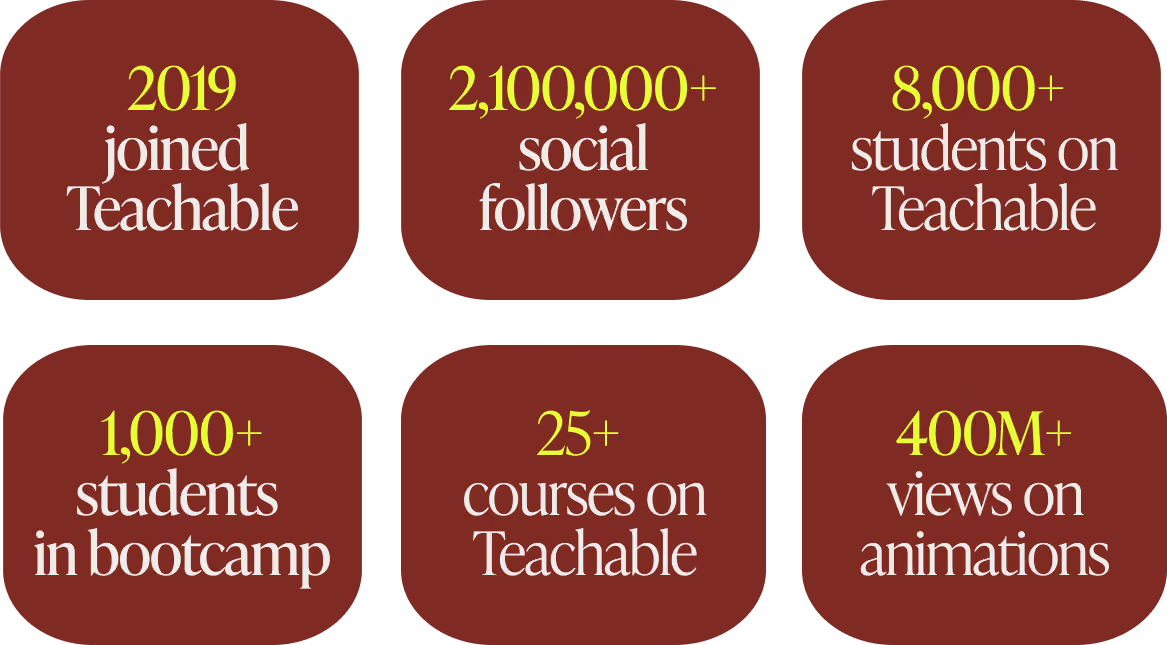
Stefan never set out to become a teacher. His path ran through filmmaking, then wedding photography, then hand lettering, each craft picked up on his own and turned into a living.
Lettering took off as a trend, and people kept asking him the same question about how he did it.
Answering that question in person became a business of its own.
In 2019 he hired an assistant, cleaned out his studio, and ran his first lettering workshop off a big chalk wall in his own office, with pizza for about fourteen people. Demand kept showing up, so the rooms kept getting bigger.
By the time recording crossed his mind, he had taught hundreds of students face to face. He understood that whatever platform he picked would carry all of that online, which raised the stakes on choosing well.
That first online teaching, the guest course for a fellow lettering educator, ran on a custom mix of WordPress, Vimeo, and password protection stitched together piece by piece.
The setup delivered the lessons, and it also showed Stefan how much upkeep a hand-built system demands.
He wanted one place that handled the whole job, and he was willing to give up some custom control to get it. When Lauren Hom, his friend and Striving Artist podcast co-host, told him she was running her own courses on Teachable and loving it, the platform went straight to the top of his list.
A closer look confirmed the fit. The course builder, student management, comments, and online course tools all sat in one place, with a setup simple enough to learn in an afternoon. What stood out most was speed, since payments and delivery already worked together, so he could put his attention on the course instead of the connections between separate tools.
One detail settled it for him. Stefan could build his entire course before paying anything, which let him confirm everything worked before he committed. He created his first course, an online version of his lettering workshop, in a few days.
The feature he reaches for most today solves a problem that used to eat his evenings. Teaching a global audience, he once uploaded every video to separate services to make transcripts and subtitles by hand. Teachable now generates them for him, which feeds the kind of student experience that keeps international learners moving through a course.
“Being able to upload a video and have transcripts and translations generated automatically saves an incredible amount of time and helps me make my courses accessible to students around the world.” — Stefan Kunz, Founder of Stefan Kunz Studio
Stefan started with Teachable and has stayed. Switching platforms later, he points out, is no small task, which made getting the first choice right worth the care he gave it.
When Stefan started, having payments built into the platform mattered. He could open enrollment without wiring up a separate processor, which kept his attention on the course itself.
His needs changed as the business grew, and the platform gave him room to adjust. Stefan now connects his own Stripe and PayPal accounts through Teachable while keeping the built-in option available for whenever he wants it.
“As my business expanded, I had more flexibility to customize parts of my setup, including connecting my own payment processors like Stripe and PayPal.” — Stefan Kunz, Founder of Stefan Kunz Studio
Those options matter more for someone teaching across borders. Stefan's students reach nearly every continent, and Teachable Payments, powered by Stripe, handles tax and local payment methods across dozens of countries. For a creator selling to that kind of audience, the platform manages each market so the creator does not have to.
Stefan is the first to say there is no single right platform for everyone. Predicting how a business will grow is hard at the start, so he tells new creators to pick a tool that can grow with them.
“I would highly recommend choosing a platform that can grow with you.” — Stefan Kunz, Founder of Stefan Kunz Studio
The economics deserve early attention too. Giving up a small percentage feels minor in the beginning, and it adds up as the numbers get bigger.
“When you are just starting, giving up a small percentage may not seem significant. But as your business grows, every percentage point starts to matter.” — Stefan Kunz, Founder of Stefan Kunz Studio
The last thing he weighs is presentation. How a course looks and feels is part of a creator's brand, so Stefan wants a platform that lets him organize content, shape the student experience, and use tools like drip release to deliver a course the way he pictured it.
Take action
Stefan has launched more than 25 courses since 2019, and along the way he built a way of working that any creator with an audience can follow. The core of it is simple. He proves that people want something before he spends weeks building it.
Stefan learned this the hard way. Early on he poured months into courses he felt sure would land, then watched some of them open to near silence.
“You should sell first and then build it later. If it sells really well, then you build it. If it does not sell, what is the point of building it?” — Stefan Kunz, Founder of Stefan Kunz Studio
His model came from outside the course world. A sportswear brand he follows released a limited shoe by inviting people to enter their payment details for a chance to buy a pair, which told the brand exactly how much demand existed before it produced anything.
Stefan runs his launches on the same logic. For his animation course, he set up a tool that sent a waitlist link to anyone who commented the word animate on his videos. Around 3,000 people signed up within a couple of weeks, and that list became his proof.
“I had to have around 3,000 people on the waitlist to get 250 students. That conversion is still really good.” — Stefan Kunz, Founder of Stefan Kunz Studio
Take action
Stefan began in the smallest way possible, with a chalk wall and a pizza order.
His first workshop ran in his own office, with room for about fourteen people, and he taught it across a weekend before running it again. From there he booked a thirty-seat space, then back-to-back weekends in New York and Los Angeles with 120 seats to fill, followed by London, the Philippines, and India.
By the time recording crossed his mind, he had taught more than 300 students in person. He knew the questions they asked, the parts that confused them, and the moments things clicked.
“Start small, understand how it works, build up, and you can grow it piece by piece.” — Stefan Kunz, Founder of Stefan Kunz Studio
Take action
Stefan rarely changes his order of operations. He runs a live workshop first, turns it into a multi-week bootcamp next, and records the evergreen course last, once the material has proven itself several times.
The bootcamp stage is where Teachable's comment feature earns its place. In his weekly animation bootcamps, students post their homework and Stefan replies with video feedback, something a single-day workshop never had room for. The multi-week format makes space for that exchange, and the work students hand in gets noticeably better.
“Like a band performing the same show at different stadiums, I have refined it with every iteration.” — Stefan Kunz, Founder of Stefan Kunz Studio
By the time he records the evergreen version, real students have pressure-tested every lesson. The final course is the polished result of all those rounds.
Take action
Stefan compares a good course to a football team with one play it runs perfectly. The other side knows exactly what is coming and still fails to stop it.
“They were so good at that one single play that nobody could beat them.” — Stefan Kunz, Founder of Stefan Kunz Studio
He has watched his own launches grow so elaborate that even his team lost track of the plan. The fix was always the same. He stripped the launch back until everyone understood it again.
Simple plans are the repeatable ones. A launch you can run cleanly the second and third time is worth more than a clever one you manage to pull off once.
Take action
Plenty of creators teach students to copy one finished piece, step by step, which produces good imitations and little else. Stefan teaches the thinking underneath instead, the principles he uses to make any piece, and he gets students to a first win as fast as possible because an early result keeps them going.
He has a phrase for the balance.
“People want the quick win. So I try to hide the vegetables in the food.” — Stefan Kunz, Founder of Stefan Kunz Studio
The quick win is the food, and the principles are the vegetables. Students arrive for the result they saw on Instagram and leave able to make work of their own.
Take action
A common worry among creators is that teaching will pull them away from their craft. Stefan found the reverse to be true.
“You try to figure things out yourself, and then there comes the next level. Now you have to teach it to someone else, and that is when you learn whether you really understood it.” — Stefan Kunz, Founder of Stefan Kunz Studio
Explaining a technique forces him to understand why it works, which sharpens his own work. When he shares a method and watches other artists run with it, the pressure to find the next idea pushes him forward.
That loop is why he keeps taking client projects alongside teaching. His wife, a primary school teacher, pointed out that he learns the most when he solves real problems for paying clients. One recent brand project asked for a painterly texture effect he had never made before. He spent hours working it out, and now it is one more thing he can teach.
His path has run from lettering to Procreate to animation, and each new area started as a client challenge or a personal experiment. The teaching always follows the making.
Stefan prefers to let his reach tell the story rather than share revenue figures.
His brand animations have passed 400 million views, and his audience across social platforms sits above 2.1 million people. More than 8,000 students have come through his courses and workshops, with over 1,000 in his animation bootcamp alone. He has worked with brands including Coca-Cola, Apple, and Adobe, and he has taught students on nearly every continent.
For an artist who started by adding words to his Instagram photos, the pattern holds steady. He keeps making the work, and the teaching grows out of it.
Stefan is one of many creators using Teachable to reach students far beyond their home country. Elisa Azoum grew French Mornings to more than 2,850 language students across dozens of countries on the same platform, and Amie Tollefsrud built an eight-figure course business on it. The pattern repeats: real expertise, a clear program, and a platform that travels with the student.
Stefan's focus right now is client work, which has kept him busier this year than ever. He treats every project as research.
The lessons stack up quietly. How to use AI as a real tool in animation rather than a shortcut, how to build a studio camera setup, how to edit a video that travels well. Each one is a future course waiting for the right moment.
When the season turns and he has room to teach again, the material will be ready. The order will stay the same as always. Prove the demand, run it live, then record it.
The wider market is moving in his direction. Goldman Sachs Research projects the creator economy could reach $480 billion by 2027, roughly double its 2023 size. Creators who prove demand before they build, the way Stefan does, are the ones ready to claim a share of it.
See Stefan's work: Follow his animation on Instagram and YouTube, explore his Teachable school, or browse his full portfolio at stefankunz.com. You can also hear him on the Striving Artist podcast.
Read more creator stories: See how Youness School chose Teachable to train more than 2,000 engineering-prep students, and browse the full Success Stories collection.
Learn the sell-first approach: Stefan proves demand before he builds. For more on that, read how to make money selling courses right now.
Try Teachable yourself: Teachable gave Stefan one place to build, sell, and run his courses, with Teachable Payments handling tax and local methods for a global audience. Start your free Teachable trial and build the course your audience keeps asking you for.

Before Youness Es-Sebiy built Youness School into a course business that has trained more than 2,000 students, he did what most serious creators do first: he tried the other options.
He taught on several platforms and compared what each one actually delivered for his school.
The answer he reached was Teachable, and he is direct about the reasons.
"I have tested other platforms in the past, including Thinkific and Podia. While they are good platforms, I ultimately chose Teachable because of two factors that were very important for my business and my students … The first is security … The second is the mobile learning experience." — Youness Es-Sebiy, Founder of Youness School
That decision came from someone who knows the stakes from the inside. In Morocco, the road to a top engineering school runs through CPGE, the Classes Préparatoires aux Grandes Écoles: two intensive years after high school studying advanced math, physics, chemistry, and engineering sciences, then one national exam that decides which schools will take a student. Youness went through all of it. He reached the other side and graduated from École Hassania des Travaux Publics, one of the leading engineering schools in the country.
Then he started teaching the students coming up behind him. He launched Youness School in 2019 while he was still an engineering student himself, recording lessons for the exact exams he had just survived. By 2023 the school was his full-time work.
Today it has directly supported more than 2,000 students preparing for Morocco's national exam (the CNC) and the French Grandes Écoles exams, with more than 20,000 others reached through free lessons and his YouTube channels across Morocco, France, Tunisia, and Mauritania.
The two reasons he named for choosing Teachable, security and the mobile experience, run through every part of how that school works.

Youness built Youness School around a problem he had felt directly. CPGE students carry an enormous load across many subjects, and a lot of them hit a wall in one or two of those subjects with little structured help to get past it. He wanted to give them that help in a format that fit how they actually live and study.
" I went through the same preparatory classes, and they were very difficult. My goal is to help students who are facing the same problems, to help them grow and reach the best engineering schools." — Youness Es-Sebiy, Founder of Youness School
He made one early decision that shaped everything after it. Youness School would be online only. He had looked at in-person tutoring and found it too limited for what he wanted to build.
"We chose e-learning because we find the platforms very efficient. Physical classes are limited, and for our students online learning is the best solution." — Youness Es-Sebiy, Founder of Youness School
That decision raised the stakes on the platform itself. If an entire school lives online, the platform has to protect the content, reach students on whatever device they own, and keep working when the connection drops. Those three requirements are what pointed Youness toward Teachable over the other tools he had tried.
Youness runs the school with the same clarity he asks of his students. Five choices shape how Youness School finds, teaches, and keeps its students.
Most enrollments at Youness School begin with a conversation, usually on WhatsApp, where his sales team finds out where a student is actually struggling before recommending anything.
"In the beginning, we try to understand the needs of the student. If a student has problems across many topics, we offer a bundle with the whole platform. If they only have difficulty in one subject, we give them one or two courses." — Youness Es-Sebiy, Founder of Youness School
The result is a recommendation matched to what the student actually needs. A student weak in one subject buys a single course. Someone starting the full two-year climb buys a bundle, which Teachable lets him package as one grouped program.
Take action
Youness School runs on three formats at once: recorded lessons students watch on their own time, live sessions with collaborating professors, and one-on-one coaching.
"We use both approaches. We have recorded classes on the platform with Teachable, and we have live courses with professors who teach in these preparatory classes. There is also coaching to answer questions and correct their work." — Youness Es-Sebiy, Founder of Youness School
The recorded library carries the core curriculum and reaches every enrolled student. Live sessions and coaching cover the moments where students need a person in the room with them: stuck on a problem set, preparing for a mock exam, or talking through method. Together they create the kind of student experience that keeps learners moving through the material.
Take action
For a school that sells exam-prep video, the content is the product. Youness named content protection as one of the two factors that decided his platform choice.
"As an online school, protecting our educational content is a top priority. I found Teachable's video hosting and content protection to be particularly strong, which gave me more confidence using the platform for premium courses." — Youness Es-Sebiy, Founder of Youness School
Secure video hosting keeps his lessons from leaking out, which matters when the same exam prep sells to a fresh cohort every year. Content that walks out the door loses the value he priced it on.
Take action
This is the choice most specific to where Youness teaches. His students are spread across Morocco and the wider Francophone world, and the connection they study on is uneven. The Teachable mobile app, and offline downloads in particular, became central to how the school reaches them.
"The mobile app lets students access their courses easily on their phones and tablets. The ability to download videos for offline viewing has been extremely valuable, especially for students who do not always have a stable internet connection." — Youness Es-Sebiy, Founder of Youness School
The context behind that quote is real. In 2025, about 36 percent of people in Africa used the internet, the lowest rate of any world region, according to the International Telecommunication Union. For a student living inside that gap, a course that only streams is a course that stalls every time the signal drops. An offline download turns a commute, a power cut, or a weak connection into study time.
Take action
Youness prices across a wide range, from single courses around $60 to full programs above $1,000, so a student pays only for what they need. He also gives free access to families facing financial hardship, and he has used free trial periods to let students try the school before paying.
"We give some courses for free to families facing financial difficulties. We want talented students to have access regardless of their financial situation." — Youness Es-Sebiy, Founder of Youness School
More than 5,000 students have come through Youness School's free-access and trial campaigns, which widened his reach and let prospective students experience the platform before buying. Payment access shapes the model too. In Morocco, many students and parents pay by bank or cash transfer, and a card is rarely the default, so a real conversation often comes before a sale.
Take action
Youness built the school around one belief, and he states it plainly.
"We believe talented students should have access to elite-level education regardless of their city, country, or financial situation." — Youness Es-Sebiy, Founder of Youness School
That belief is why offline access matters so much to him, and why the price range stays wide. The students he most wants to reach are often the ones with the least reliable connection and the tightest budgets. Building for them first is what makes the school useful to everyone else.
The measure that matters to Youness is straightforward: whether his students get into the schools they are aiming for. Since 2019 he has worked directly with more than 2,000 of them, with another 20,000-plus reached through free lessons, webinars, and his YouTube channels. They sit the same national exam he once sat, and the strongest performers go on to the top engineering schools in Morocco and France.
"My advice would be to focus on the student experience and content protection. If security, accessibility, and mobile learning matter to you, I would recommend Teachable. Students can learn from any device and access content wherever they are, and that makes a real difference." — Youness Es-Sebiy, Founder of Youness School
Youness is one of a growing number of creators using Teachable to teach students far beyond their home country. Elisa Azoum grew French Mornings to more than 2,850 language students across dozens of countries on the same platform. The pattern is consistent: subject expertise, a clear program, and a platform that travels with the student.
Youness has a wider plan for the school. CPGE is a small field by design, with roughly ten thousand students entering each year in Morocco. He wants to take the same model to high school students, a group he puts at around half a million in Morocco alone, and eventually to learners in other countries.
"I have a global strategy to develop Youness School and help more people. In Morocco there are about half a million high school students, and we want to give them similar platforms and solutions." — Youness Es-Sebiy, Founder of Youness School
The plan he describes brings together education, technology, and the careful use of AI, built for students who would otherwise sit outside the reach of this kind of coaching.
Youness's students pay differently than a US or European creator's audience does. Cards aren't the default in Morocco. Many families pay by bank transfer. And selling across Morocco, France, Tunisia, and Mauritania means four different markets, currencies, and different sets of tax rules.
But the best part is that, in the near future, Youness won't ave to manage payments manually.
That's exactly what Teachable Payments is built for. Local payment methods appear automatically at checkout based on where the student is. Tax is calculated, collected, and remitted across 45+ countries without the creator filing anything. Prices display in the student's local currency without manual configuration.
For a school built around the belief that talented students should have access regardless of where they live, the checkout experience should reflect that too, and now it does.
Explore Youness School: Visit younesschool.com to see the courses and programs, and youness.online for more on Youness's work. Follow Youness Es-Sebiy on LinkedIn and YouTube, and follow the Youness School YouTube channel and company page on LinkedIn.
Try Teachable today: Youness built a school that protects its content, reaches students on any device, and keeps teaching when the internet drops. Teachable handles the video hosting, the mobile app, and the payments so creators can spend their time with students. With Teachable Payments, that now includes local payment methods for an international student base like his.

Amie Tollefsrud calls herself a lazy person. She has generated over $11 million on Teachable saying so.
"I am a self-proclaimed, very lazy person." – Amie Tollefsrud, Founder of Rebelle Nutrition and Lazy Millionaire
Most creators treat that word as the enemy. Amie treats it as the whole strategy.
She runs an eight-figure course business from her bed or a beach club lounger, and she got there by doing less of the wrong work, not more of it. The lazy move, in her hands, keeps turning out to be the smart one.

Before the eight figures, Amie worked a nannying job and felt certain it was not going to be her life. She trained as a nutritionist, started seeing clients one-on-one, and hit the ceiling every service provider eventually hits.
There are only so many hours in a day, and trading them for money never scales.
So she did the lazy thing, which also happened to be the smart thing. Amie took the advice she repeated to clients over and over and built it into an online course that could reach all of them at once.
"That's when I created my first online nutrition course to try and reach and help more people all at once. A little less effort from there." – Amie Tollefsrud, Founder of Rebelle Nutrition and Lazy Millionaire
She built that first course from a tiny hut in Maui, carrying five figures of debt and using an outdoor toilet. Amie had no business degree, no investors, and by her own account no tech skills. The slick tools creators reach for today did not exist for her, so she sold it without them. Then she ran her first launch.
"One of my first course launches ever, I think I had made like $5,000 in the span of an hour. And I just remember, like, jumping up and down. [It] was the most money I'd ever made at once in my entire life." – Amie Tollefsrud, Founder of Rebelle Nutrition and Lazy Millionaire

The nutrition courses worked, and as they kept working, her audience started asking her about something other than nutrition.
"All anybody ever wanted to ask me was, like, how I ran [and] how I built [my] business online, because it allowed me to travel the world and really do all the things that I dreamed about growing up." – Amie Tollefsrud, Founder of Rebelle Nutrition and Lazy Millionaire
That repeated question was its own market research. Her audience told her what they wanted before she ever built it, the exact validation signal she now teaches her students to watch for.
So she followed it. The nutritionist became the course-creation expert.
That pivot grew into Rebelle Nutrition's eight-figure education business: Online Course Academy, Passive Income Academy, and the program that ties them together, the Lazy Millionaire Method, which has helped more than 4,000 students across niches build profitable courses of their own.
Amie has been on Teachable since close to the platform's earliest days, running the same play on repeat for the better part of a decade: take lived experience, turn it into a course, sell the shift it creates, and let it run.
The throughline from that first nutrition course to the business today comes down to a handful of principles Amie applies every single time. Here are the ones doing the heaviest lifting.


The biggest mistake Amie sees in first-time creators is selling the wrong thing. They list their modules, their PDFs, their hours of video, then wonder why nobody buys.
"When somebody buys a course, they're not just buying the number of lessons or modules or PDFs. They're buying a shift, a shift in how they feel, how they think, what they can do, or what their life is going to look like after the course is finished." – Amie Tollefsrud, Founder of Rebelle Nutrition and Lazy Millionaire
Amie points to her own dentist as the perfect salesperson.
Curious about Invisalign, she expected a pitch about process and timeline. Instead he showed her a photo of her teeth that day, next to a mockup of her teeth a year later. He simply sold her the result she actually wanted.
"Immediately, I was like, 'Take my money. I want that.'" – Amie Tollefsrud, Founder of Rebelle Nutrition and Lazy Millionaire
Amie has her students build what she calls a before-and-after blueprint. They write the student's exact frustration today in the student's own words, then the specific, tangible result waiting on the other side.
The result has to be concrete, never a fuzzy phrase like "feel empowered." It should be something a person could physically point to, like "I don't even need to wear foundation anymore because my skin is so clear," or "I got my 5K down by five minutes." The course becomes the bridge between those two points.
Take action

Selling a shift only works when it gets specific enough that the right person cannot scroll past it.
"Vague doesn't sell. Specific sells. Specific is what makes people stop scrolling. Specific is what makes people pull out their wallets and buy." – Amie Tollefsrud, Founder of Rebelle Nutrition and Lazy Millionaire
Her litmus test sits in the gap between "Learn how to eat clean" and "A step-by-step guide to clear your hormonal acne in 30 days."
Identical expertise sits underneath both titles. The second one aims at one specific person with a real promise, and that version is the one that sells. Broad offers leave buyers quietly wondering whether the thing is really for them, and uncertainty kills the sale.
"When somebody is not sure, they do not buy. But when your offer is specific, it builds instant trust. It shows people that you know exactly what they're going through and exactly how to help them." – Amie Tollefsrud, Founder of Rebelle Nutrition and Lazy Millionaire
Amie pushes for a timeframe wherever it stays honest, such as "in 30 days" or "in 90 days," because a clear timeline makes the result feel achievable. She also insists on the buyer's actual language over insider jargon.
Take action

Amie is blunt about why so many capable creators, even ones with big audiences, launch into silence. They guessed.
"You wouldn't want to open a French bakery without knowing if anyone in town likes croissants, right? So same thing here. Let's make sure you're baking what people are actually hungry for." – Amie Tollefsrud, Founder of Rebelle Nutrition and Lazy Millionaire
Her method skips surveys and spreadsheets.
Amie has creators hold three to five real conversations with people who feel like ideal students, through DMs, email, or a quick call.
The questions stay simple: their biggest frustration with the topic, what they have already tried and why it fell short, and whether a step-by-step course to the result would actually help. Then she listens for the line between polite interest and real urgency.
"We're not looking for perfection, we're just looking for proof. Proof that your idea has legs, and proof that people are already searching for this solution." – Amie Tollefsrud, Founder of Rebelle Nutrition and Lazy Millionaire
She also reframes the whole exercise so it never feels like begging for approval.
"Validation is not about asking for permission. You are the expert. You have the vision. This is just about making sure that your offer meets people where they are before you invest the time turning it into something amazing." – Amie Tollefsrud, Founder of Rebelle Nutrition and Lazy Millionaire
Take action

For all the strategy, Amie credits one unglamorous habit above the rest. She ships before it is ready.
"That's also, I think, exactly why I have been successful, because I take action and I launch things actually before they're perfect." – Amie Tollefsrud, Founder of Rebelle Nutrition and Lazy Millionaire
Her first launch, by her own description, was scrappy and far from what she wanted. It still made $5,000 in an hour.
The creators who never break through are usually the ones tweaking and refining until the moment to launch quietly slips past.
"Launch quickly and fast and let it be imperfect. And also just always go back and iterate, like, there's always something you can make better, and then you can get, like, 1% better every time. And it really, over time, does make a difference." – Amie Tollefsrud, Founder of Rebelle Nutrition and Lazy Millionaire
That iteration habit also keeps students coming back. Asked what most reliably turns a one-time buyer into a repeat customer, Amie answered without hesitating.
"The results that they get the first time around. So if they feel like you went above and beyond the thing that they thought they were going to get, they're definitely going to come back in for a second time." – Amie Tollefsrud, Founder of Rebelle Nutrition and Lazy Millionaire
Take action
Amie's revenue does not come from chasing new customers all day. It runs on a system that works without her and pulls more value from every person who already decided to buy.
The top of her funnel is her audience on Instagram, TikTok, and now Substack. From there she offers something free and valuable, a fully automated hour-long masterclass, and sells her program at the end of that training.
Automated email sequences of five to seven messages follow up over the next week with anyone who did not buy right away, paired with a real reason to act now.
The lazy genius shows up in what she layers on top: order bumps and post-purchase upsells.
"Think about, like, when you're at the grocery store and there's all the candy right before you checkout, the people are buying things anyway. So at the last minute, it's a really good time to upsell them on similar items that they might also want." – Amie Tollefsrud, Founder of Rebelle Nutrition and Lazy Millionaire
Someone who just decided to spend money will spend a little more, so one buyer becomes worth far more without any extra traffic.
"It's just a really easy and lazy way, honestly, to generate more revenue with the same amount of effort. You [don't] have to be continuously, like, chasing down [a new] client. You can just make more off of the one-time purchase." – Amie Tollefsrud, Founder of Rebelle Nutrition and Lazy Millionaire
Take action
The obvious objection to any course in 2026 sounds simple. Plenty of people ask why they would pay for a course when AI hands over information free.
Amie does not dodge that objection. She agrees that good free information exists everywhere, then explains why it falls short of the real thing.
"[AI] can give you a lot of valuable information, but [it hasn't] actually done the thing in real life and achieved the results that you're looking for. Like a human can." – Amie Tollefsrud, Founder of Rebelle Nutrition and Lazy Millionaire
Her edge comes from having lived the outcome she teaches, start to finish.
"I actually have achieved the results that I'm teaching in real life. I'm somebody who literally started from zero. I didn't have any money to invest. I didn't even have tech skills... I went through years of, like, struggle and figuring it out and trying things that didn't work and failing. And that was years of experience in real life." – Amie Tollefsrud, Founder of Rebelle Nutrition and Lazy Millionaire
She sees the same change defining the whole industry. The creators who win next will skip the losing game of competing with a chatbot on facts.
"The next wave of successful course creators will be the ones who are thinking really innovatively about what they can offer and sell that is... offering people more than what they can just go to [AI] and find an answer to." – Amie Tollefsrud, Founder of Rebelle Nutrition and Lazy Millionaire
In practice, that means pairing the digital course with something only a person can give: community, group support, an occasional live touchpoint, whatever fits the creator's energy and style.
This reframe helps any creator worried that AI made their knowledge worthless. Amie's bet runs the other direction. The more information becomes free and instant, the more valuable a real guide who has walked the path becomes.
"People don't want a robot or a guru or a PhD professor. They want a real person who's relatable and a few steps ahead of them." – Amie Tollefsrud, Founder of Rebelle Nutrition and Lazy Millionaire
These days, Amie is most excited about Substack, which she started in the past year.
It has become both a fresh revenue stream and a surprisingly strong top of funnel. Readers who find her there often go on to buy her courses, sometimes converting better than social media. Her approach to it stays pure Amie: every post gets treated like a tiny product.
"I look at every article I write almost like a 12-minute course." – Amie Tollefsrud, Founder of Rebelle Nutrition and Lazy Millionaire
For someone who has done eight figures, she stays remarkably clear that the path was never about being special.
"To be honest, I always imagined that this would be my life... I just had no clue, like, how [I was] actually going to do that." – Amie Tollefsrud, Founder of Rebelle Nutrition and Lazy Millionaire
The advice she would give the version of herself still working that nannying job is the same advice underneath everything she teaches today.
"Keep going. Let the things that you are excited about drive you. If you feel this excited about something, you're probably onto something. Keep going. Keep doing it, because it's just going to lead you to [the life] that you've always dreamed of." – Amie Tollefsrud, Founder of Rebelle Nutrition and Lazy Millionaire
Get Amie's free playbook: Grab The Profitable Course Playbook on Teachable, where Amie walks through how to find the right course idea, validate it, and build something people actually pay for.
Watch the full interview: See Amie tell her complete story on YouTube.
Explore more from Amie: YouTube | Instagram | Teachable School | Website
Explore more creator stories: Read how other educators are winning on Teachable in our Success Stories collection.
Try Teachable yourself: Amie turned a scrappy first launch into an eight-figure business by selling the shift her students want, validating before building, and refusing to wait for perfect. Start your free Teachable trial and build the course your audience already keeps asking you for.
TL;DR: Moving your course from Udemy to your own platform is the most direct way to gain revenue control and own your student data without the technical overhead of self-hosting. Udemy takes 63% of marketplace sales and doesn't share student email addresses, per Udemy's own instructor revenue-share terms. On our Builder plan at $69/month (annual billing), you keep 100% of revenue after standard processing fees, and Teachable Payments automatically remits VAT and GST across 45+ countries. This guide is for creators who have already validated a course on Udemy and are ready to build an independent business around it, not for creators who are still testing whether their idea sells. It covers content backup, email list capture, platform setup, and launch strategy.
When Udemy runs a site-wide sale, your $200 course can be discounted to as low as $9.99, Udemy's own stated Deals Program price floor. You spent months building that course, recording lectures, designing slides, and answering student questions. Now you're realizing you don't own your student list, you can't email your buyers directly, and you're giving 63% of your revenue to a marketplace that controls your pricing. That revenue split and the email restriction are both covered in Udemy's instructor terms.
Udemy is a great place to validate a course idea. It's a terrible place to build a business. Migrating to your own platform is a structured process that pays for itself almost immediately once you run the actual fee math.
The core problem with Udemy isn't the platform's quality. It's the business model. When you host on Udemy, you're renting an audience from a marketplace that sets your prices, hides your student data, and takes the majority of every sale.
On organic marketplace sales, Udemy takes 63% of the transaction, leaving you with 37%. Instructor payouts haven't kept pace with Udemy's revenue growth. Payouts as a share of Udemy's revenue fell from roughly 40% in 2019 to roughly 31% in 2022, according to SellCoursesOnline's Udemy earnings study.
The subscription model is worse. Udemy's subscription revenue share has been cut three times in three years: 25% to 20% in January 2024, to 17.5% in January 2025, and to 15% in January 2026.
On your own platform, you set the price. You can charge $200, $500, or $2,000 for the same course. You control the discounting, not a marketplace algorithm that can discount your course to Udemy's stated floor of $9.99 during every site-wide sale.
Your email list is the one business asset that doesn't change when a platform restructures its pricing. On Udemy, you don't have that asset. While you can export student names and enrollment data as CSV, you cannot access student email addresses. The platform treats those students as Udemy's customers, not yours.
This matters more than the revenue share. If Udemy changes its algorithm, its pricing, or its policies tomorrow, you have no way to contact your students directly. You can't tell them about a new course, a coaching offer, or a migration to your own site. You're building on rented land.
Udemy caps your pricing at $200 for most courses. And unless you opt out of the Deals Program, which is on by default when you register as a premium instructor, Udemy's pricing algorithm can discount your course automatically without your day-to-day approval. The platform's educational announcements rules also prohibit you from linking to paid content off Udemy or sites that request money or personal information from students.
On your own platform, you can offer order bumps, one-click upsells, abandoned cart recovery, and coupon codes. We include these checkout tools on every plan. You can also offer subscriptions and memberships, which smooth out the launch-or-nothing income pattern that plagues marketplace sellers.
Before you touch a single file, you need a preparation plan. Rushing the migration means losing content, missing students, or launching to silence.
Udemy does not package your course for bulk download. Each lecture video must be downloaded individually, as there is no option to download a course in its entirety from the Curriculum page.
Manual asset backup steps:
Here's the hard truth: you cannot export student email addresses from Udemy. You can export names, enrollment dates, progress, and last visited dates, but email addresses are not included.
You also can't take Udemy's marketplace ranking. What you can take is your content, your expertise, your brand, and your course reviews and ratings, which you can export via CSV.
Since you can't export student emails, you need to capture them before you leave. The most effective strategy is to add a lead magnet to your Udemy course that directs students to free educational content on your own site. Udemy's educational announcements policy prohibits linking to sites that request money or personal information, so any email capture must happen after students voluntarily navigate to your site for the free resource.
Email capture strategies while still on Udemy:
Before you commit to a platform, understand your options. Here's the decision matrix we use when advising creators on where to move.
Our Builder plan at $69/month (annual billing) includes 0% platform fees and affiliate tools, and every plan, including Starter, comes with native iOS and Android apps. Kajabi's Basic plan starts at $143/month (annual billing), more than double our Builder price for a comparable feature set, though Kajabi does include a native email funnel and CRM that we connect to through Builder-tier integrations instead. Thinkific charges $199/month for its branded mobile app as a separate add-on, while we include iOS and Android apps on all plans.
"Since I moved them to Teachable, my sign ups have tripled and my cancellations have gone down to almost nothing." - Stephanie L. on G2
Once you've backed up your content and started capturing emails, it's time to set up your independent course hub. Here's the step-by-step process on our platform.
Sign up for a 7-day free trial and create your school. The setup takes minutes, not days. You'll name your school, choose a subdomain, and land in the dashboard. No code, no payment gateway configuration, no Zapier chains. Our no-code builder means you can go from signup to a live, purchasable course without touching a single line of code.
Our drag-and-drop course builder lets you bulk upload video files and organize them into sections. This resolves the pain point of manual page-by-page creation that plagues self-hosted setups.
The builder supports video, audio, text, quizzes, and drip content. You can reorder modules, add completion requirements, and enforce minimum watch-time. This course-delivery depth goes further than Kajabi at the same price point, with gradebook, compliance settings, and per-student progress tracking built in.
On our platform, you set the price. You can offer one-time purchases, payment plans, and subscriptions. You can create multiple pricing tiers for the same course, offer order bumps at checkout, and set up one-click upsells. This membership setup tutorial shows how to build subscription-based revenue on your own platform.
Our page editor lets you build a sales page with testimonials, FAQs, and clear call-to-action buttons. You can customize the layout, add video embeds, and connect your custom domain. The page editor is no-code, so you can launch a professional sales page quickly. For a complete walkthrough, this full setup guide covers the entire setup process.
Connecting a custom domain establishes brand authority and professionalism. Instead of sending students to a Udemy URL, you send them to your own branded site. This is a small step that makes a big difference in how students perceive your course.
Checkout reliability matters more than any other feature during a launch window. A broken checkout during a 48-hour promotion means lost revenue and frustrated students. Our built-in checkout handles transactions securely, with order bumps, one-click upsells, abandoned cart recovery, and coupon codes available on paid plans.
This is the hardest part of the migration, and it's where most creators lose students. Here's how to handle it.
No. Udemy does not provide student email addresses to instructors. You can export names, enrollment dates, and progress data, but not contact information. This is why building visibility for your own platform before you leave is critical.
Udemy's educational announcements rules prohibit linking to paid content off Udemy or sites that request money or personal information. The safest approach is to use educational announcements to share valuable free content that happens to live on your own site, where students can then discover your paid offerings.
Offer your existing Udemy students an exclusive migration discount. On our platform, you can create coupon codes that give your Udemy students a special price on your independent course. This incentivizes them to move with you and gives you their email address in the process. A significant discount can net you more revenue than Udemy's 37% share on organic sales. This student enrollment tutorial shows how to add students to your new school.
Let's run the actual fee math. This is where the migration decision becomes obvious.
On organic marketplace sales, Udemy takes 63% of the transaction. On instructor coupon sales, Udemy takes 3%, but you're driving all the traffic yourself. On subscription sales, Udemy takes 85%, leaving you with 15%.
The average revenue per course on Udemy is already below $100, according to Class Central's analysis of Udemy's financials, which demonstrates the financial pressure driving migrations. If you're earning $1,000/month on Udemy organic sales, you're keeping $370. That's the reality of the marketplace model.
Our pricing is straightforward. The Starter plan costs $29/month on annual billing with a 7.5% transaction fee. The Builder plan costs $69/month on annual billing with 0% platform fees. The Growth plan costs $139/month on annual billing with 0% platform fees and more products and students. Full details are in our plan documentation.
Payment processing fees apply on every plan. US card processing via Teachable Payments is 2.9% + $0.30 per transaction. International card payments incur 3.9% + $0.30. Non-USD transactions processed through Stripe where currency conversion is required incur a 0.95% currency conversion fee, as detailed in our 2025 pricing update.
Here's the comparison at different monthly revenue levels, assuming US card processing at 2.9% + $0.30.
The break-even point between Starter and Builder is approximately $533/month in course revenue on annual billing. At that point, the Starter plan's 7.5% transaction fee equals the $40/month price gap between the two plans. Any creator earning above that threshold pays more in fees on Starter than they would on Builder.
The biggest fear when leaving Udemy is launching to silence. Without marketplace traffic, will anyone buy? Here's how to build demand before you launch.
Your email list and social following are the business's core assets. Solo Educators on our platform lean on Instagram (41%) and YouTube (25%) as primary channels. Start publishing free content on these channels before you launch your independent course. A YouTube video that teaches a small piece of your course content can drive signups to your email list, which becomes your launch audience. For more strategies, check out our audience building resources.
Once you've captured emails from your Udemy students, import them into an email marketing tool. We connect with dedicated email platforms through Builder-tier integrations, so you can use your preferred tool for advanced automation. Send a warm-up sequence that introduces your new platform, explains the benefits, and offers the migration discount.
An evergreen funnel captures leads and converts them to sales automatically. On our platform, you can offer a free preview or mini-course that captures email addresses, then automatically upsell students to your paid course. This creates a revenue stream that runs without your active involvement, which is the opposite of Udemy's launch-dependent model. For a step-by-step approach, see our launch strategy guides.
Our built-in affiliate tools, available on the Builder tier, let you recruit partners who sell your course for a commission. With BackOffice enabled on Teachable Payments, an optional add-on at 2% to 2.8%, affiliate payouts and tax forms are handled automatically. This is how you replace Udemy's marketplace traffic with a network of partners who have their own audiences. For more on growing your business, see our business growth resources.
The first 90 days after migration are critical. Here's what to expect and how to handle it.
Days 1-30: Set up your school on our platform, upload your course, and send your first email to your migrated list. Expect slow sales as your audience adjusts to the new platform.
Days 31-60: Launch your evergreen funnel and start publishing organic content. Your first sales should come from your email list and social channels.
Days 61-90: Refine your sales page, test different pricing, and recruit your first affiliates. By day 90, you should have a clear picture of your conversion rates and revenue trajectory. For real-world examples, see our success stories.
Run limited-time promotions to create urgency. Offer order bumps at checkout to increase average order value. Use local payment methods and adaptive pricing to convert international students. We accept student payments in 130+ currencies, so your global audience can pay in their own currency with familiar payment methods. For pricing strategies, see our revenue and pricing resources.
You don't have to delete your Udemy course immediately. Many creators keep a simplified, lower-priced version on Udemy as a lead generation tool that funnels advanced students to their independent school on our platform. Udemy offers instructors the choice to opt out of their Deals Program and exercise full control over pricing, or participate in their data-driven pricing strategy. The key is to make your independent course the premium offering and your Udemy course the entry point.
Ready to make the transition to your own platform? Start a 7-day free trial and build your independent course hub today. Or run the fee math comparing your current Udemy earnings against our plans on the pricing page.
Can I export my student email list from Udemy?
No, Udemy does not allow instructors to export student email addresses due to privacy policies. You must build an off-platform email list using opt-in incentives before closing your Udemy account.
What are your platform fees?
The Starter plan costs $29/month on annual billing with a 7.5% transaction fee. The Builder plan costs $69/month on annual billing with 0% platform fees.
Do you handle international sales tax?
Yes, Teachable Payments automatically calculates, collects, and remits VAT and GST across 45+ countries. This removes the creator from the tax filing loop entirely, as detailed in our payment documentation.
Can I keep my course on Udemy and sell it elsewhere?
Yes, non-exclusive Udemy courses can be sold elsewhere. Instructors can opt out of Udemy's Deals Program to exercise full control over pricing.
How long does it take to migrate my course from Udemy?
Migration timelines vary by course size and complexity. Effort scales with how much content, email infrastructure, and customization you're rebuilding. Book a call with our team and you'll walk away with a migration plan specific to your course, no obligation.
What happens to my Udemy course reviews and ratings?
Your Udemy reviews and ratings can be exported via CSV, but they stay associated with your Udemy presence. You can collect new testimonials from your migrated students on your new platform.
Teachable Payments: Our native payment gateway that processes student transactions and automatically handles global tax compliance across 45+ countries.
Tax Remittance: When you sell through Teachable Payments, we automatically calculate, collect, and remit sales tax, VAT, and GST across 45+ countries on your behalf. You are not responsible for filing those taxes yourself.
Revenue Share: The percentage of course sales kept by a marketplace platform like Udemy in exchange for hosting and traffic. Udemy takes 63% on organic marketplace sales.
Order Bump: A checkout feature that offers an additional product at a discounted price during the purchase flow, increasing average order value.
Evergreen Funnel: An automated marketing sequence that captures leads and converts them to sales without requiring a live launch event.
TL;DR: When course creators start evaluating alternatives to their hosting platform, the trigger is usually one of four friction points: a transaction fee on every sale, student or product caps, lower-than-expected international payouts, or the absence of a built-in email funnel and CRM. On our Starter plan, that transaction fee sits at 7.5%. Three of those four problems are solvable without switching: upgrading to Builder at $69/month on annual billing removes the fee entirely, and outgrowing your caps just means moving up a tier, Growth raises your product limit to 50 (students are unlimited on every plan), with a Custom plan available via a sales conversation beyond that. The fourth, a built-in funnel and CRM, is not native to our platform, and most creators solve this by connecting a dedicated marketing platform through Builder-tier integrations rather than migrating their entire course business. Before migrating for any reason, know the trade-off: our Teachable Payments remits VAT and GST across 45+ countries automatically, and native iOS and Android apps are included on every plan.
If you're looking at alternatives to Teachable, you're most likely hitting one of four specific bottlenecks: transaction fees, plan caps, international payout friction, or the need for a built-in marketing funnel. The sections below diagnose each trigger honestly and show what's solvable on our platform today versus what genuinely requires different tooling.
Most switching intent comes from a solvable problem inside our own pricing structure. Work through these four triggers before you start an export.
We cap published products, not enrolled students, students are unlimited on every plan. Starter allows 5 products, Builder 10, Growth 50. If you're outgrowing even Growth's 50-product cap, our pricing page invites larger sellers, those doing more than $12,000/year, to contact sales directly about a Custom plan rather than assuming you're stuck.
The Starter plan's 7.5% transaction fee is the most common reason creators look elsewhere, and it is also the most fixable. Above $533/month in revenue on annual billing, the 7.5% Starter fee costs more than upgrading to Builder at $69/month. Run that math for your current revenue at our pricing page before writing a cancellation email.
Our Builder plan connects to dedicated email and marketing platforms via Zapier, so most creators solve this by pairing a third-party marketing tool with our course delivery rather than replacing the whole platform. A native funnel builder and CRM are not included on our platform. The comparison section below covers what that trade-off actually looks like.
Our Teachable Payments automatically calculates, collects, and remits VAT and GST across 45+ countries so you never file those taxes yourself, a compliance overhead that falls entirely to you on most competing platforms. The processing fees behind that coverage are: US card transactions run 2.9% + $0.30, international card transactions run 3.9% + $0.30, and non-USD transactions carry an additional 0.95% currency conversion fee charged by Stripe. If international processing fees are the sole pain point, model that fee stack against the cost of manual VAT compliance before switching to a platform that pushes that burden back to you.
The table below compares entry-level pricing, platform fees, and tax handling across the six main alternatives. All pricing reflects 2026 annual billing where available.
Our full fee stack: Platform fee is 7.5% on Starter or 0% on Builder. Processing fee details are listed under the international tax coverage section above. All fees stack on each sale. Automatic VAT and GST remittance across 45+ countries is shown in the tax handling column below.
Kajabi bundles a built-in email funnel, automated sequences, landing page builder, and CRM into one subscription, at a meaningful premium over Teachable, and without our automated international tax remittance.
Kajabi suits creators who want to run their entire business, course delivery, email marketing, and pipeline automation, from a single dashboard without connecting third-party tools. While Kajabi's marketing stack is its core strength, its entry price starts at $143/month on annual billing, making it 107% more expensive than our Builder plan at $69/month on annual billing. Based on Kajabi's published documentation as of writing, Kajabi does not automatically remit international VAT or GST, so that compliance overhead may fall entirely to you. Our course-specific tooling, gradebook, compliance settings, minimum watch-time enforcement, and per-student progress tracking, also goes deeper than Kajabi's at the same price point, since Kajabi's strength is the marketing stack around the course, not the course delivery itself.
Beyond the subscription gap, you may absorb the manual VAT compliance burden the moment you migrate. Kajabi requires you to manage tax compliance yourself, either by including tax in your product prices or by connecting a third-party tool to stay compliant with EU, Australian, and other international tax authorities. For any creator with meaningful international student volume, that is a real operational cost that does not appear on Kajabi's pricing page.
Based on Thinkific's published pricing as of writing, the platform retired its free plan in 2025 and now starts at $40/month on annual billing on the Basic plan with 0% transaction fees on all paid plans in primary markets like the US, cheaper at entry than our Builder tier but without our automated VAT and GST remittance. It has a capable no-code builder and suits creators comfortable configuring third-party integrations for email and tax.
If 0% platform transaction fees from your first dollar of revenue is the priority and you sell to students in markets where Thinkific charges no platform fee, Thinkific is worth evaluating. Thinkific Payments manages sales tax for US and Canadian students and calculates VAT for UK and EU buyers, though if you sell to buyers in the EU, VAT remittance is your responsibility, which means either a third-party tax tool or an accountant.
Thinkific's Trustpilot rating sits at 1.8 out of 5 across 866 reviews as of September 2026, with the majority of recent negative reviews citing billing and subscription problems, payment processing failures, and account access or data export issues. For a creator whose entire business runs through a single platform, that pattern warrants attention before committing. You also take on the cost of third-party tax tools to cover international buyers, which we handle automatically at no extra configuration.
Based on Podia's published pricing as of writing, the Mover plan starts at $42/month on annual billing (50 products, 100 email subscribers, 25 community spaces) with a 5% transaction fee, and the Shaker plan removes that fee at $84/month annual (150 products), both without our automated VAT and GST remittance or native mobile apps. Unlimited products require the Earthquaker plan at $150/month annual.
Podia suits solo creators who sell a mix of digital downloads, simple courses, and memberships and want a straightforward setup without complex configuration. Our students get offline playback and progress sync through native iOS and Android apps included on every paid plan, rather than a mobile browser session, while Podia has no native iOS or Android app at any tier.
Podia calculates tax for creators but leaves registration, filing, and remittance entirely to you. There also appears to be no native mobile app, so students access all content through a mobile browser rather than a dedicated app experience. For a creator with students in multiple countries, the manual VAT obligation means researching jurisdiction requirements independently or paying an accountant to manage them.
Based on LearnWorlds' published pricing as of writing, the Starter plan starts at $24/month on annual billing with a per-sale fee that disappears at higher tiers. It is built for interactive, certification-heavy learning experiences with SCORM support.
Our no-code setup gets a standard consumer-facing course live quickly, which is the right trade-off for individual creators selling to general audiences rather than corporate training departments. The exception is SCORM: we don't currently support SCORM content packages.
LearnWorlds offers Stripe Tax integration for calculating and collecting tax at checkout, but creators retain responsibility for filing returns and actual remittance to each tax authority. Setup complexity on LearnWorlds may be substantially higher than on our platform, so factor in configuration time before assuming the move is straightforward.
Based on Skool's published pricing as of writing, the Hobby plan starts at $9/month with a 10% + $0.30 transaction fee and the Pro plan costs $99/month with a 2.9% + $0.30 transaction fee on sales up to $900, rising to 3.9% + $0.30 on any single transaction above $900. Skool is built around community discussion forums as the primary engagement mechanic and includes native video hosting and a drag-and-drop course builder.
Skool suits creators whose core product is a community-led cohort experience where discussion threads and group interaction drive retention. The trade-off is course architecture and tax coverage: Skool's course builder appears to be simpler than our structured module system, and creators who need defined progress tracking, quizzes, and drip content will find our course player more capable for that product type. Skool's VAT handling as merchant of record is also scoped to the EU and UK, while our Teachable Payments covers 45+ countries.
Checkout features are limited compared to our order bumps, one-click upsells, and abandoned cart recovery. Creators who monetize through structured self-paced courses with defined modules and certification will find Skool's setup too shallow for that model.
Based on Systeme.io's published pricing as of writing, the platform offers a free plan and a Startup tier at $17/month with no transaction fees. It bundles basic course delivery, funnels, and email automation at a price point nothing else in this comparison matches.
For creators who haven't yet validated their first product, our 7-day trial covers the same job: build a real course, connect checkout, and test with paying students before committing to a plan. Systeme.io's free plan is a genuine no-cost option too, though it comes without our native mobile apps, detailed analytics, and advanced checkout tools like order bumps and abandoned cart recovery, which matter once that first validated course starts converting.
There is no native iOS or Android app for students. The course interface is basic compared to dedicated course platforms. Systeme.io applies VAT automatically at checkout based on the buyer's country. Unlike Skool, it does not publicly describe itself as merchant of record for VAT, so confirm remittance responsibility directly with Systeme.io before relying on this for compliance planning. Our native iOS and Android apps, included on all paid plans, give students a polished offline-capable experience that Systeme.io cannot replicate at any tier.
Our Teachable Payments automatically calculates, collects, and remits sales tax, VAT, and GST across 45+ countries on every transaction. You do not register with foreign tax authorities, track filing deadlines, or calculate jurisdiction-specific rates. Among the platforms compared here, Skool also handles VAT as merchant of record, but Skool's merchant-of-record coverage stops at the EU and UK, our Teachable Payments extends automatic remittance to 45+ countries, the broadest coverage in this comparison. For creators with students in the EU, UK, or Australia, the manual alternative means paying an international tax accountant or registering for VAT in each country where your sales cross the local threshold.
We include native iOS and Android apps on every paid plan. Students get offline playback, progress sync, and a genuine app experience rather than a mobile browser session. Podia and Systeme.io have no native apps at any tier. For creators whose students commute, travel, or consume content away from a desktop, the app experience directly affects completion rates and refund requests, both of which feed back into audience trust.
A platform migration is not a copy-paste operation. Platforms typically cannot transfer active student subscriptions automatically, course progress data generally does not migrate between platforms, and payment history may remain in our system. Custom domain SEO authority rebuilds slowly after a change. A poorly timed migration during a launch window can break checkout access for active students and cost you refund requests and audience trust at the same moment. Our launch strategy resources cover timing considerations for creators managing live cohorts or active payment plans.
If you've worked through the diagnostic above and the decision is still to migrate, these steps reduce your downside.
Our revenue and pricing resources cover the fee modeling work worth completing before committing to a migration.
The decision comes down to what your business needs right now, not what a competitor's pricing page makes look attractive.
The Builder-tier integrations handle funnel and CRM connections without a platform switch. The 7-day trial covers first-product validation with a live checkout and real payments before any plan commitment.
Run the fee math for your current revenue volume at our pricing page. The 7-day trial lets you build a live, purchasable online course and test the full checkout workflow before committing to a plan.
What are the best alternatives to Teachable in 2026?
The strongest alternatives are Kajabi for creators who need a built-in email funnel and CRM, Thinkific for 0% platform transaction fees in primary markets, Podia for digital downloads and memberships, LearnWorlds for SCORM-compliant corporate training, Skool for community-led cohorts, and Systeme.io for budget-conscious beginners testing their first product. None of these platforms automatically remit international VAT and GST the way we do, with the possible exception of Skool, which handles VAT as merchant of record.
How does Kajabi's cost compare to ours?
Kajabi's entry plan starts at $143/month on annual billing in 2026, while our Builder plan starts at $69/month on annual billing with 0% transaction fees, making Kajabi's entry tier 107% more expensive than our Builder plan. Kajabi includes a built-in email funnel and CRM that we do not offer natively, which accounts for the price gap. Our Builder plan connects to dedicated email and marketing platforms via Zapier, and our course-specific tooling, including gradebook, compliance settings, minimum watch-time enforcement, and per-student progress tracking, goes deeper than Kajabi's at a significantly lower price point.
How do you export your student list from us?
You can export your student list as a CSV file directly from your admin dashboard before cancelling your subscription. You can also export transaction data from the Transactions section by clicking "Export CSV" in the upper right corner. Active payment subscriptions and student course progress typically must be rebuilt manually on any new platform.
How do we handle international sales tax?
Our Teachable Payments automatically calculates, collects, and remits VAT and GST across 45+ countries so creators never file those taxes themselves.
Which course platform has the lowest transaction fees?
Thinkific offers 0% platform transaction fees from their entry plans in primary markets, but Thinkific manages sales tax for US and Canadian buyers and calculates VAT for UK and EU buyers, leaving EU VAT remittance to the creator. Systeme.io offers 0% transaction fees and applies VAT at checkout automatically, but does not publicly describe itself as merchant of record for VAT. Confirm remittance responsibility directly with Systeme.io before relying on this for compliance planning. We offer 0% platform fees from the Builder plan at $69/month on annual billing, and that tier may cost less than staying on Starter once monthly revenue passes a certain threshold.
Teachable Payments: Our native payment gateway that processes transactions and automatically handles international tax remittance across 45+ countries with no manual filing required from the creator.
VAT/GST: Value-Added Tax and Goods and Services Tax, consumption taxes levied on digital products sold to international buyers that creators must calculate, collect, and remit to foreign tax authorities unless the platform handles this automatically.
Platform fee: The percentage-based transaction fee charged by a platform per sale, separate from credit card processing fees and deducted before funds reach your payout account.
Processing fee: The fee charged by payment processors like Stripe or PayPal to handle credit card transactions, separate from platform transaction fees and deducted before funds reach your payout account.
Plan caps: The maximum number of published products permitted on a specific subscription tier, students are unlimited on every plan. Caps rise with each tier, and larger sellers can contact our sales team about a Custom plan.
TL;DR: Choose your course platform based on revenue volume, student location, and mobile needs, not the headline subscription price. Our Builder plan at $69/month (annual) is the most practical default for creators earning above $533/month who sell internationally and need automated VAT and GST remittance across 45+ countries with native mobile access included on every plan. Thinkific suits US and Canadian sellers who want deep customization and accept 0% fees only on Thinkific Payments, but it leaves UK and EU VAT filing to the creator. Kajabi suits creators who need email funnels built in and can absorb the $143/month entry price. Podia suits creators with large product catalogs who accept no native mobile app at any tier. Udemy suits creators with no existing audience who accept giving up significant revenue share and access to student emails.
Most creators choose a course platform based on the monthly subscription price, only to discover that transaction fees, processing fees, and manual tax filing cost them thousands after their first launch. A $29 plan can quietly become a $150 monthly expense once the 7.5% transaction fee kicks in at scale. The real differentiator is not the video player or the page builder. It is who handles your global tax compliance, whether students can access lessons on their phones, and what you actually take home after every fee stacks up.
This guide breaks down the true cost of ownership, student engagement tools, and mobile delivery across the top five platforms so you can protect your margins before your first sale. We compared our platform against Thinkific, Kajabi, Podia, and Udemy on the metrics that matter most: take-home pay, tax automation, course-delivery depth, and native mobile access.
We evaluated each platform on three criteria that directly affect revenue and student outcomes:
These factors determine whether your course business survives past the first launch.
The headline subscription price is the sticker price. Transaction fees, processing fees, and currency conversion are the line items at the bottom of the receipt. A platform with a lower monthly fee can cost significantly more once those line items stack up.
Who handles your tax filing determines how much administrative work lands on you after each sale. We automatically calculate, collect, and remit sales tax, VAT, and GST on our native payment gateways. Thinkific automates US and Canadian sales tax but leaves VAT filing for UK and EU sales to the creator. Kajabi and Podia leave more of the tax filing burden to the creator, which means you may need to handle registration, calculation, and remittance yourself or pay an accountant to do it.
A basic video player does not drive course completion. The platforms that keep students engaged offer:
We include these tools in our course builder. This matters for creators who sell credentialed programs or need to prove that students actually completed the material. The course design resources and student engagement strategies on our blog show how these tools translate into higher completion rates.
Students expect to access courses on their phones. The question is whether they get a real native app or a mobile-responsive web wrapper. Native apps offer offline playback, automatic progress syncing, and push notifications. Web wrappers require a stable internet connection and often lose progress when the browser refreshes.
We include native iOS and Android apps on every plan. Thinkific charges $199/month for its branded mobile app as a separate add-on. Podia has no native app at any tier.
Here is the master comparison across the four direct platforms. We excluded Udemy from this table because its marketplace model operates on a fundamentally different revenue structure.
Thinkific: Automates US and Canadian sales tax only. Creators selling to UK, EU, or other regions handle VAT registration, calculation, and remittance themselves or through an accountant. Carries a 1.8/5.0 Trustpilot rating as of September 2026, with recurring complaints about billing, cancellation, and payment access issues documented across 2025 and 2026 reviews.
Kajabi: Kajabi Payments adds a 0.7% surcharge on top of the base card rate for every subscription or payment plan transaction. International sales incur tiered surcharges: 1.5% for EEA (non-UK) cards, 2.5% for UK cards, and 3.25% for cards issued outside the EEA and UK, plus a small fixed fee per transaction. Built-in email funnels and CRM eliminate the need for third-party email tools.
Podia: No native mobile app at any tier, students access courses through a mobile-responsive web wrapper with no offline playback or push notifications. The break-even between Mover ($42/month, 5% fee) and Shaker ($84/month, 0% fee) is $840/month in revenue on annual billing. Offers unlimited products on all plans.
Udemy: Operates as a marketplace, not a direct-to-consumer platform. Udemy reportedly keeps as much as 63% of revenue on organic marketplace sales. The platform cut its subscription revenue share for instructors three times since 2023, from 25% down to 15% by January 2026. Instructors do not receive student email addresses and cannot build a mailing list or take their audience with them if they leave.
We offer three plans on annual billing: Starter at $29/month, Builder at $69/month, and Growth at $139/month. The Starter plan carries a 7.5% transaction fee per sale. Builder and Growth carry 0% platform fees. Payment processing fees apply on every plan: US card processing via Teachable Payments is 2.9% + $0.30 per transaction, and international cards incur 3.9% + $0.30.
The break-even point between Starter and Builder is approximately $533/month in revenue on annual billing. At that volume, the Starter plan's 7.5% fee equals the $40 monthly price difference between the two plans. Any creator earning above $533/month pays more in fees on Starter than they would on Builder. On monthly billing, where Starter costs $39/month and Builder costs $89/month, the break-even rises to approximately $667/month because the price difference is $50/month instead of $40/month.
Teachable Payments is our native payment gateway that handles tax calculation, collection, and remittance automatically. Creators on this gateway are removed from the tax filing loop for EU and UK VAT plus US sales tax. Tax-inclusive pricing, which shows one price regardless of buyer location, is exclusive to this gateway.
We are the most practical path from expertise to income for creators who sell to a global audience and cannot afford a tax compliance mistake or a prolonged technical setup. Here is what that looks like in practice.
The Teachable Payments dashboard displays transaction details and payout breakdowns. It automatically calculates, collects, and remits sales tax, VAT, and GST across 45+ countries. You see the full cost stack: subscription, transaction fee, processing fee, and currency conversion, in one view once you understand the complete fee structure.
Our Course Builder includes compliance settings, graded quizzes, and student progress tracking. You can require students to watch at least 90% of a self-hosted video before advancing, set drip schedules, and track completion rates per lesson. These tools matter for creators who sell credentialed programs or need to prove learning outcomes.
The native iOS and Android student apps are included on every plan. Students download our app and access your courses. Both the iOS and Android apps support offline playback, letting students download lessons and keep learning without a data connection. Progress syncs across devices, so a student who starts a lesson on their phone can continue it on their laptop.
Creators who sell internationally remove VAT filing from their workflow entirely with Teachable Payments. One verified Teachable user on G2 put it directly:
"I looked at many online course platforms before deciding on teachable. It's intuative and they offer excellent support." - Verified user on G2
We've processed $10B+ in cumulative creator earnings in partnership with Hotmart, and 150,000+ active creators across 180 countries use our platform to sell courses, coaching, and digital downloads. The Made on Teachable and Success Stories collections document real creator outcomes, while the Why I Love Using Teachable walks through the platform from a creator's perspective.
The math of course hosting comes down to three cost layers: the fixed monthly subscription, the per-transaction processing fees, and the hidden currency conversion fees. Here is how to model your real take-home pay.
Payment processing fees apply on every plan, regardless of platform. US card processing via Teachable Payments is 2.9% + $0.30 per transaction. International cards incur 3.9% + $0.30. Non-USD transactions processed through Stripe where currency conversion is required incur a 0.95% currency conversion fee. A US business accepting a European card in euros could pay 3.9% + $0.30 (international card rate) plus 0.95% (currency conversion), for a total of 4.85% + $0.30.
The break-even logic is simple: model your expected monthly revenue against each platform's total cost stack. On our Starter plan, the 7.5% transaction fee costs $150/month at $2,000 in revenue, which is over five times the $29 plan cost. Upgrading to Builder at $69/month removes that fee entirely and saves $110/month in net savings at that volume. The grow your business resources include additional fee modeling examples.
Here is the total cost of ownership at three revenue tiers, combining subscription, transaction, and processing fees. Processing assumes 2.9% + $0.30 per transaction on US cards with 30 transactions per tier.
*All figures assume 2.9% + $0.30 per US card transaction and 30 transactions/month, the same base rate each platform publishes for its native payment gateway: Teachable Payments, Thinkific Payments, Kajabi, and Podia's processor (Stripe or PayPal) all state this rate directly. Kajabi's total is a floor: it adds a further 0.7% surcharge on subscription and payment-plan transactions and steeper international-card surcharges not modeled here. Thinkific's total assumes payment via Thinkific Payments, connecting a third-party processor instead adds a 5% surcharge at the Basic tier.
Thinkific appears cheapest on subscription alone, but it automates sales tax only for US and Canadian sales and leaves UK and EU VAT filing to the creator. If you sell to students in other regions like Australia, the administrative cost of tax compliance may erode that subscription savings. The business operations resources cover tax compliance workflows in more depth.
Creators evaluating platforms carry specific doubts: hidden fees, tax compliance errors, launch failures, and platform lock-in. Here is how each concern resolves.
See the comparison table above for full platform detail on pricing, tax automation coverage, and mobile app access across all four platforms.
Students expect native mobile access. See the comparison table above for full mobile app details across all platforms.
Data portability varies by platform. We allow CSV exports of student data. Migration effort scales with how much content and infrastructure you're moving, and bulk student import into our platform is available on the Growth plan and up.
On our platform, you can go from signup to a live, purchasable course quickly using this checklist:
No Zapier chains, external payment configuration, or tax plugin setup required. The launch strategy resources provide a full pre-launch checklist for first-time creators.
Compare the full cost stack across our plans, including processing fees, on the pricing page. Start a 7-day trial and build your first course before committing to a plan.
Which platform is cheapest for a creator earning $2,000/month?
Our Builder plan at $69/month with 0% platform fees has lower total monthly costs at $2,000 in revenue when factoring in processing fees. Thinkific Basic at $40/month costs less on subscription alone, but it automates sales tax only for US and Canadian sales and leaves UK and EU VAT to the creator, which may require additional accounting costs for international sellers.
Do my students need a native app to access my course?
Students can access courses through a mobile-responsive web wrapper on any platform, but native apps offer offline playback, push notifications, and automatic progress syncing. We include native iOS and Android apps on every plan, both with offline playback, while Thinkific charges $199/month extra and Podia has no app at all.
What happens if I want to leave my platform?
You can export your student data, but the process varies by platform and plan tier. We allow CSV exports of student data, and the effort scales with how much content and infrastructure you're migrating.
How long does it take to go from signup to my first sale?
On our platform, you can go from signup to a live, purchasable course quickly. The no-code builder with built-in checkout, payments, and tax handling requires no third-party configuration.
Tax remittance: The process of calculating, collecting, and paying sales tax, VAT, and GST to the relevant tax authority on behalf of the seller. We automatically handle remittance across 45+ countries on our native payment gateways, removing that filing obligation from the creator entirely.
Teachable Payments: Our native payment gateway that automatically calculates, collects, and remits sales tax, VAT, and GST across 45+ countries.
Tax nexus: A legal connection between a seller and a tax jurisdiction that creates a tax filing obligation. Selling to students in multiple countries can trigger tax nexus in each jurisdiction.
Transaction fee: A percentage of each sale charged by the platform on top of the subscription price. Our Starter plan charges 7.5%, while Builder and Growth charge 0%.
Processing fee: The fee charged by the payment processor for each transaction. US card processing via Teachable Payments is 2.9% + $0.30 per transaction.
Currency conversion fee: A fee charged by Stripe when a payment currency differs from your settlement currency. Non-USD transactions incur a 0.95% currency conversion fee.
Break-even point: The revenue threshold where upgrading from a transaction-fee plan to a 0% fee plan saves more than the subscription price difference. The break-even between our Starter and Builder plans is $533/month on annual billing.


.png)